
This article explains how to open an additional account (or transfer) with TitanFX
You can easily open an additional account in just two steps
- Step 1: Log in to your TitanFX My Page
- Step 2: Open an additional trading account
Step 1: Log in to your TitanFX My Page
① Go to the TitanFX login screen via the link below
Please log in to your TitanFX My Page using the link below
https://traders.titanfx.com/?lang=jp
Step 2: Open an additional trading account
Next, you will open an additional trading account to register with Money Charger
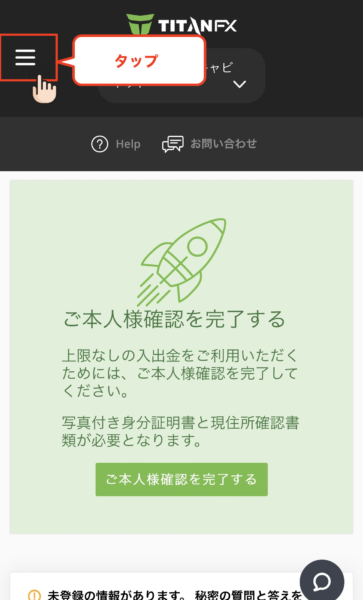
① Tap the menu bar in the upper left corner
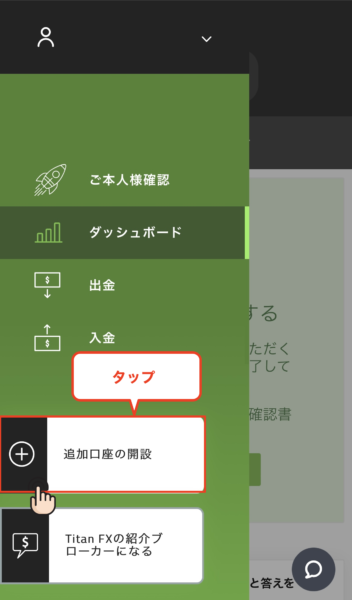
② Tap "Open an additional account"
③ Select the conditions for the account you wish to open
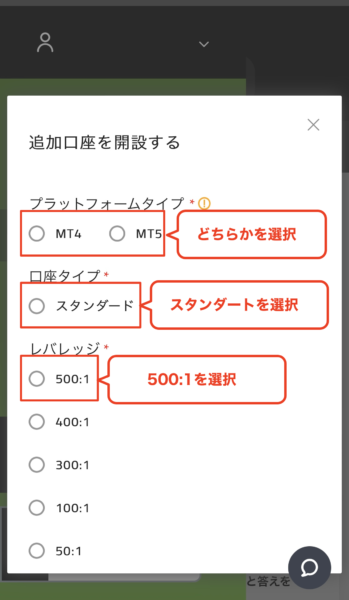
- MT4/MT5: Choose one
- Account type: If you have no particular preference, select "Standard Account"
- Leverage: If you have no particular preference, select "500:1"
④ Enter the referrer number
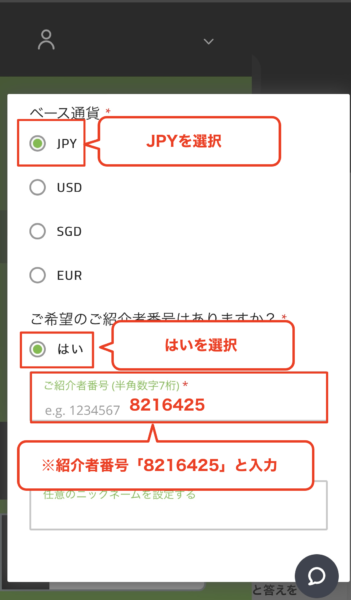
Once you have finished selecting your base currency, select "Yes" when asked "Do you have a preferred referral number?"
Select "JPY" as the base currency
If you select "Yes," an input field called "Referrer Number" will appear
「8216425」Please fill it in
*You cannot create an account linked to MoneyChat unless you enter the number specified here
⑤ Enter your nickname to open an account
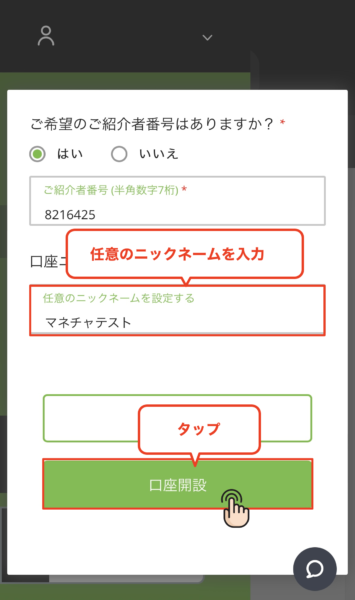
Setting a nickname is optional, so feel free to choose one you like
Once you have finished filling in the information, tap "Open Account"
⑥ Additional trading account opening completed
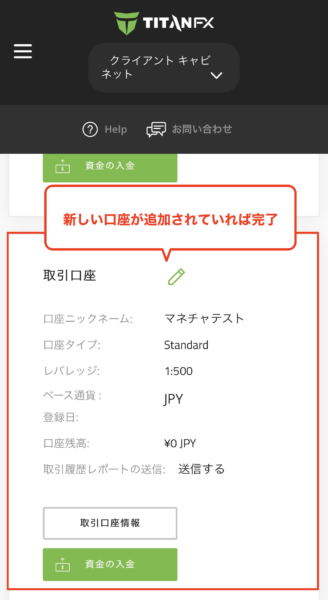
When you return to the main screen, you will see that the account with the nickname you just set has been added
Once this screen appears, your TitanFX add-on application is complete
Next, you will obtain the trading account number to register with Money Charger
⑦ Confirm the "account number" and "password" of the trading account you opened
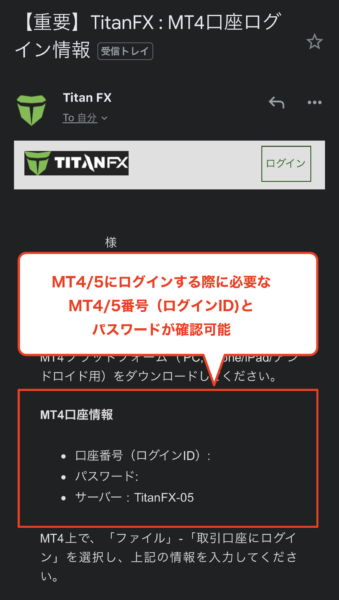
Once the additional account is created, you will receive an email titled "[Important] TitanFX: MT4 Login Information" at the email address you registered
- The "Account Number (Login ID)" in the red box at the top is the "Account Number" you will register with Moneycha
In conclusion
The above explains how to open an additional account (or transfer) with TitanFX
Next, go to your Money Charger My Page and apply to register your cashback account
Click here for an article explaining how to register for an FX account ↓
Money Charger Withdrawal Procedure [Easy with Smartphone Image Explanation!]
Click here for an article explaining the procedure for opening a new account with TitanFX ↓
https://money-charger.com/information/titanfx-signup/