Regarding the procedure for opening an additional Monaxa account,
We will explain it with diagrams and smartphone images so that anyone can easily understand it
In conclusion, Monaxa is
You can easily open an account in just 3 steps
- Step 1: Log in to Monaxa
- Step 2: Open an additional trading account
- Step 3: Obtaining a Customer ID
*When registering for a MoneyChat account, please enter your 'Customer ID' instead of your MT4/5 account number
Contents
Step 1: Log in to Monaxa
① Go to the Monaxa login page
First, please go to the Monaxa account creation page via the link below
https://account.monaxa.com/ja/login
*Please note that if you register through any link other than this one, you will not be able to receive cashback from Money Charger (Moneycha)。
What is cashback with MoneyChat?
② Enter login information
Tapping " Monaxa official website login page
Enter the login information you registered with Monaxa into the displayed "Login Page"
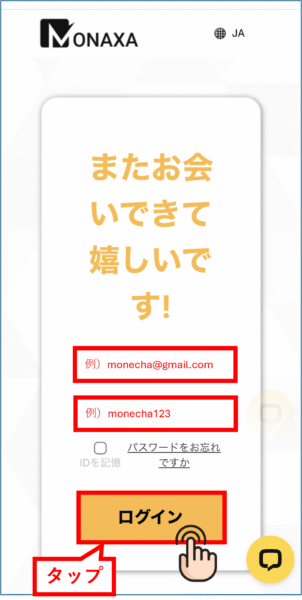
Please enter the following information correctly
- Email address: The email address registered during member registration
- Password: The password you set when you registered as a member
Step 2: Open an additional trading account
① Opening an additional account
Once you've logged in, open the menu in the upper left corner of the screen
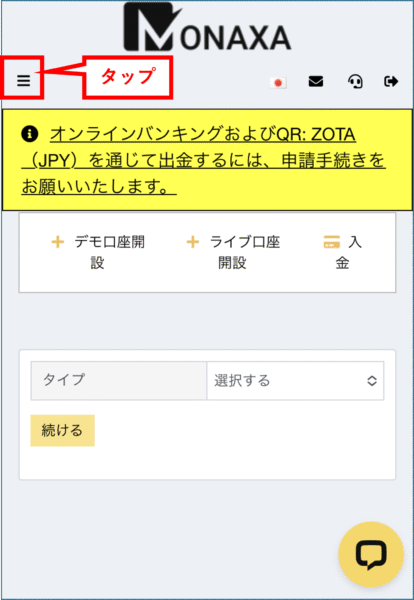
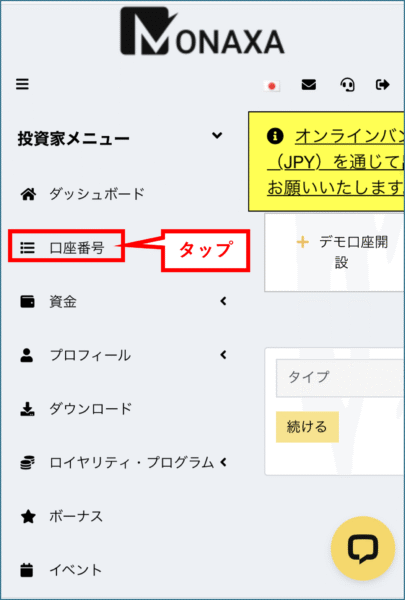
Tap "Investor Menu"

Tap "Account Number"
Tap "Open Live Account"
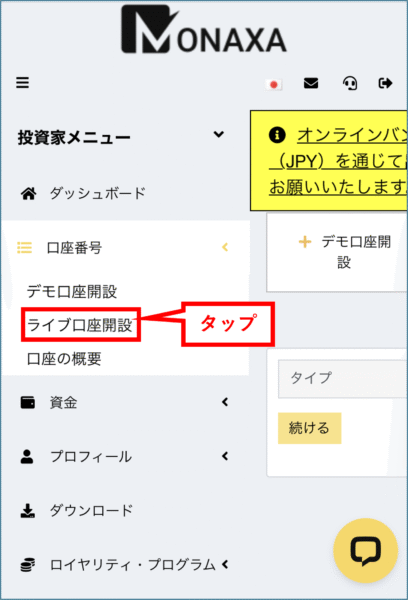
Select the "Type," "Leverage," and "Currency."
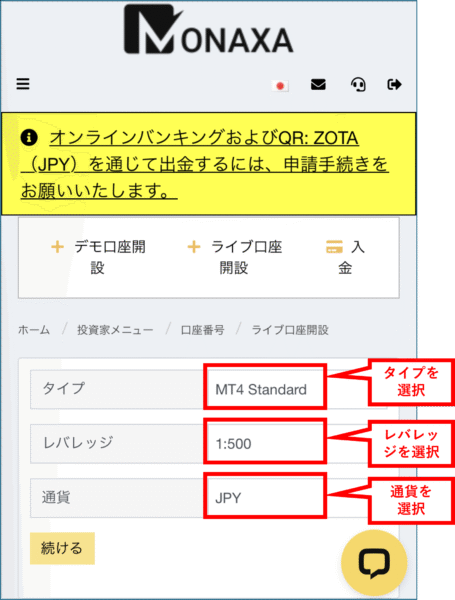
Once you have finished entering the information, tap "Continue"

②Additional account opening completed
Once this screen appears, the process of opening an additional Monaxa account is complete
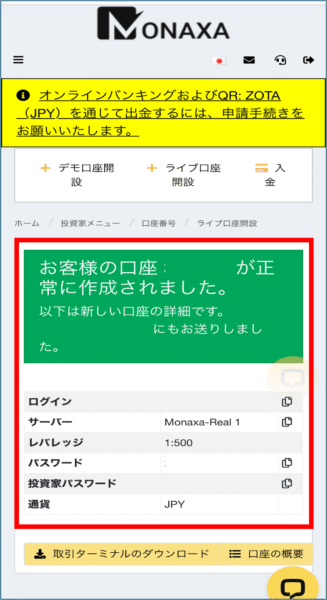
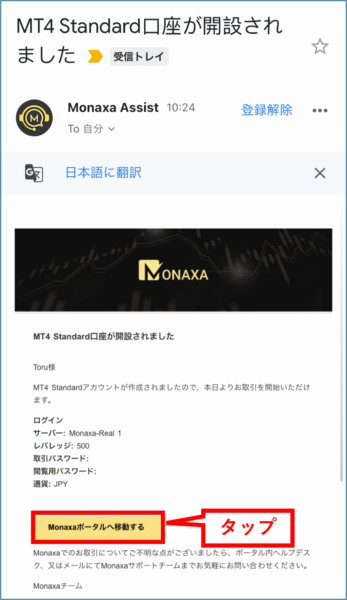
③ Check the email you receive from Monaxa
Open the email from Monaxa with the subject line "Your XX account has been opened."
Tapping "Go to Monaxa Portal" will take you to My Page
Step 3: Obtaining a Customer ID
When registering an account with Monaxa on Moneycha,
You need to enter your 'Customer ID', not your MT4/MT5 account number
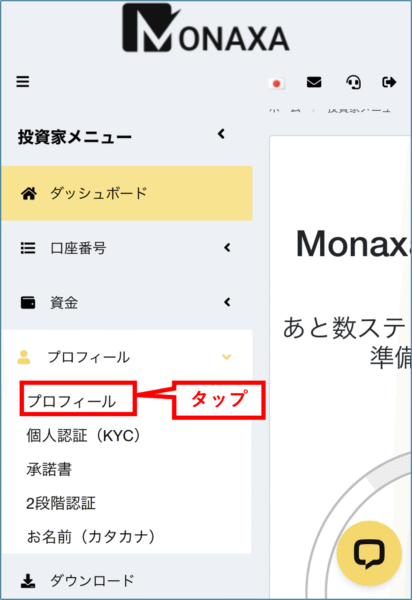
① Tap "Profile" from the menu
Open the menu in the upper left corner of the screen and tap "Profile"
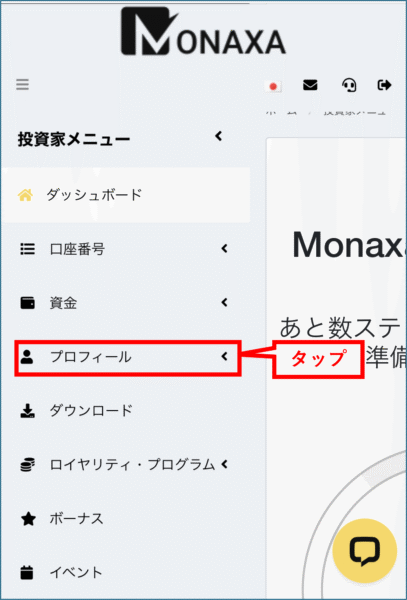
Next, tap "Profile" below it
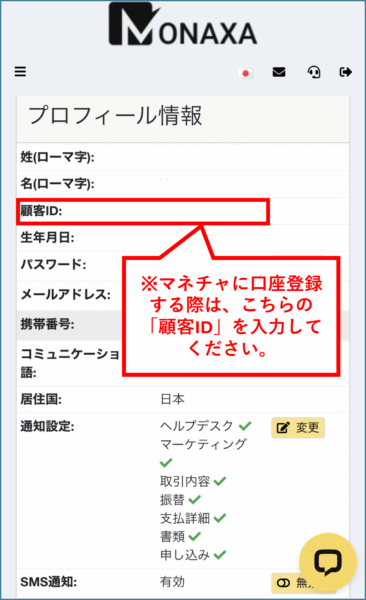
② Check your 'Customer ID' from your profile information
in your profile information is the number you need when registering an account with MoneyChat.
*Please note that entering your MT4/5 account number will not link your account
The "Login" field contains the trading account number required when registering an account with MoneyChat
In conclusion
The above is a step-by-step guide with smartphone screenshots explaining how to open an additional Monaxa account
Next, go to your Money Charger My Page and apply to register your cashback account
Click here for an article explaining how to register for an FX account ↓
Money Charger FX Account Registration Procedure [Easy with Smartphone Image Explanation!]