
This guide explains how to register for Money Charger and JadeFOREX Copy Trading, with screenshots from your smartphone
The process from registering with Money Charger to completing your CopyTrade registration can be completed in 4 steps
- Money Charger Registration
- Open a JadeFOREX account
- c Trader registration
- CopyTrain Registration
Features of JadeFOREX Copy Trading
- You can check your strategy anytime from your PC or smartphone
- Operation can be started and stopped at any time
- Up to 10 accounts can be opened, and they can be separated into discretionary trading and copy trading accounts
- Get cashback through Moneycha
JadeFOREX offers copy trading of trading methods from excellent automated trading providers known as "strategy providers."
Unlike EA automated trading with MetaTrader 4 and 5, this system does not require a 24/7 running PC or specialized knowledge to use the software
You can check your strategy anytime from your PC or smartphone, and start or stop trading at your own discretion
Additionally,you can receive cashback by opening an account through Money Charger.
If you would like to open an account with JadeFOREX, please refer to the following
How to register for Money Charger
First, go to the Money Charger account creation page using the link below
https://portal.money-charger.com/register
The usage procedure is explained in detail in the following article, so please refer to it
JadeFOREX Copy Trading Registration Procedure
Open a JadeFOREX account
Click the link below to go to the account opening page
https://client.jade-forex.com/portal/r/qR4ghqdZ?f=ZGVmYXVsdA%3D%3D
The account opening process is explained in detail in the following article, so please refer to it
Please note thatif you open an account without going through Money Charger, you will not receive the cashback.
When opening an account, please be sure to use the link above to complete the procedure
What is MoneyChat's cashback program?
c Countryr registration
Check your email from cTrader
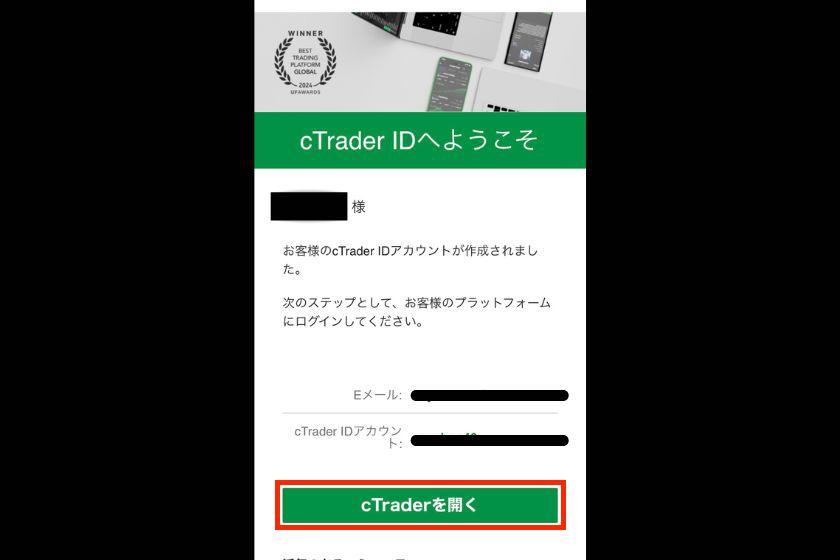
After opening an account with JadeFOREX, you will receive a registration email from cTrader
You will need your Trader ID to log in, so be sure to write it down so you don't forget it
Password setting
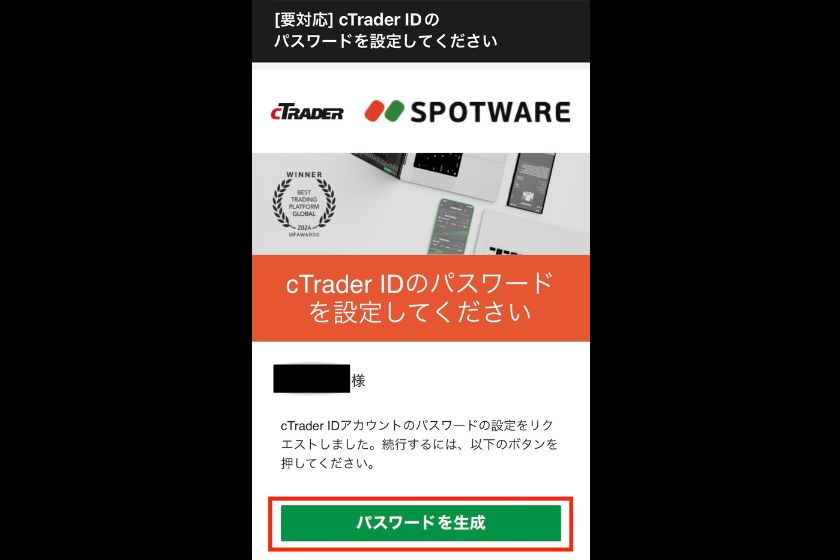
You will also receive an email from cTrader with the subject line "[Requires Action]" regarding password settings
Access "Generate Password" and set your password
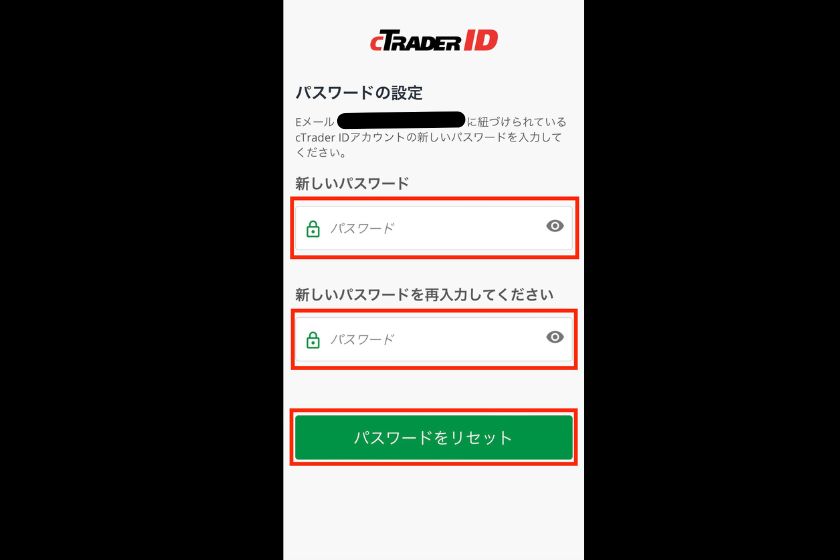
For security reasons, set a password that is difficult to guess
cTrader registration complete
Once the setup is complete, you will receive an email notification from cTrader
Make sure to keep your password together with your ID so you don't forget it
If you happen to forget your password, you can reset it at any time
JadeFOREX Copy Trading Registration
Log in to the cTrader app
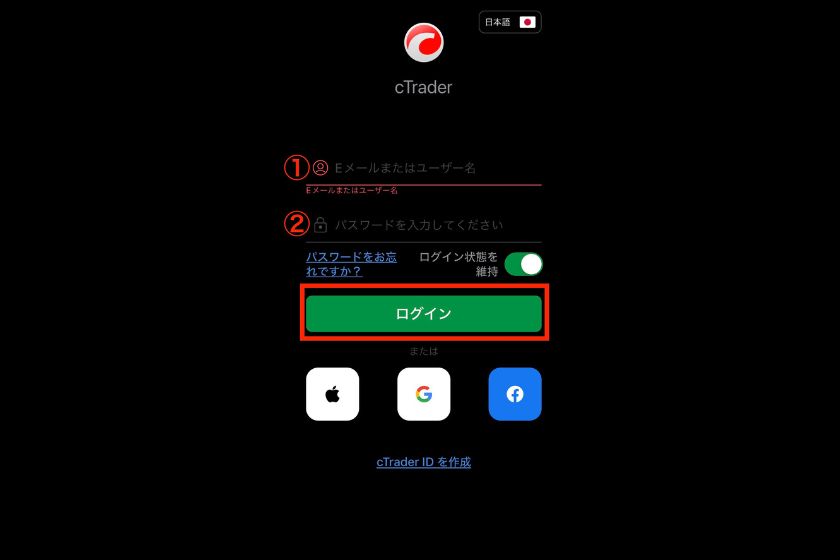
If you're using a smartphone, first install the cTrader app
After installation, enter your ①ID and ②password to log in
Click Copy
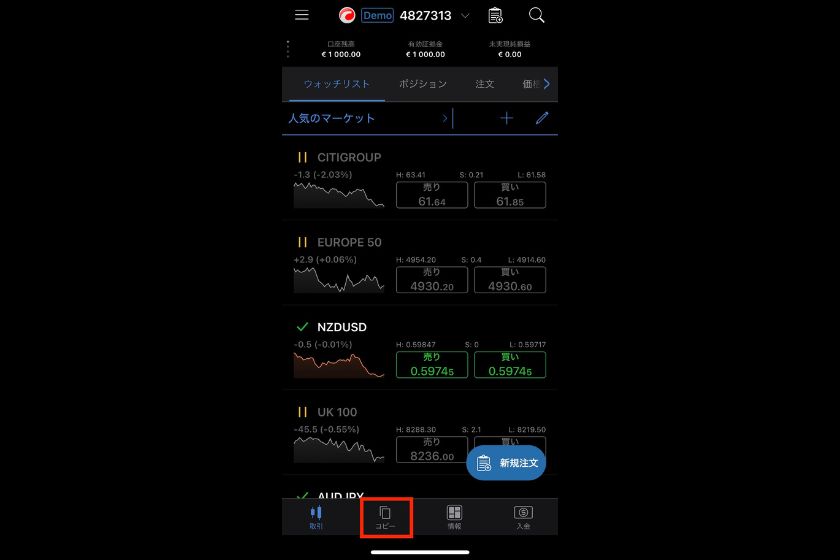
Select "Copy" from the menu bar at the bottom of the screen
Strategy Selection
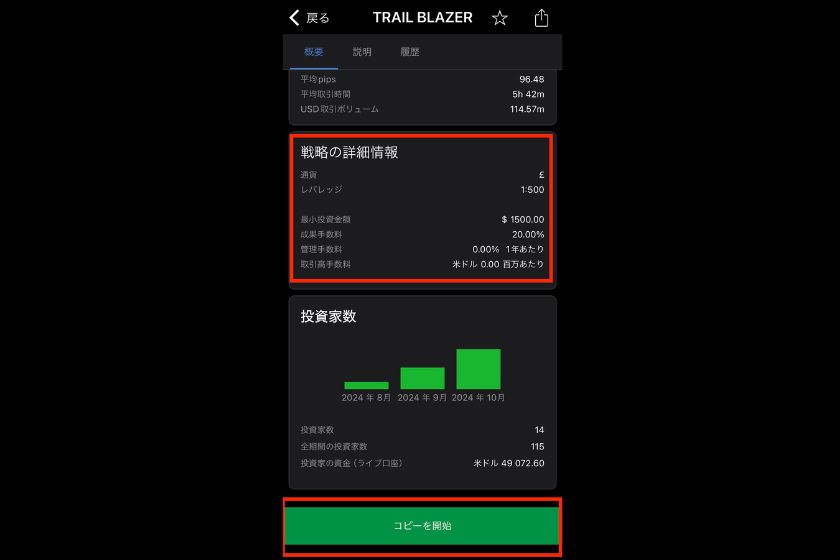
Choose one or more strategies you like
If you scroll down the screen, you will find "Detailed Strategy Information," where fees and success-based compensation are listed
- Strategy management fee
- Strategy success fee
- Volume fees on transactions
Some resources are available for free, so be sure to check the usage fees before starting copy trading
Prioritize copy trading
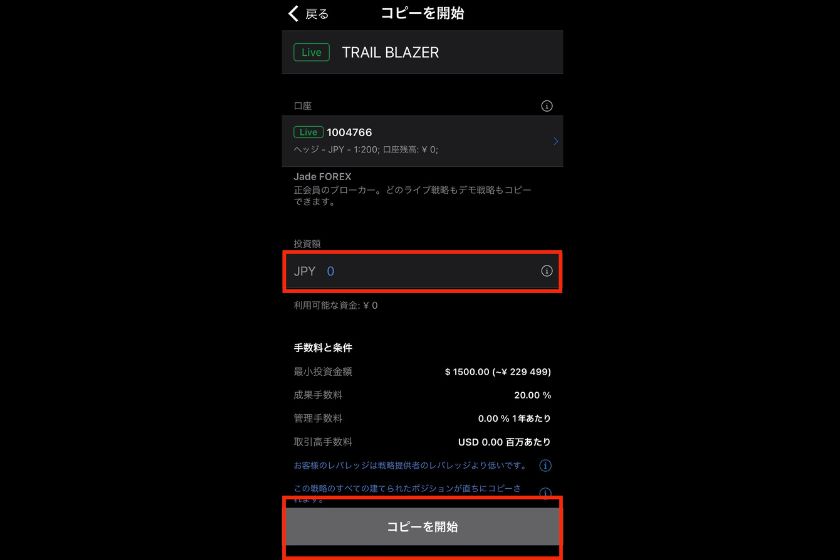
Please review the fees and conditions again, and then enter your investment amount
Clicking "Start Copying" will begin the copy trading process
In conclusion
The above is an explanation of how to register for copy trading with JadeFOREX
Next, go to your Money Charger My Page and apply to register your cashback account