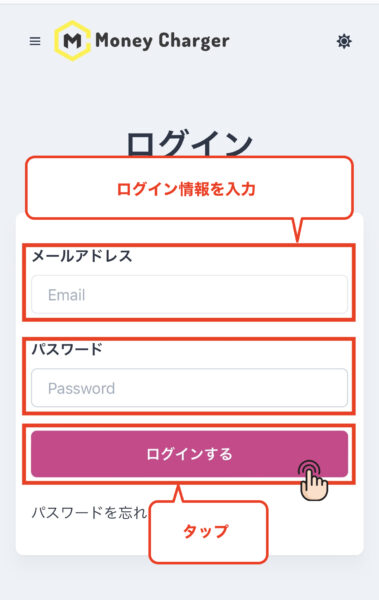
This guide explains how to register for Money Charger, including screenshots from a smartphone
You can easily register to use Moneycha in just one step
- Step 1: Create a MoneyChat account
*Registration is required only if you are using MoneyChat for the first time. If you have already registered with MoneyChat, please proceed to the " FX Account Registration " procedure
Step 1: Create a MoneyChat account
① Click the link below to go to the Manecha account creation page
https://portal.money-charger.com/register
② Enter your registration details and tap "Register"
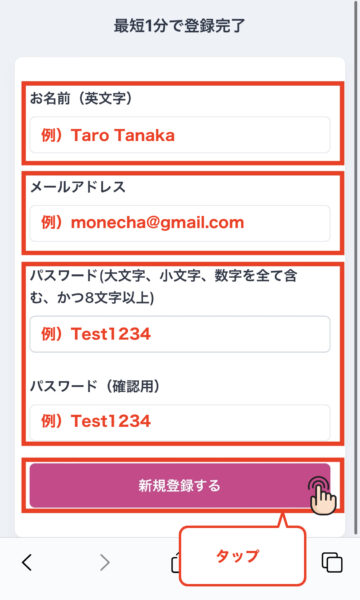
- Name (English): Enter your name in Roman letters
- Email address: Enter the email address you wish to register
- Password: Enter a password that includes uppercase letters, lowercase letters, and numbers, and is at least 8 characters long
- Password (Confirmation): Re-enter the same password as in "Password"
This completes the "MoneyChat User Registration" procedure
In conclusion
The above is a step-by-step guide with smartphone screenshots on how to register for Manecha
Next, please open an FX account to register with MoneyChat, and then proceed to the " FX Account Registration " procedure