Regarding the procedure for opening an additional account with JadeFOREX,
We will explain how to do it easily with diagrams and smartphone screenshots so that anyone can follow along
In conclusion, JadeFOREX is,
You can easily open an account in just 3 steps
- Step 1: Log in to your JadeFOREX My Page
- Step 2: Open an additional trading account with JadeFOREX
- Step 3: Obtaining account information
Contents
Step 1: Log in to your JadeFOREX My Page
① Go to the JadeFOREX login page via the link below
First, please go to the JadeFOREX login page using the link below
https://client.jade-forex.com/portal/sign_in
*If you open an additional account through a link other than this one, you will not be able to receive cashback from Money Charger (Moneycha)
What is cashback with MoneyChat?
② Enter your login information and tap "Log in"
After navigating to the login page, enter the login information you registered with JadeFOREX during your initial registration
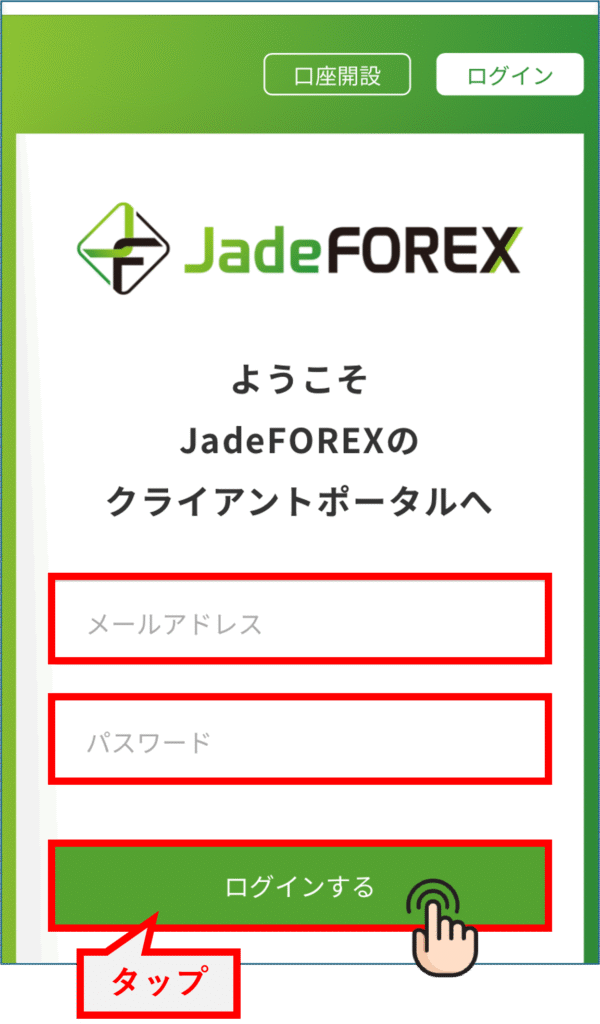
Please enter the following information correctly
- Email address: Enter the email address you registered with
- Password: Enter your registered password
Once you have finished entering your login information, tap "Log in"
Step 2: Open an additional JadeFOREX trading account
Next, register with Money Charger, a cashback site
I will open an additional account with JadeFOREX
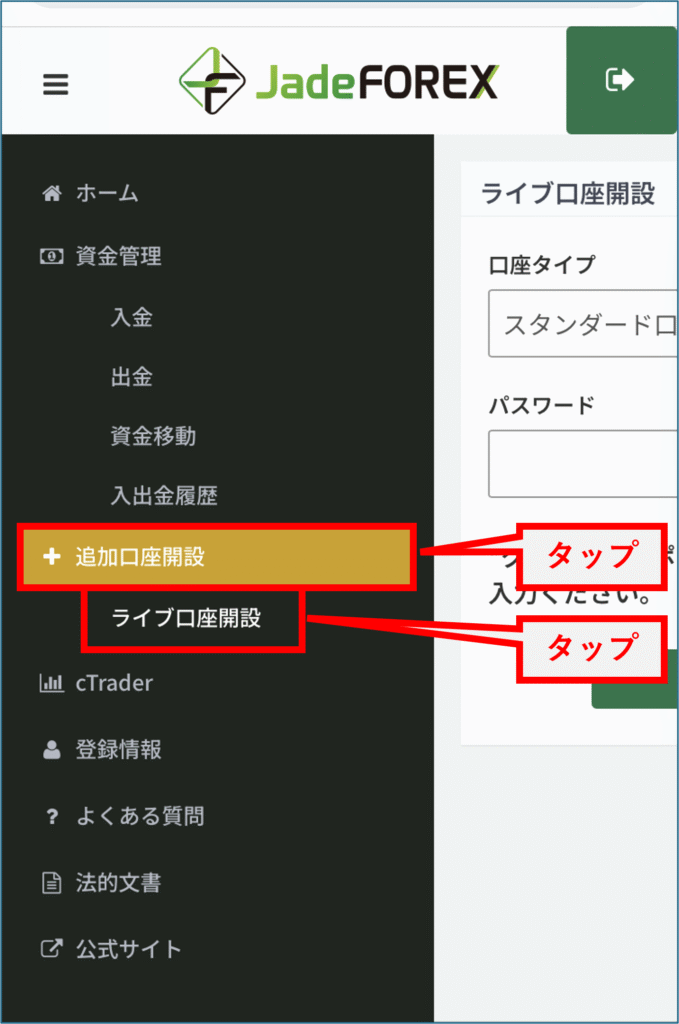
① Tap "Open an additional account" on My Page
Once you've logged into your My Page, click the menu in the upper left corner

Tap "Open an additional account" on the left side of the screen, and then tap "Open a live account"
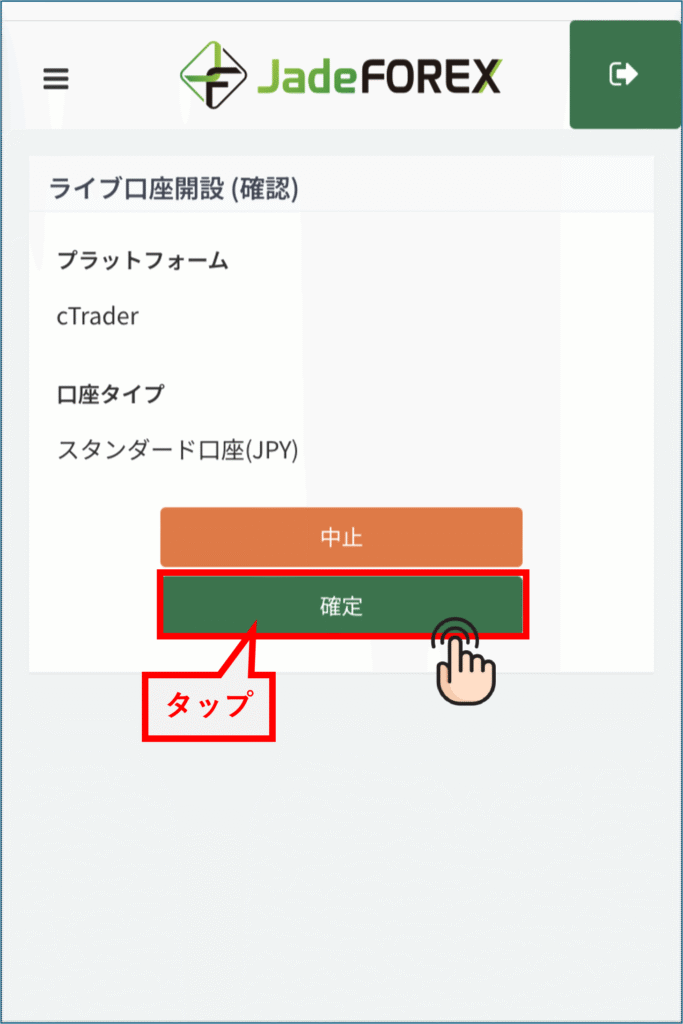
Next, when the following screen appears, tap "Confirm"
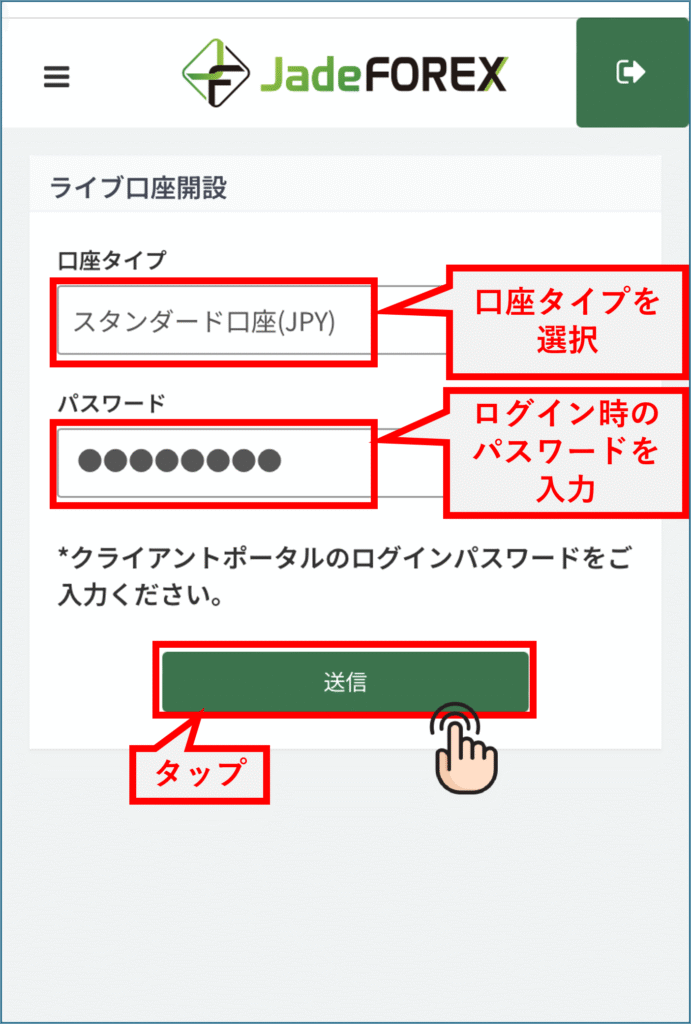
② Select "Account Type" and enter "Password"
On the next screen, select your account type and enter the password you set to log in to your My Page
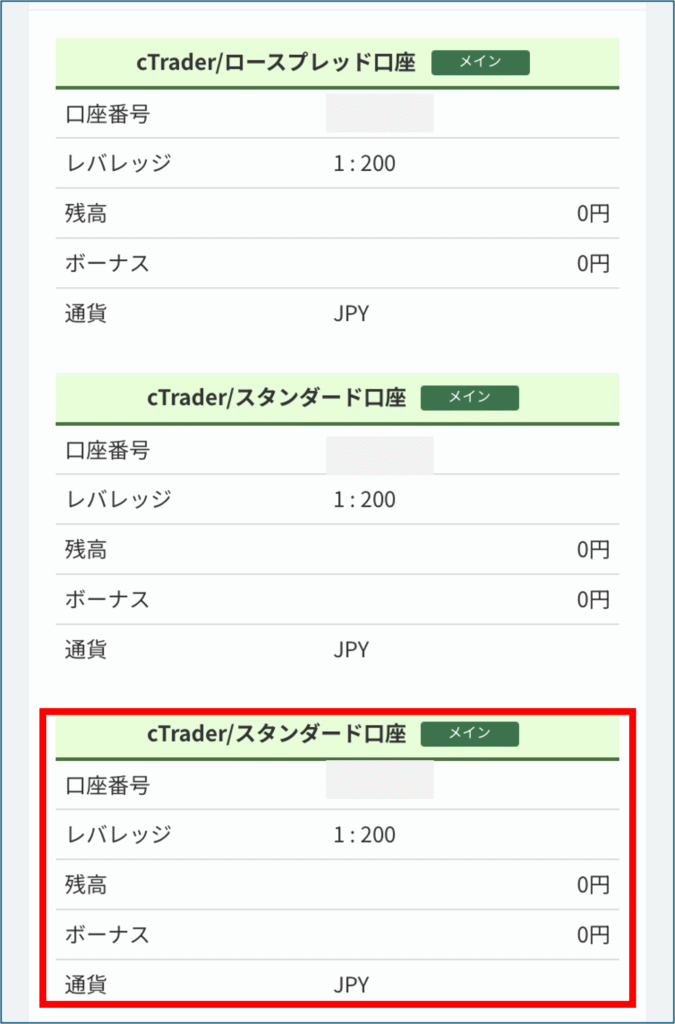
③ Completion of opening an additional JadeFOREX account
Once the above steps are complete, an additional account of the selected type will be opened, as shown in the following diagram
③ Confirmation of email notification
You should also have received a notification at the email address you registered confirming that your additional account has been opened

Step 3: Obtain account information
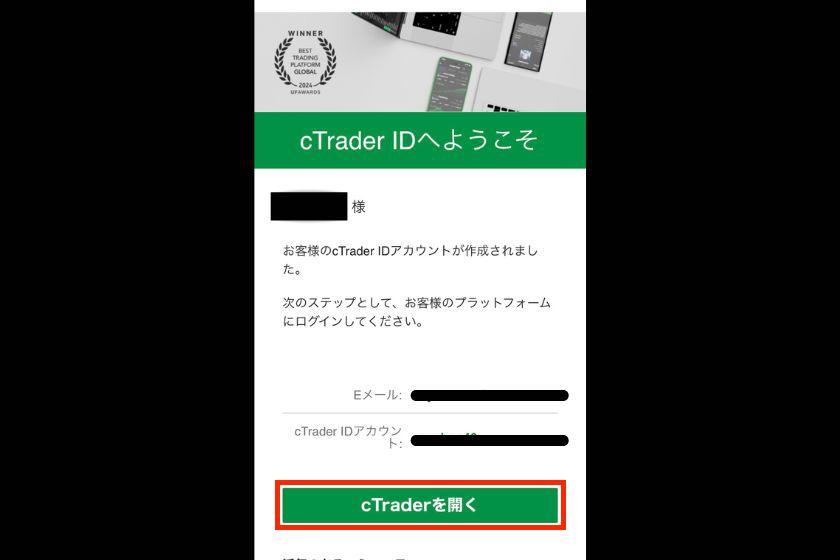
As shown in the diagram below, the email also contains the account number and account type of the account you opened
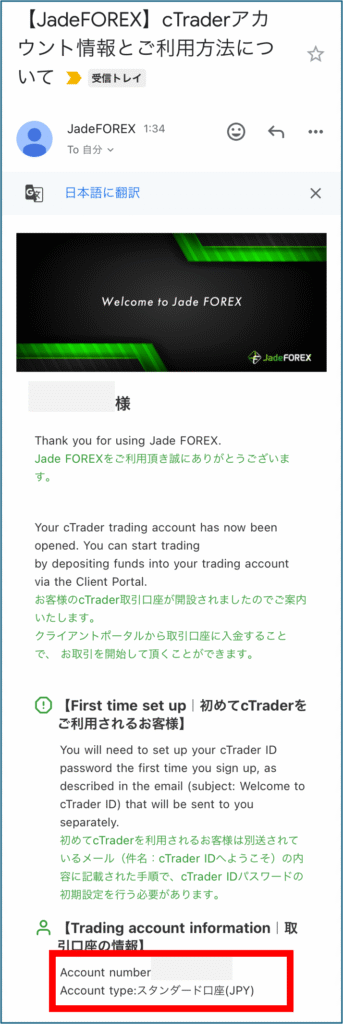
Your account number is necessary to link the account you opened with MoneyChat
Keep it strictly hidden so that no one else can see it
In conclusion
The above explains how to open an additional account with JadeFOREX
Next, go to your Money Charger My Page and apply to register your cashback account