










記事__アイキャッチ-1.png)
This article explains how to change (switch) your Internet Banking (IB) linkage with Errante
*This page is for those who registered for Errante first, then MoneyCharger.
It does not apply to those who registered for Errante via a referral link from their MoneyCharger My Page.
(However, this procedure is also required if you registered for Errante without using a referral link.)
You can easily change (switch) your IB link in just one step
- Step 1: Link the IB number
Step 1: Reassigning IB numbers
1. Request Errante to link your IB number via email
We will request Errante to change the IB number.
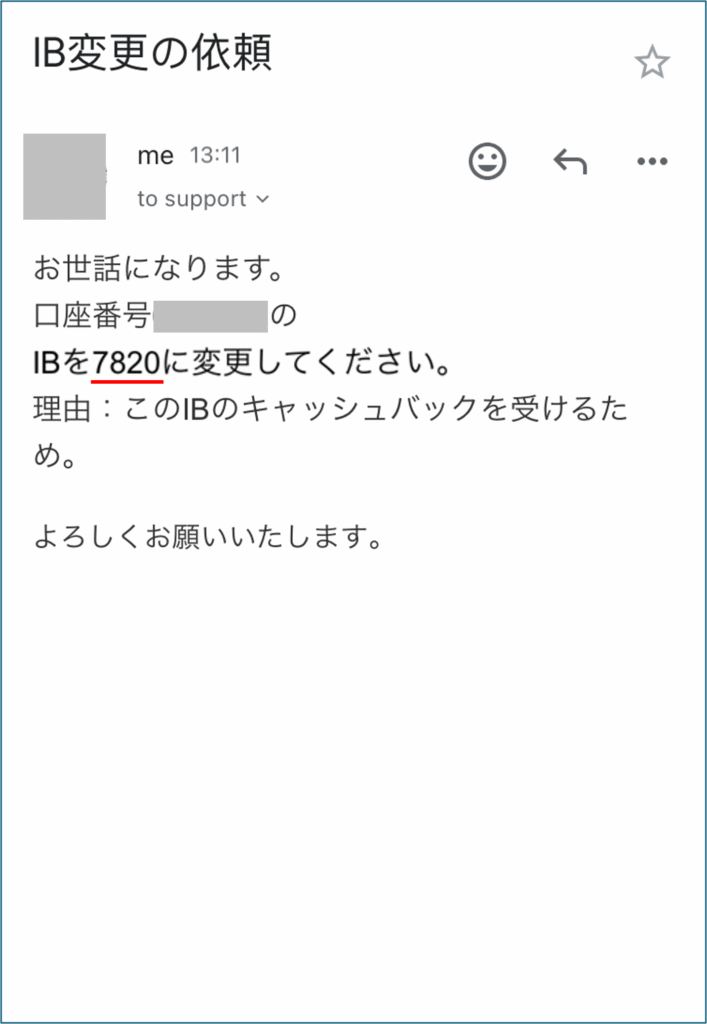
We will send Errante an email containing the following information, asking them to link Errante's trading account with Money Charger.
- To: support@errante.com
- The Errante account number you want to link to MoneyChat
- Moneycha's IB number: 7820
- Reason (example): To receive this IB cashback
You will receive a reply from Errante within about half a day.
If your trading account and Money Charger are already linked, Errante will reply to that effect.
This will allow you to receive cashback from Errante when you trade with them.
*Please note that linking to Errante is done on an account basis, not on a per-account basis
The above explains how to change (switch) your IB link with Errante
Next, let's check the withdrawal procedure on your Money Charger My Page