













ACCOUNT OPENING GUIDE
Search for account opening guides by broker
Once you select a broker, their account opening guide will be displayed on this page.
You can also check the differences between first-time users and existing users.
Please select the broker you want to search for from the dropdown menu
There are only three things you need to do!
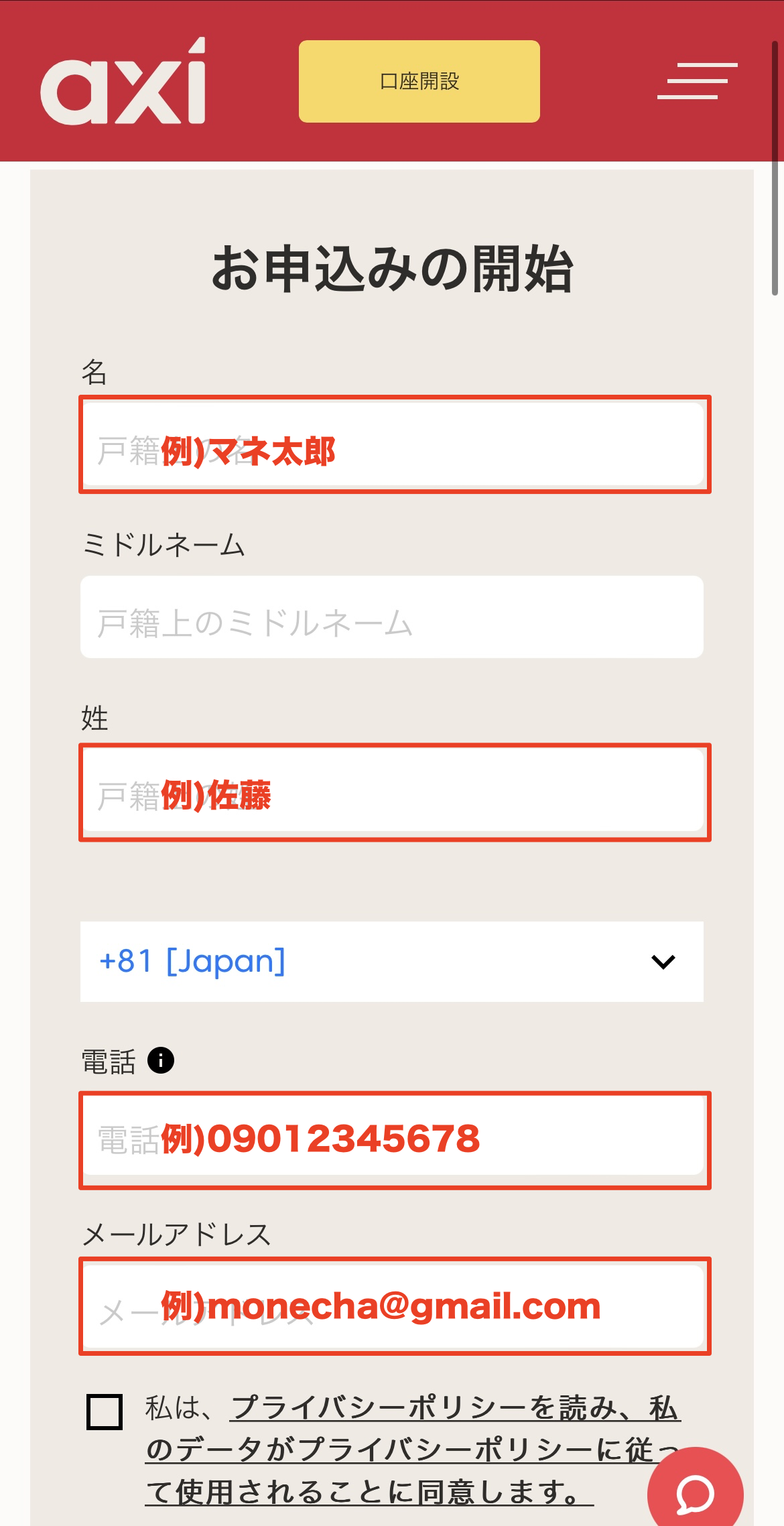
Step 1
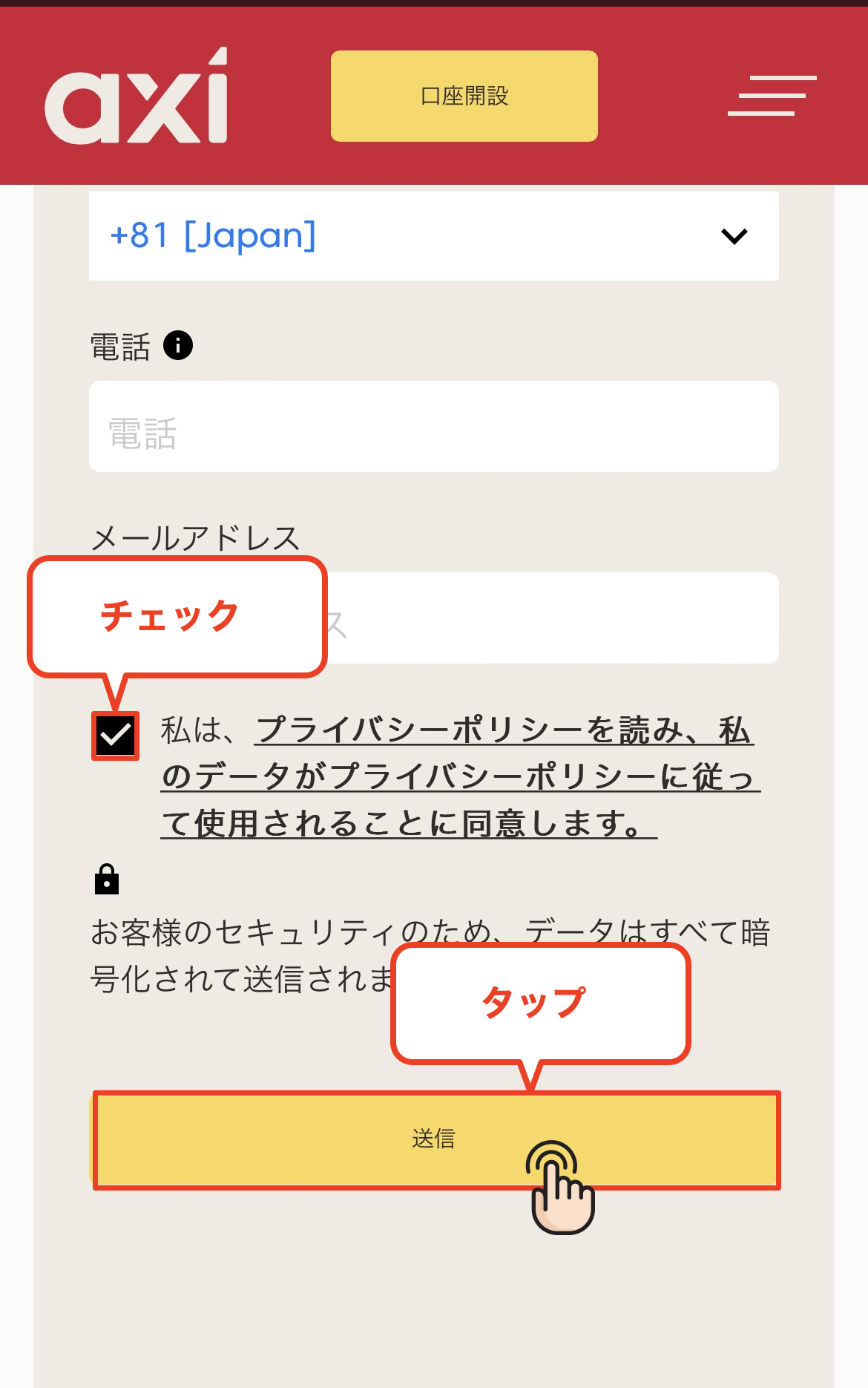
Open an account via the referral link
Step 2
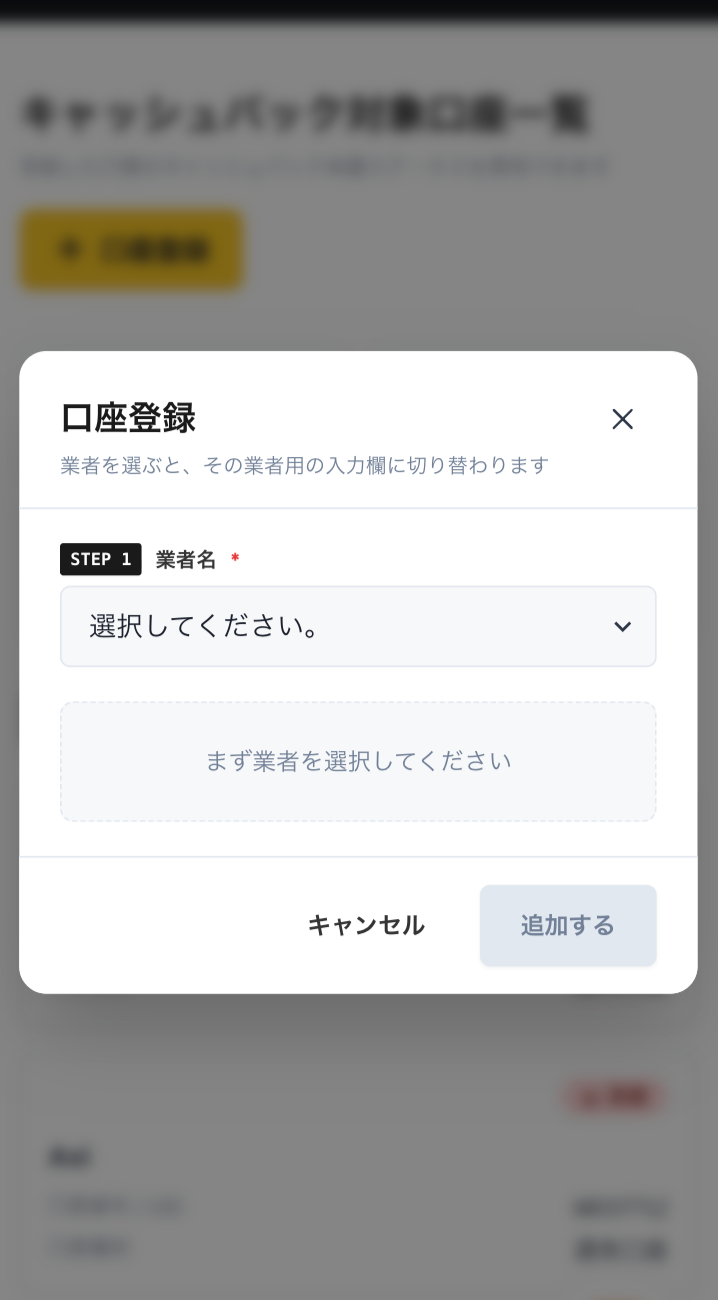
Register an account with MoneyChat
Step 3
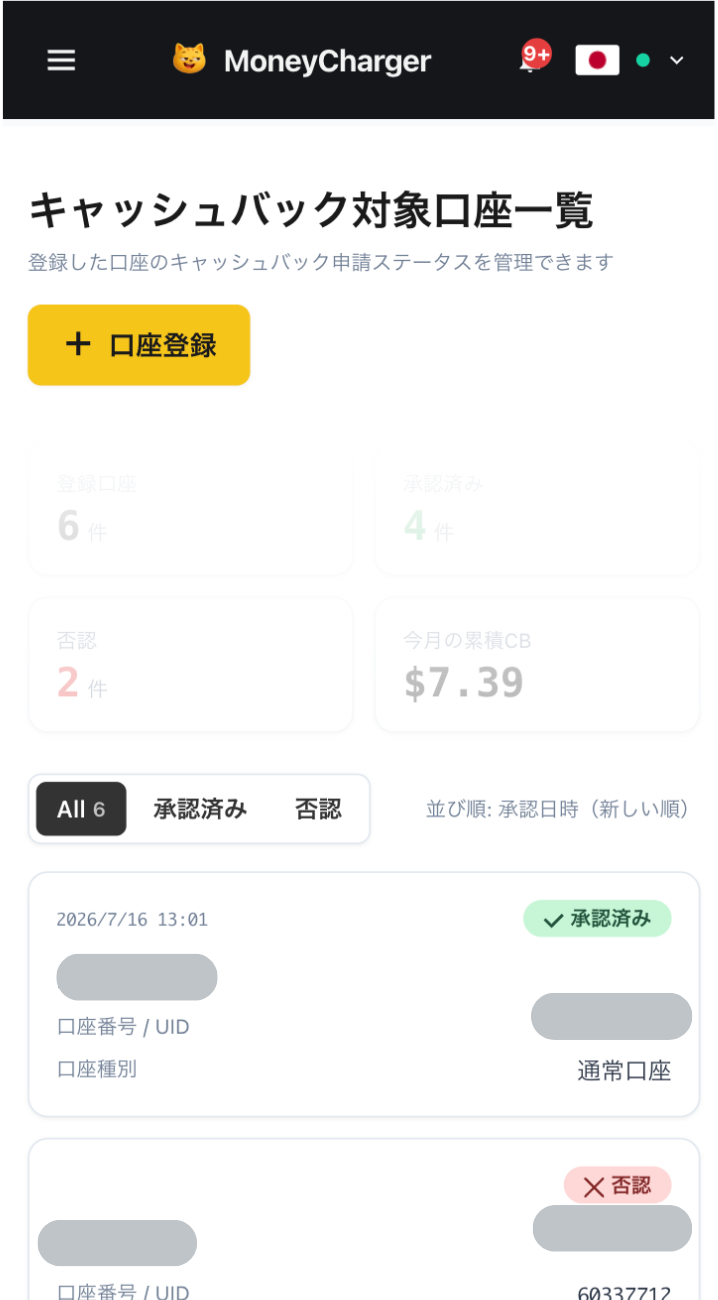
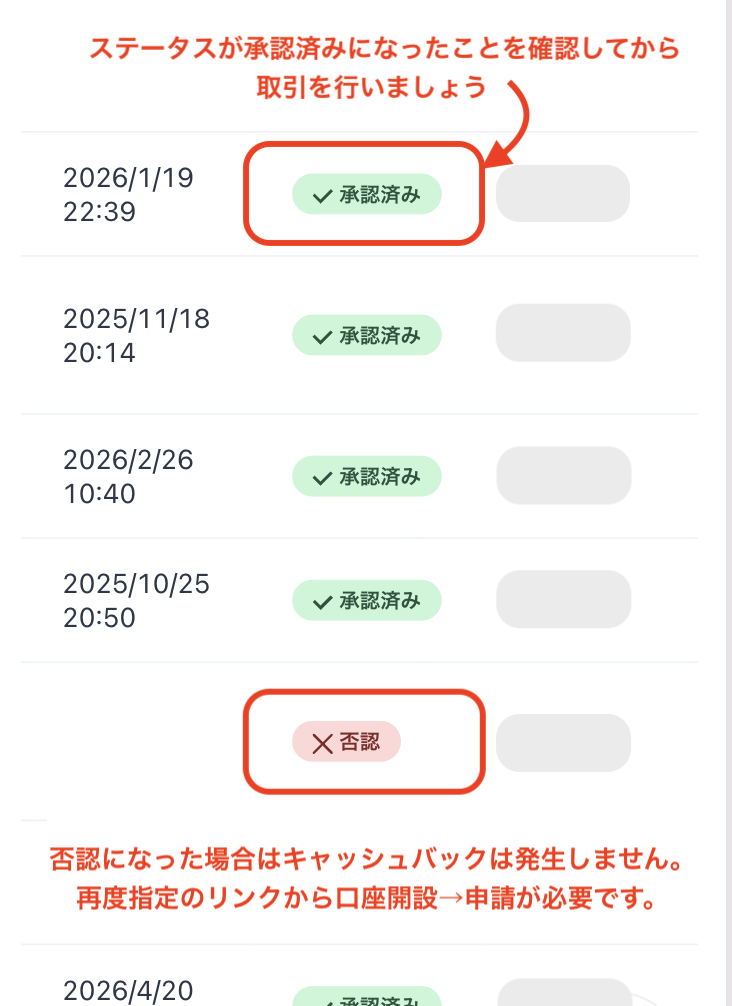
If it's approved, then it's OK!
Check the account opening procedure
that suits you.

Axicreating an
?
HOW TO OPEN
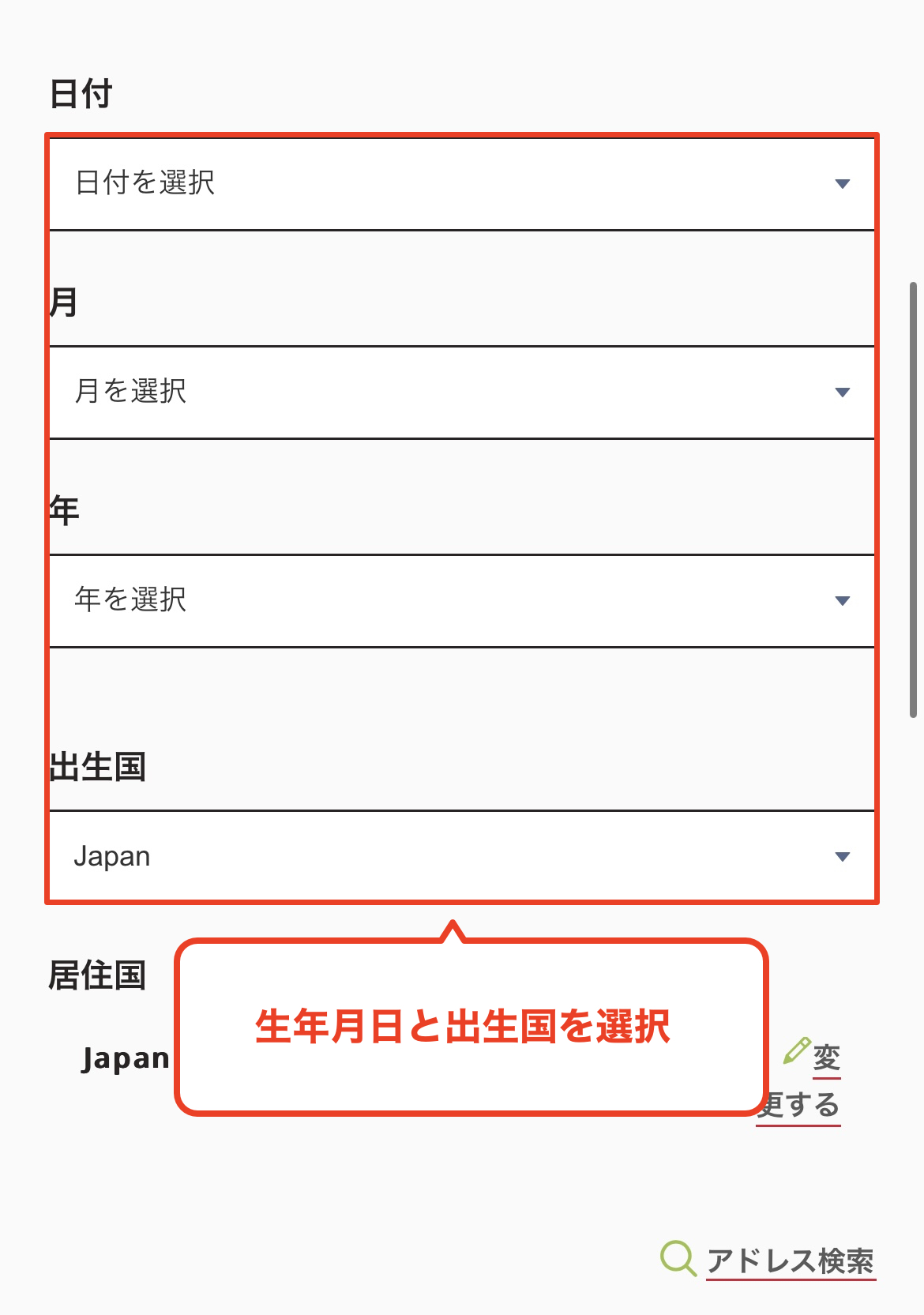
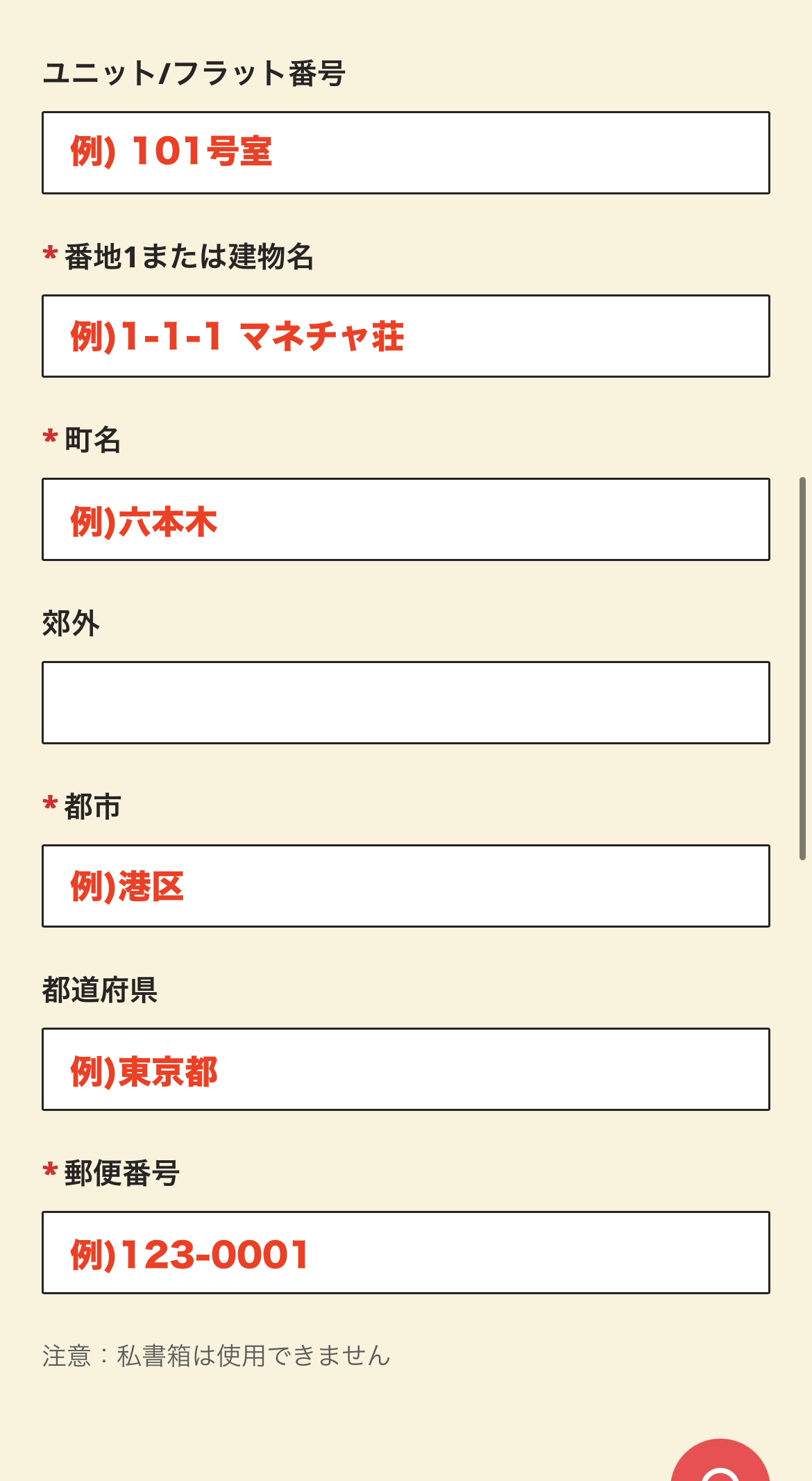
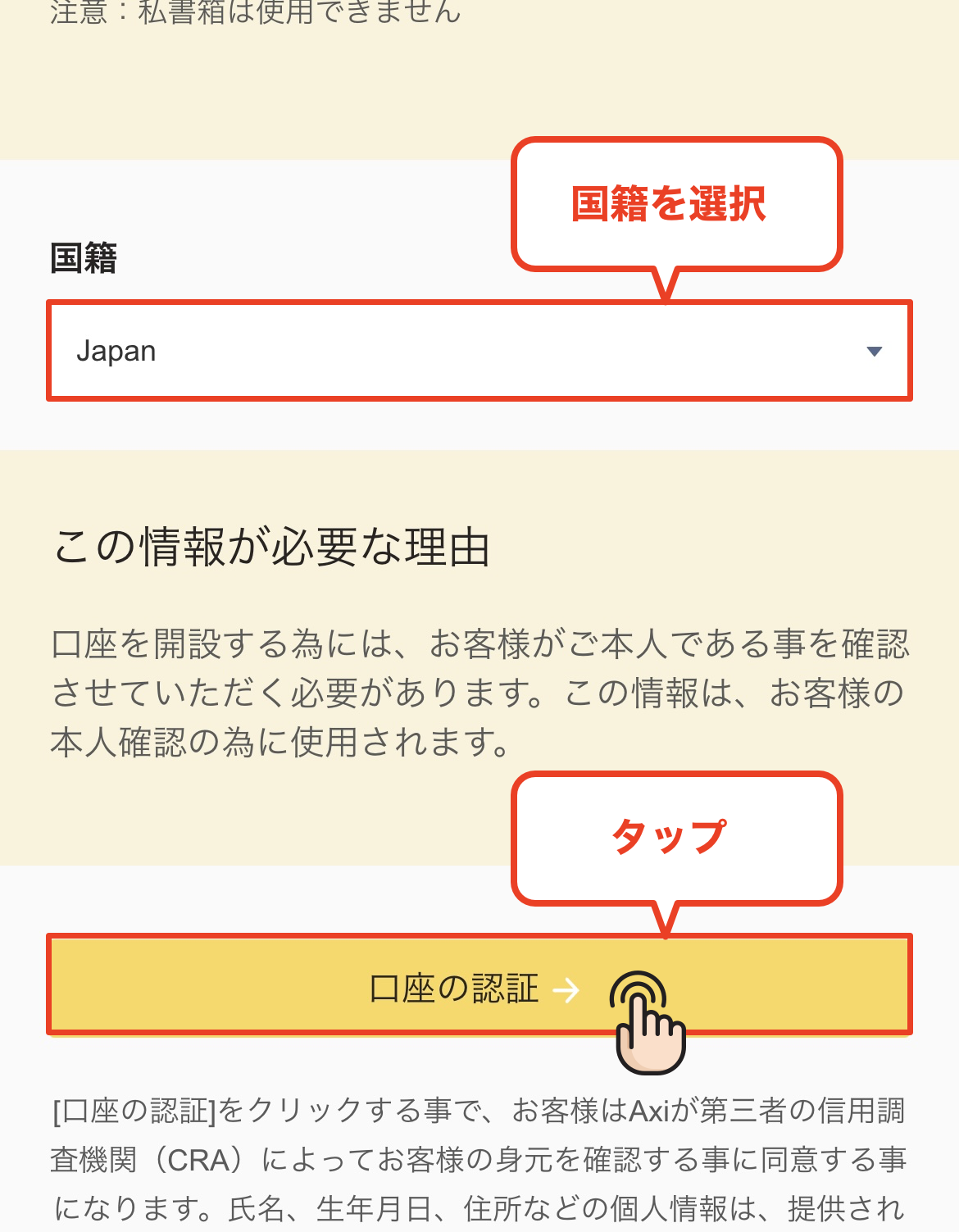
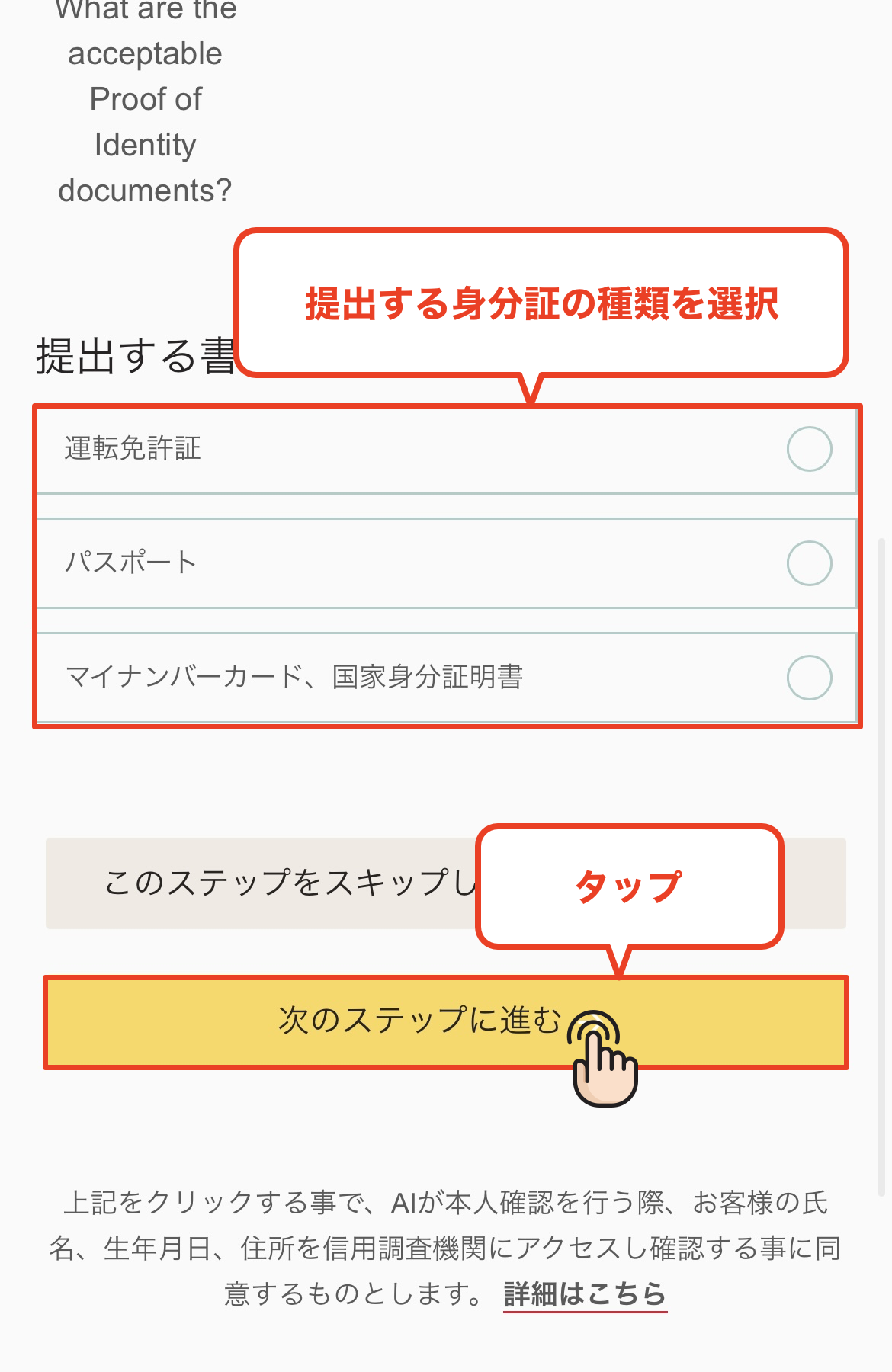
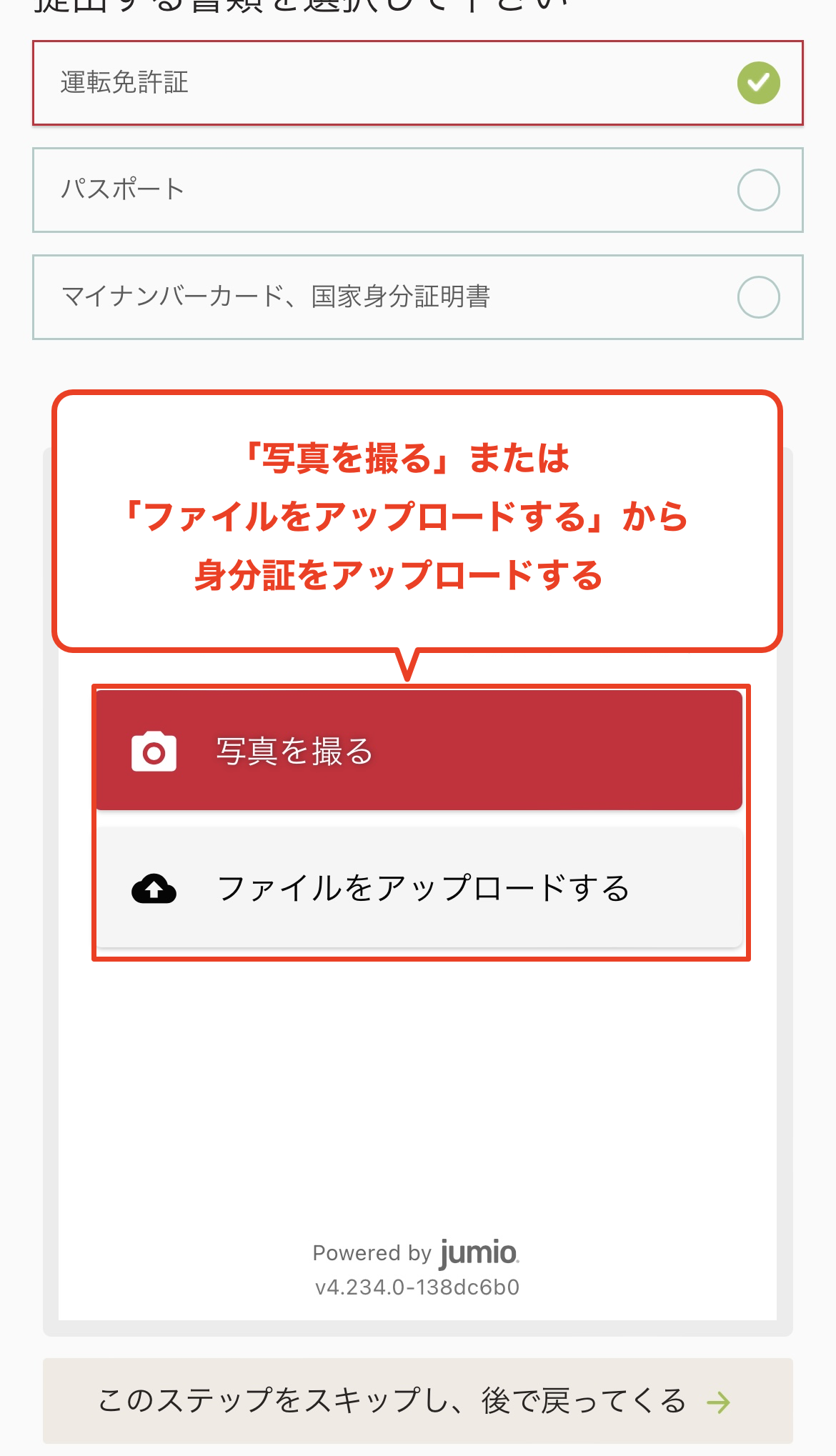
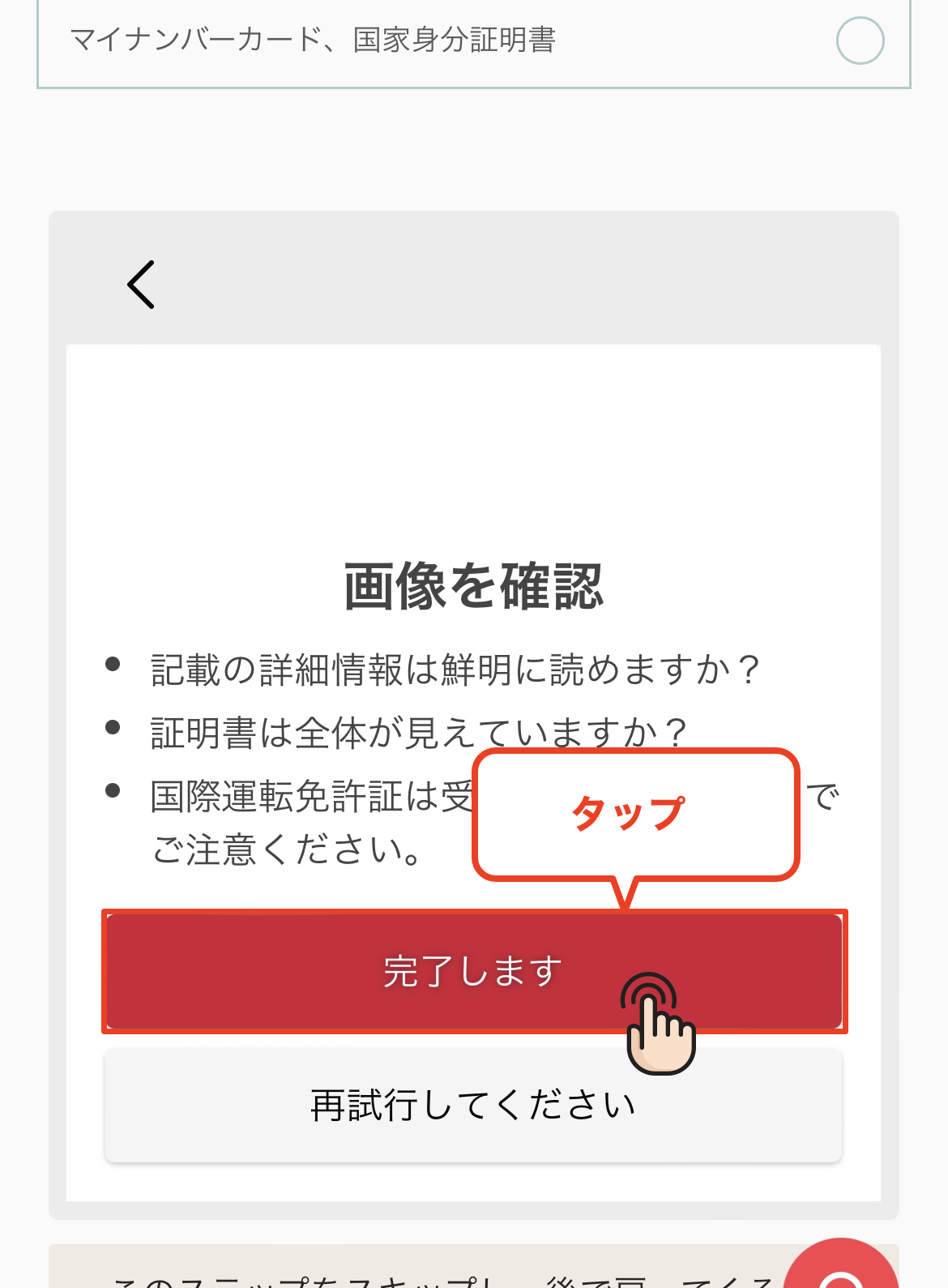
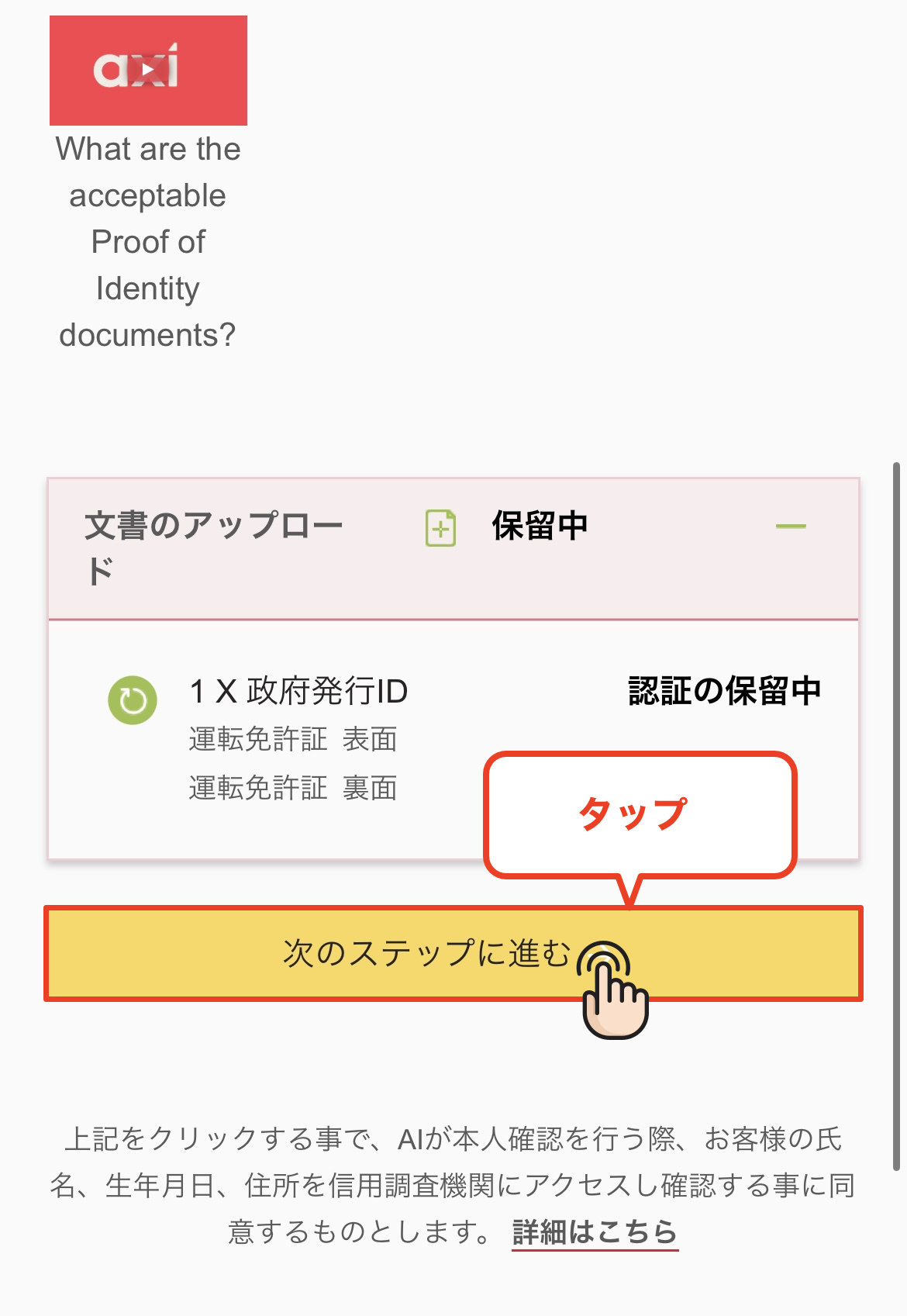
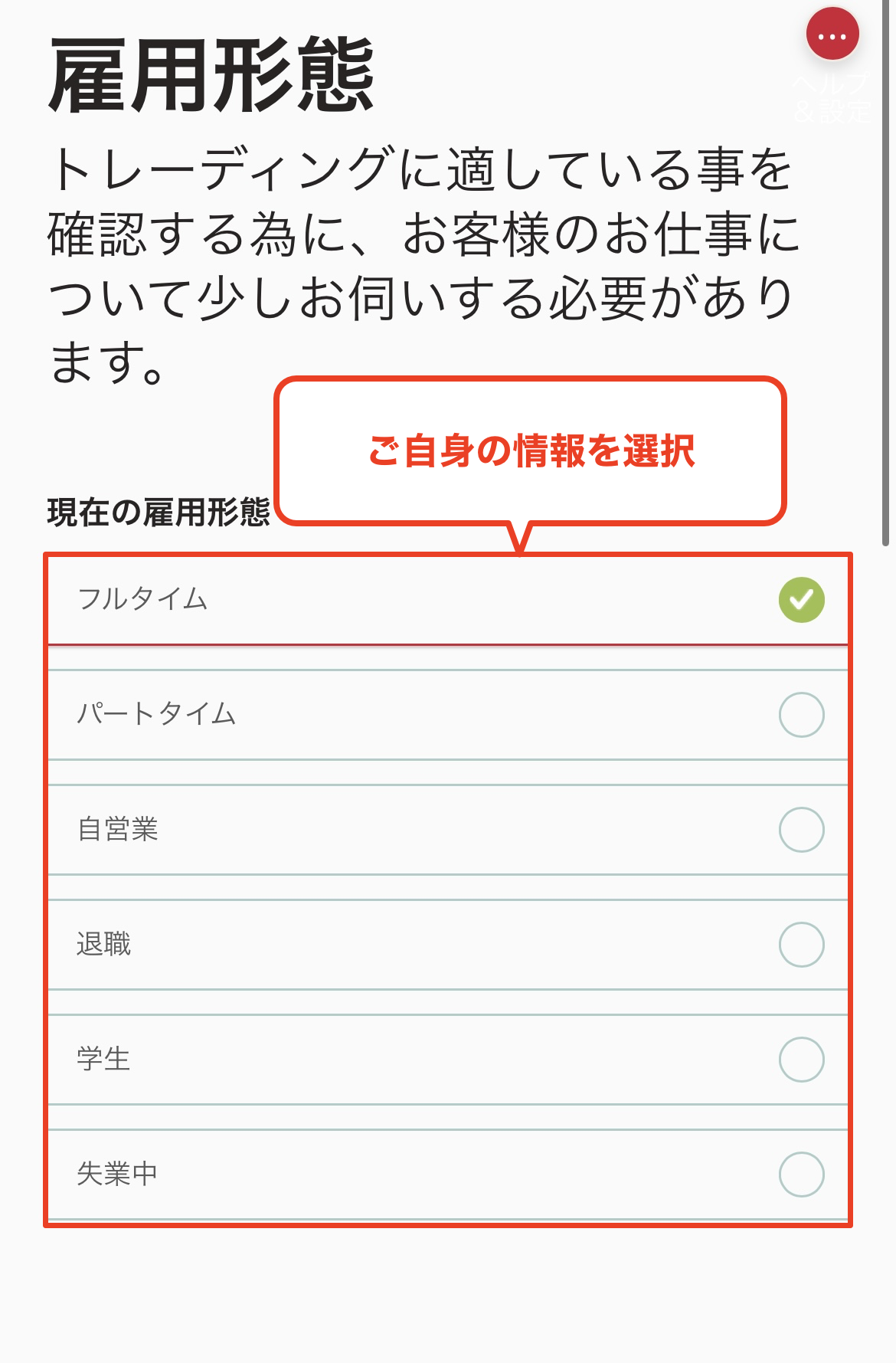
Account Opening Procedure
Please see below for detailed instructions
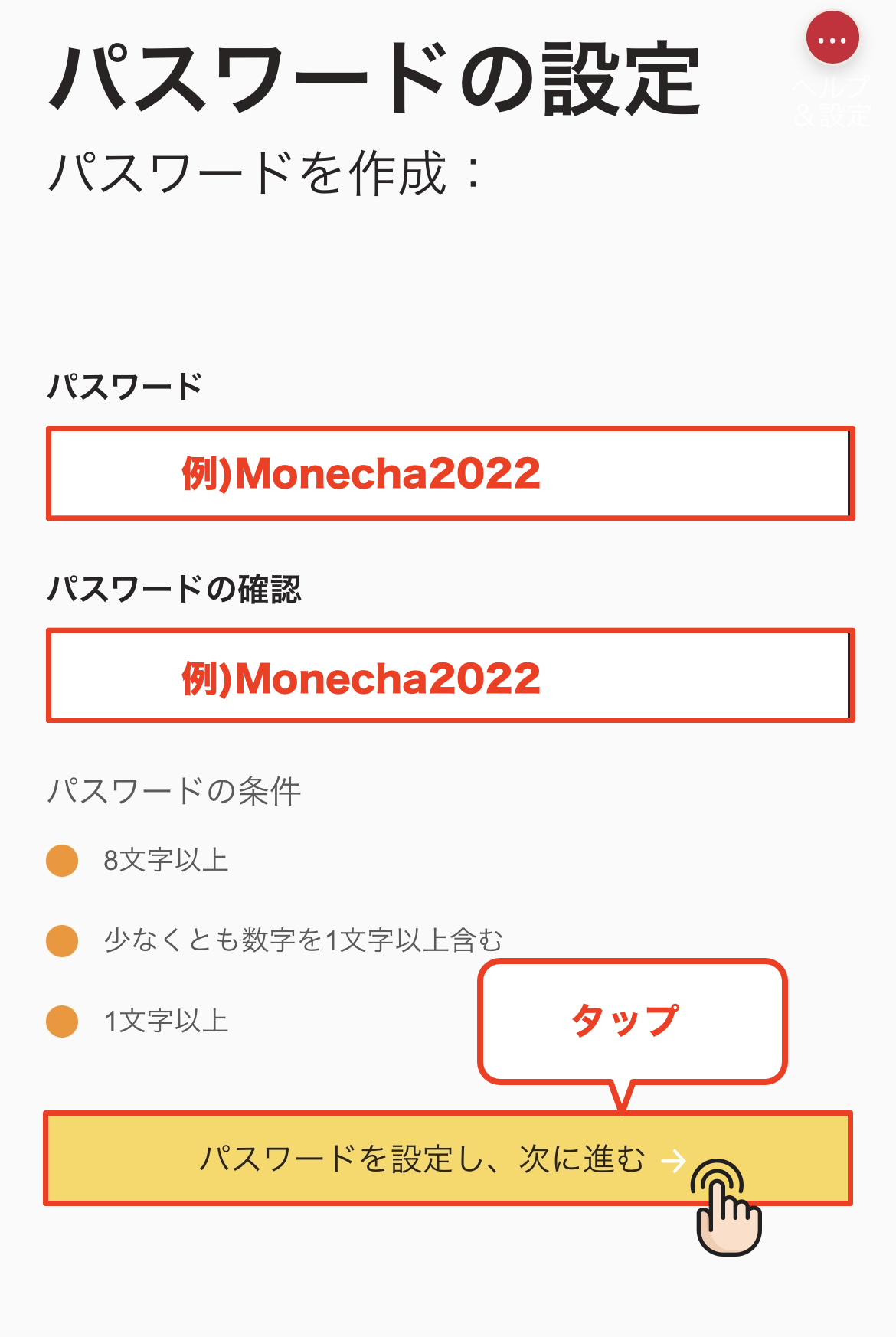
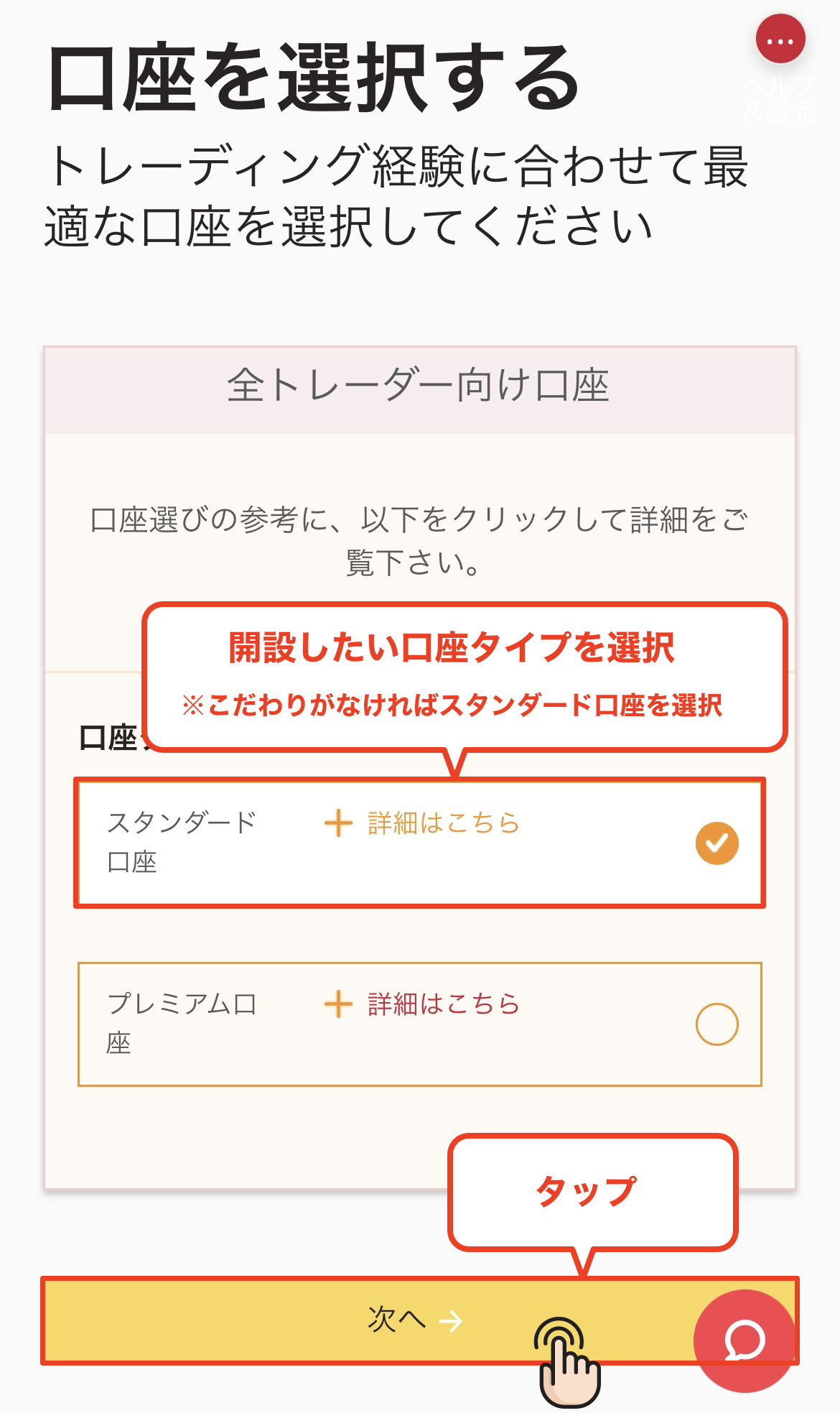
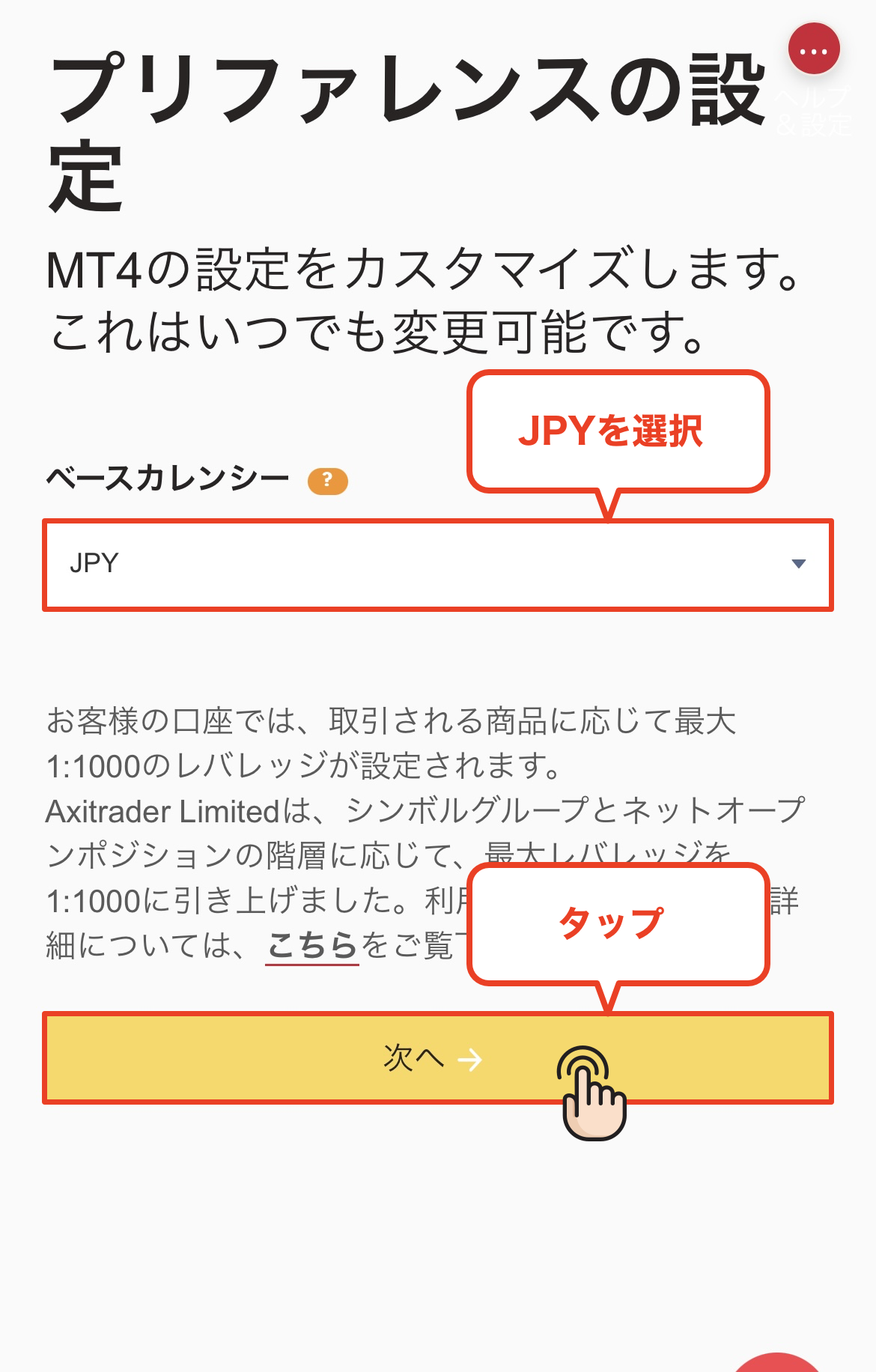
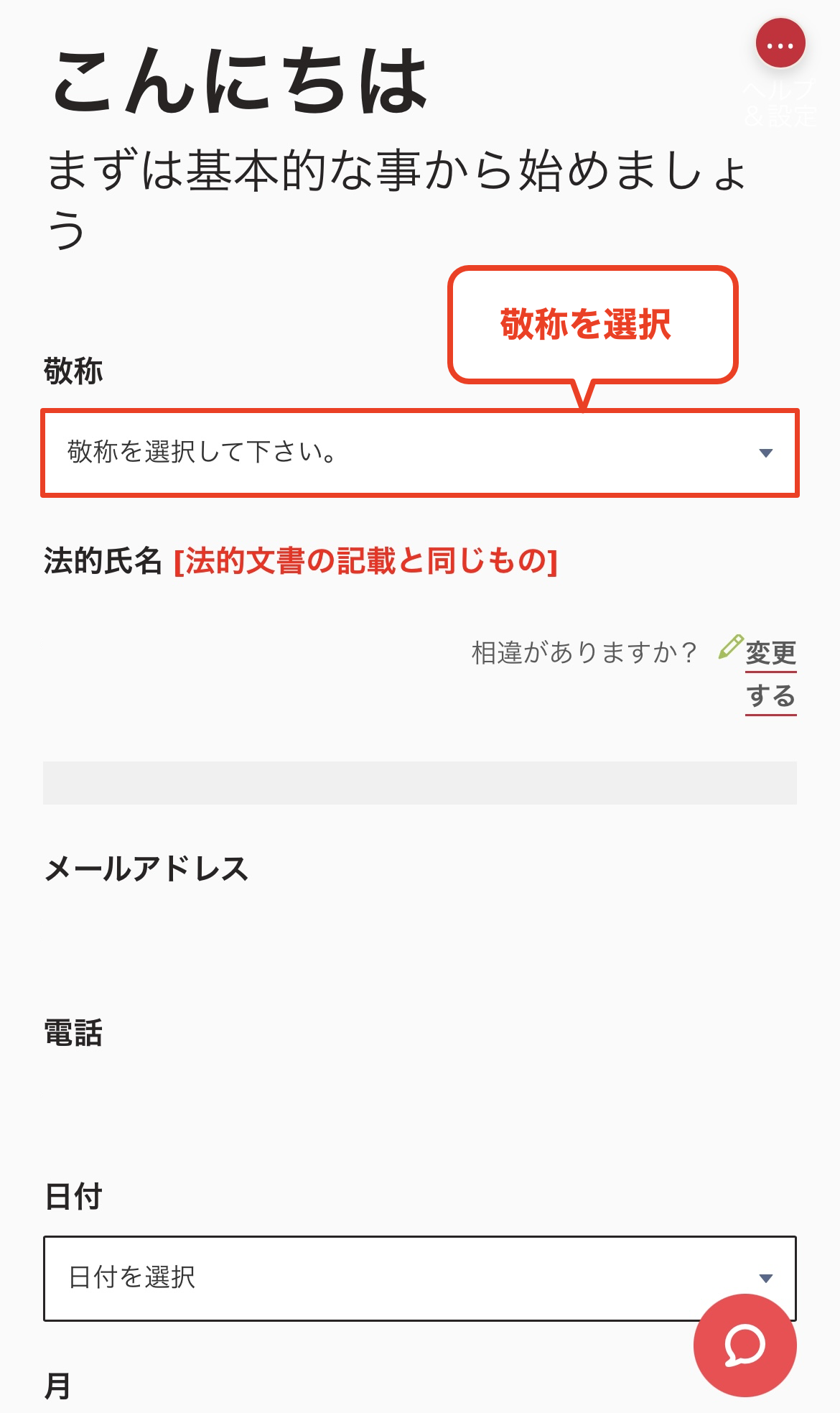
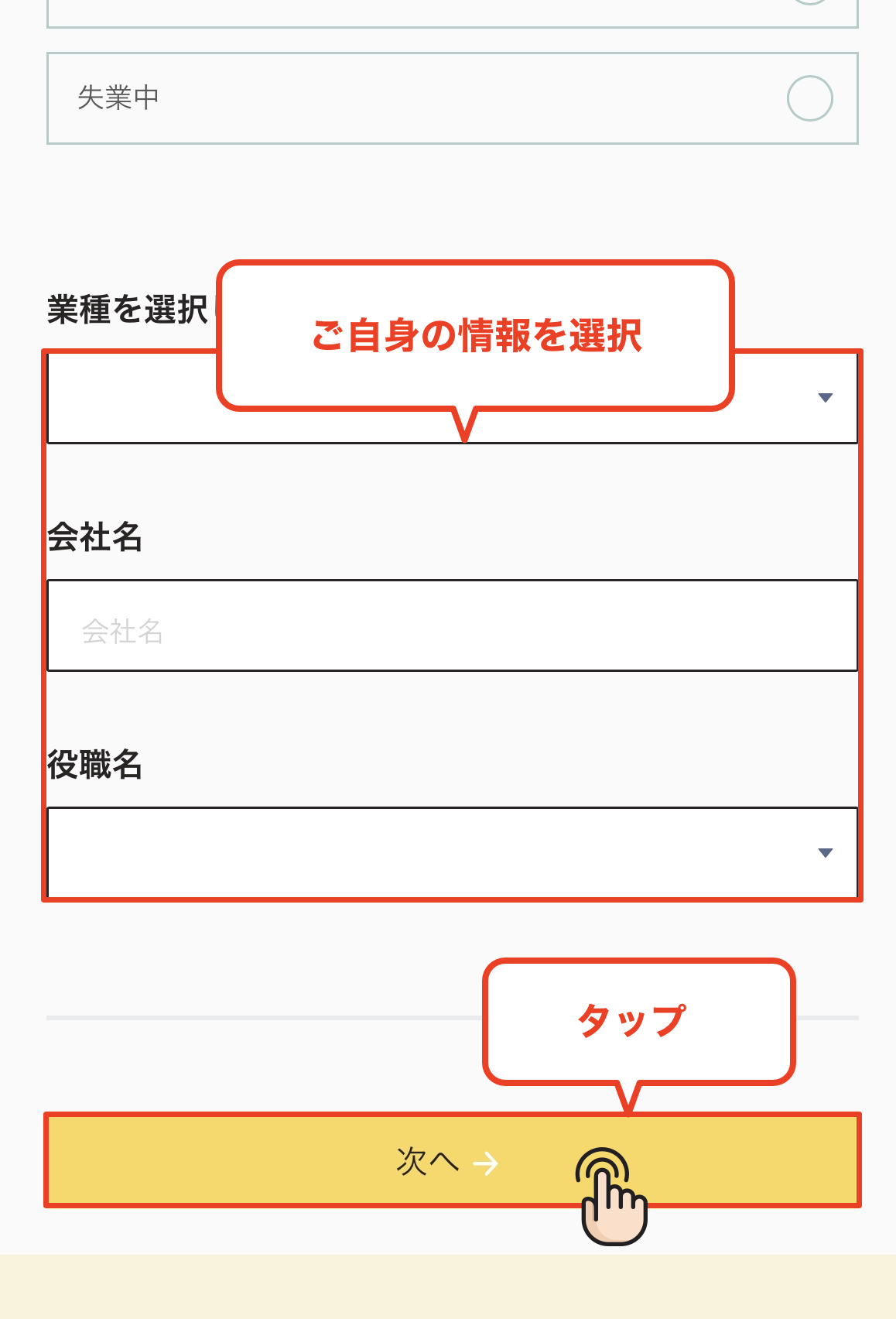
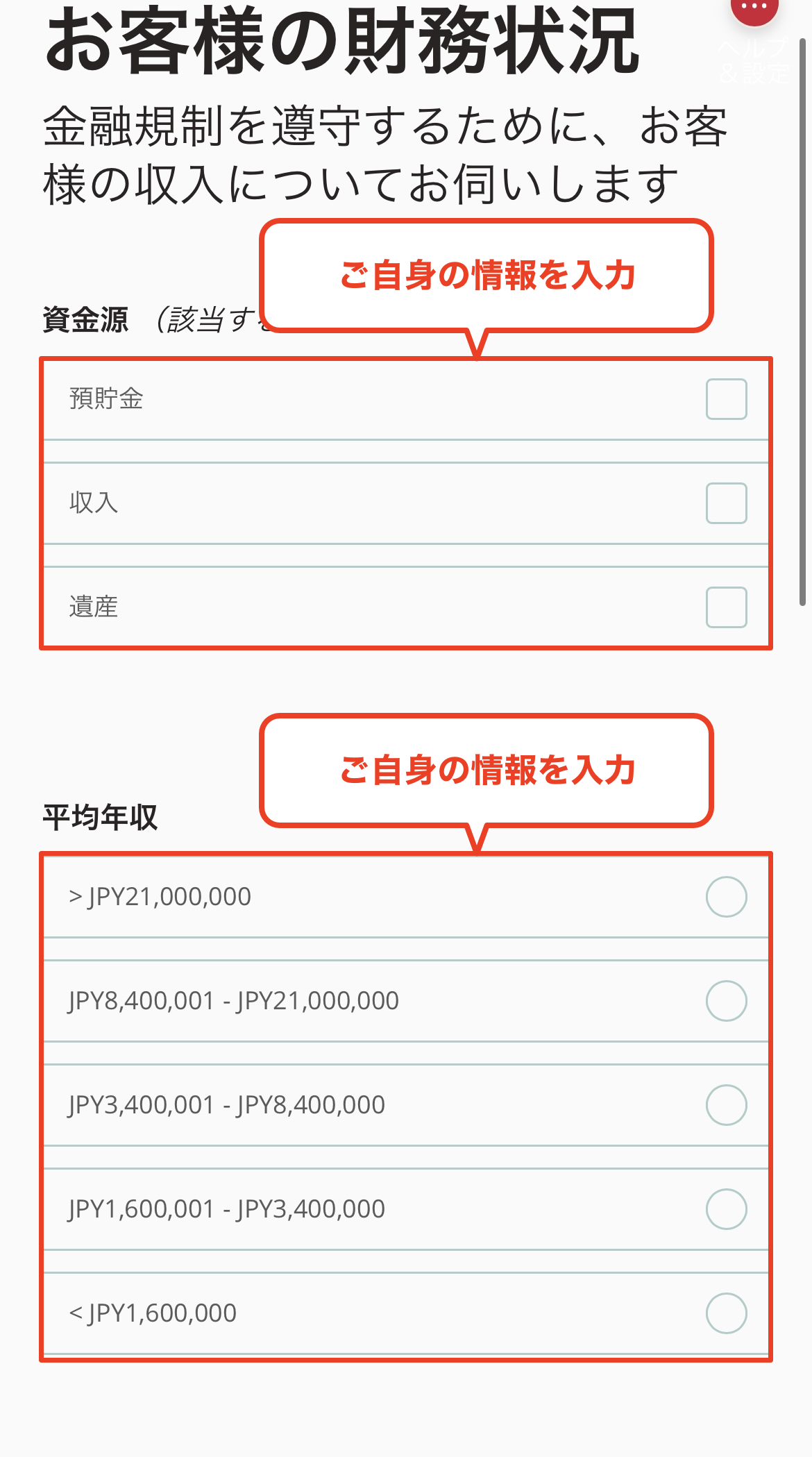
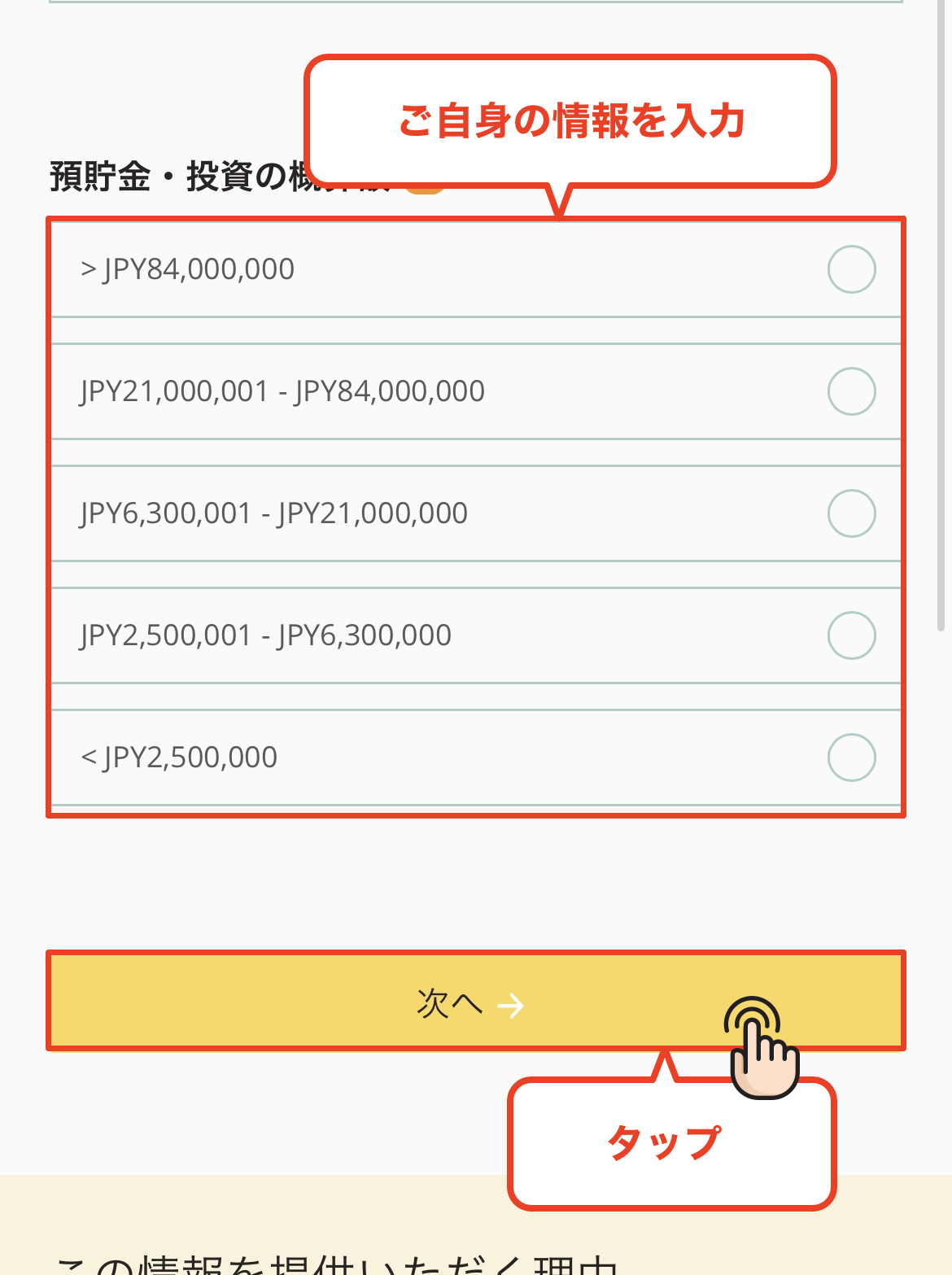
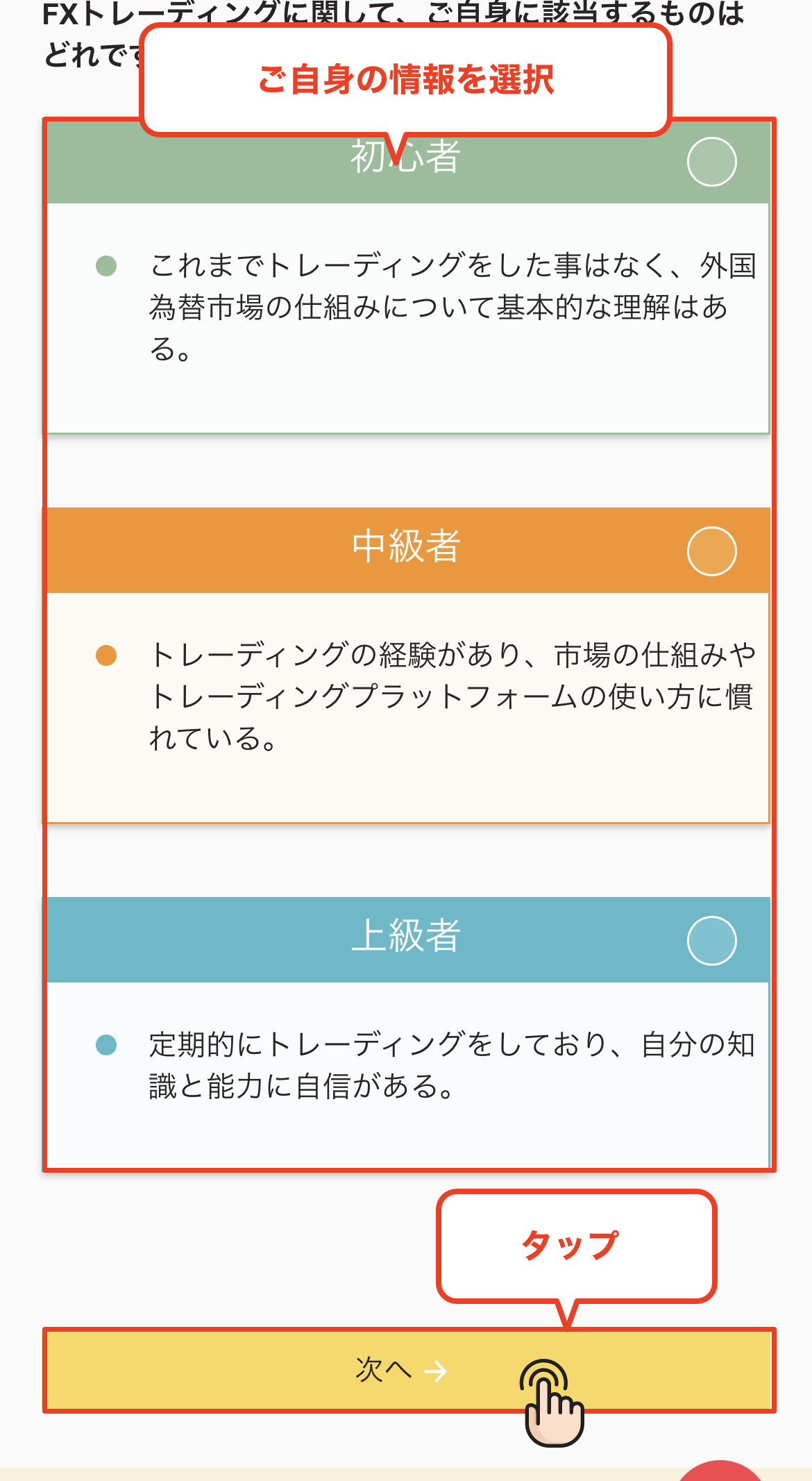
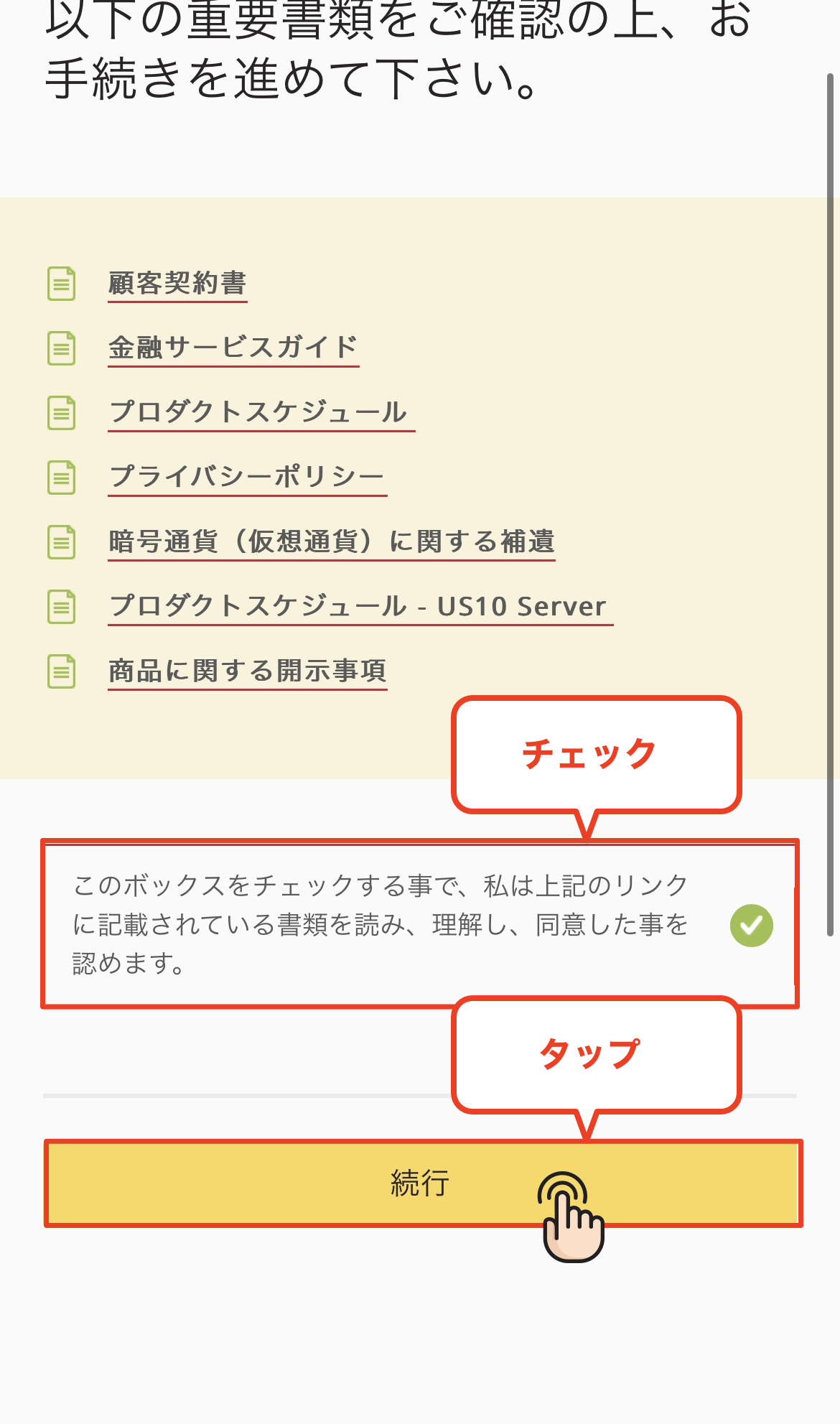
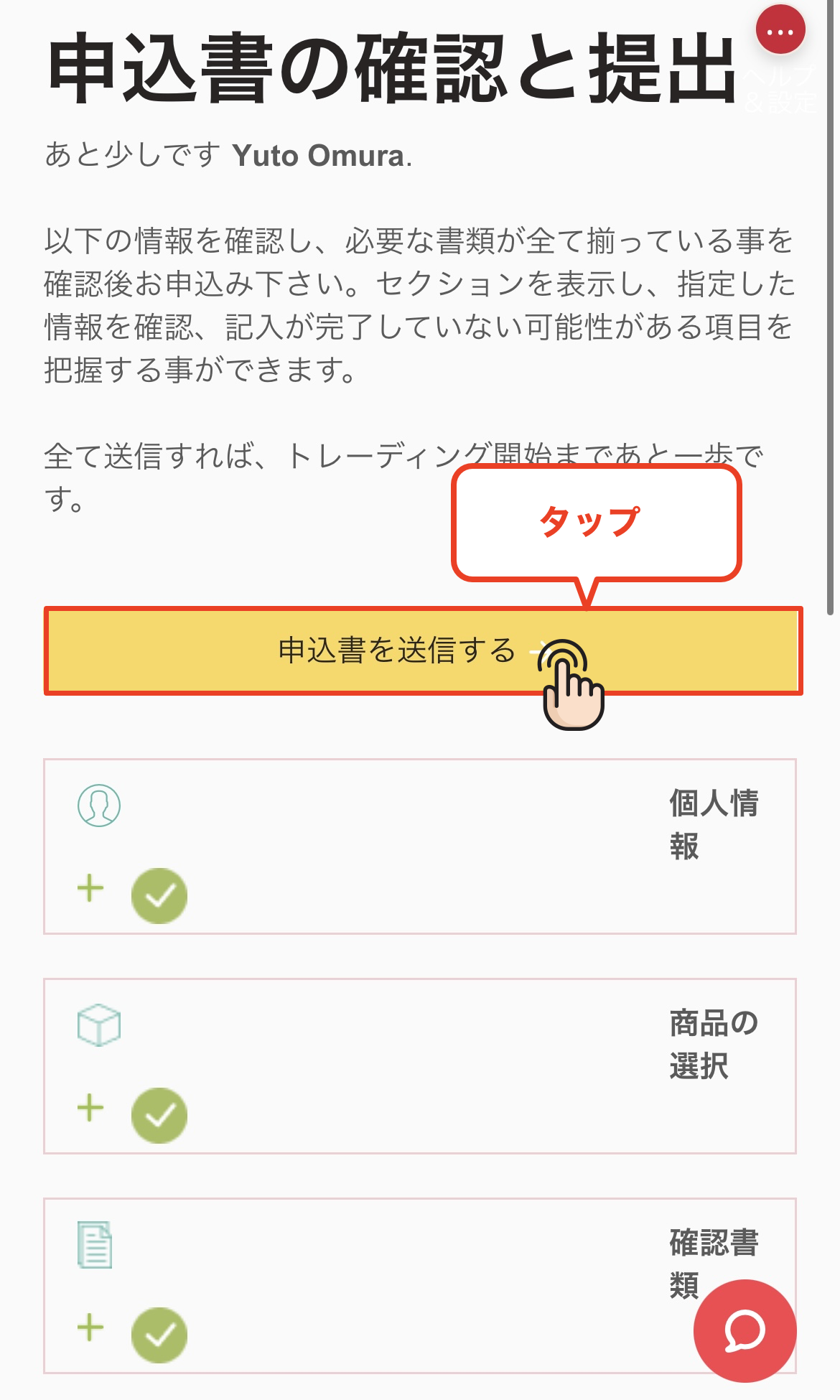
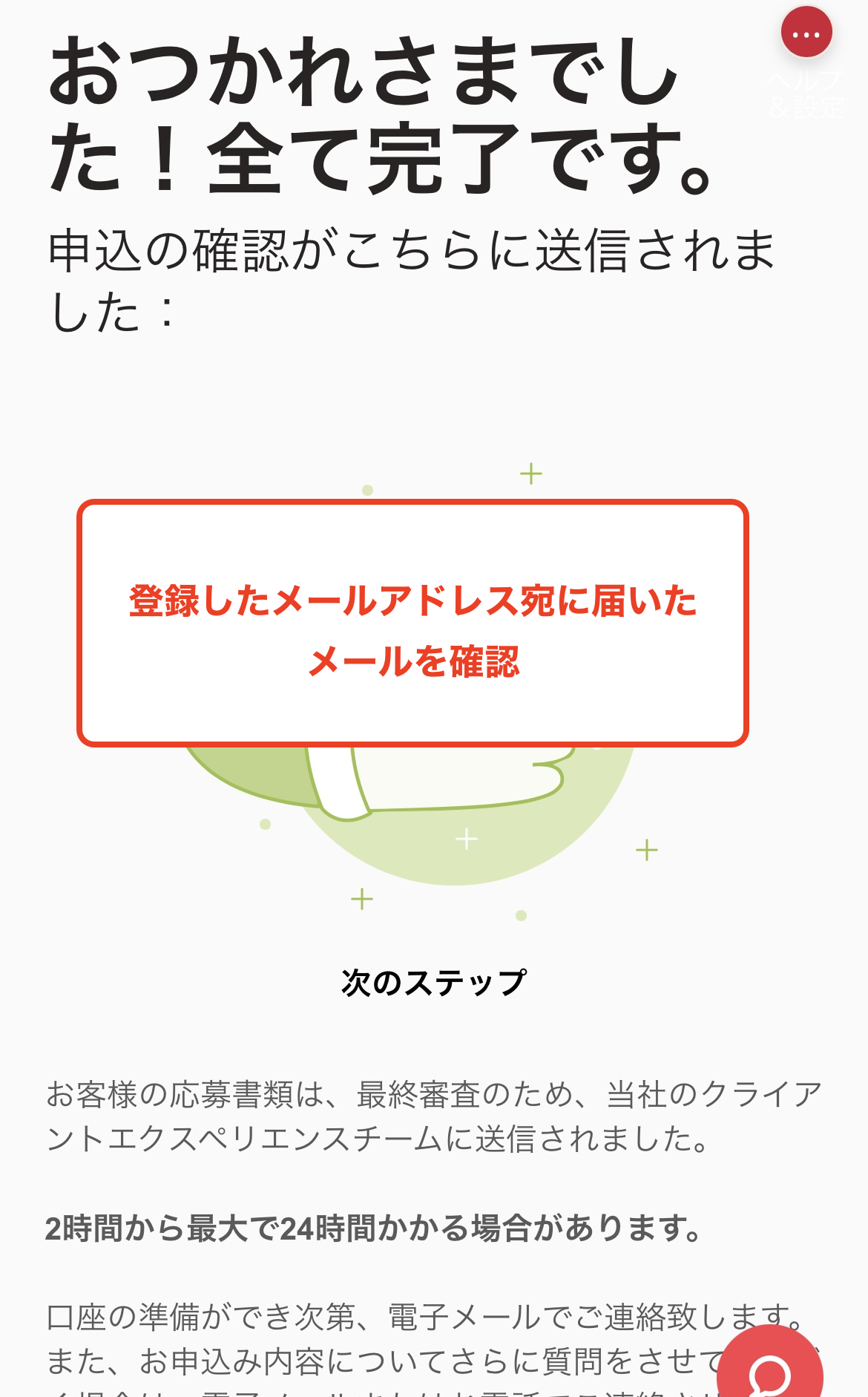
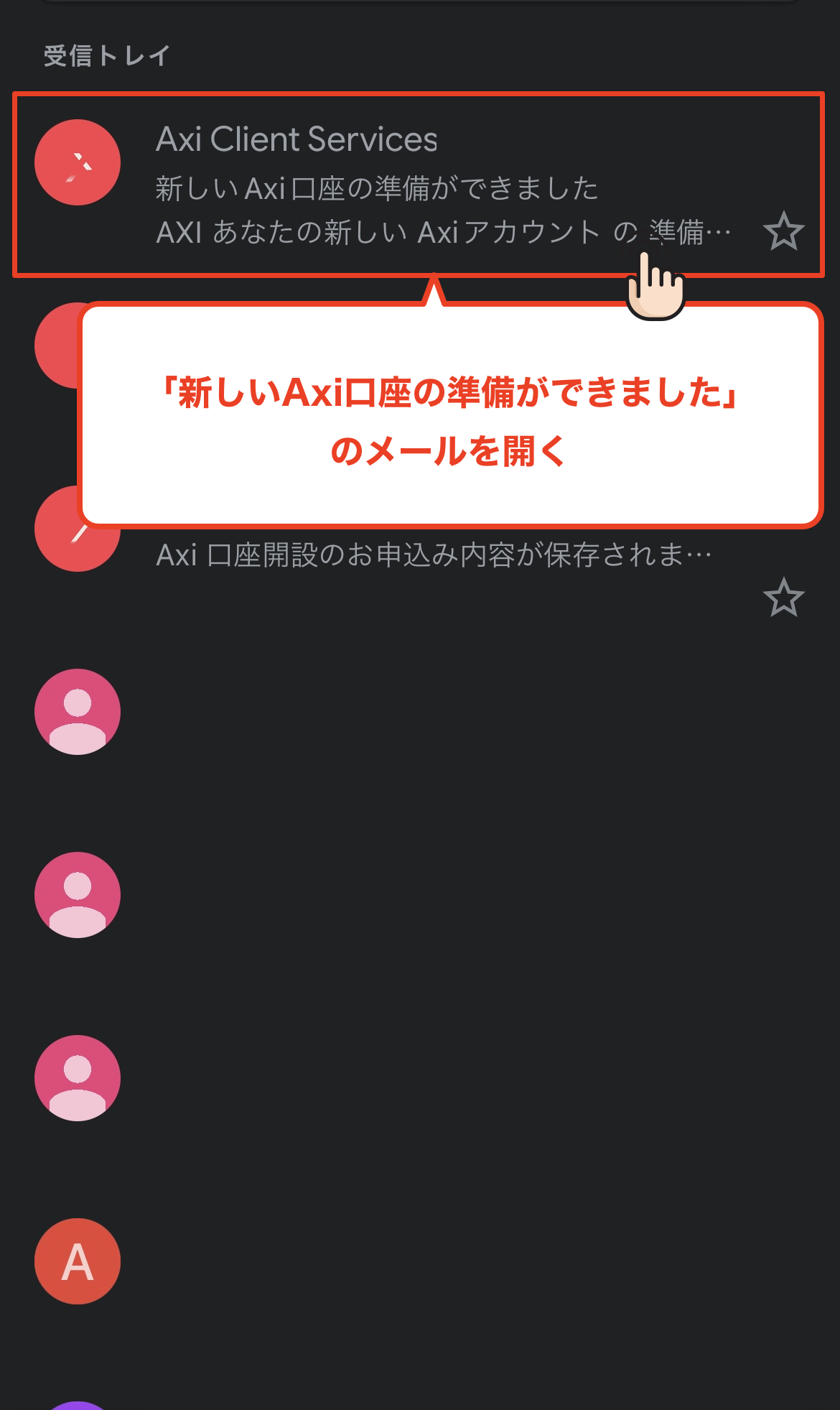
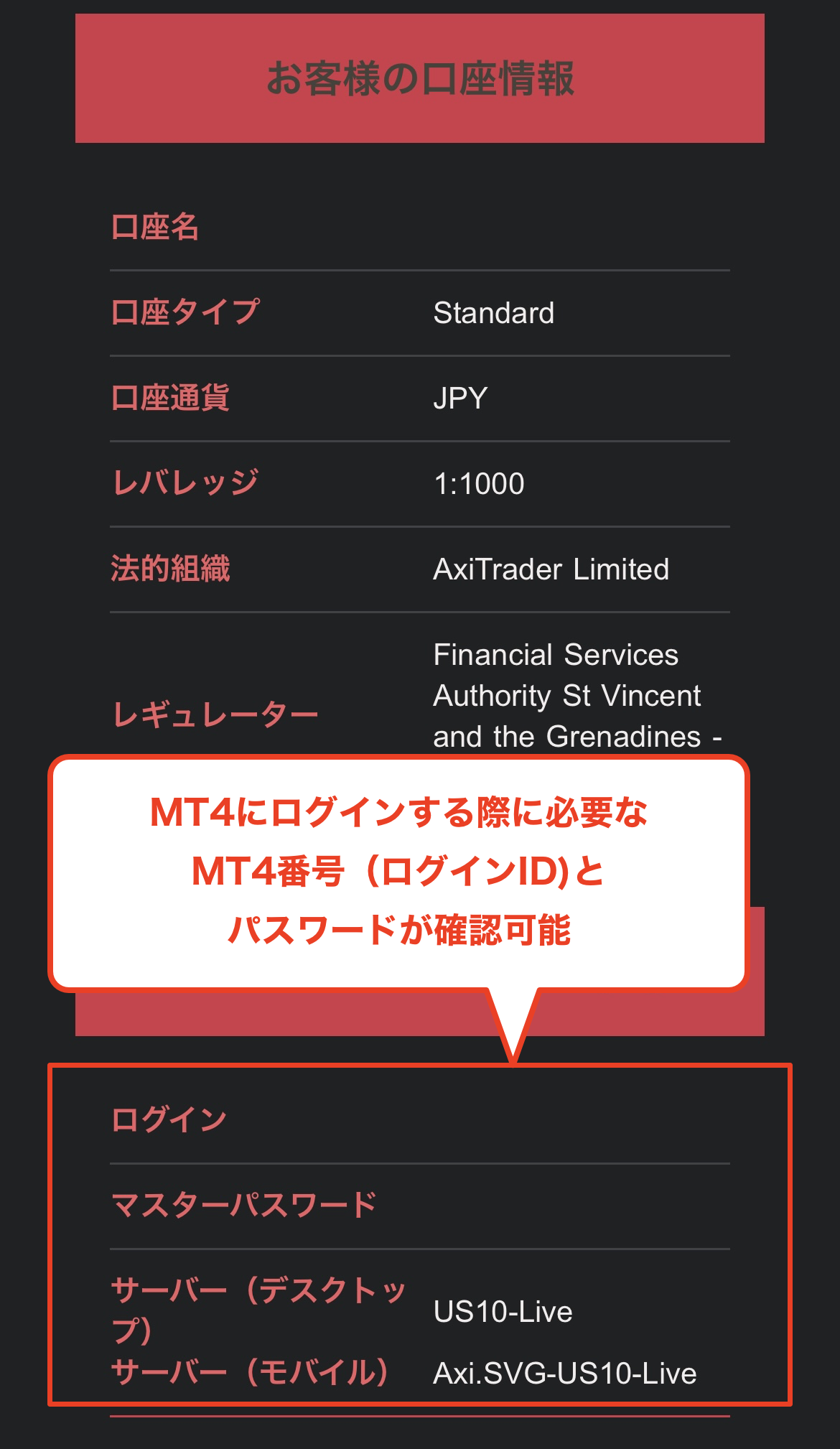
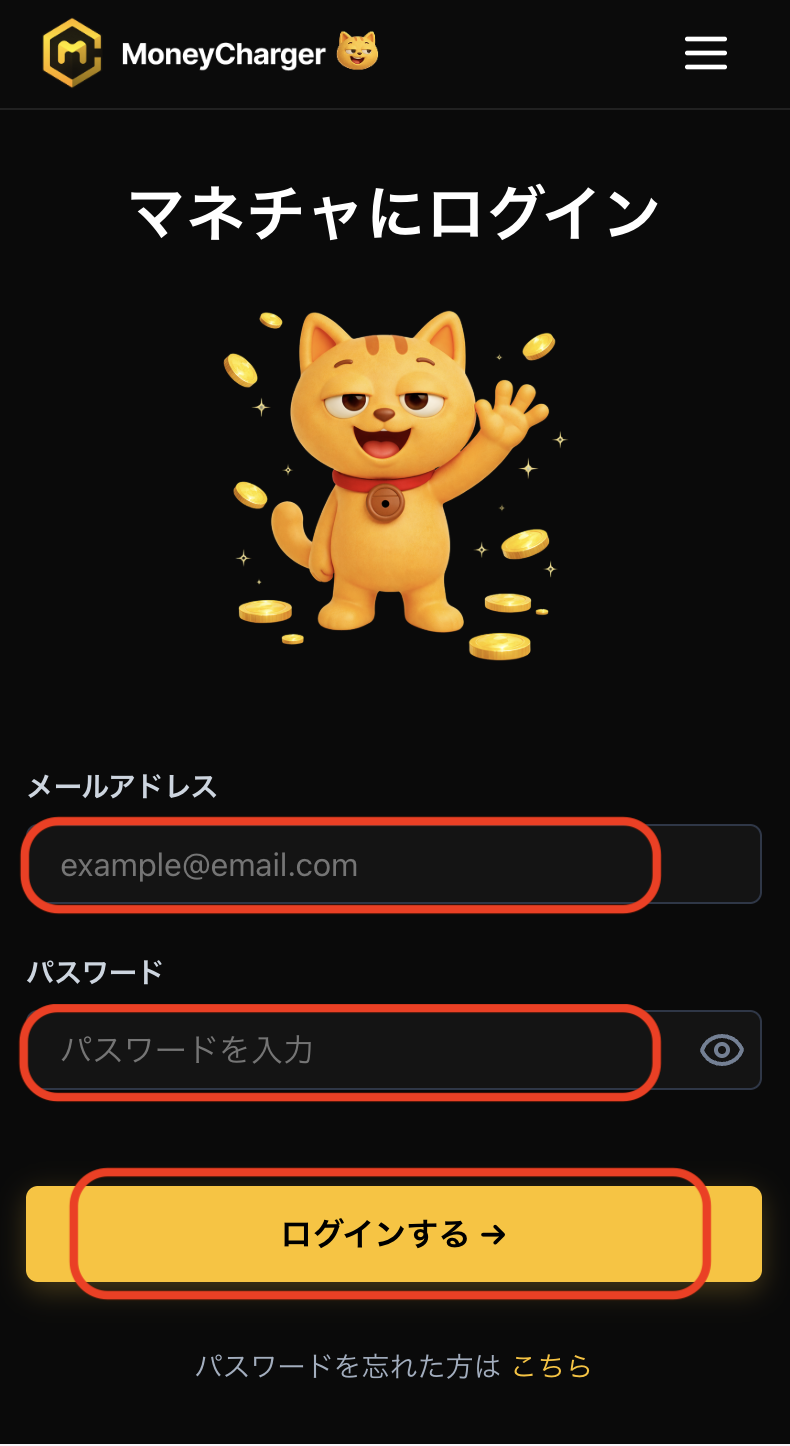
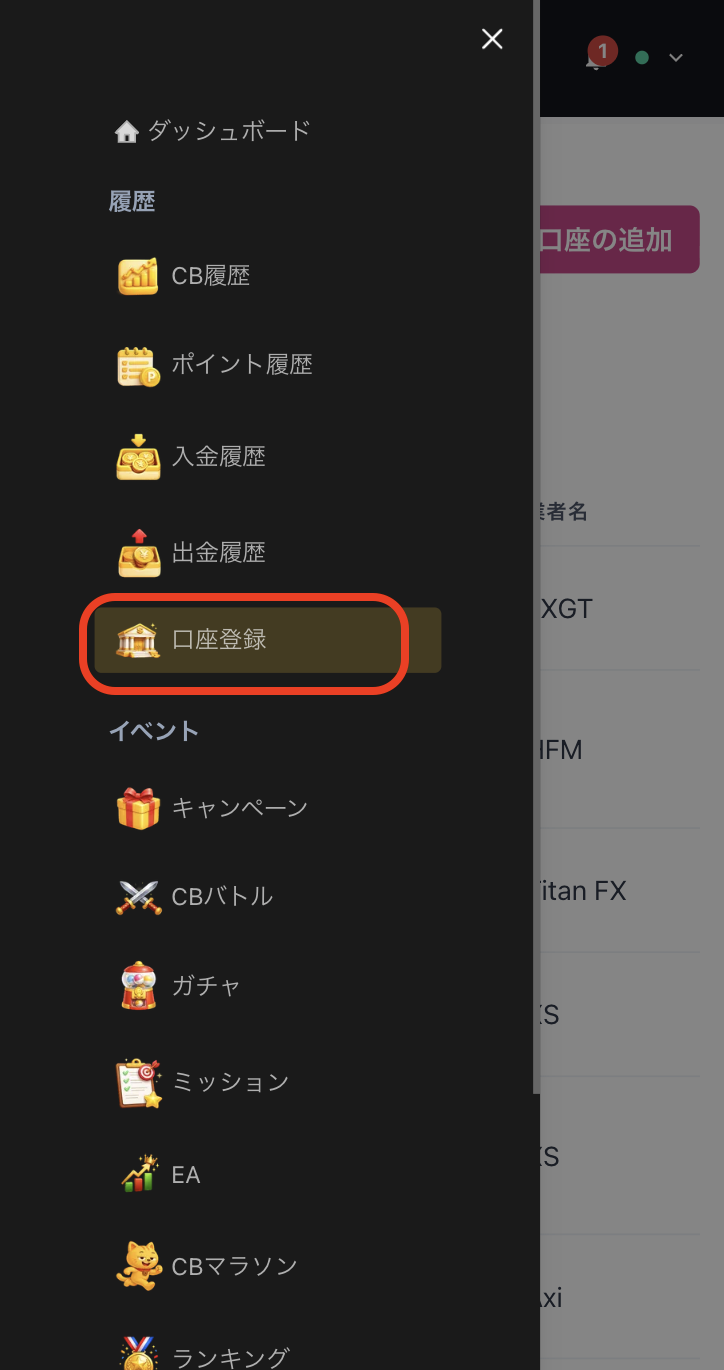
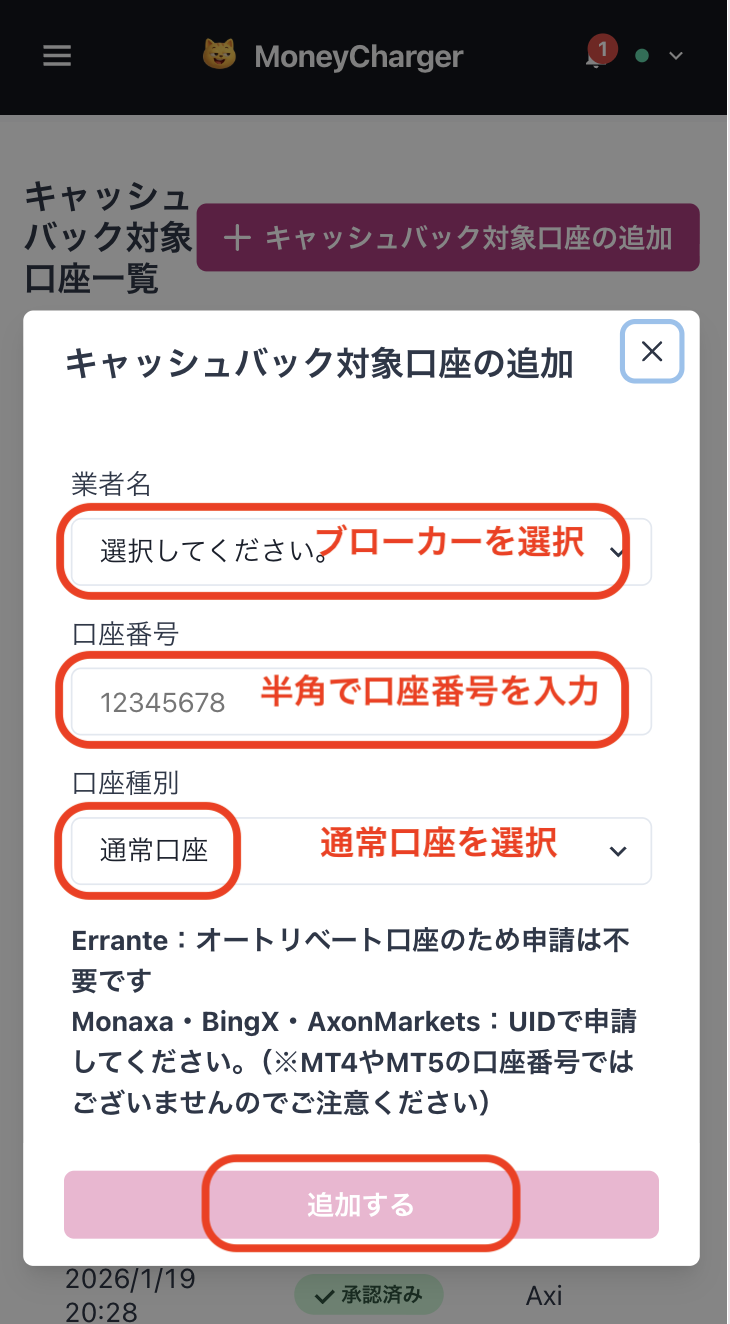
Get cashback
once your account is open !
CASHBACK APPLICATION
Register with Manecha and get
cashback on every trade.
HOW TO OPEN
Transfer procedure
Please see below
for instructions on how to make your existing account eligible for MoneyChat
How to change Axi linking
If you already have an account withAxi, you may be able to switch to MoneyChat by contacting support or creating an additional account
- Please check with Axi's support desk regarding the possibility of changing partners
- If possible, submit a change request using the IB information specified by MoneyChat
- After the changes are complete, apply for account registration on your MoneyChat My Page
Some brokers may not allow you to change the link of your existing account. In that case, please create a new account or an additional account using the MoneyChat designated link
FAQ
Frequently Asked Questions about
Opening an Account or Switching Accounts
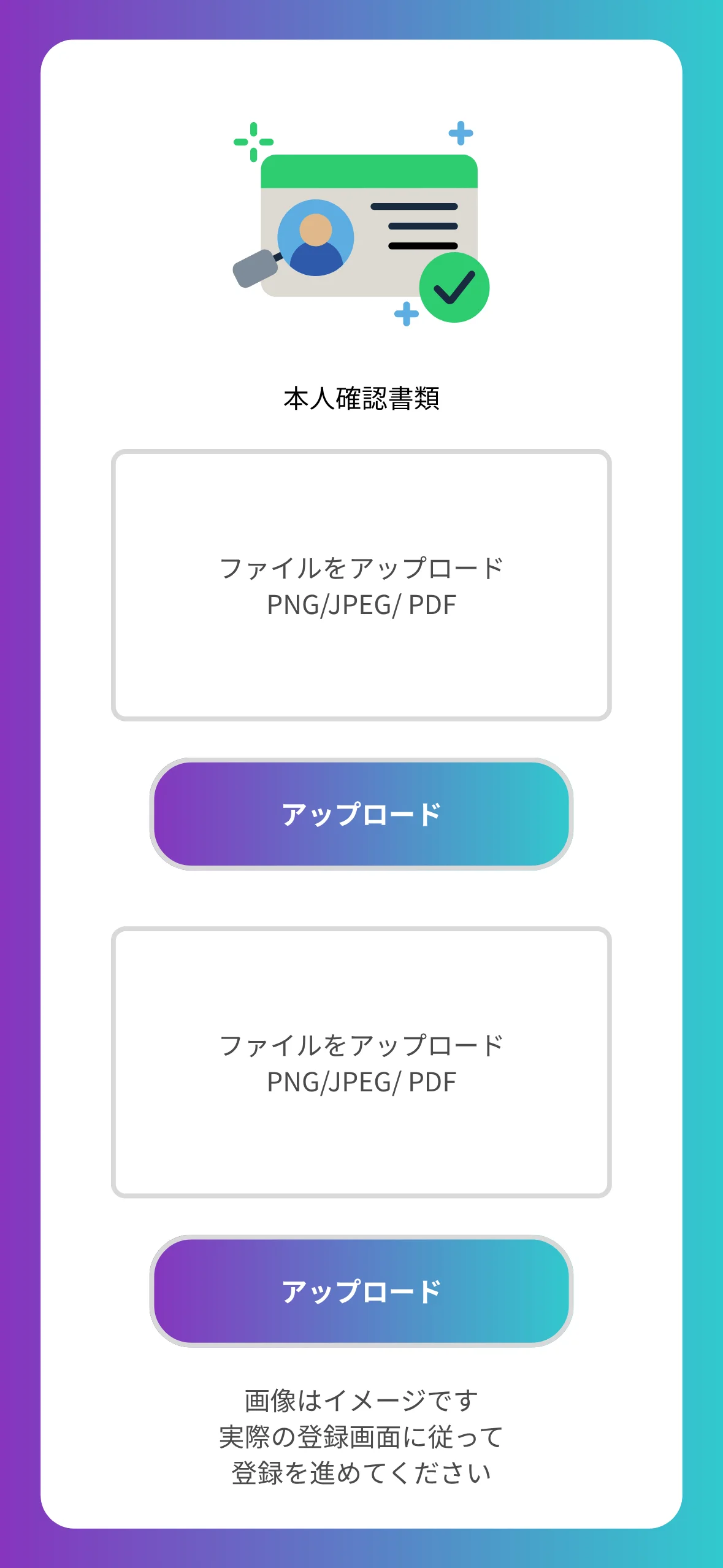
Generally, you will need to provide proof of identity (passport, driver's license, or My Number Card) and proof of address (utility bill, bank statement, or resident registration certificate, issued within the last three months)
The input process itself takes as little as 5 minutes, and the identity verification review is usually completed within one business day. The actual time required may vary depending on the service provider and the review status
Existing accounts are generally not eligible. Please check the "Already usingAxi" tab at the top to see how to switch or add accounts
The possibility and conditions for opening multiple accounts vary from broker to broker. If you plan to use an additional account, please check the process for receiving cashback through MoneyChat before proceeding
Yes.Axisupports auto-rebates. Auto-rebates are a system where cashback for each trade is automatically credited to your trading account. If you wish to open an account with auto-rebates, please proceed using this dedicated auto-rebate link . However, please note that with Axionce you enable auto-rebates, you cannot change it later. ,

There are only three things you need to do!
Step 1
Open an account via the referral link
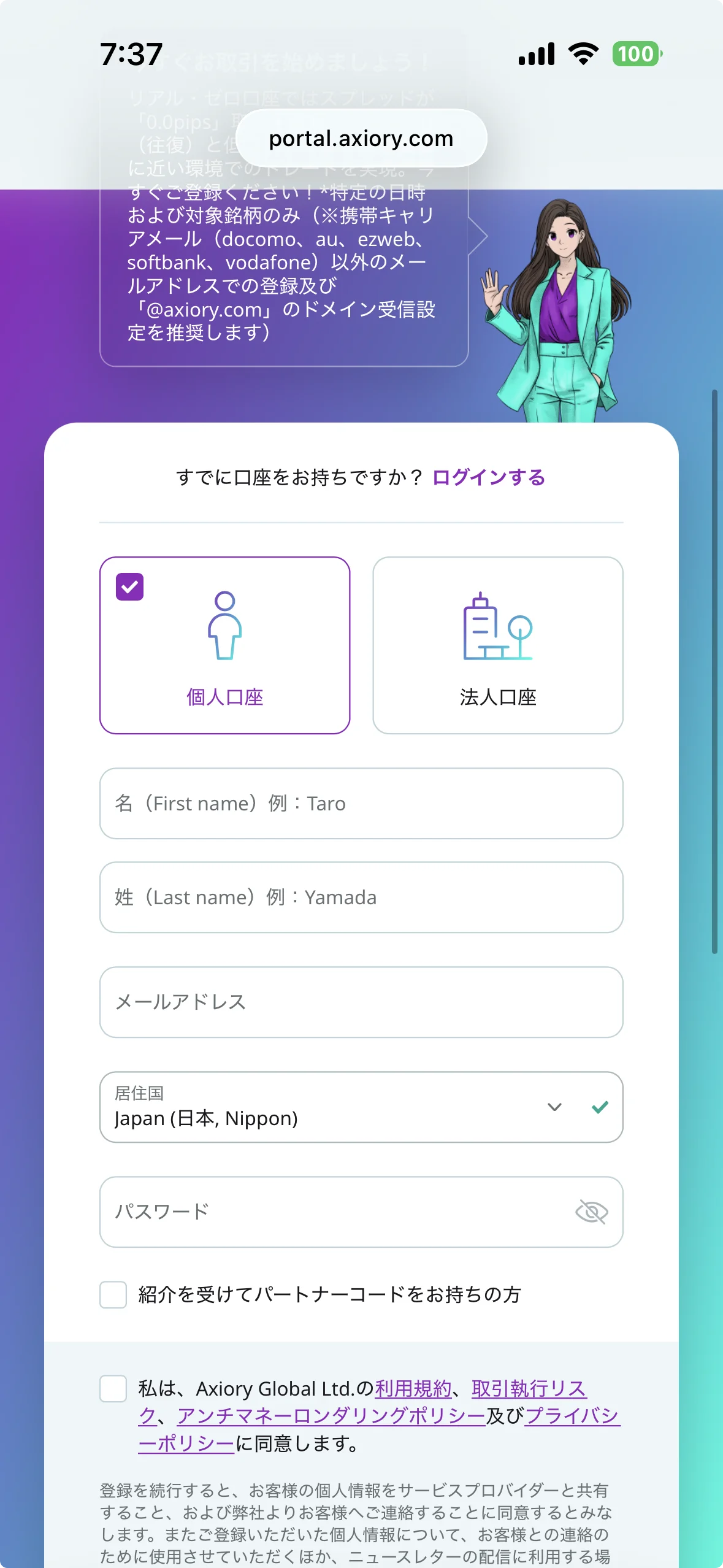
Step 2
Register an account with MoneyChat
Step 3
If it's approved, then it's OK!
Check the account opening procedure
that suits you.
Axiorycreating an
?
HOW TO OPEN
Account Opening Procedure
Please see below for detailed instructions
.webp)
Get cashback
once your account is open !
CASHBACK APPLICATION
Register with Manecha and get
cashback on every trade.
HOW TO OPEN
Transfer procedure
Please see below
for instructions on how to make your existing account eligible for MoneyChat
How to change Axiory linking
If you already have an account withAxiory, you may be able to switch to using MoneyChat by contacting support or creating an additional account
- Contact Axiory's support desk to confirm whether a partner change is possible
- If possible, submit a change request using the IB information specified by MoneyChat
- After the changes are complete, apply for account registration on your MoneyChat My Page
Some brokers may not allow you to change the link of your existing account. In that case, please create a new account or an additional account using the MoneyChat designated link
FAQ
Frequently Asked Questions about
Opening an Account or Switching Accounts
Generally, you will need to provide proof of identity (passport, driver's license, or My Number Card) and proof of address (utility bill, bank statement, or resident registration certificate, issued within the last three months)
The input process itself takes as little as 5 minutes, and the identity verification review is usually completed within one business day. The actual time required may vary depending on the service provider and the review status
Existing accounts are generally not eligible. Please check the instructions for transferring or adding an account from the "Already usingAxiory" tab at the top of the page
The possibility and conditions for opening multiple accounts vary from broker to broker. If you plan to use an additional account, please check the process for receiving cashback through MoneyChat before proceeding
No.Axiorydoes not currently support auto-rebates. To receive cashback, please register your account number on your MoneyChat My Page
There are only three things you need to do!
Step 1
Open an account via the referral link
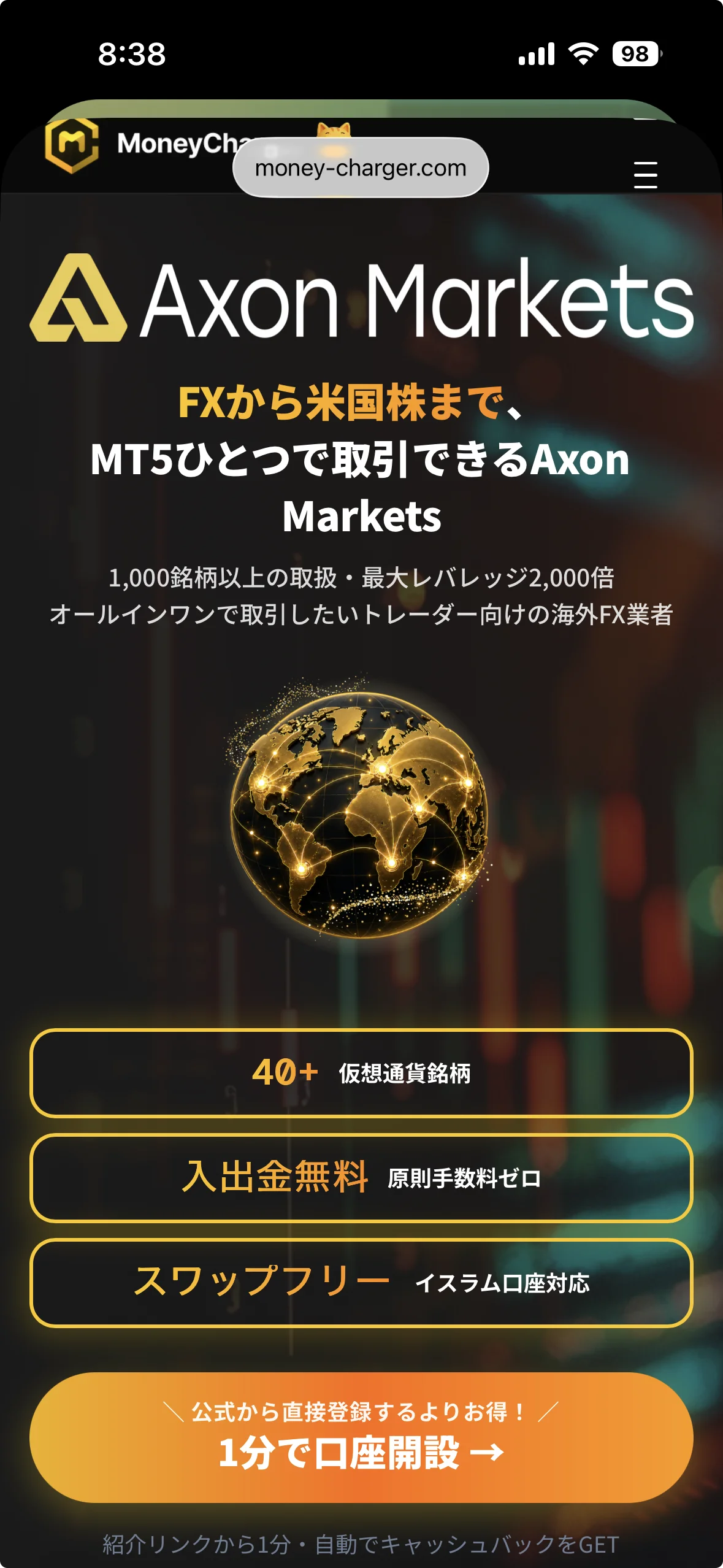
Step 2
Register an account with MoneyChat
Step 3
If it's approved, then it's OK!
Check the account opening procedure
that suits you.
Axon Marketscreating an
?
HOW TO OPEN
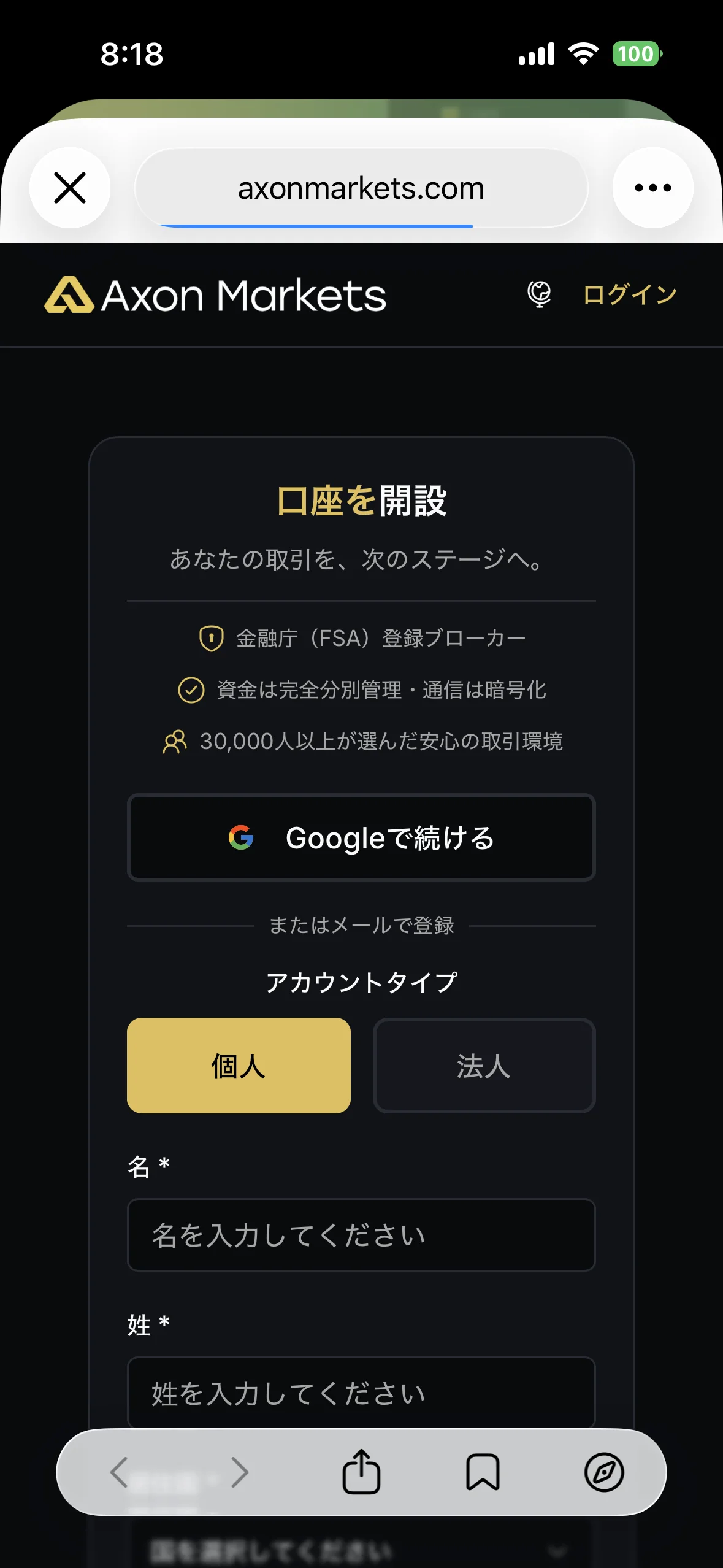
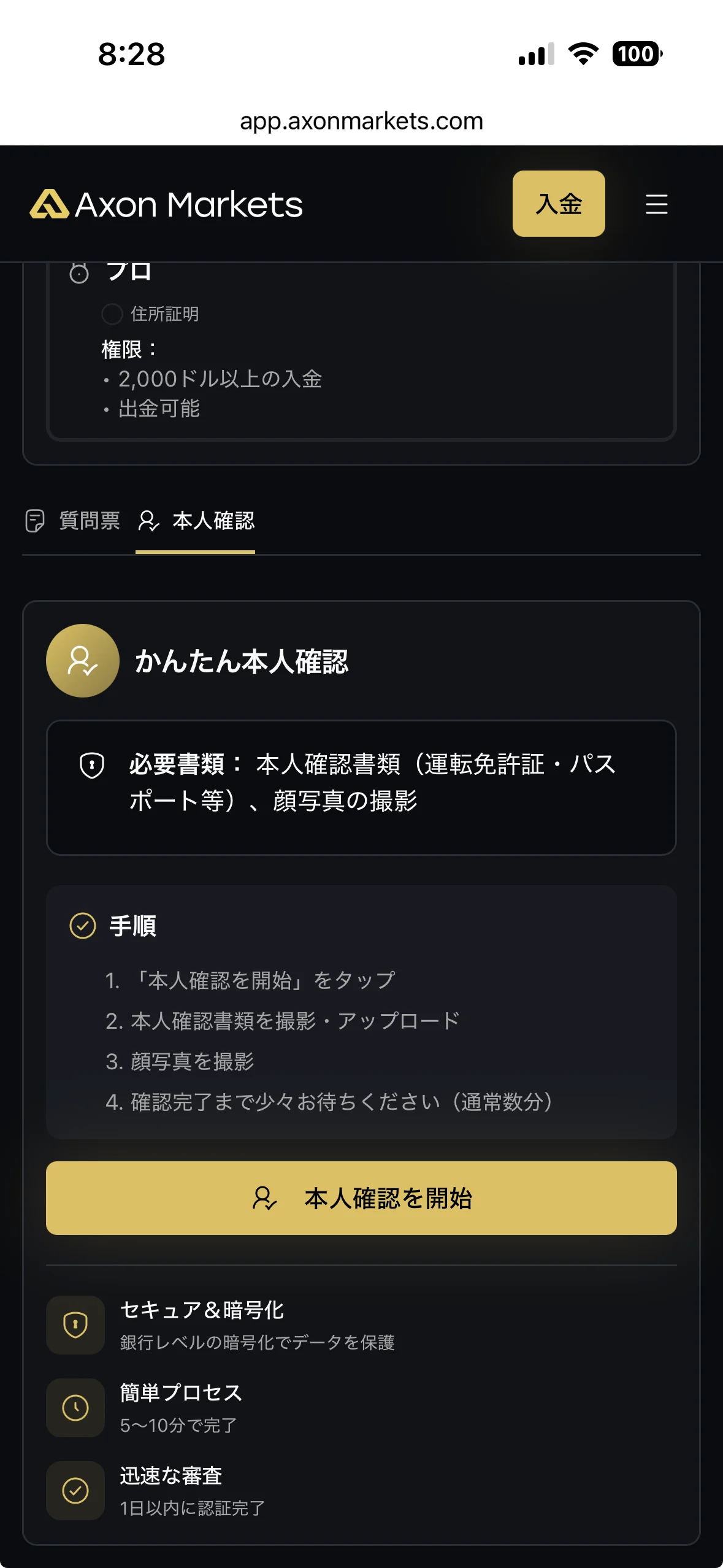
Account Opening Procedure
Please see below for detailed instructions
Get cashback
once your account is open !
CASHBACK APPLICATION
Register with Manecha and get
cashback on every trade.
HOW TO OPEN
Transfer procedure
Please see below
for instructions on how to make your existing account eligible for MoneyChat
How to change the link in Axon Markets
If you already have an account withAxon Markets, you may be able to switch to MoneyChat by contacting support or creating an additional account
- Please contact Axon Marketssupport to inquire about the possibility of changing partners
- If possible, submit a change request using the IB information specified by MoneyChat
- After the changes are complete, apply for account registration on your MoneyChat My Page
Some brokers may not allow you to change the link of your existing account. In that case, please create a new account or an additional account using the MoneyChat designated link
FAQ
Frequently Asked Questions about
Opening an Account or Switching Accounts
Generally, you will need to provide proof of identity (passport, driver's license, or My Number Card) and proof of address (utility bill, bank statement, or resident registration certificate, issued within the last three months)
The input process itself takes as little as 5 minutes, and the identity verification review is usually completed within one business day. The actual time required may vary depending on the service provider and the review status
Existing accounts are generally not eligible. Please check the "Already usingAxon Markets" tab at the top of the page for instructions on how to switch or add an account
The possibility and conditions for opening multiple accounts vary from broker to broker. If you plan to use an additional account, please check the process for receiving cashback through MoneyChat before proceeding
No.Axon Marketsdoes not currently support auto-rebates. To receive cashback, please register your account number on your MoneyChat My Page
There are only three things you need to do!
Step 1
Open an account via the referral link
Step 2
Register an account with MoneyChat
Step 3
If it's approved, then it's OK!
Check the account opening procedure
that suits you.
BigBosscreating a
?
HOW TO OPEN
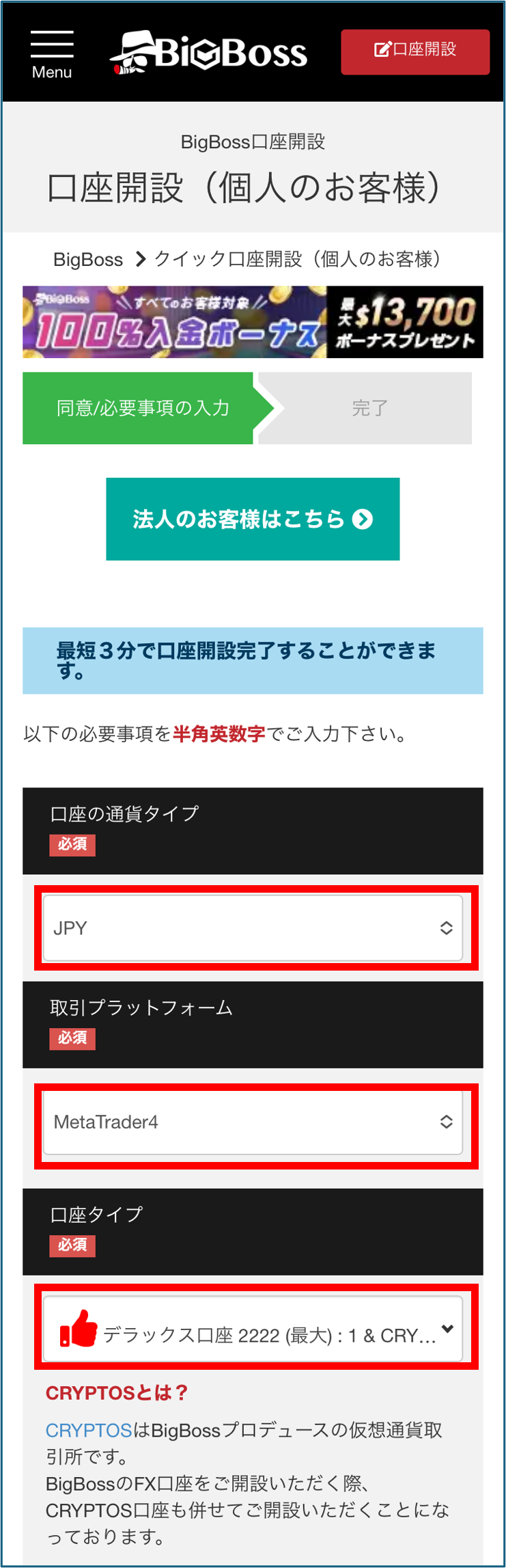
Account Opening Procedure
Please see below for detailed instructions
Get cashback
once your account is open !
CASHBACK APPLICATION
Register with Manecha and get
cashback on every trade.
HOW TO OPEN
Transfer procedure
Please see below
for instructions on how to make your existing account eligible for MoneyChat
How to change BigBoss linking
If you already have an account withBigBoss, you may be able to switch to MoneyChat by contacting customer support or creating an additional account
- Please contact BigBosssupport to inquire about the possibility of changing partners
- If possible, submit a change request using the IB information specified by MoneyChat
- After the changes are complete, apply for account registration on your MoneyChat My Page
Some brokers may not allow you to change the link of your existing account. In that case, please create a new account or an additional account using the MoneyChat designated link
FAQ
Frequently Asked Questions about
Opening an Account or Switching Accounts
Generally, you will need to provide proof of identity (passport, driver's license, or My Number Card) and proof of address (utility bill, bank statement, or resident registration certificate, issued within the last three months)
The input process itself takes as little as 5 minutes, and the identity verification review is usually completed within one business day. The actual time required may vary depending on the service provider and the review status
Existing accounts are generally not eligible. Please check the instructions for transferring or adding accounts from the "Already usingBigBoss" tab at the top of the page
The possibility and conditions for opening multiple accounts vary from broker to broker. If you plan to use an additional account, please check the process for receiving cashback through MoneyChat before proceeding
No.BigBossdoes not currently support auto-rebates. To receive cashback, please register your account number on your MoneyChat My Page
There are only three things you need to do!
Step 1
Open an account via the referral link
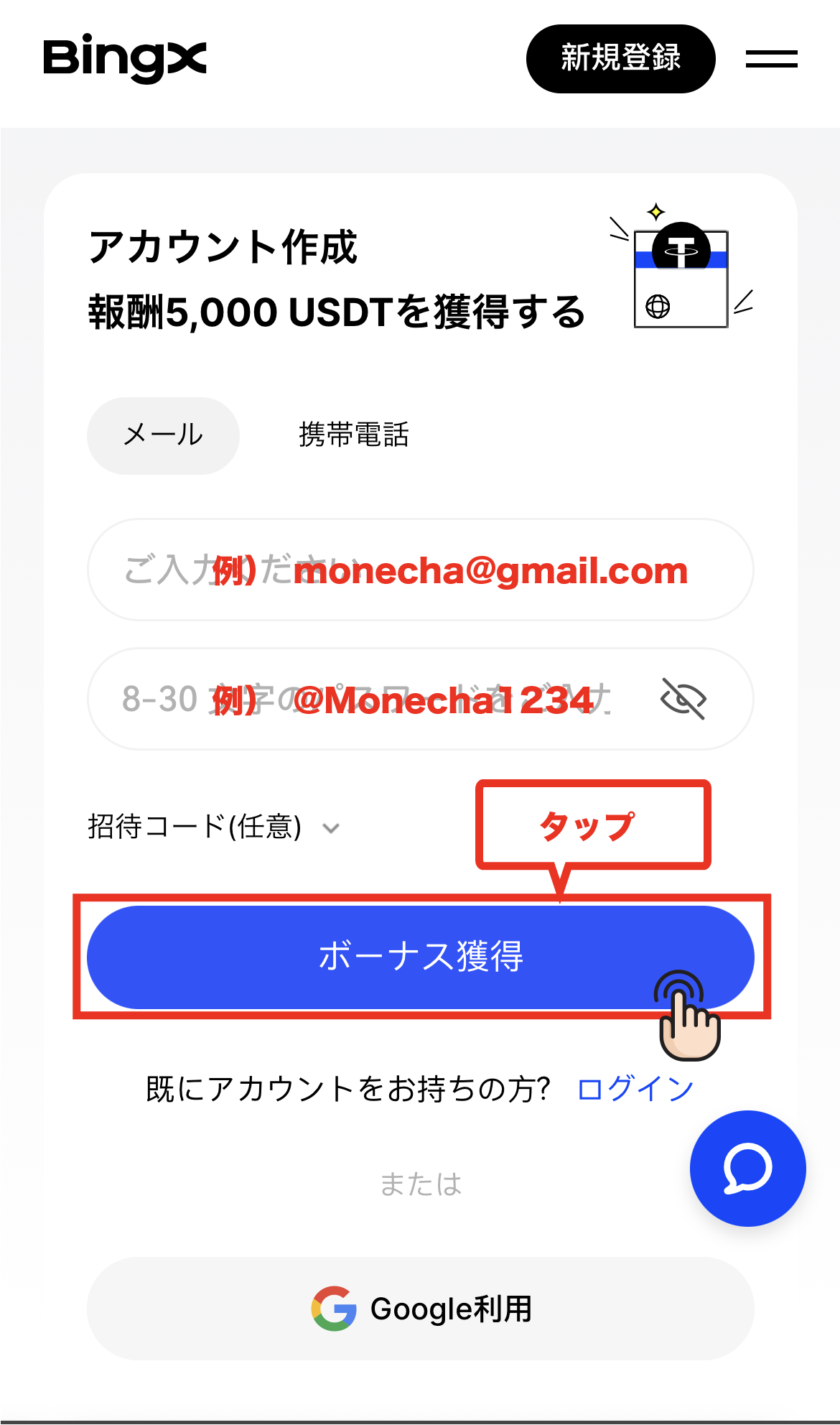
Step 2
Register an account with MoneyChat
Step 3
If it's approved, then it's OK!
Check the account opening procedure
that suits you.
BingXcreating a
?
HOW TO OPEN
Account Opening Procedure
Please see below for detailed instructions
Get cashback
once your account is open !
CASHBACK APPLICATION
Register with Manecha and get
cashback on every trade.
HOW TO OPEN
Transfer procedure
Please see below
for instructions on how to make your existing account eligible for MoneyChat
How to change your BingX account
If you already have an account withBingX, you may be able to switch to using MoneyChat by contacting support or creating an additional account
- Please contact BingXsupport to confirm whether a partner change is possible
- If possible, submit a change request using the IB information specified by MoneyChat
- After the changes are complete, apply for account registration on your MoneyChat My Page
Some brokers may not allow you to change the link of your existing account. In that case, please create a new account or an additional account using the MoneyChat designated link
FAQ
Frequently Asked Questions about
Opening an Account or Switching Accounts
Generally, you will need to provide proof of identity (passport, driver's license, or My Number Card) and proof of address (utility bill, bank statement, or resident registration certificate, issued within the last three months)
The input process itself takes as little as 5 minutes, and the identity verification review is usually completed within one business day. The actual time required may vary depending on the service provider and the review status
Existing accounts are generally not eligible. Please check the "Already usingBingX" tab at the top of the page for instructions on how to switch or add an account
The possibility and conditions for opening multiple accounts vary from broker to broker. If you plan to use an additional account, please check the process for receiving cashback through MoneyChat before proceeding
No.BingXdoes not currently support auto-rebates. To receive cashback, please register your account number on your MoneyChat My Page
There are only three things you need to do!
Step 1
Open an account via the referral link
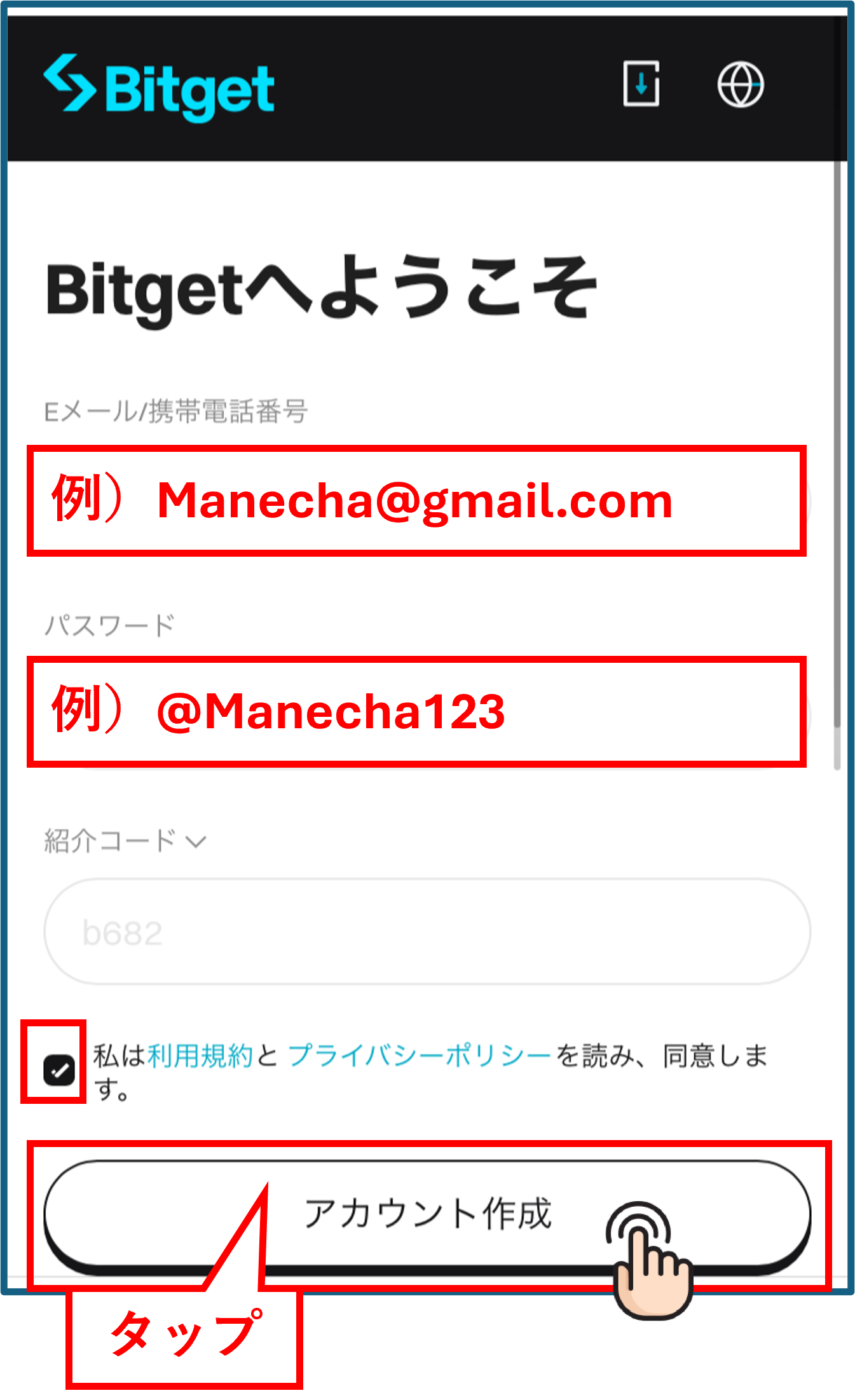
Step 2
Register an account with MoneyChat
Step 3
If it's approved, then it's OK!
Check the account opening procedure
that suits you.
Bitgetcreating a
?
HOW TO OPEN
Account Opening Procedure
Please see below for detailed instructions
Get cashback
once your account is open !
CASHBACK APPLICATION
Register with Manecha and get
cashback on every trade.
HOW TO OPEN
Transfer procedure
Please see below
for instructions on how to make your existing account eligible for MoneyChat
How to change Bitget 's linked settings
If you already have an account withBitget, you may be able to switch to using MoneyChat by contacting support or creating an additional account
- Please check with Bitget's support desk regarding the possibility of changing partners
- If possible, submit a change request using the IB information specified by MoneyChat
- After the changes are complete, apply for account registration on your MoneyChat My Page
Some brokers may not allow you to change the link of your existing account. In that case, please create a new account or an additional account using the MoneyChat designated link
FAQ
Frequently Asked Questions about
Opening an Account or Switching Accounts
Generally, you will need to provide proof of identity (passport, driver's license, or My Number Card) and proof of address (utility bill, bank statement, or resident registration certificate, issued within the last three months)
The input process itself takes as little as 5 minutes, and the identity verification review is usually completed within one business day. The actual time required may vary depending on the service provider and the review status
Existing accounts are generally not eligible. Please check the instructions for transferring or adding an account from the "Already usingBitget" tab at the top of the page
The possibility and conditions for opening multiple accounts vary from broker to broker. If you plan to use an additional account, please check the process for receiving cashback through MoneyChat before proceeding
No.Bitgetdoes not currently support auto-rebates. To receive cashback, please register your account number on your MoneyChat My Page
There are only three things you need to do!
Step 1
Open an account via the referral link
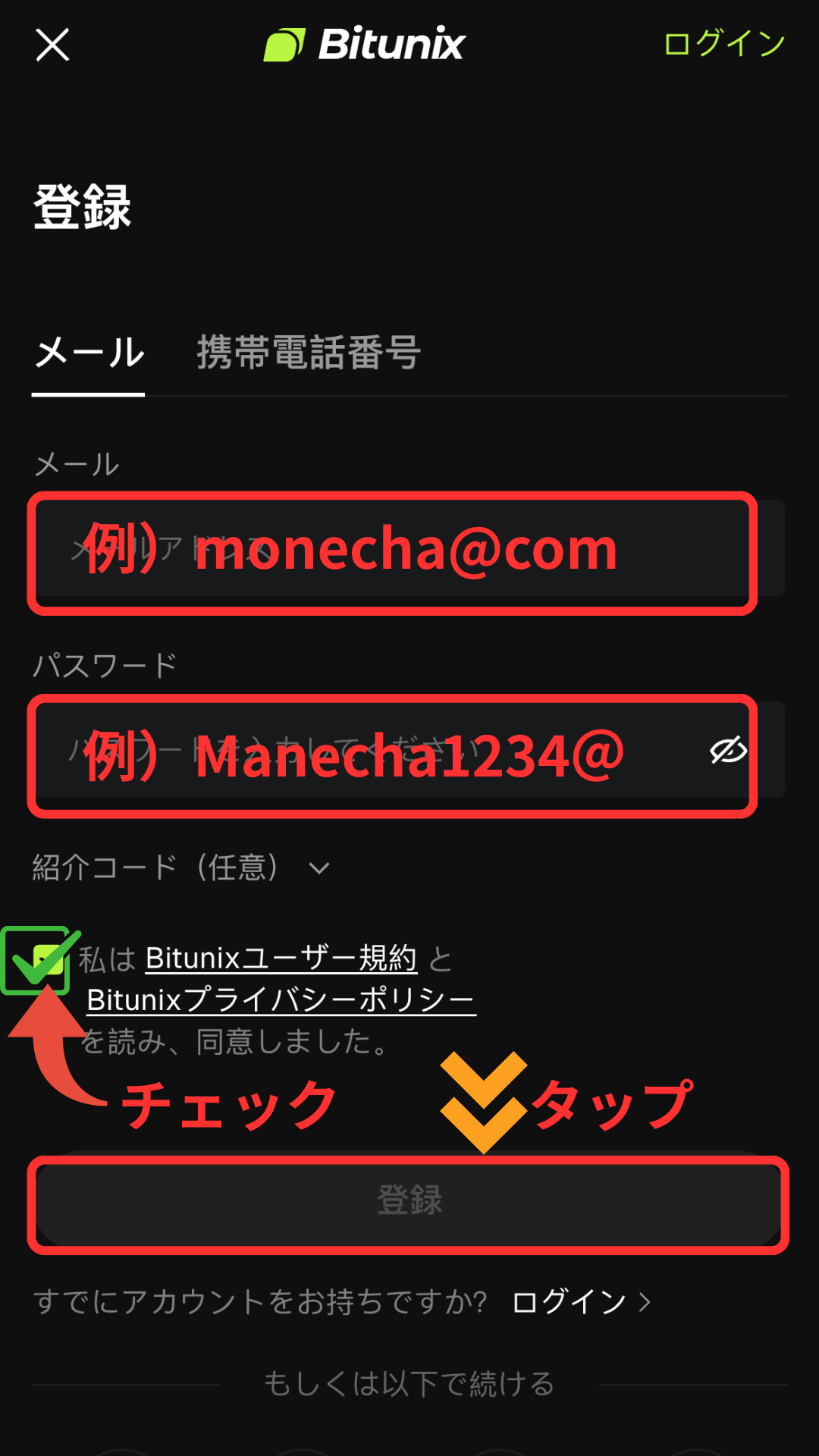
Step 2
Register an account with MoneyChat
Step 3
If it's approved, then it's OK!
Check the account opening procedure
that suits you.
Bitunixcreating a
?
HOW TO OPEN
Account Opening Procedure
Please see below for detailed instructions
Get cashback
once your account is open !
CASHBACK APPLICATION
Register with Manecha and get
cashback on every trade.
HOW TO OPEN
Transfer procedure
Please see below
for instructions on how to make your existing account eligible for MoneyChat
How to change Bitunix association
If you already have an account withBitunix, you may be able to switch to using MoneyChat by contacting support or creating an additional account
- Please check with Bitunixsupport regarding the possibility of changing partners
- If possible, submit a change request using the IB information specified by MoneyChat
- After the changes are complete, apply for account registration on your MoneyChat My Page
Some brokers may not allow you to change the link of your existing account. In that case, please create a new account or an additional account using the MoneyChat designated link
FAQ
Frequently Asked Questions about
Opening an Account or Switching Accounts
Generally, you will need to provide proof of identity (passport, driver's license, or My Number Card) and proof of address (utility bill, bank statement, or resident registration certificate, issued within the last three months)
The input process itself takes as little as 5 minutes, and the identity verification review is usually completed within one business day. The actual time required may vary depending on the service provider and the review status
Existing accounts are generally not eligible. Please check the instructions for transferring or adding accounts from the "Already usingBitunix" tab at the top of the page
The possibility and conditions for opening multiple accounts vary from broker to broker. If you plan to use an additional account, please check the process for receiving cashback through MoneyChat before proceeding
No.Bitunixdoes not currently support auto-rebates. To receive cashback, please register your account number on your MoneyChat My Page
That's all you need to do!
Step 1
Open an account via the referral link
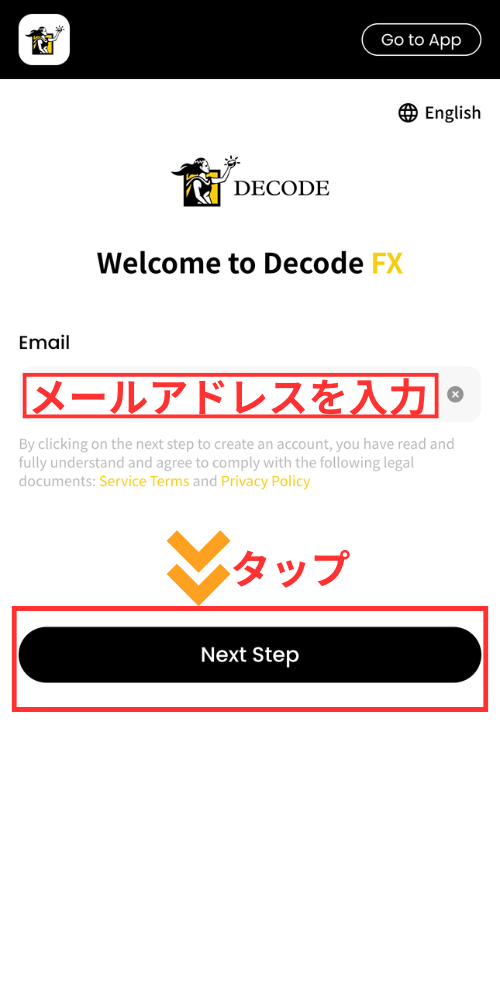
DecodeFXoffersauto-rebates. Account application through MoneyChat's My Page is not required.
Check the account opening procedure
that suits you.
DecodeFXcreating a
?
HOW TO OPEN
Account Opening Procedure
Please see below for detailed instructions
Get cashback
once your account is open !
AUTO REBATE
DecodeFXonly offers auto-rebates;
no account application to MoneyChat is required.
Open aDecodeFXaccount through the referral link
That's all you need to do. If you open an account on the official website without using a referral link, you won't receive any cashback
No account application is required for MoneyChat
There's no need to log in to your My Page and register your account number, nor do you need to wait for approval from the administrators
The cashback will be automatically credited to yourDecodeFXaccount
The cashback from each trade will be deposited directly into yourDecodeFXtrading account. No withdrawal request is required
HOW TO OPEN
Transfer procedure
Please see below
for instructions on how to make your existing account eligible for MoneyChat
How to change the linking in DecodeFX
If you already have an account withDecodeFX, you may be able to switch to using MoneyChat by contacting support or creating an additional account
- Please check with DecodeFX's support desk regarding the possibility of changing partners
- If possible, submit a change request using the IB information specified by MoneyChat
- Once the changes are complete, the cashback for each transaction will be automatically deposited into your trading account (no application is required via MoneyChat)
Some brokers may not allow you to change the link of your existing account. In that case, please create a new account or an additional account using the MoneyChat designated link
FAQ
Frequently Asked Questions about
Opening an Account or Switching Accounts
Generally, you will need to provide proof of identity (passport, driver's license, or My Number Card) and proof of address (utility bill, bank statement, or resident registration certificate, issued within the last three months)
The input process itself takes as little as 5 minutes, and the identity verification review is usually completed within one business day. The actual time required may vary depending on the service provider and the review status
Existing accounts are generally not eligible. Please check the instructions for transferring or adding an account from the "Already usingDecodeFX" tab at the top of the page
The possibility and conditions for opening multiple accounts vary from broker to broker. If you plan to use an additional account, please check the process for receiving cashback through MoneyChat before proceeding
Yes.DecodeFXoffersauto-rebates. You don't need to apply for an account on your MoneyChat My Page;DecodeFXif you open aDecodeFXwill be automatically deposited into your
There are only three things you need to do!
Step 1
Open an account via the referral link
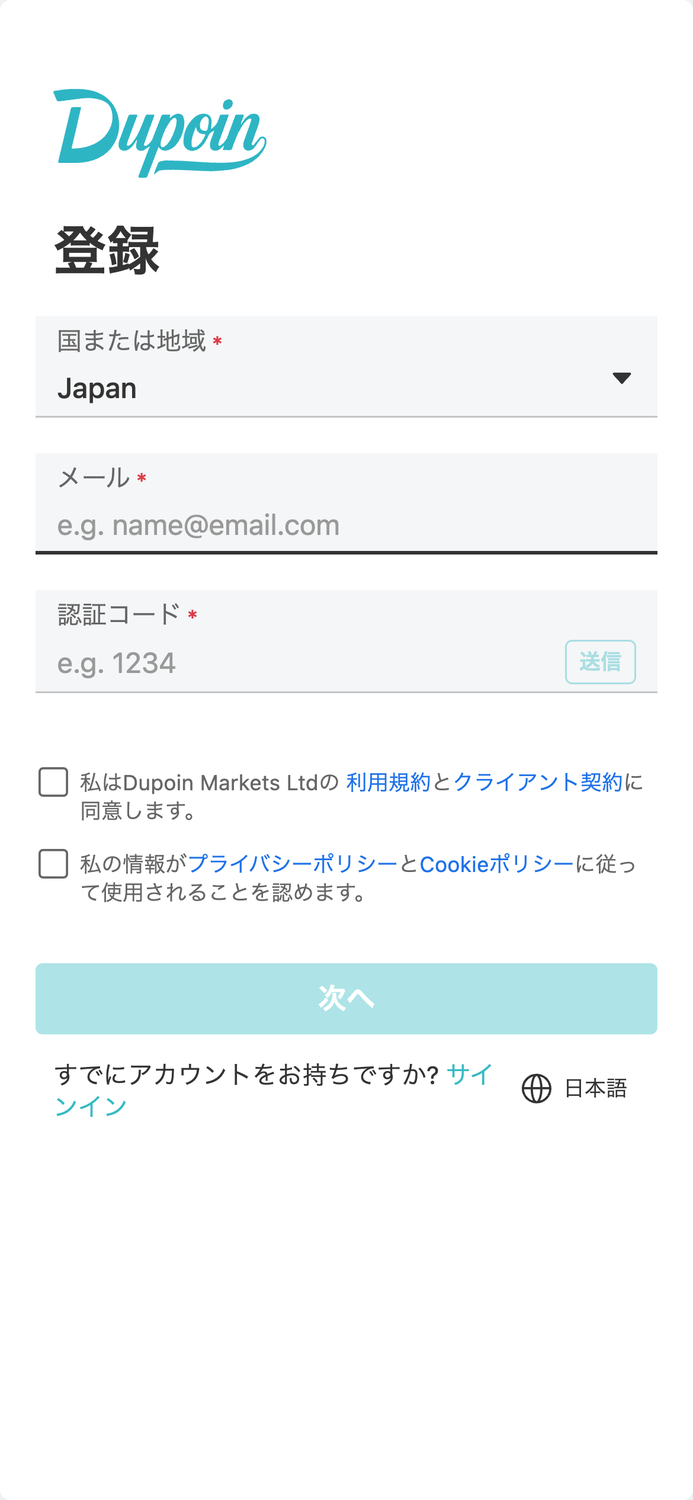
Step 2
Register an account with MoneyChat
Step 3
If it's approved, then it's OK!
Check the account opening procedure
that suits you.
Dupoincreating a
?
HOW TO OPEN
Account Opening Procedure
Please see below for detailed instructions
Get cashback
once your account is open !
CASHBACK APPLICATION
Register with Manecha and get
cashback on every trade.
HOW TO OPEN
Transfer procedure
Please see below
for instructions on how to make your existing account eligible for MoneyChat
How to change Dupoin linking
If you already have an account withDupoin, you may be able to switch to MoneyChat by contacting support or creating an additional account
- Please check with Dupoin's support desk regarding the possibility of changing partners
- If possible, submit a change request using the IB information specified by MoneyChat
- After the changes are complete, apply for account registration on your MoneyChat My Page
Some brokers may not allow you to change the link of your existing account. In that case, please create a new account or an additional account using the MoneyChat designated link
FAQ
Frequently Asked Questions about
Opening an Account or Switching Accounts
Generally, you will need to provide proof of identity (passport, driver's license, or My Number Card) and proof of address (utility bill, bank statement, or resident registration certificate, issued within the last three months)
The input process itself takes as little as 5 minutes, and the identity verification review is usually completed within one business day. The actual time required may vary depending on the service provider and the review status
Existing accounts are generally not eligible. Please check the instructions for transferring or adding accounts from the "Already usingDupoin" tab at the top of the page
The possibility and conditions for opening multiple accounts vary from broker to broker. If you plan to use an additional account, please check the process for receiving cashback through MoneyChat before proceeding
No.Dupoindoes not currently support auto-rebates. To receive cashback, please register your account number on your MoneyChat My Page
There are only three things you need to do!
Step 1
Open an account via the referral link
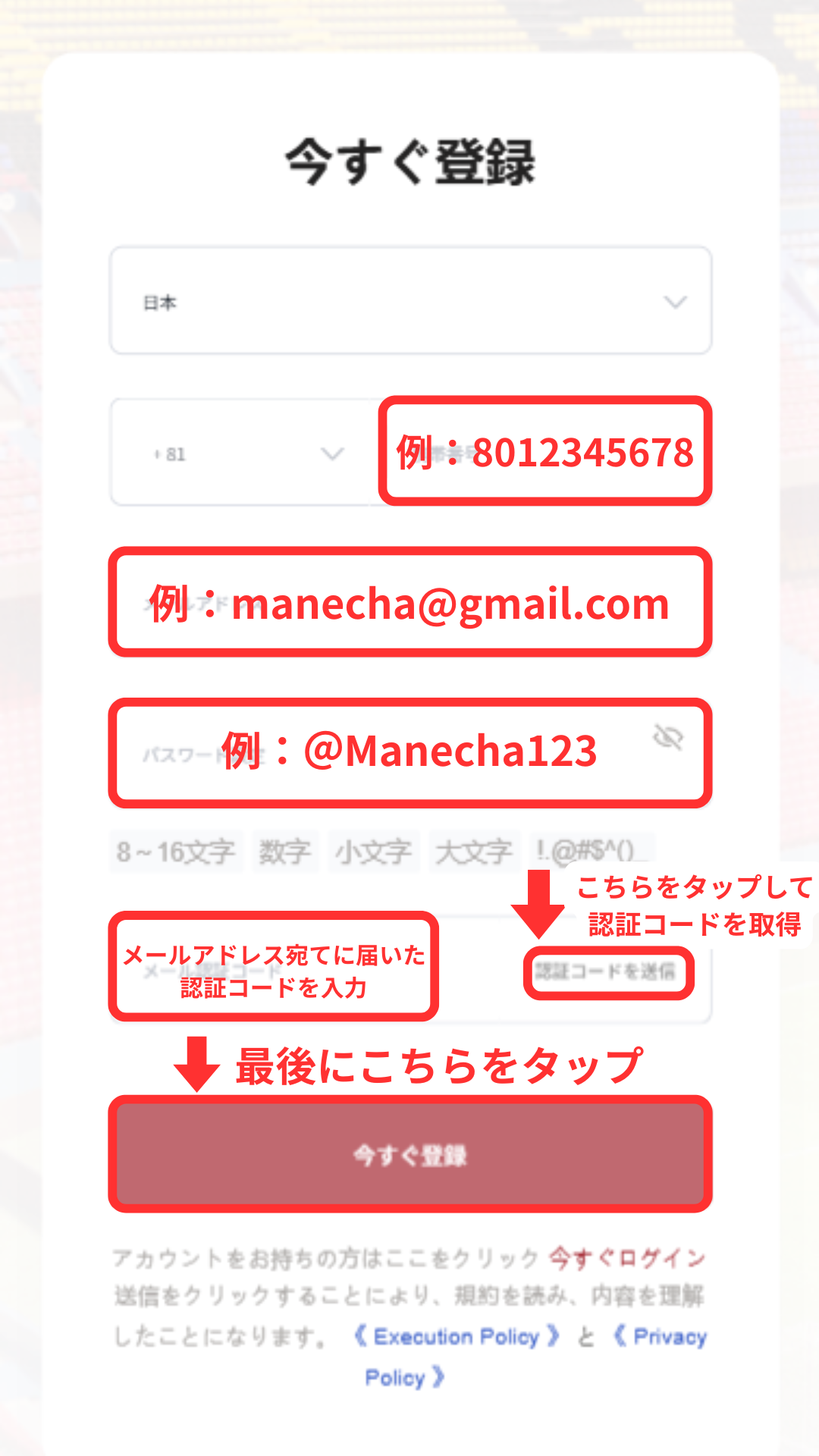
Step 2
Register an account with MoneyChat
Step 3
If it's approved, then it's OK!
Check the account opening procedure
that suits you.
EBC Financial Groupcreating an account with
?
HOW TO OPEN
Account Opening Procedure
Please see below for detailed instructions
Get cashback
once your account is open !
CASHBACK APPLICATION
Register with Manecha and get
cashback on every trade.
HOW TO OPEN
Transfer procedure
Please see below
for instructions on how to make your existing account eligible for MoneyChat
How to change the linking method for EBC Financial Group
If you already have an account withEBC Financial Group, you may be able to switch to MoneyChat by contacting support or creating an additional account
- Please contact EBC Financial Group's support desk to confirm whether a partner change is possible
- If possible, submit a change request using the IB information specified by MoneyChat
- After the changes are complete, apply for account registration on your MoneyChat My Page
Some brokers may not allow you to change the link of your existing account. In that case, please create a new account or an additional account using the MoneyChat designated link
FAQ
Frequently Asked Questions about
Opening an Account or Switching Accounts
Generally, you will need to provide proof of identity (passport, driver's license, or My Number Card) and proof of address (utility bill, bank statement, or resident registration certificate, issued within the last three months)
The input process itself takes as little as 5 minutes, and the identity verification review is usually completed within one business day. The actual time required may vary depending on the service provider and the review status
Existing accounts are generally not eligible. Please check the "Already usingEBC Financial Group" tab at the top of the page for instructions on how to switch or add an account
The possibility and conditions for opening multiple accounts vary from broker to broker. If you plan to use an additional account, please check the process for receiving cashback through MoneyChat before proceeding
No.EBC Financial Groupdoes not currently support auto-rebates. To receive cashback, please register your account number on your MoneyChat My Page
There are only three things you need to do!
Step 1
Open an account via the referral link
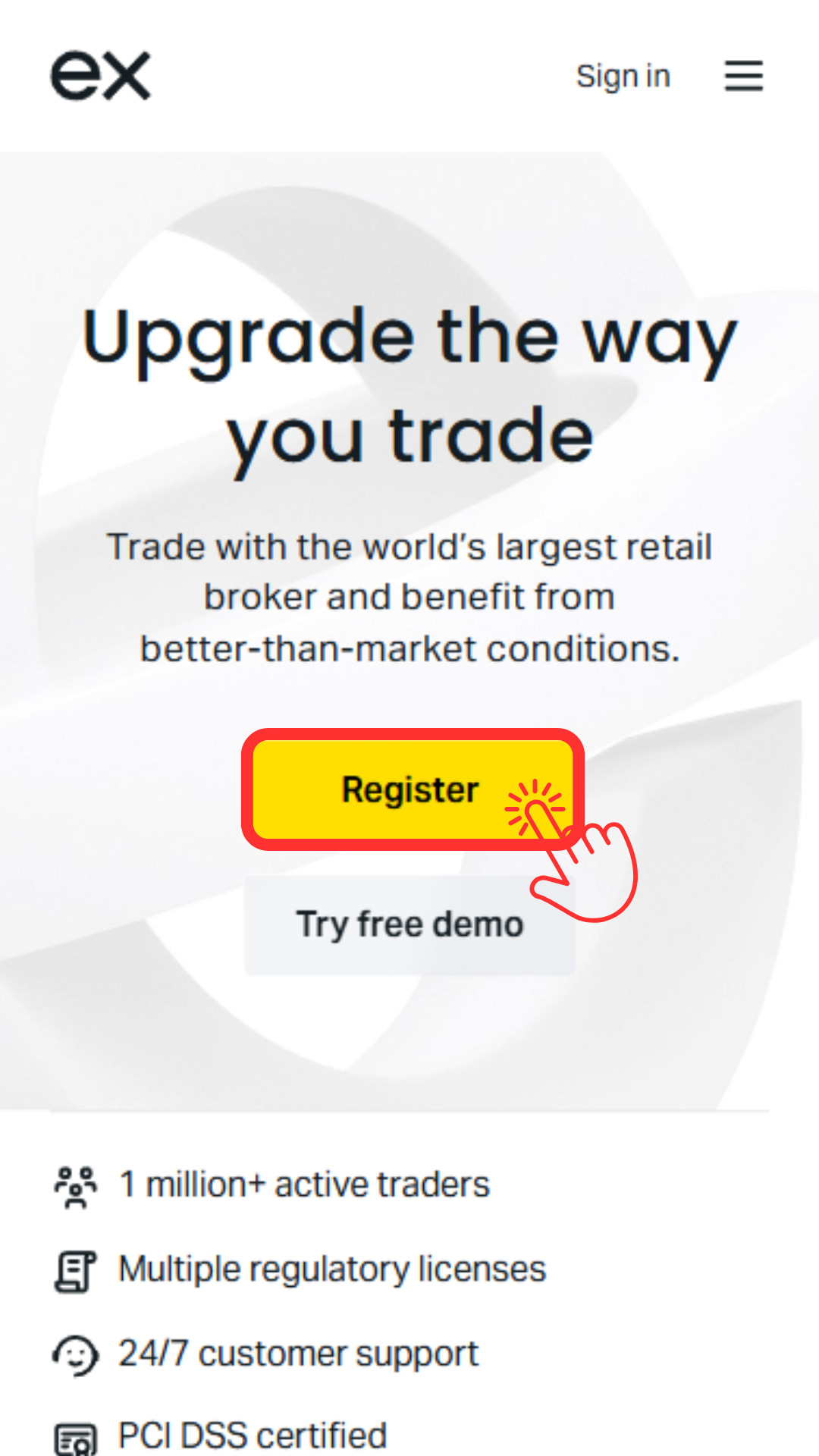
Step 2
Register an account with MoneyChat
Step 3
If it's approved, then it's OK!
Check the account opening procedure
that suits you.
Exnesscreating an
?
HOW TO OPEN
Account Opening Procedure
Please see below for detailed instructions
Get cashback
once your account is open !
CASHBACK APPLICATION
Register with Manecha and get
cashback on every trade.
HOW TO OPEN
Transfer procedure
Please see below
for instructions on how to make your existing account eligible for MoneyChat
How to change Exness linking
If you already have an account withExness, you may be able to switch to using MoneyChat by contacting support or creating an additional account
- Contact Exnesssupport to inquire about the possibility of changing partners
- If possible, submit a change request using the IB information specified by MoneyChat
- After the changes are complete, apply for account registration on your MoneyChat My Page
Some brokers may not allow you to change the link of your existing account. In that case, please create a new account or an additional account using the MoneyChat designated link
FAQ
Frequently Asked Questions about
Opening an Account or Switching Accounts
Generally, you will need to provide proof of identity (passport, driver's license, or My Number Card) and proof of address (utility bill, bank statement, or resident registration certificate, issued within the last three months)
The input process itself takes as little as 5 minutes, and the identity verification review is usually completed within one business day. The actual time required may vary depending on the service provider and the review status
Existing accounts are generally not eligible. Please check the instructions for transferring or adding an account from the "Already usingExness" tab at the top of the page
The possibility and conditions for opening multiple accounts vary from broker to broker. If you plan to use an additional account, please check the process for receiving cashback through MoneyChat before proceeding
Yes.Exnesssupports auto-rebates. If you wish to use this feature, please proceed with opening an account through the auto-rebate link
There are only three things you need to do!
Step 1
Open an account via the referral link
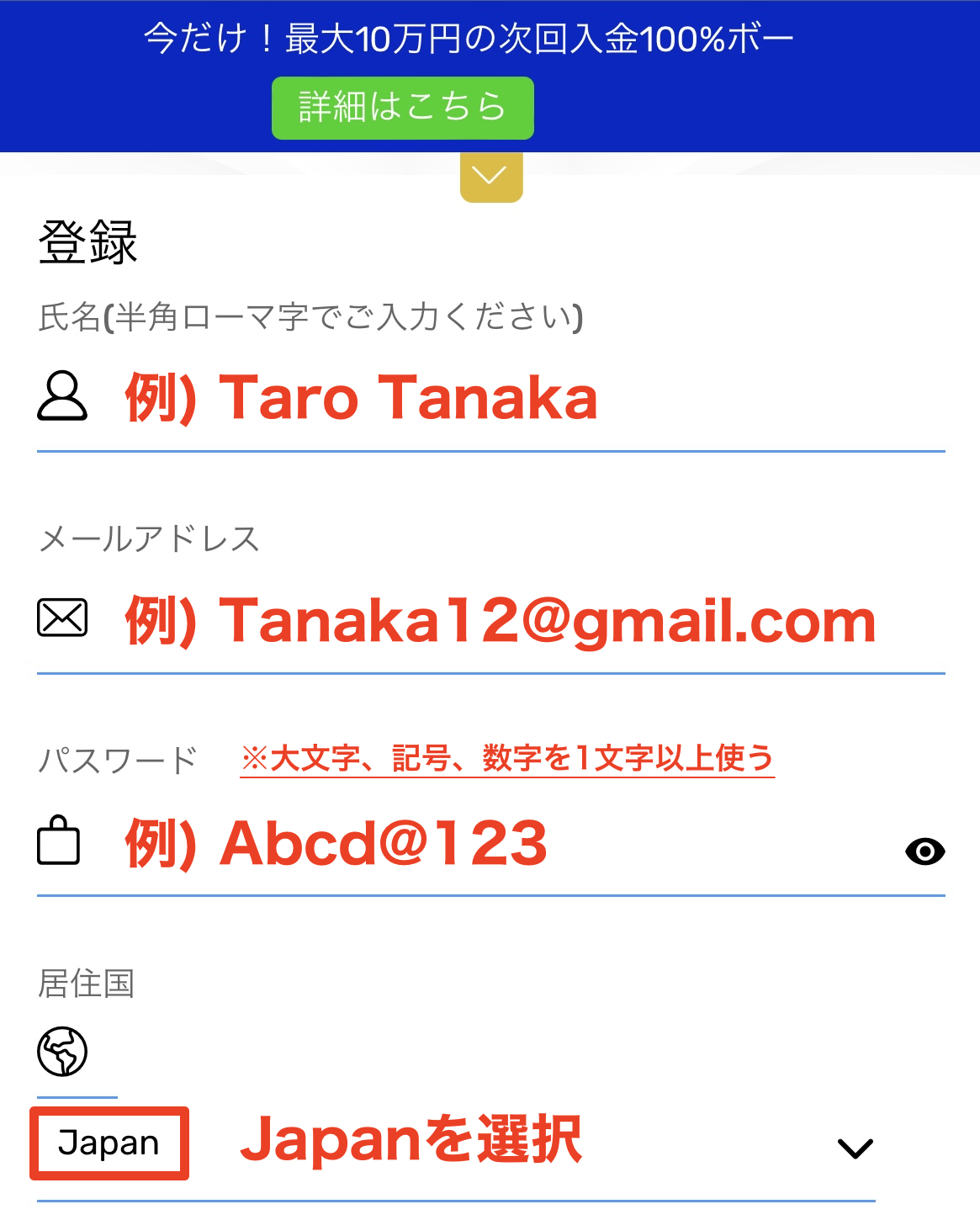
Step 2
Register an account with MoneyChat
Step 3
If it's approved, then it's OK!
Check the account opening procedure
that suits you.
FXGTcreating an
?
HOW TO OPEN
Account Opening Procedure
Please see below for detailed instructions
Get cashback
once your account is open !
CASHBACK APPLICATION
Register with Manecha and get
cashback on every trade.
HOW TO OPEN
Transfer procedure
Please see below
for instructions on how to make your existing account eligible for MoneyChat
How to change the linking of FXGT
If you already have an account withFXGT, you may be able to switch to MoneyChat by contacting their support desk or creating an additional account
- Please contact FXGT's support desk to inquire about the possibility of changing partners
- If possible, submit a change request using the IB information specified by MoneyChat
- After the changes are complete, apply for account registration on your MoneyChat My Page
Some brokers may not allow you to change the link of your existing account. In that case, please create a new account or an additional account using the MoneyChat designated link
FAQ
Frequently Asked Questions about
Opening an Account or Switching Accounts
Generally, you will need to provide proof of identity (passport, driver's license, or My Number Card) and proof of address (utility bill, bank statement, or resident registration certificate, issued within the last three months)
The input process itself takes as little as 5 minutes, and the identity verification review is usually completed within one business day. The actual time required may vary depending on the service provider and the review status
Existing accounts are generally not eligible. Please check the instructions for transferring or adding an account from the "Already usingFXGT" tab at the top of the page
The possibility and conditions for opening multiple accounts vary from broker to broker. If you plan to use an additional account, please check the process for receiving cashback through MoneyChat before proceeding
No.FXGTdoes not currently support auto-rebates. To receive cashback, please register your account number on your MoneyChat My Page
There are only three things you need to do!
Step 1
Open an account via the referral link
Step 2
Register an account with MoneyChat
Step 3
If it's approved, then it's OK!
Check the account opening procedure
that suits you.
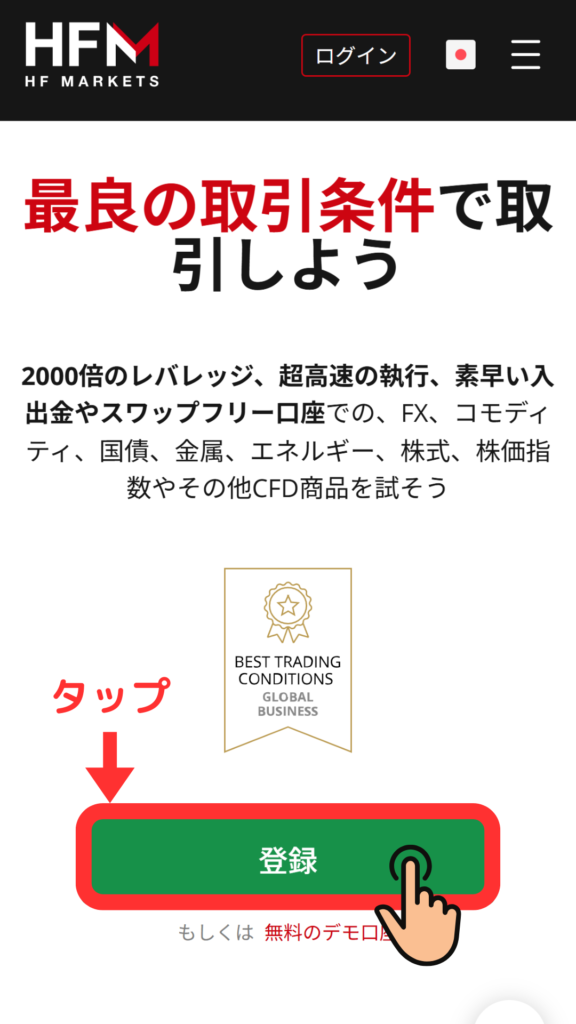
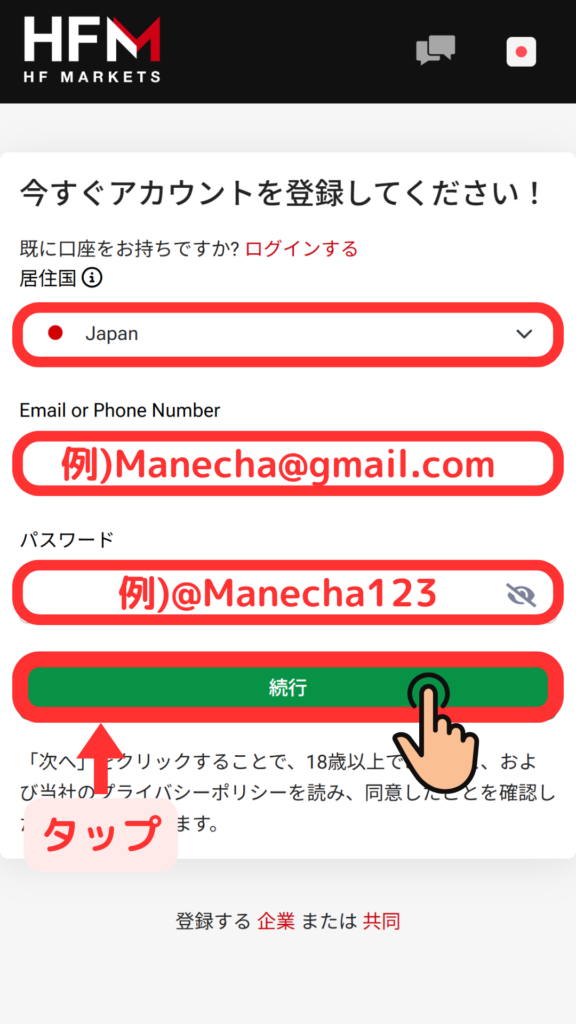
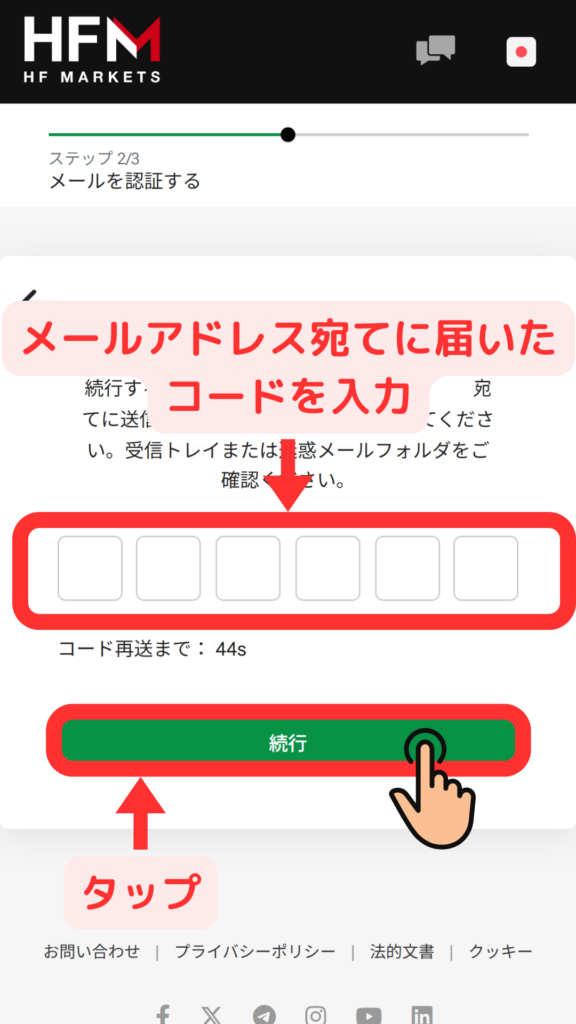
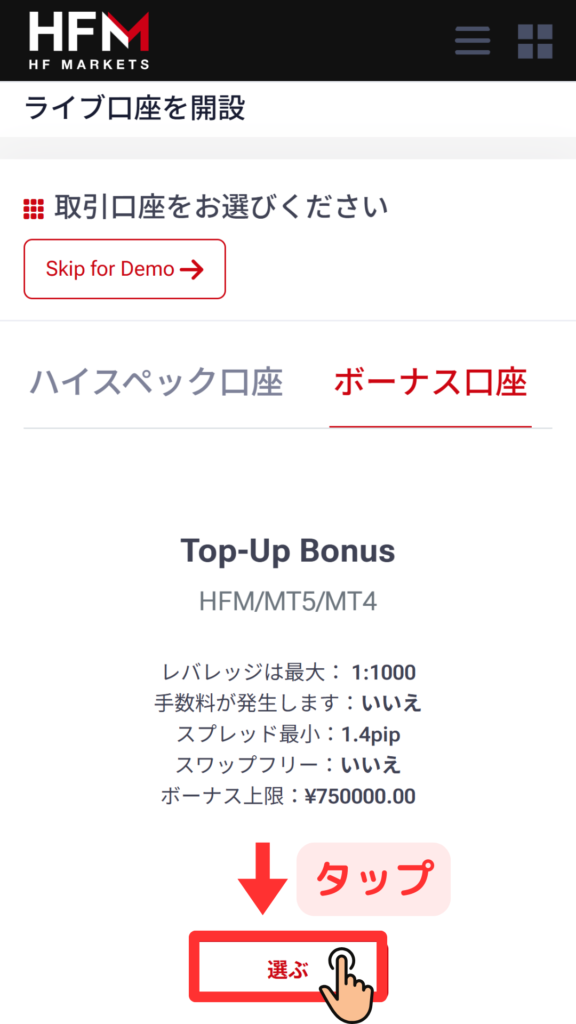
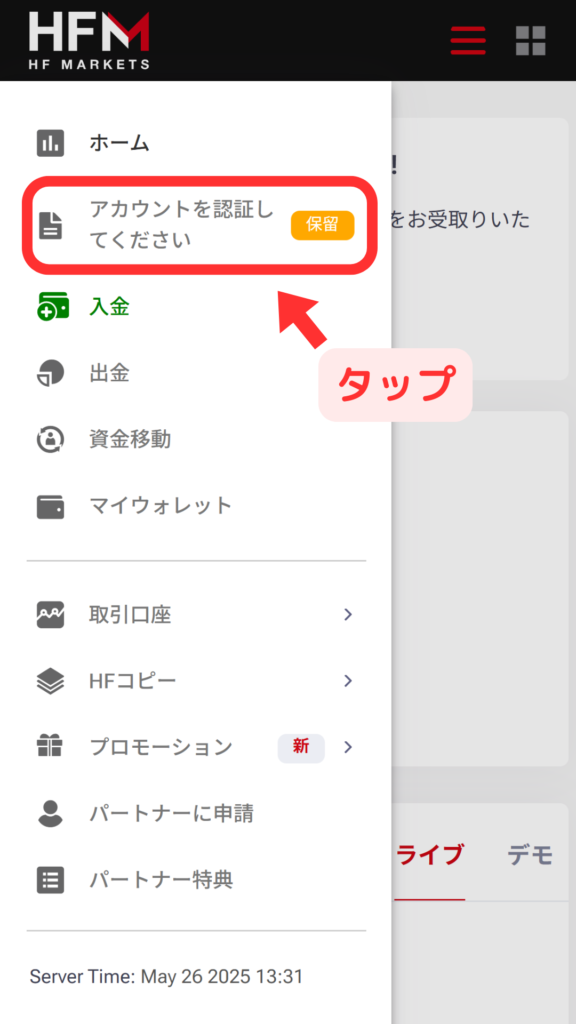
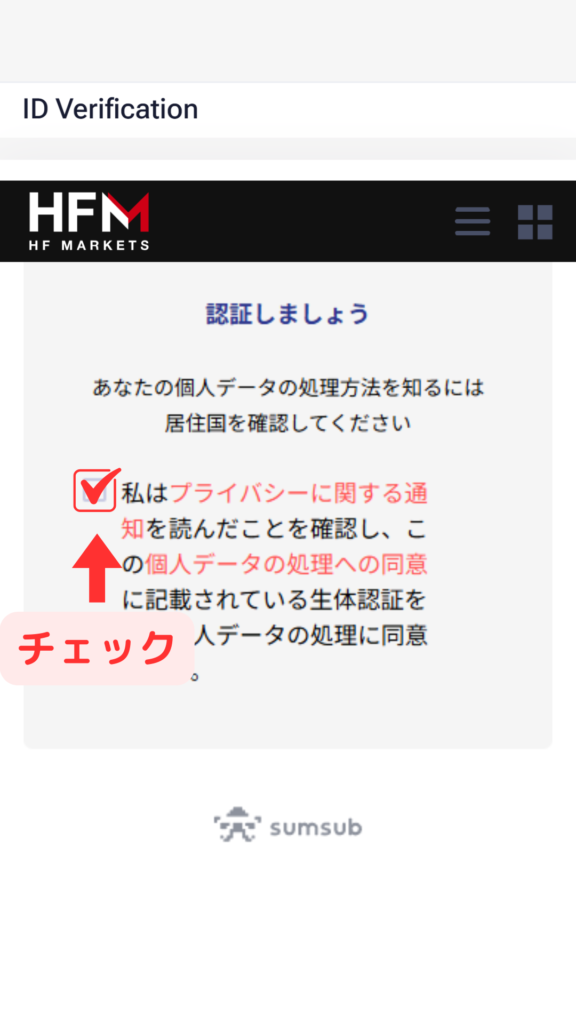
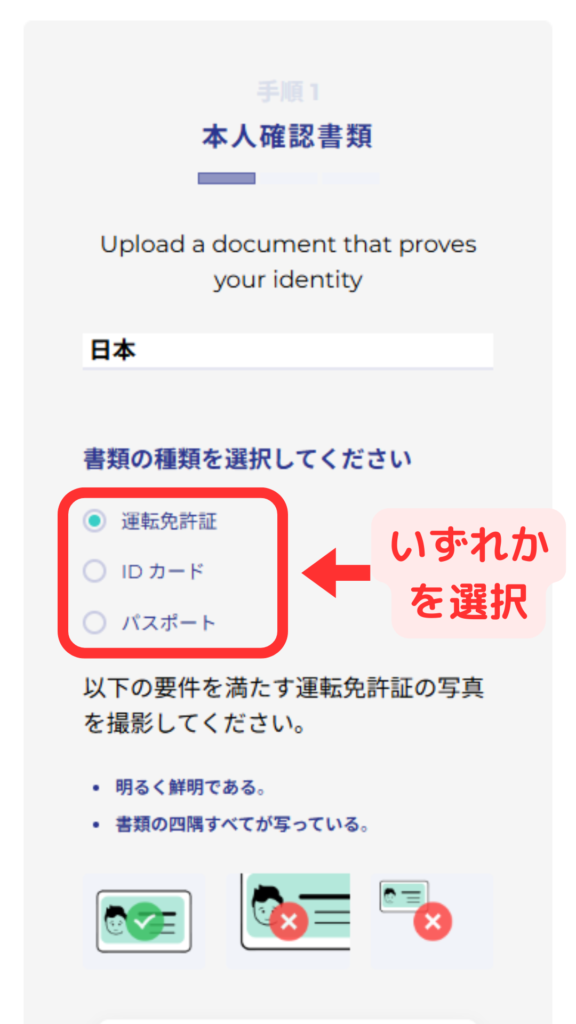
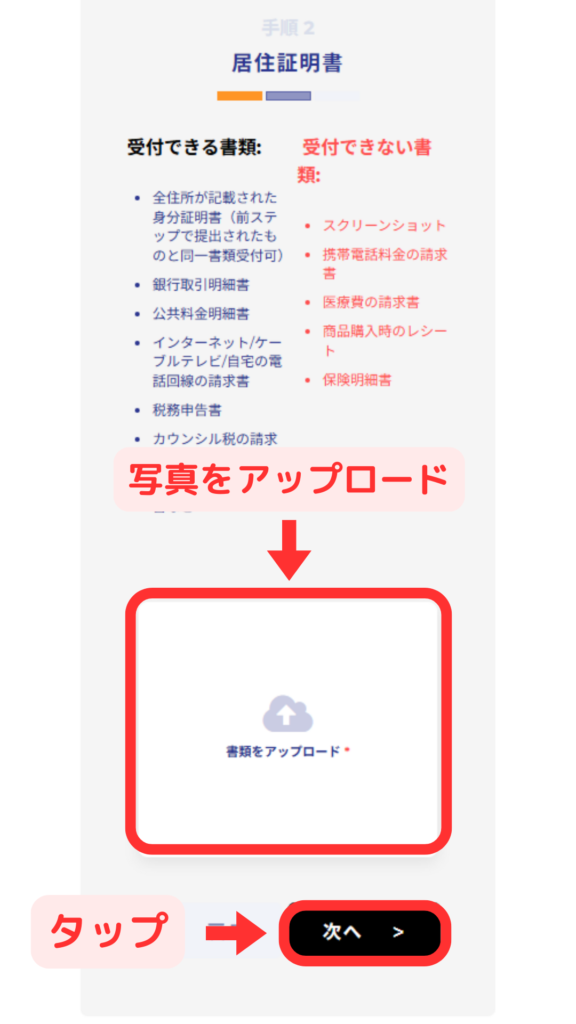
HFMcreating an
?
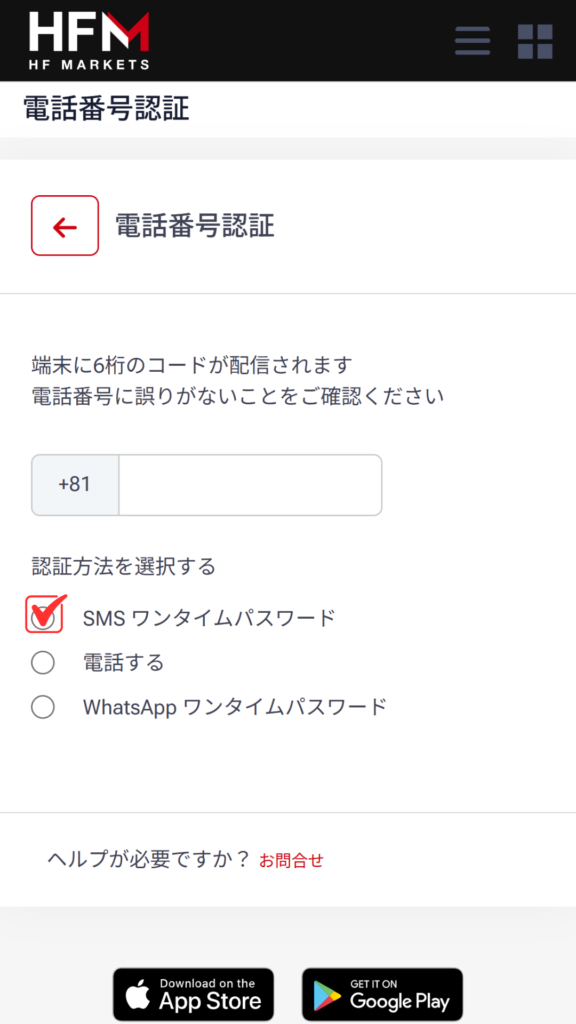
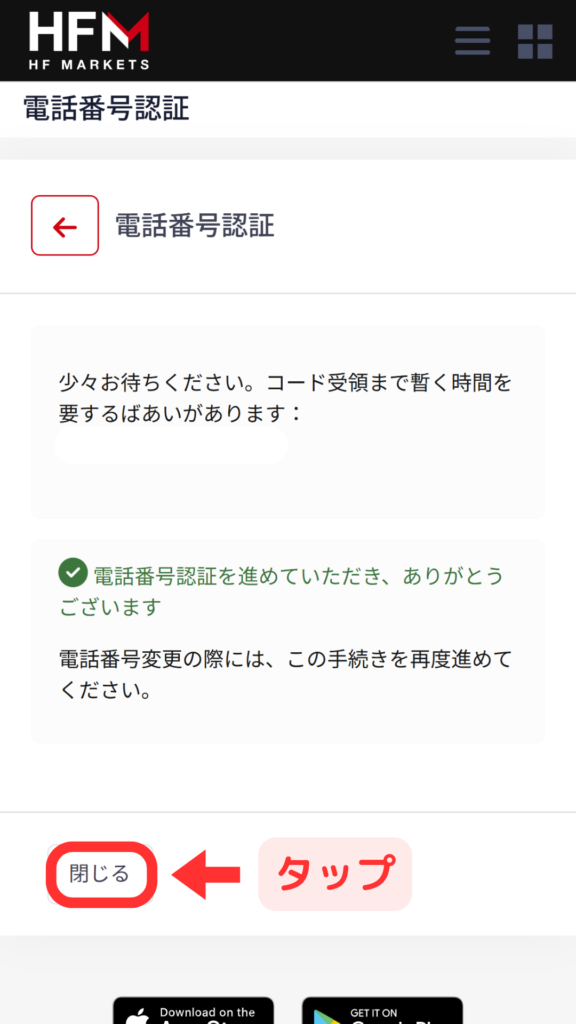
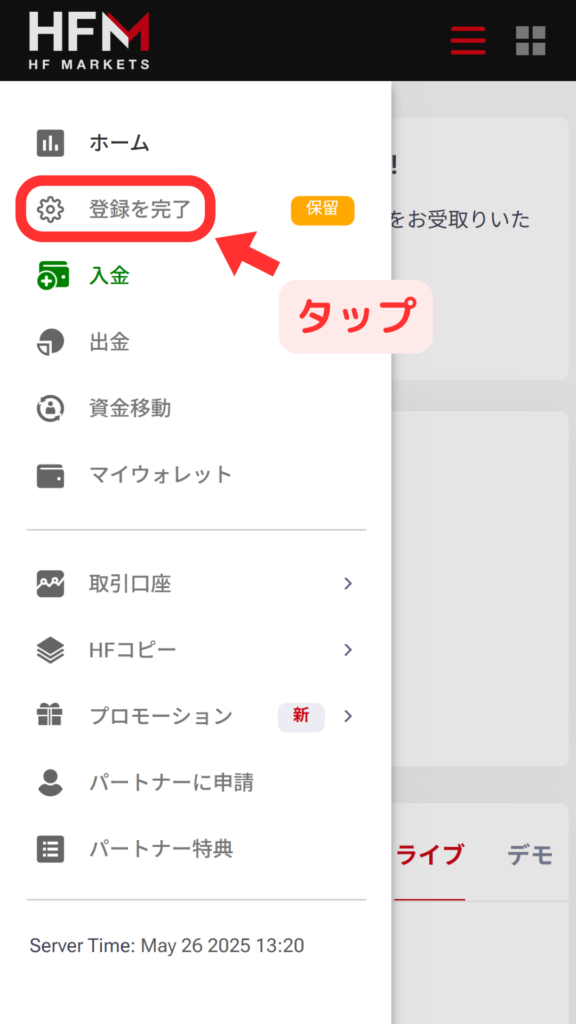
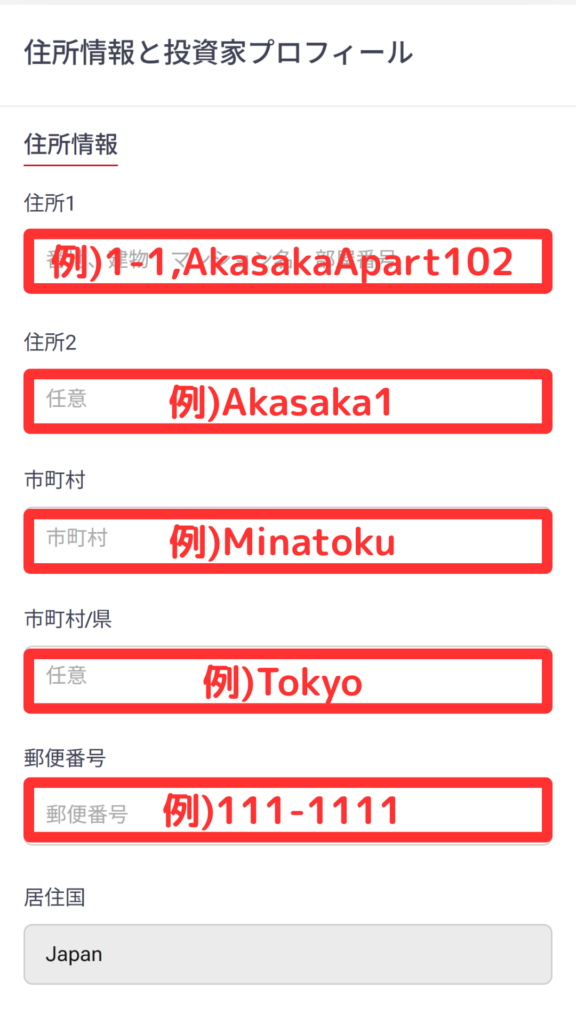
HOW TO OPEN
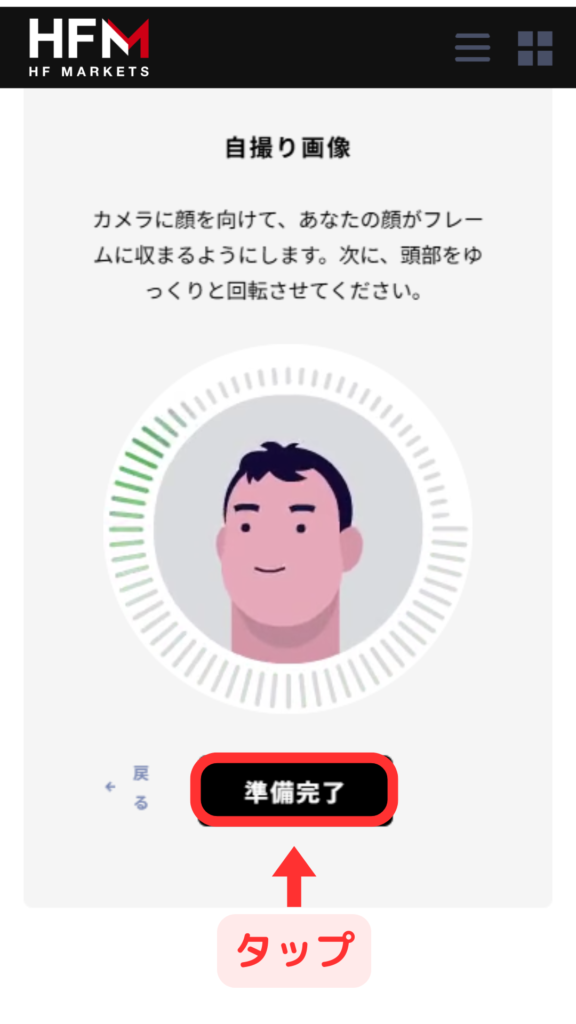
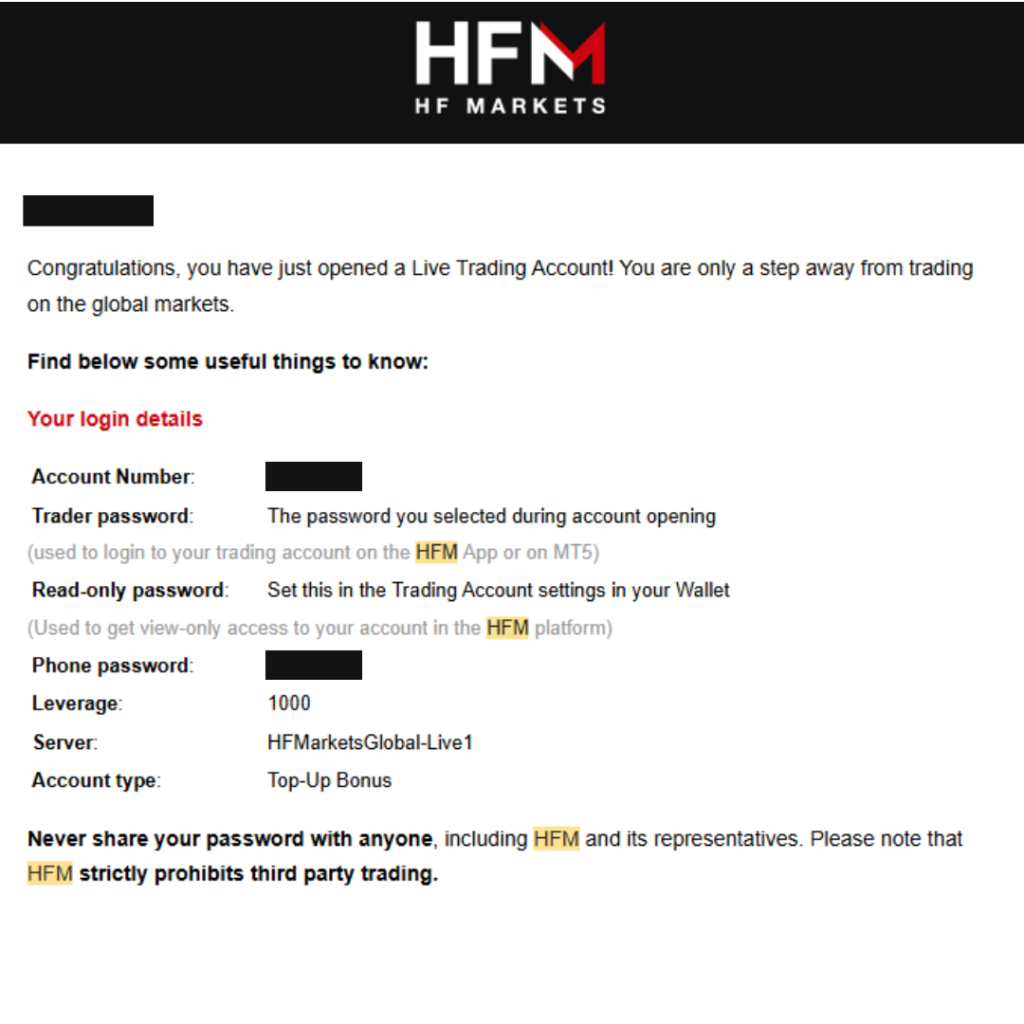
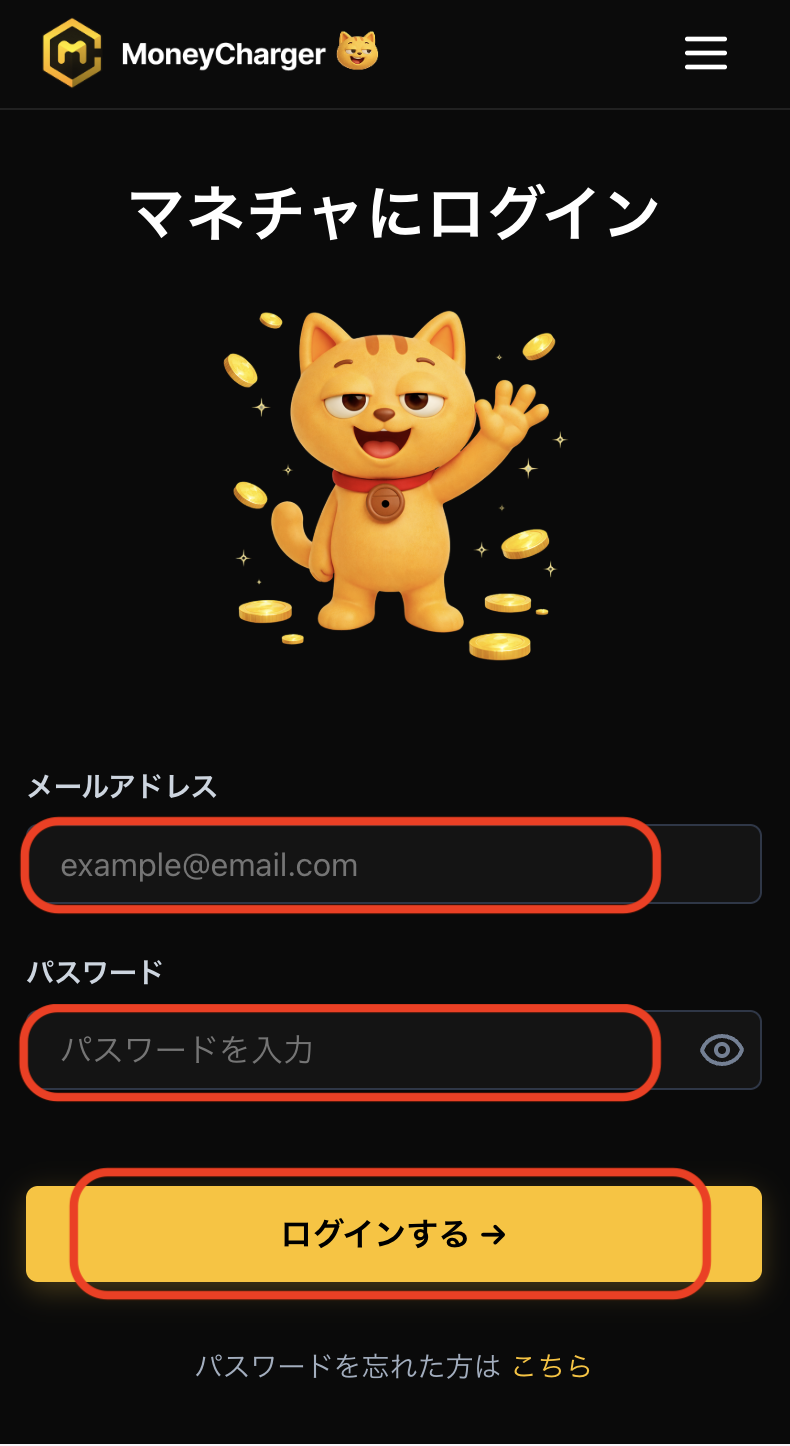
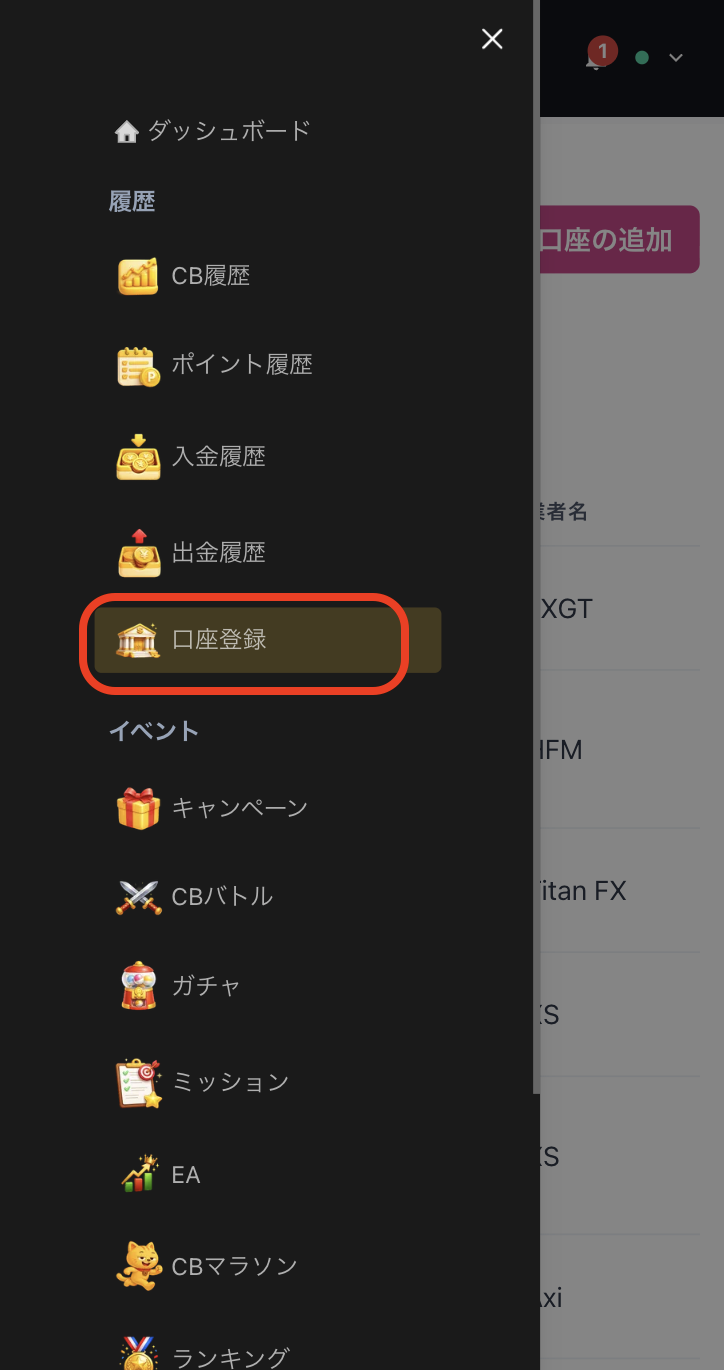
Account Opening Procedure
Please see below for detailed instructions
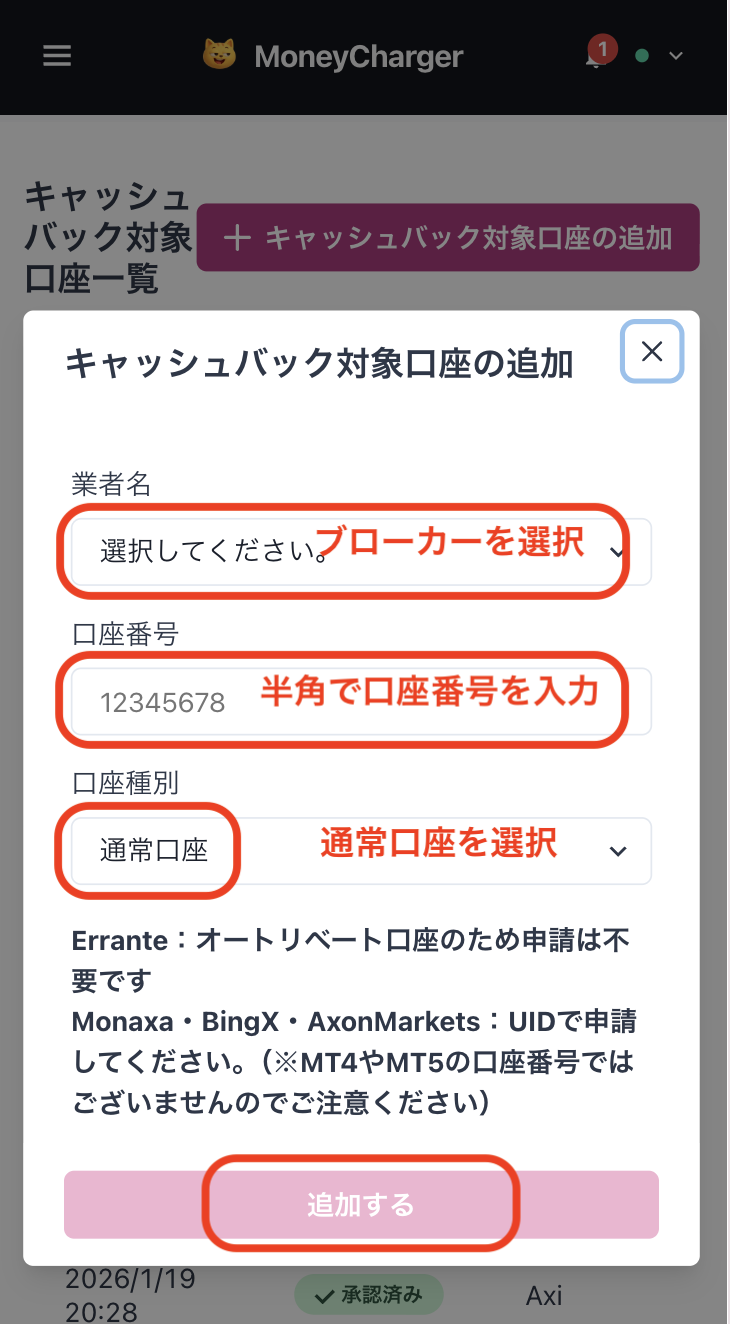
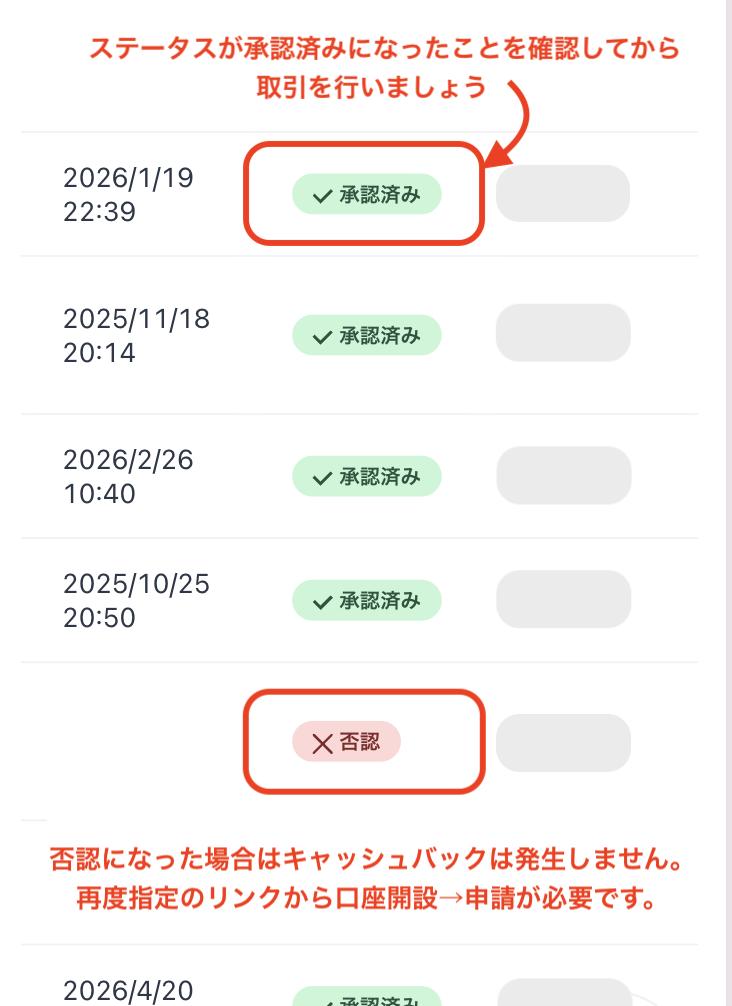
Get cashback
once your account is open !
CASHBACK APPLICATION
Register with Manecha and get
cashback on every trade.
HOW TO OPEN
Transfer procedure
Please see below
for instructions on how to make your existing account eligible for MoneyChat
How to change HFM linking
If you already have an account withHFM, you may be able to switch to MoneyChat by contacting support or creating an additional account
- Please check with HFM's support desk regarding the possibility of changing partners
- If possible, submit a change request using the IB information specified by MoneyChat
- After the changes are complete, apply for account registration on your MoneyChat My Page
Some brokers may not allow you to change the link of your existing account. In that case, please create a new account or an additional account using the MoneyChat designated link
FAQ
Frequently Asked Questions about
Opening an Account or Switching Accounts
Generally, you will need to provide proof of identity (passport, driver's license, or My Number Card) and proof of address (utility bill, bank statement, or resident registration certificate, issued within the last three months)
The input process itself takes as little as 5 minutes, and the identity verification review is usually completed within one business day. The actual time required may vary depending on the service provider and the review status
Existing accounts are generally not eligible. Please check the "Already usingHFM" tab at the top to see how to switch or add accounts
The possibility and conditions for opening multiple accounts vary from broker to broker. If you plan to use an additional account, please check the process for receiving cashback through MoneyChat before proceeding
Yes.HFMsupports auto-rebates. If you wish to use this feature, please proceed with opening an account via the auto-rebate link
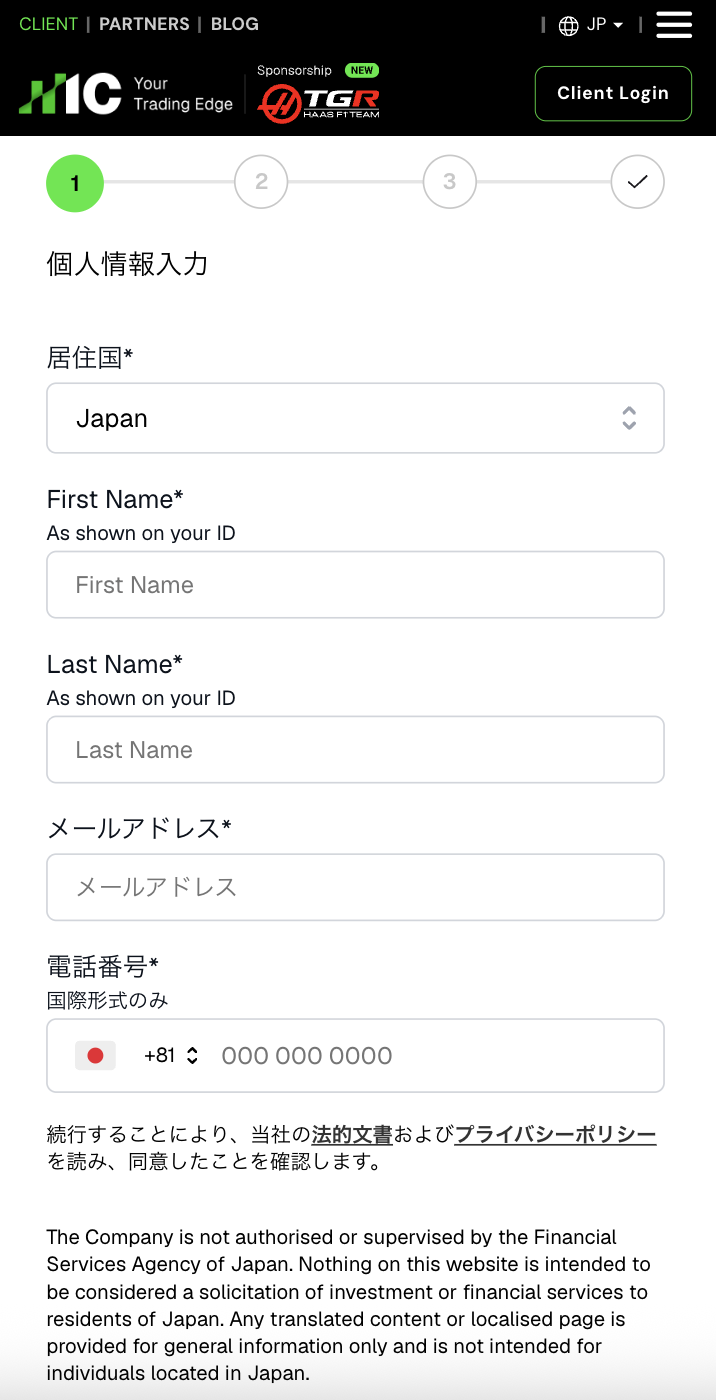
There are only three things you need to do!
Step 1
Open an account via the referral link
Step 2
Register an account with MoneyChat
Step 3
If it's approved, then it's OK!
Check the account opening procedure
that suits you.
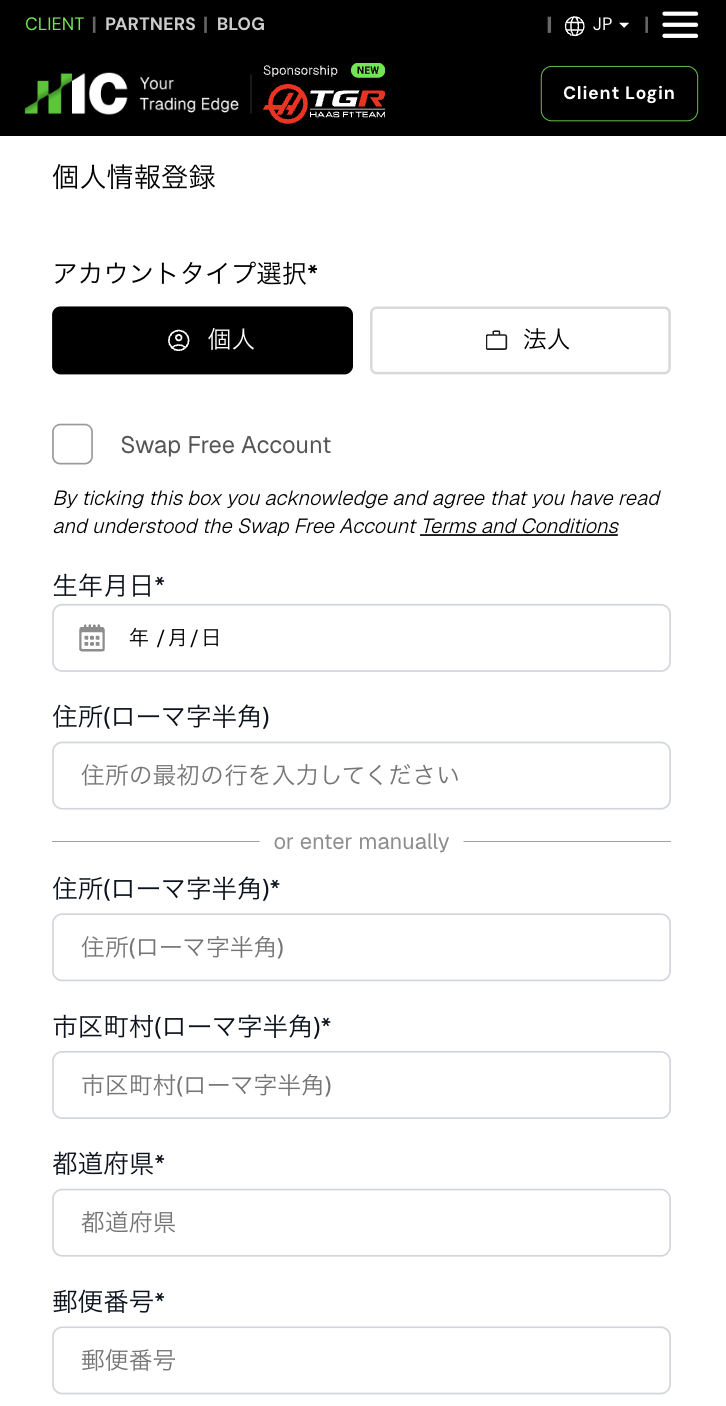
IC Marketscreating an
?
HOW TO OPEN
Account Opening Procedure
Please see below for detailed instructions
Get cashback
once your account is open !
CASHBACK APPLICATION
Register with Manecha and get
cashback on every trade.
HOW TO OPEN
Transfer procedure
Please see below
for instructions on how to make your existing account eligible for MoneyChat
How to change the link in IC Markets
If you already have an account withIC Markets, you may be able to switch to using MoneyChat by contacting support or creating an additional account
- Please check with IC Markets' support desk regarding the possibility of changing partners
- If possible, submit a change request using the IB information specified by MoneyChat
- After the changes are complete, apply for account registration on your MoneyChat My Page
Some brokers may not allow you to change the link of your existing account. In that case, please create a new account or an additional account using the MoneyChat designated link
FAQ
Frequently Asked Questions about
Opening an Account or Switching Accounts
Generally, you will need to provide proof of identity (passport, driver's license, or My Number Card) and proof of address (utility bill, bank statement, or resident registration certificate, issued within the last three months)
The input process itself takes as little as 5 minutes, and the identity verification review is usually completed within one business day. The actual time required may vary depending on the service provider and the review status
Existing accounts are generally not eligible. Please check the "Already usingIC Markets" tab at the top to see how to switch or add an account
The possibility and conditions for opening multiple accounts vary from broker to broker. If you plan to use an additional account, please check the process for receiving cashback through MoneyChat before proceeding
No.IC Marketsdoes not currently support auto-rebates. To receive cashback, please register your account number on your Moneycha My Page
There are only three things you need to do!
Step 1
Open an account via the referral link
Step 2
Register an account with MoneyChat
Step 3
If it's approved, then it's OK!
Check the account opening procedure
that suits you.
INFINOXcreating an
?
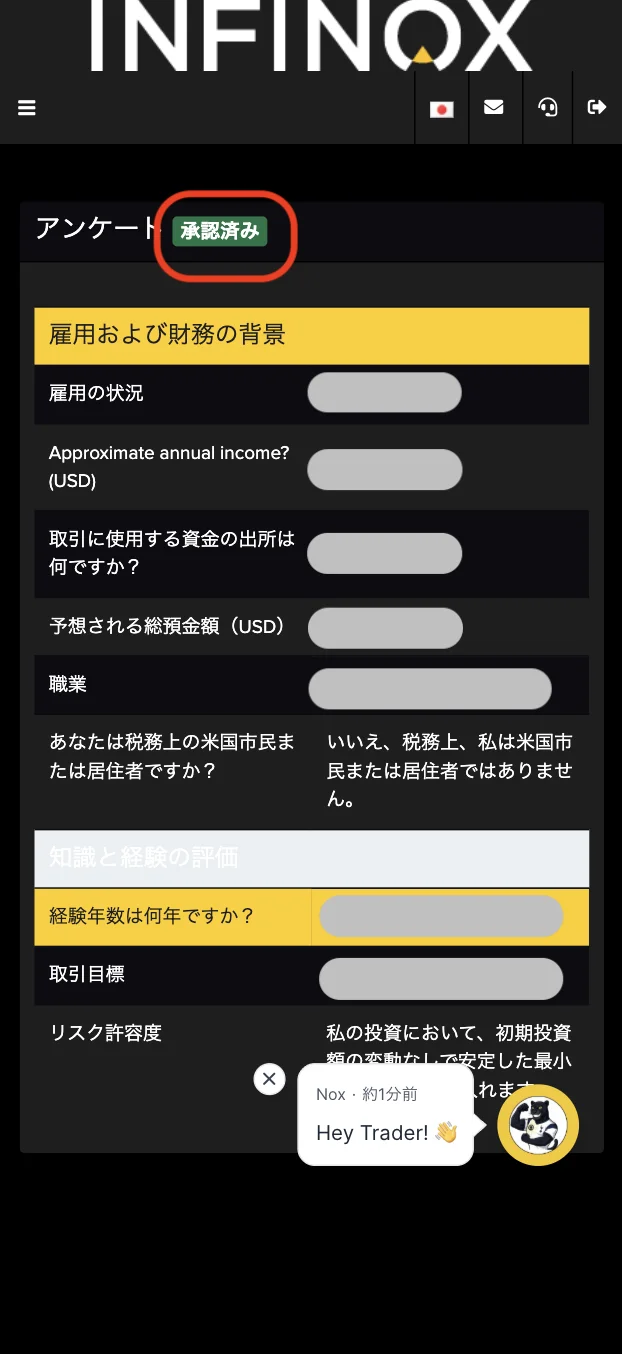
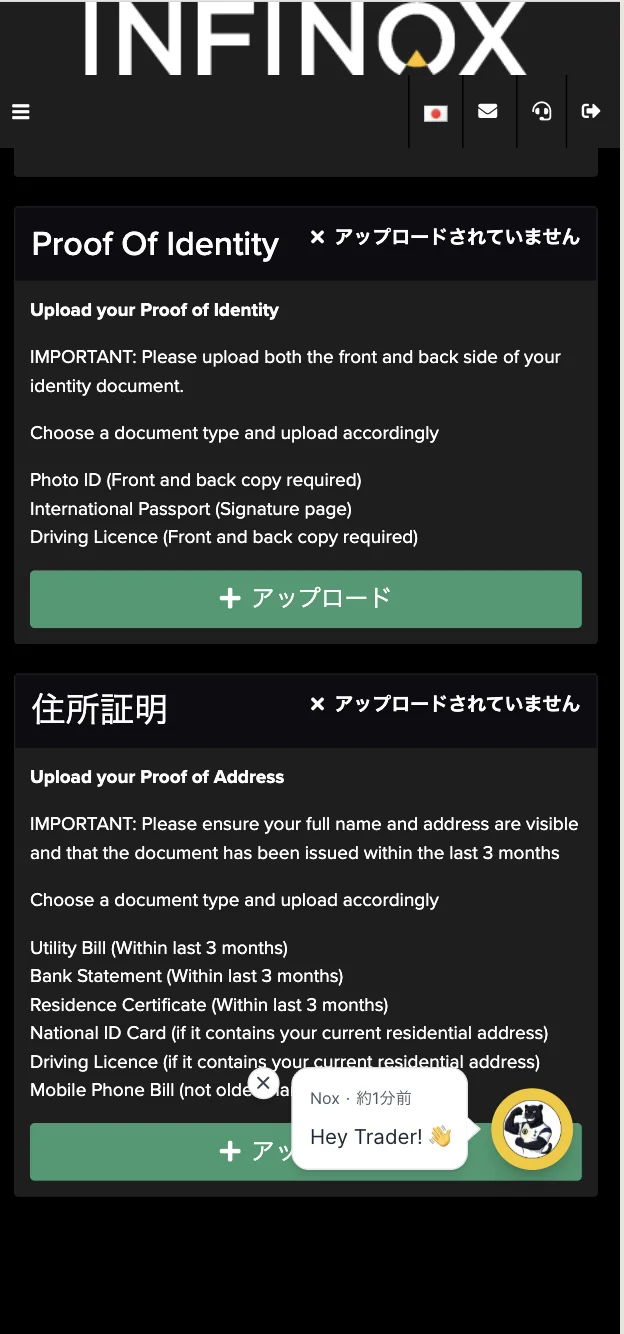
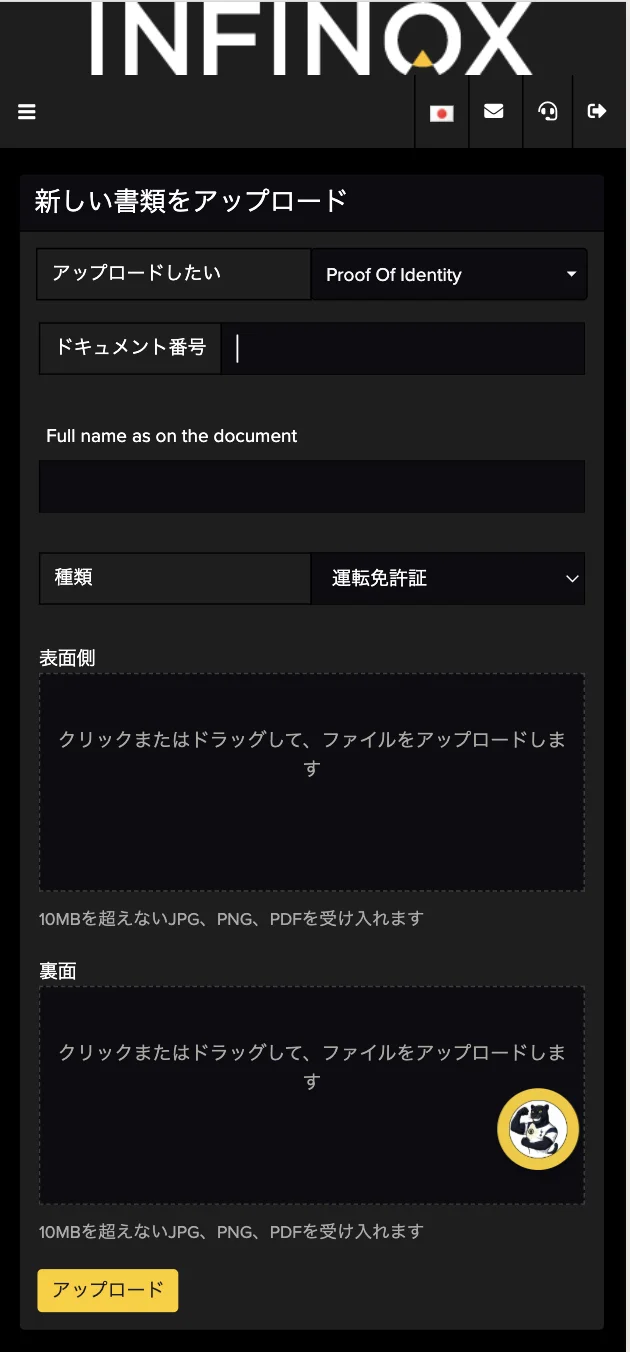
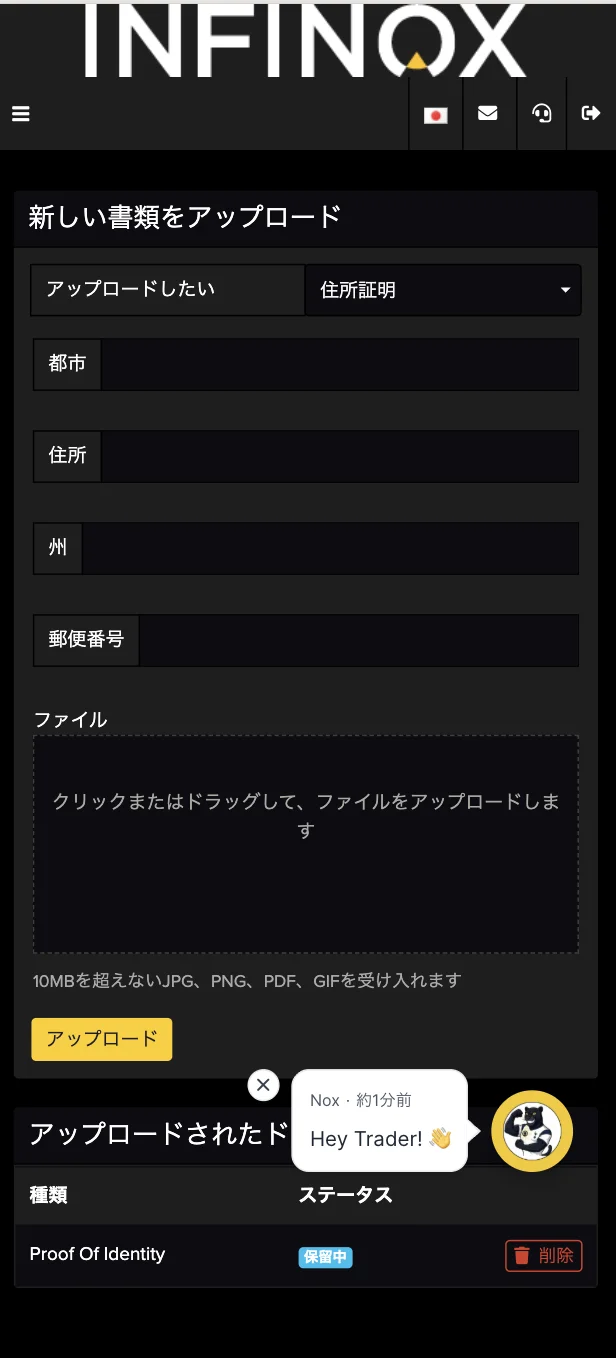
HOW TO OPEN
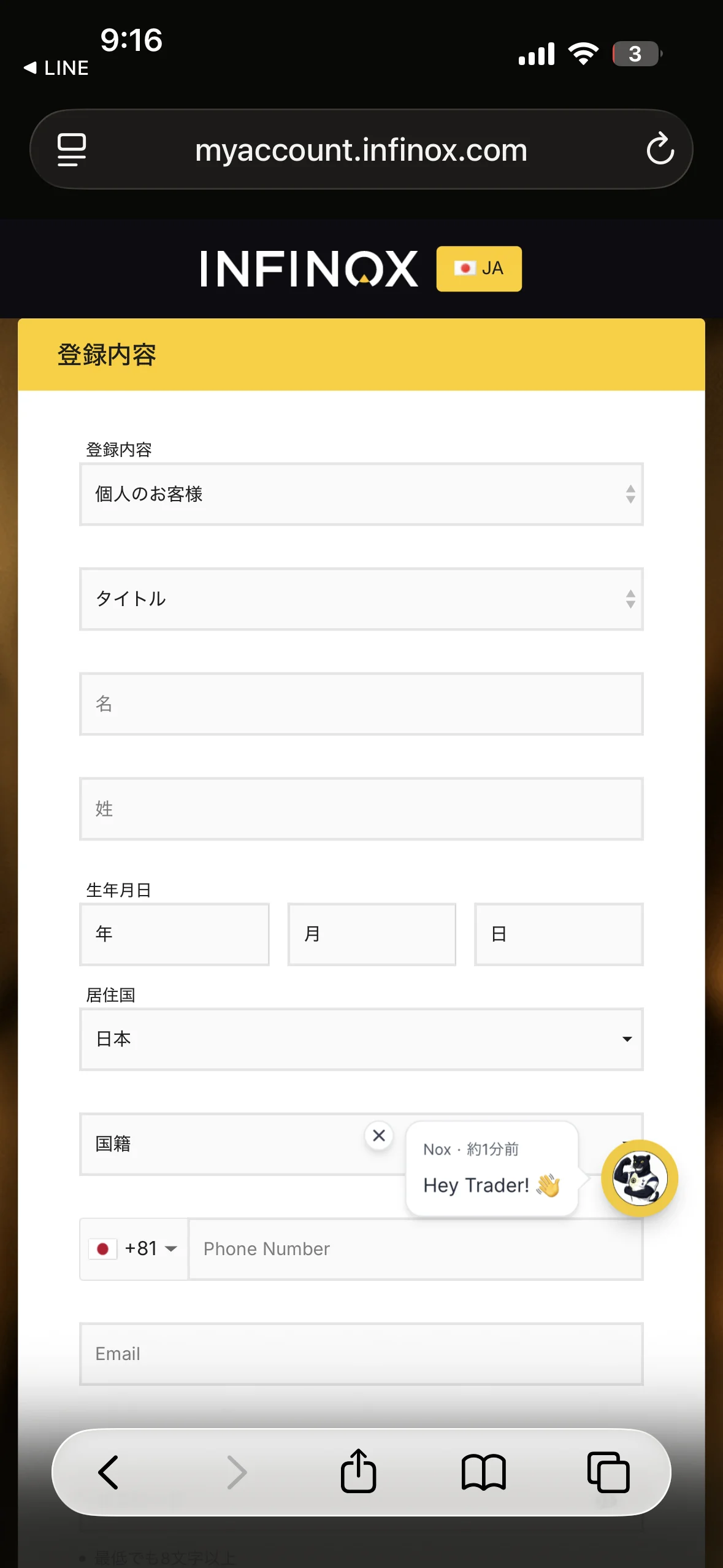
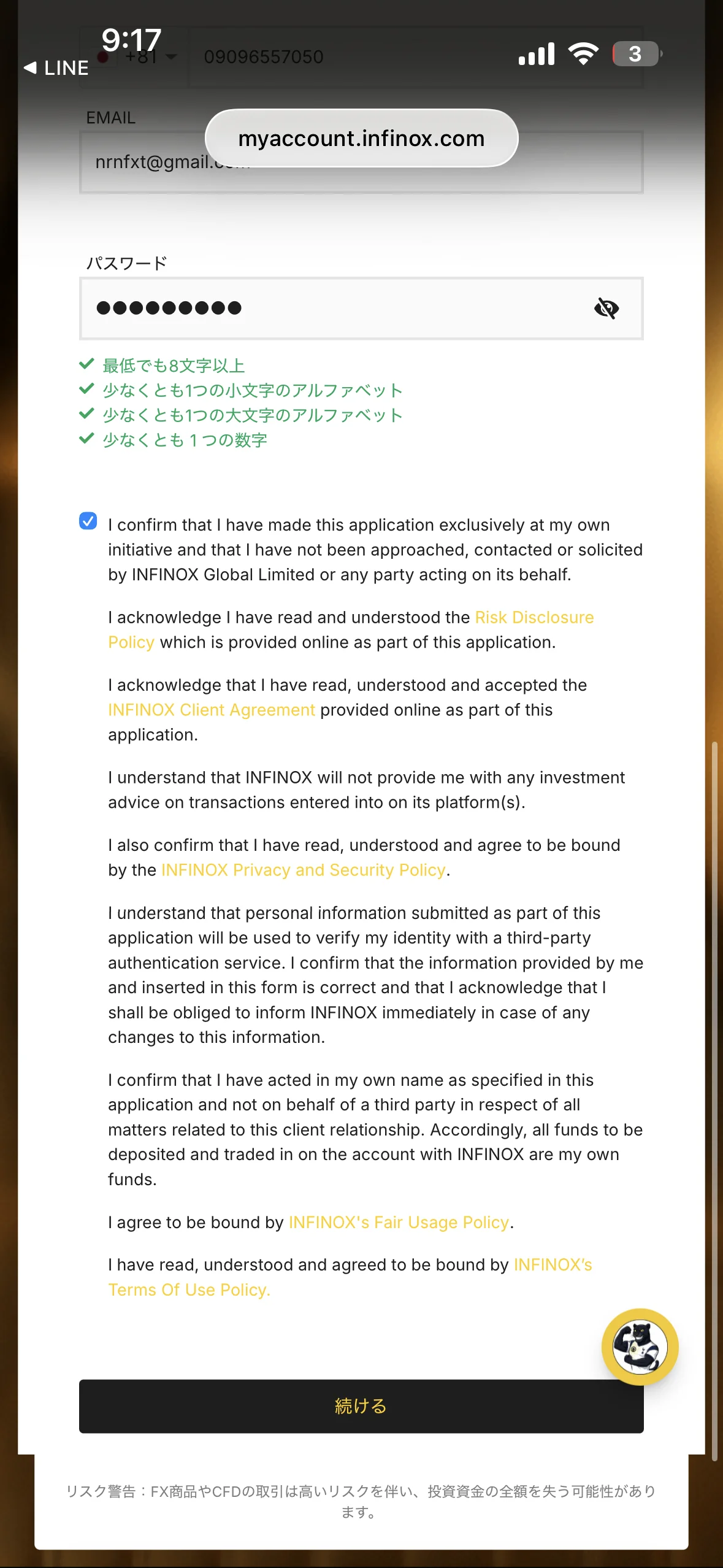
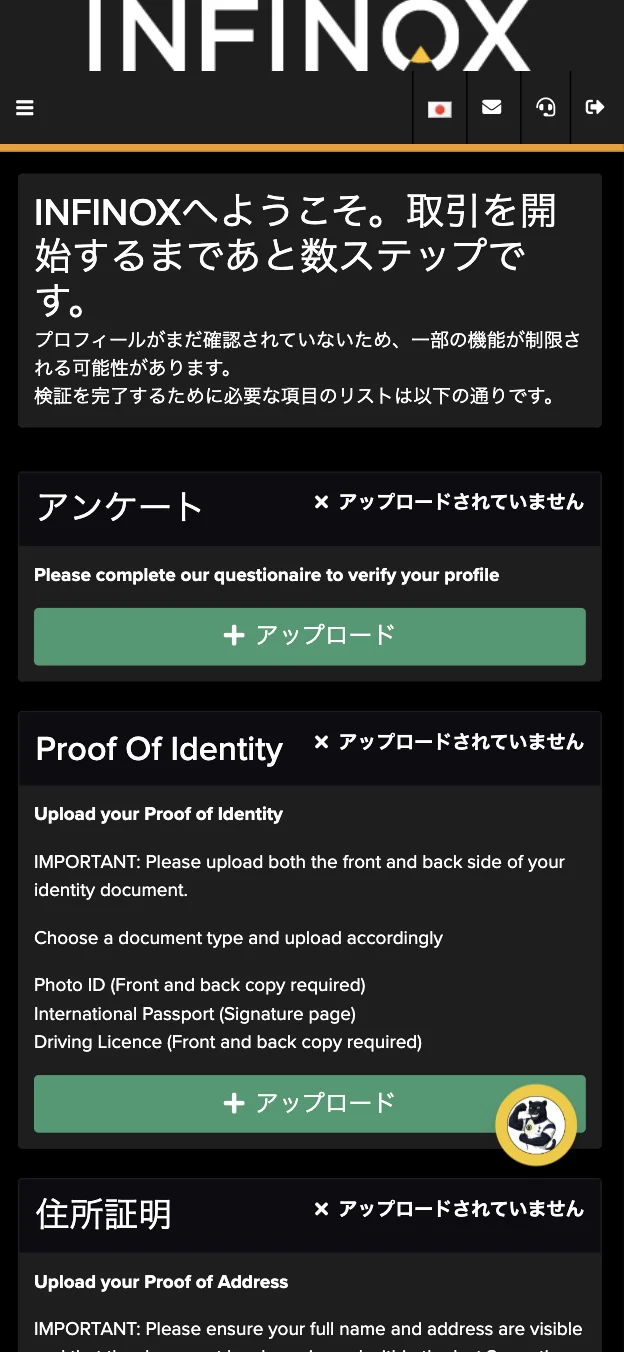
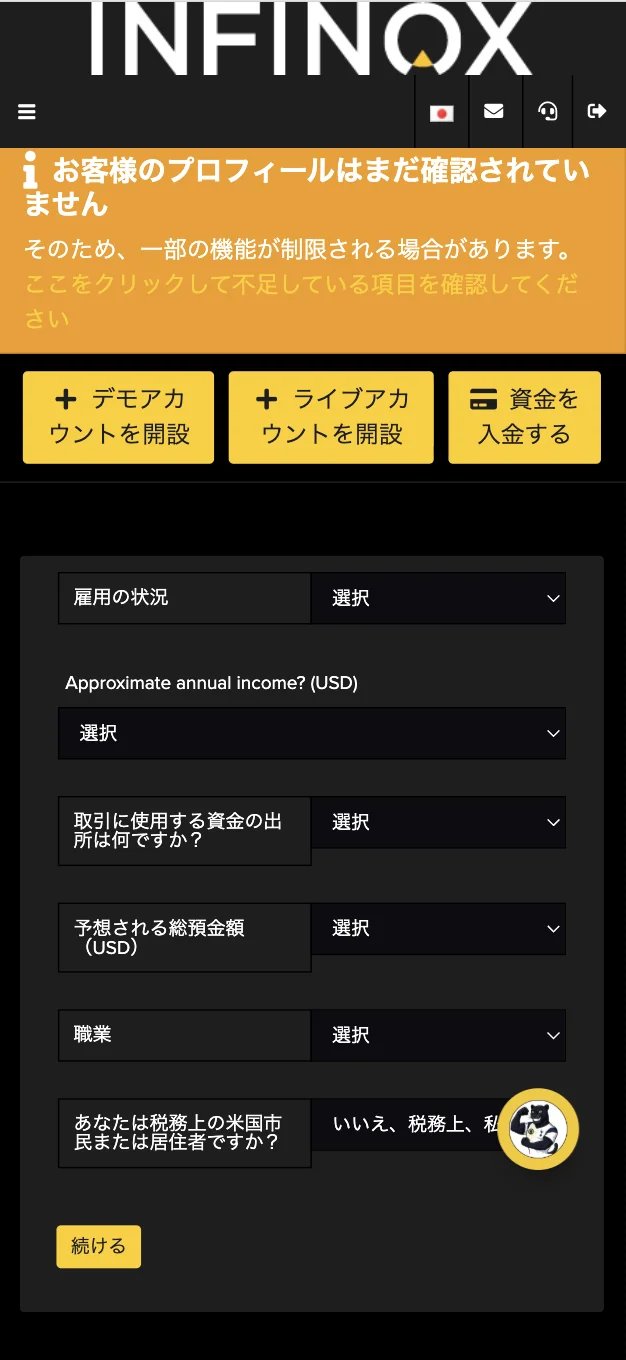
Account Opening Procedure
Please see below for detailed instructions
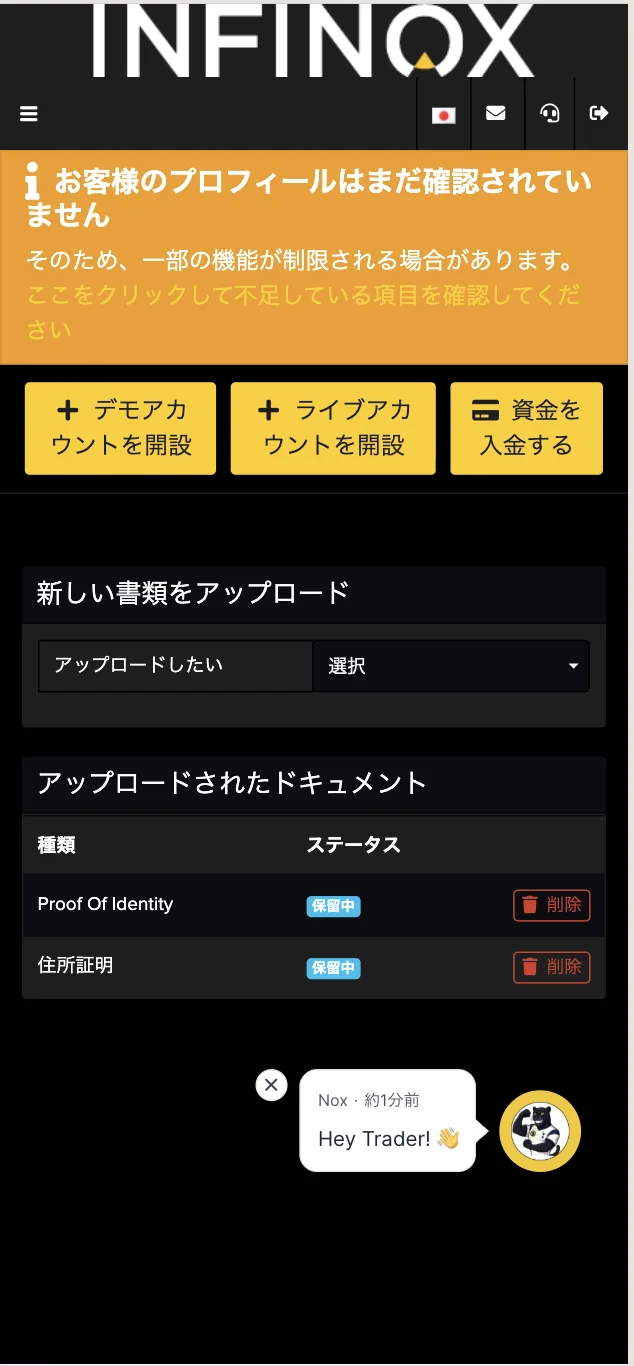
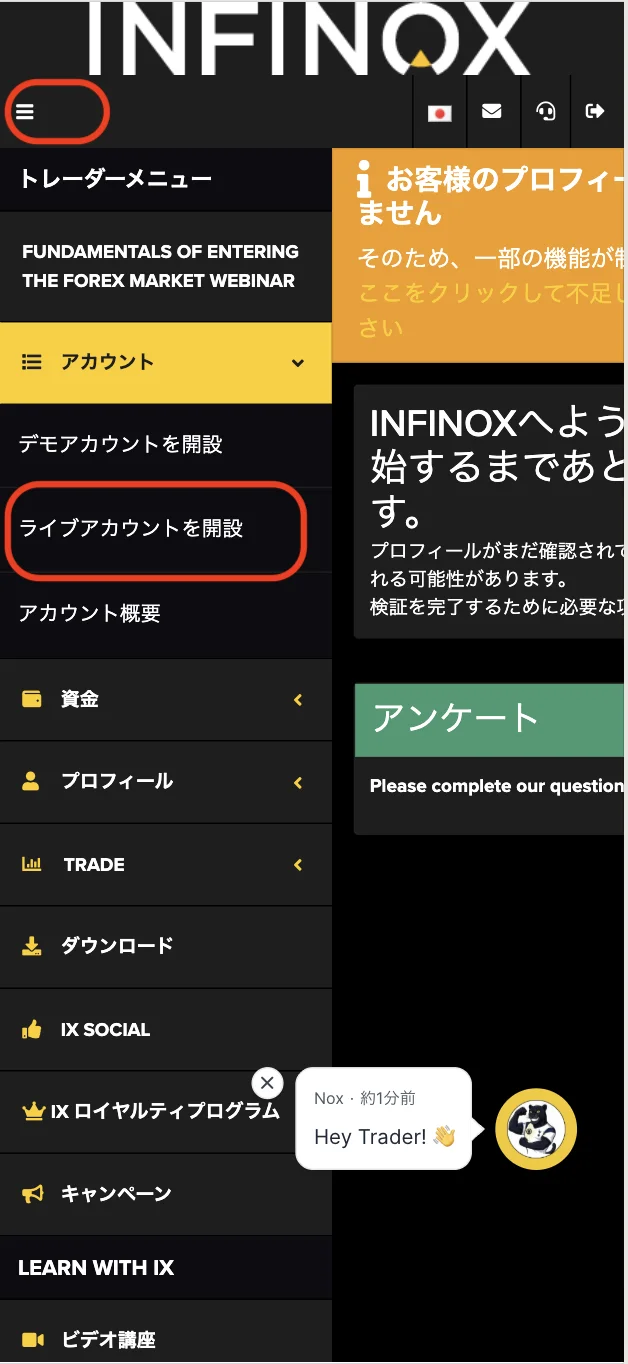
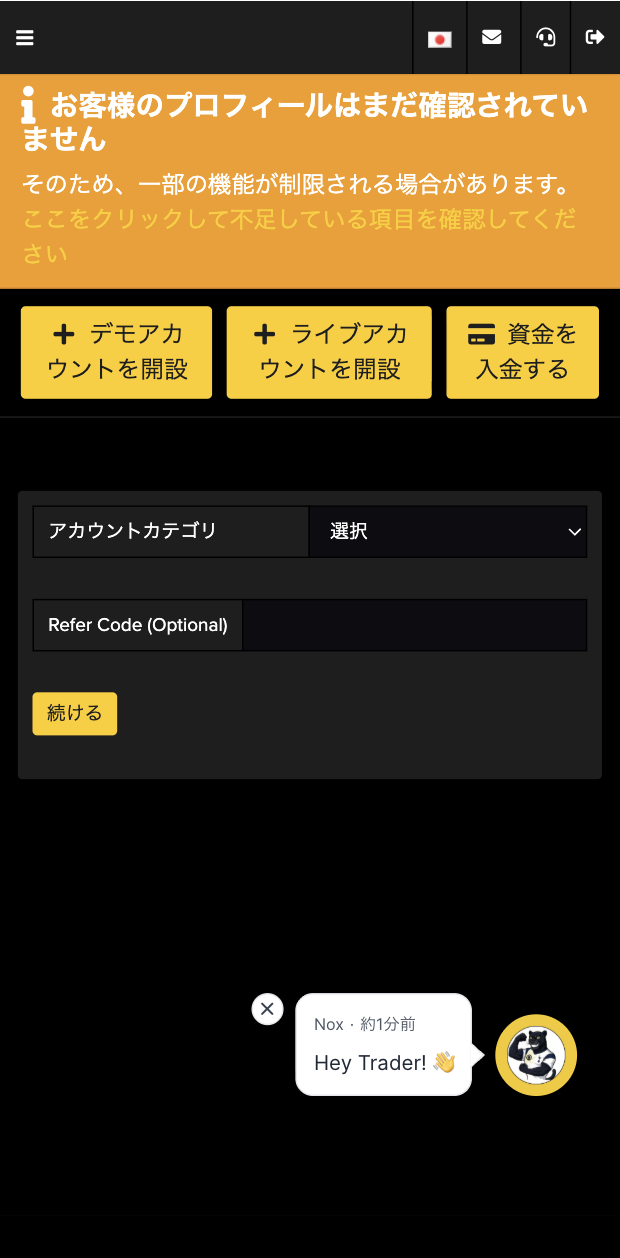
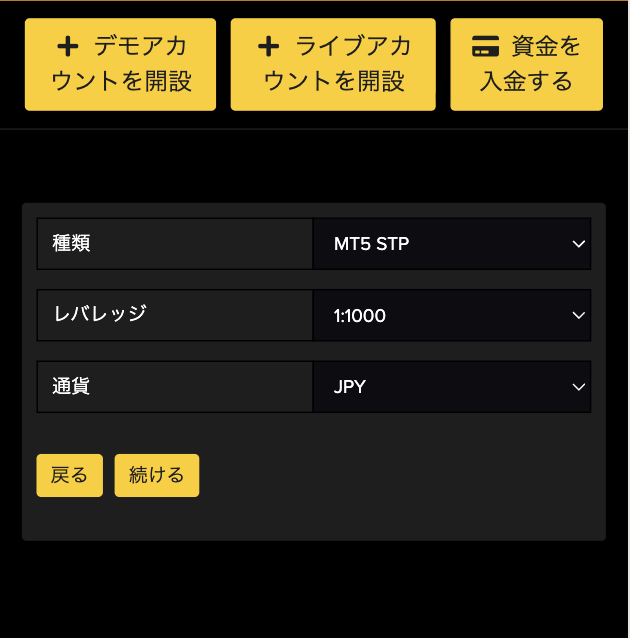
Get cashback
once your account is open !
CASHBACK APPLICATION
Register with Manecha and get
cashback on every trade.
HOW TO OPEN
Transfer procedure
Please see below
for instructions on how to make your existing account eligible for MoneyChat
How to change the linking method for INFINOX
If you already have an account withINFINOX, you may be able to switch to using MoneyChat by contacting their support desk or creating an additional account
- Please contact INFINOX's support desk to confirm whether a partner change is possible
- If possible, submit a change request using the IB information specified by MoneyChat
- After the changes are complete, apply for account registration on your MoneyChat My Page
Some brokers may not allow you to change the link of your existing account. In that case, please create a new account or an additional account using the MoneyChat designated link
FAQ
Frequently Asked Questions about
Opening an Account or Switching Accounts
Generally, you will need to provide proof of identity (passport, driver's license, or My Number Card) and proof of address (utility bill, bank statement, or resident registration certificate, issued within the last three months)
The input process itself takes as little as 5 minutes, and the identity verification review is usually completed within one business day. The actual time required may vary depending on the service provider and the review status
Existing accounts are generally not eligible. Please check the "Already usingINFINOX" tab at the top to see how to switch or add an account
The possibility and conditions for opening multiple accounts vary from broker to broker. If you plan to use an additional account, please check the process for receiving cashback through MoneyChat before proceeding
No.INFINOXdoes not currently support auto-rebates. To receive cashback, please register your account number on your MoneyChat My Page
There are only three things you need to do!
Step 1
Open an account via the referral link
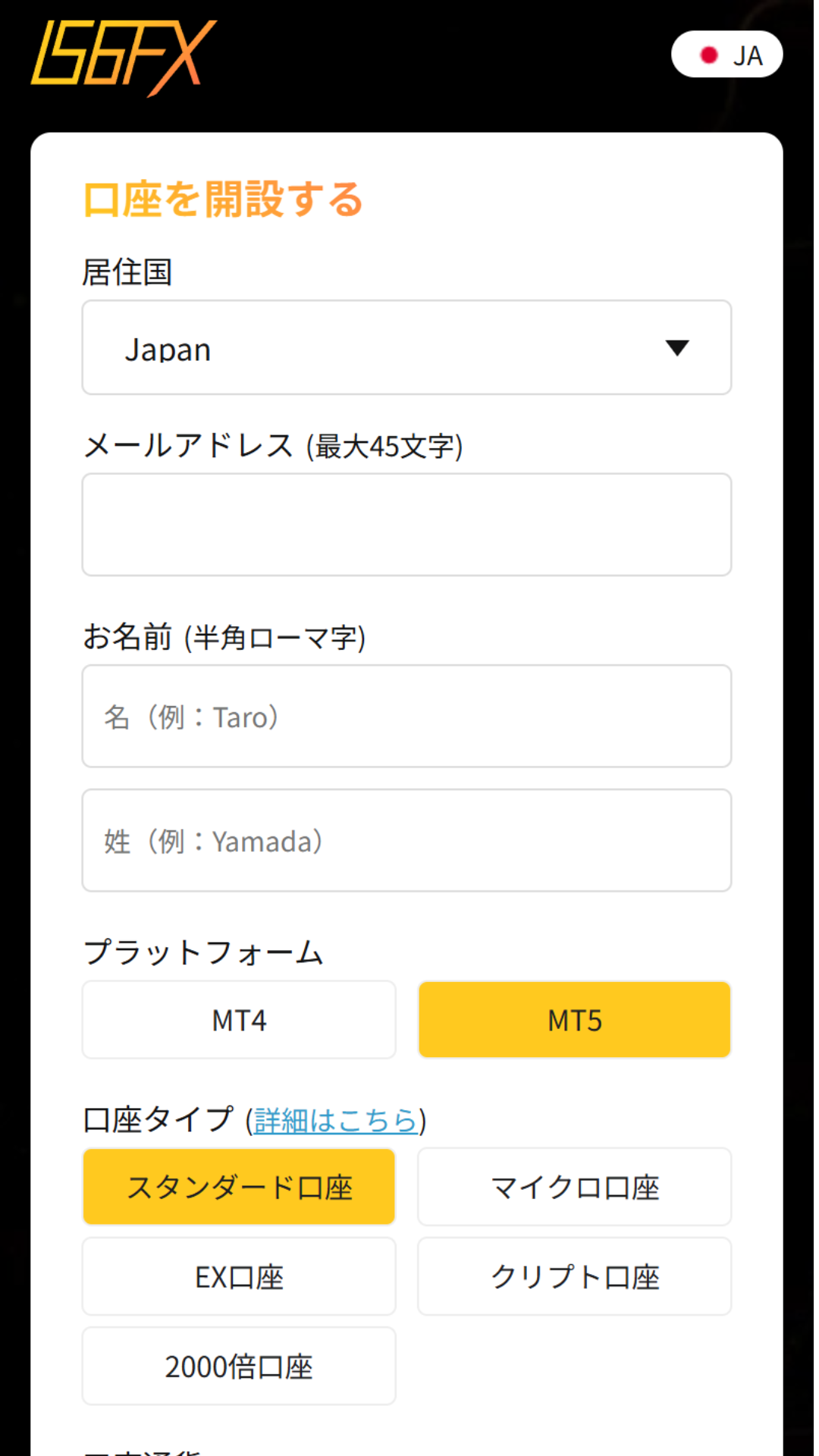
Step 2
Register an account with MoneyChat
Step 3
If it's approved, then it's OK!
Check the account opening procedure
that suits you.
IS6FXcreating an
?
HOW TO OPEN
Account Opening Procedure
Please see below for detailed instructions
Get cashback
once your account is open !
CASHBACK APPLICATION
Register with Manecha and get
cashback on every trade.
HOW TO OPEN
Transfer procedure
Please see below
for instructions on how to make your existing account eligible for MoneyChat
How to change the linking of IS6FX
If you already have an account withIS6FX, you may be able to switch to MoneyChat by contacting support or creating an additional account
- Please check with IS6FX's support desk regarding the possibility of changing partners
- If possible, submit a change request using the IB information specified by MoneyChat
- After the changes are complete, apply for account registration on your MoneyChat My Page
Some brokers may not allow you to change the link of your existing account. In that case, please create a new account or an additional account using the MoneyChat designated link
FAQ
Frequently Asked Questions about
Opening an Account or Switching Accounts
Generally, you will need to provide proof of identity (passport, driver's license, or My Number Card) and proof of address (utility bill, bank statement, or resident registration certificate, issued within the last three months)
The input process itself takes as little as 5 minutes, and the identity verification review is usually completed within one business day. The actual time required may vary depending on the service provider and the review status
Existing accounts are generally not eligible. Please check the instructions for switching or adding an account from the "Already usingIS6FX" tab at the top of the page
The possibility and conditions for opening multiple accounts vary from broker to broker. If you plan to use an additional account, please check the process for receiving cashback through MoneyChat before proceeding
No.IS6FXdoes not currently support auto-rebates. To receive cashback, please register your account number on your MoneyChat My Page
There are only three things you need to do!
Step 1
Open an account via the referral link
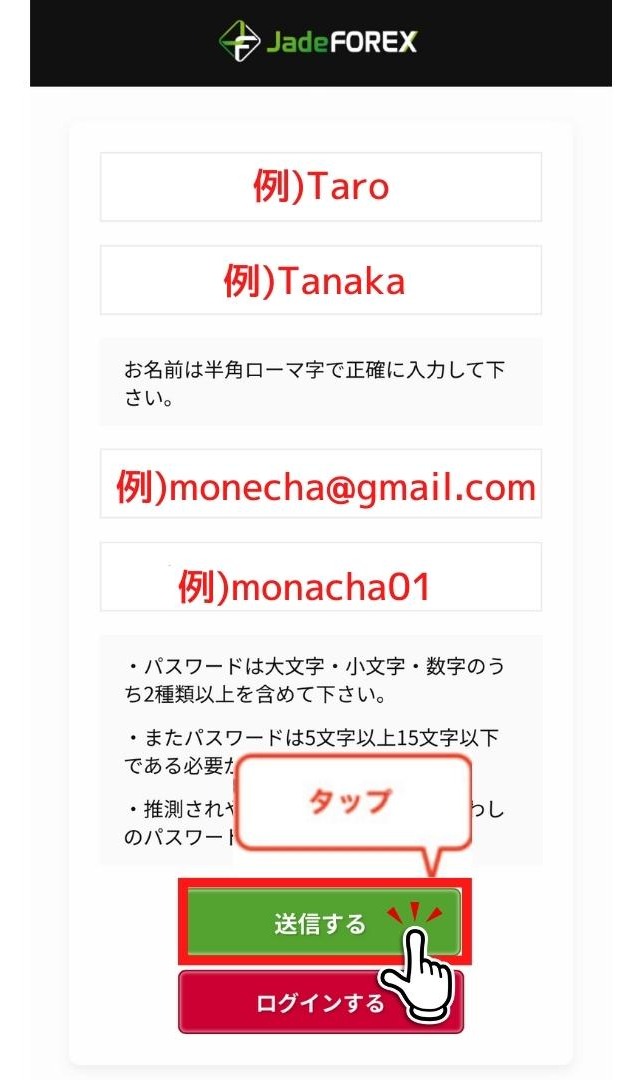
Step 2
Register an account with MoneyChat
Step 3
If it's approved, then it's OK!
Check the account opening procedure
that suits you.
JadeForexIs this your first time creating a
?
HOW TO OPEN
Account Opening Procedure
Please see below for detailed instructions
Get cashback
once your account is open !
CASHBACK APPLICATION
Register with Manecha and get
cashback on every trade.
HOW TO OPEN
Transfer procedure
Please see below
for instructions on how to make your existing account eligible for MoneyChat
How to change the linking method for JadeForex
If you already have an account withJadeForex, you may be able to switch to using MoneyChat by contacting support or creating an additional account
- Please contact JadeForexsupport to confirm whether a partner change is possible
- If possible, submit a change request using the IB information specified by MoneyChat
- After the changes are complete, apply for account registration on your MoneyChat My Page
Some brokers may not allow you to change the link of your existing account. In that case, please create a new account or an additional account using the MoneyChat designated link
FAQ
Frequently Asked Questions about
Opening an Account or Switching Accounts
Generally, you will need to provide proof of identity (passport, driver's license, or My Number Card) and proof of address (utility bill, bank statement, or resident registration certificate, issued within the last three months)
The input process itself takes as little as 5 minutes, and the identity verification review is usually completed within one business day. The actual time required may vary depending on the service provider and the review status
Existing accounts are generally not eligible. Please check the instructions for transferring or adding an account from the "Already usingJadeForex" tab at the top of the page
The possibility and conditions for opening multiple accounts vary from broker to broker. If you plan to use an additional account, please check the process for receiving cashback through MoneyChat before proceeding
No.JadeForexdoes not currently support auto-rebates. To receive cashback, please register your account number on your MoneyChat My Page
There are only three things you need to do!
Step 1
Open an account via the referral link
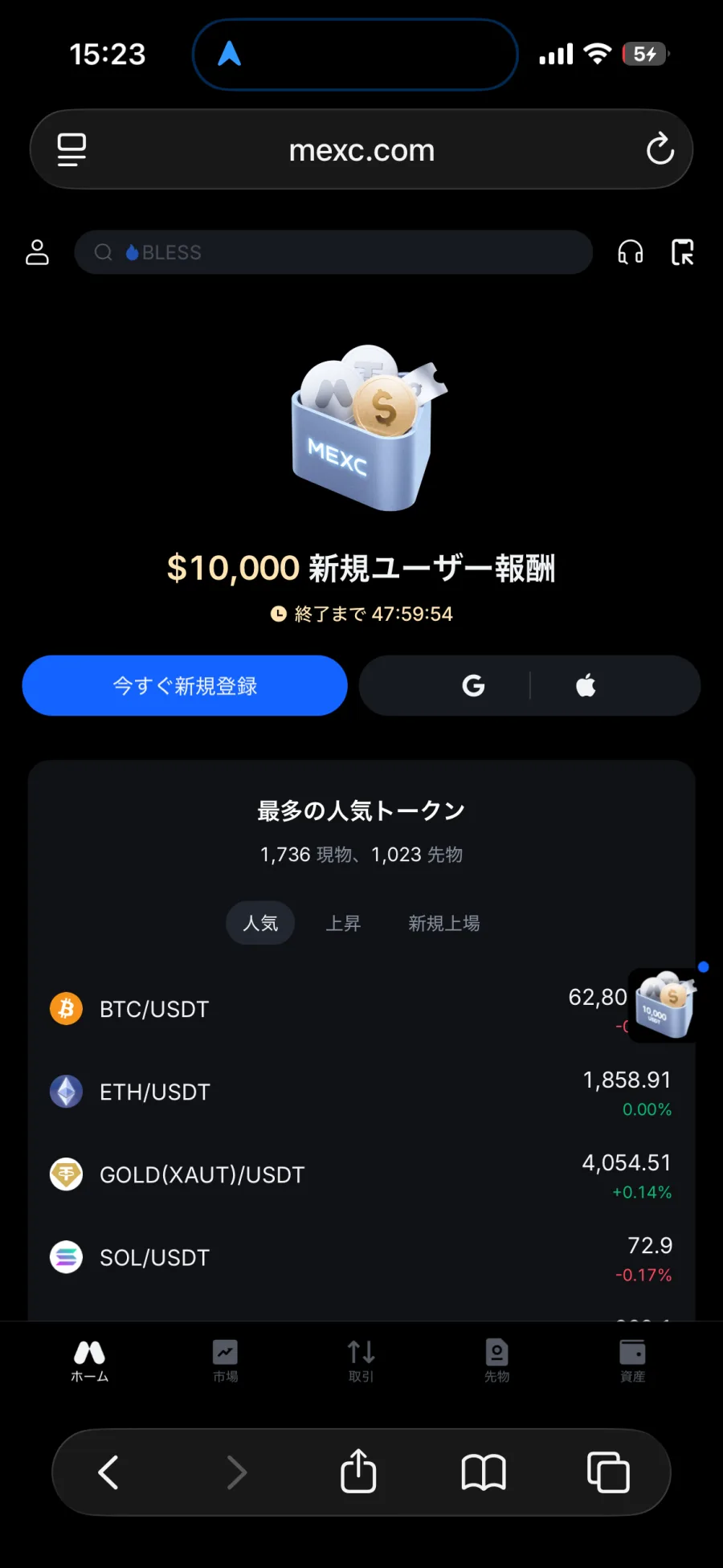
Step 2
Register an account with MoneyChat
Step 3
If it's approved, then it's OK!
Check the account opening procedure
that suits you.
MEXCcreating a
?
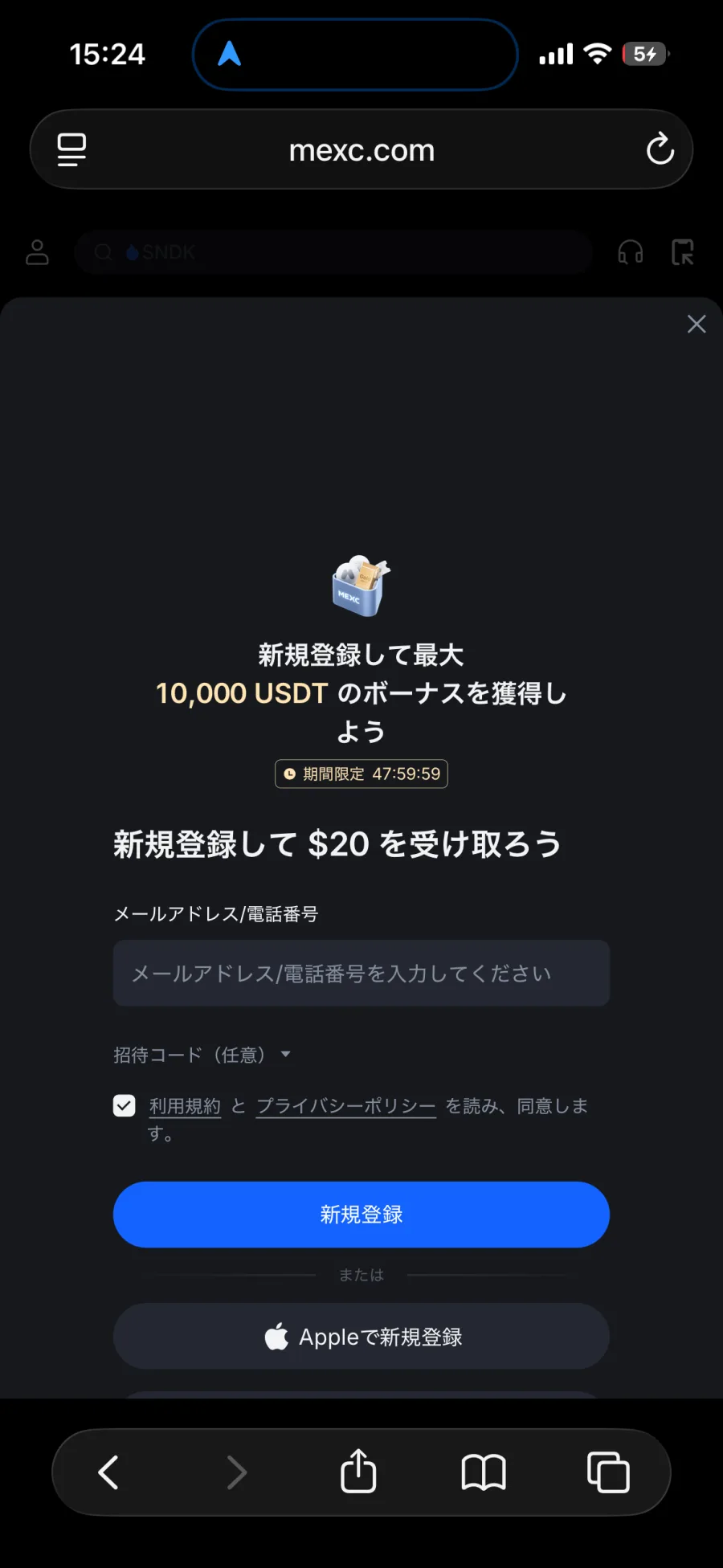
HOW TO OPEN
Account Opening Procedure
Please see below for detailed instructions
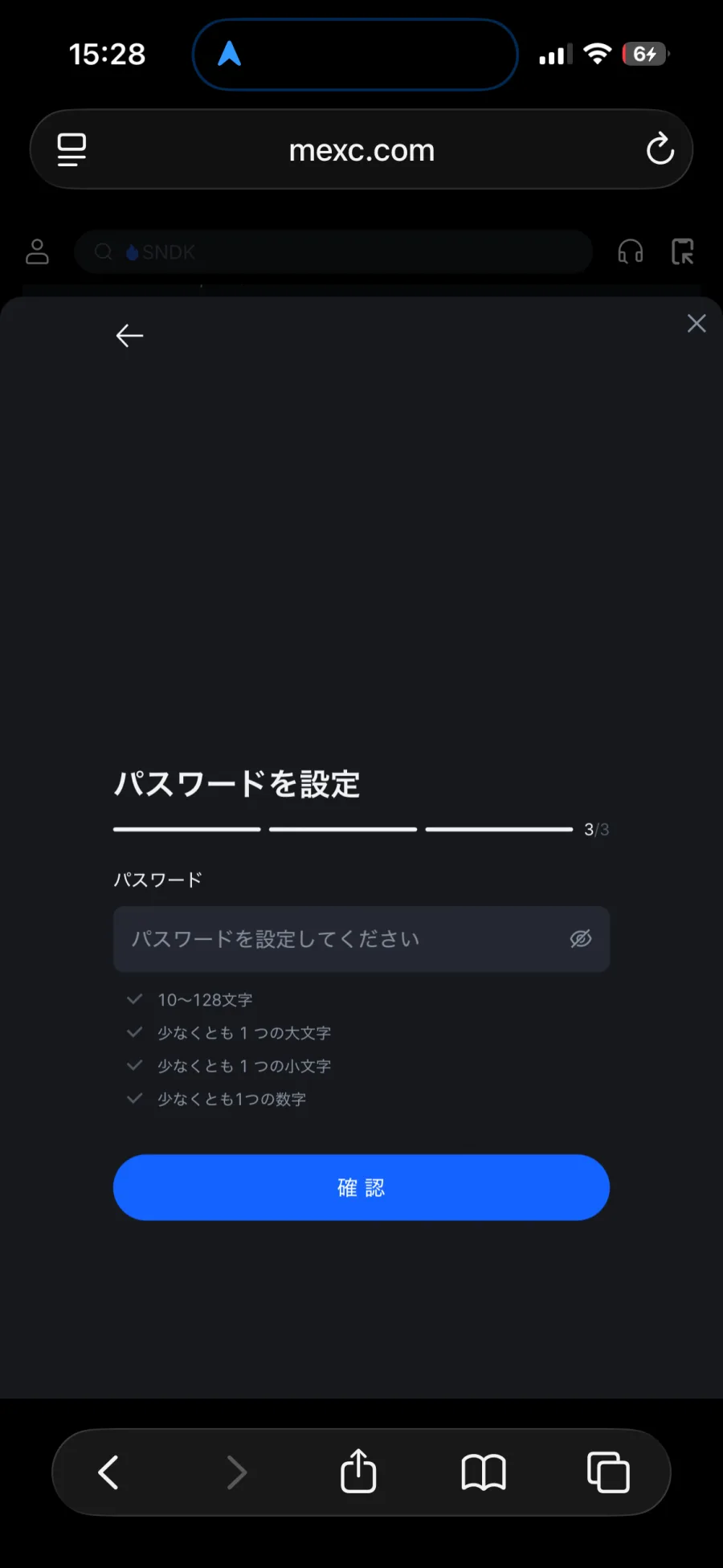
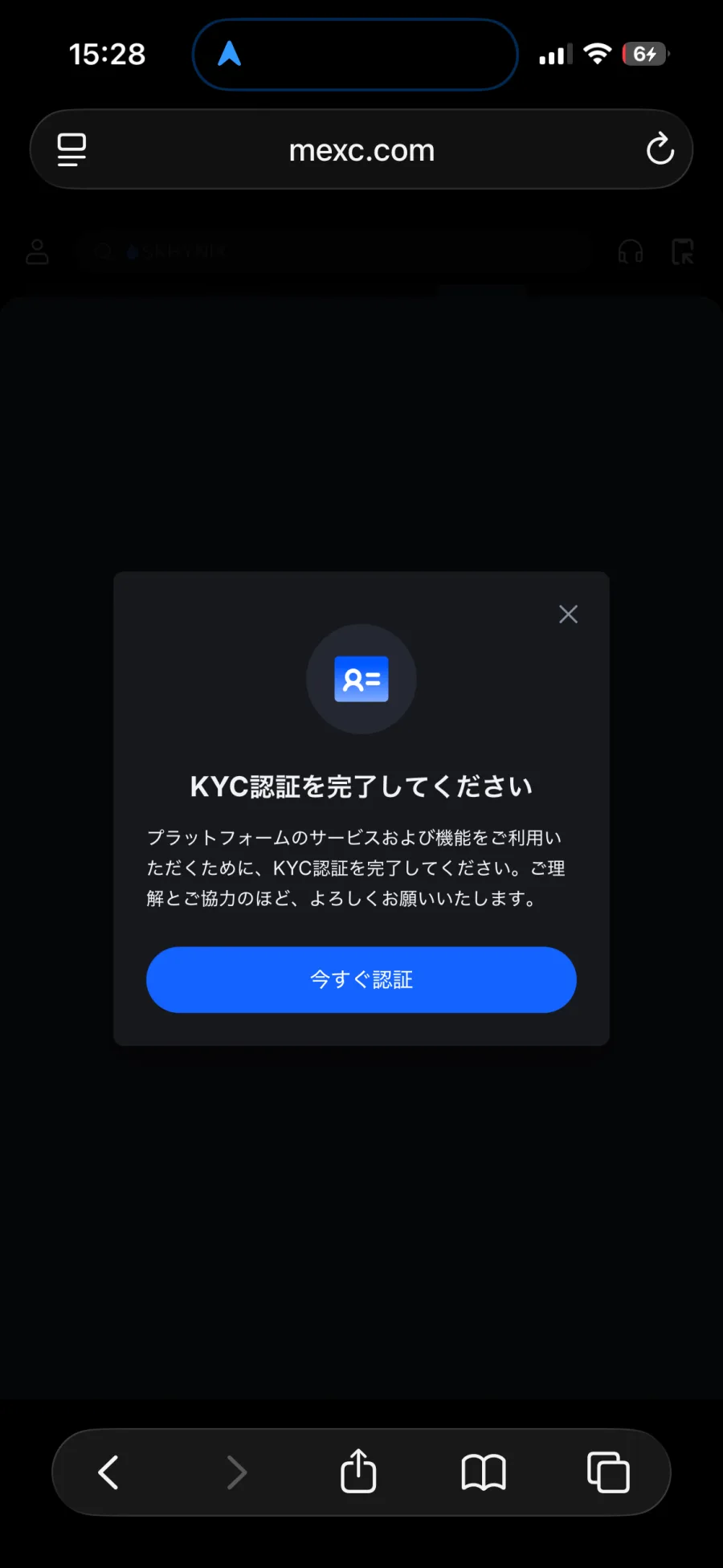
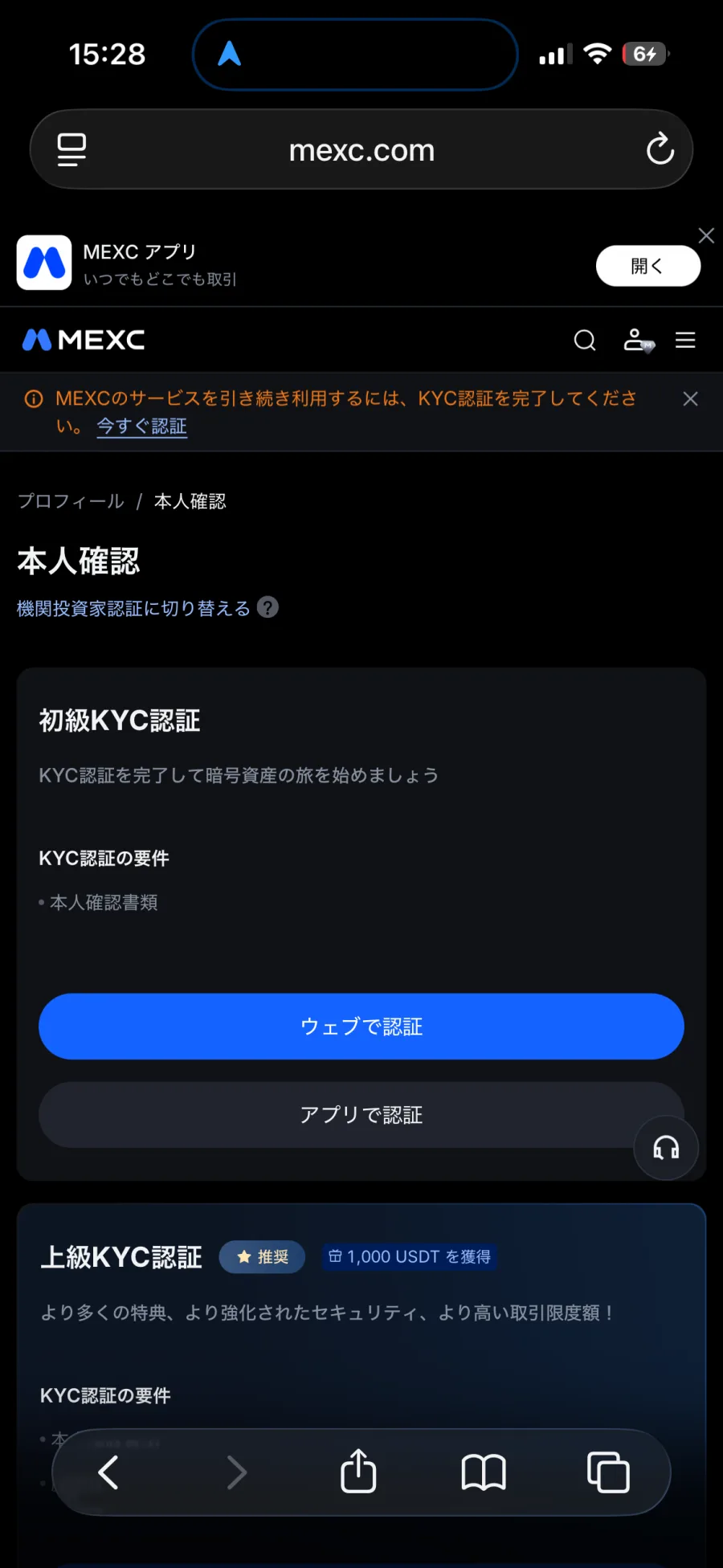
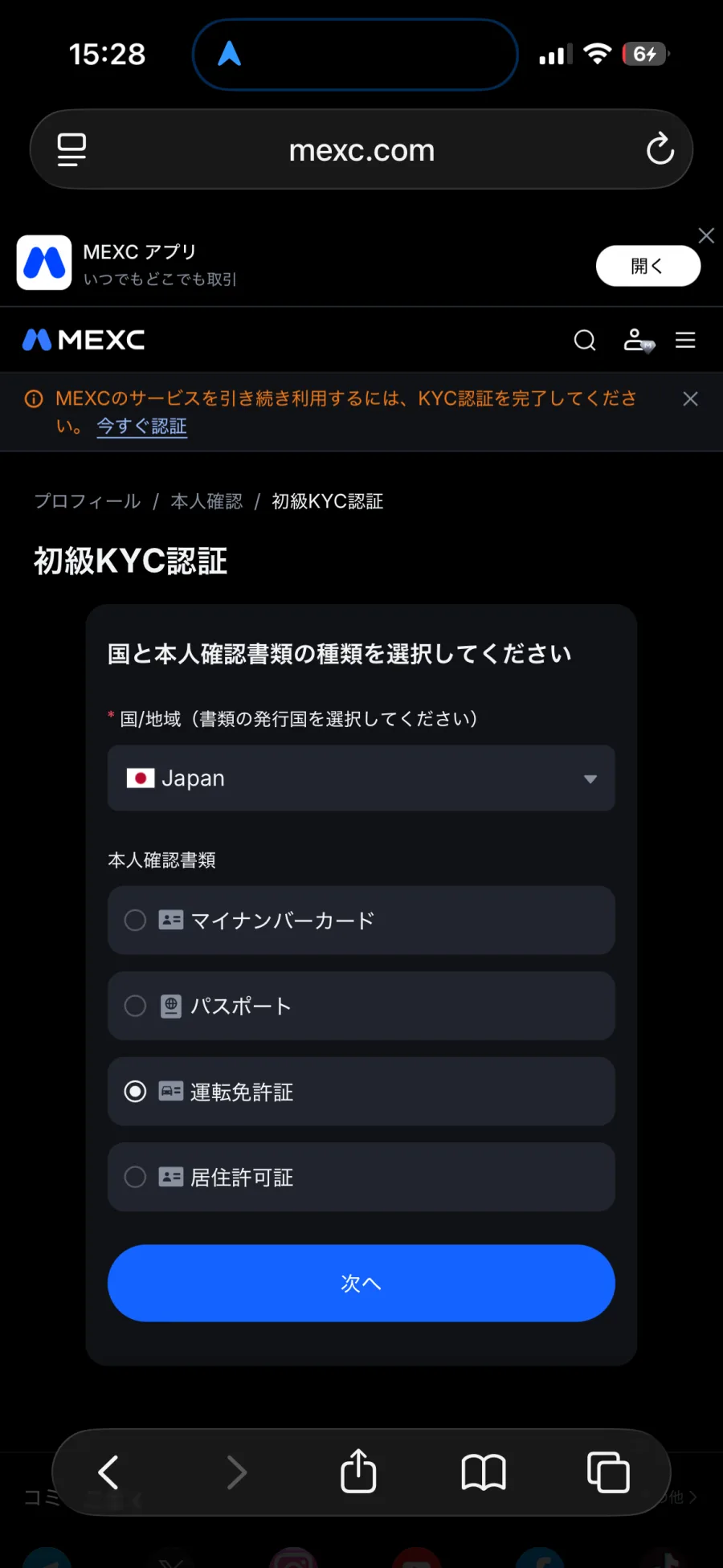
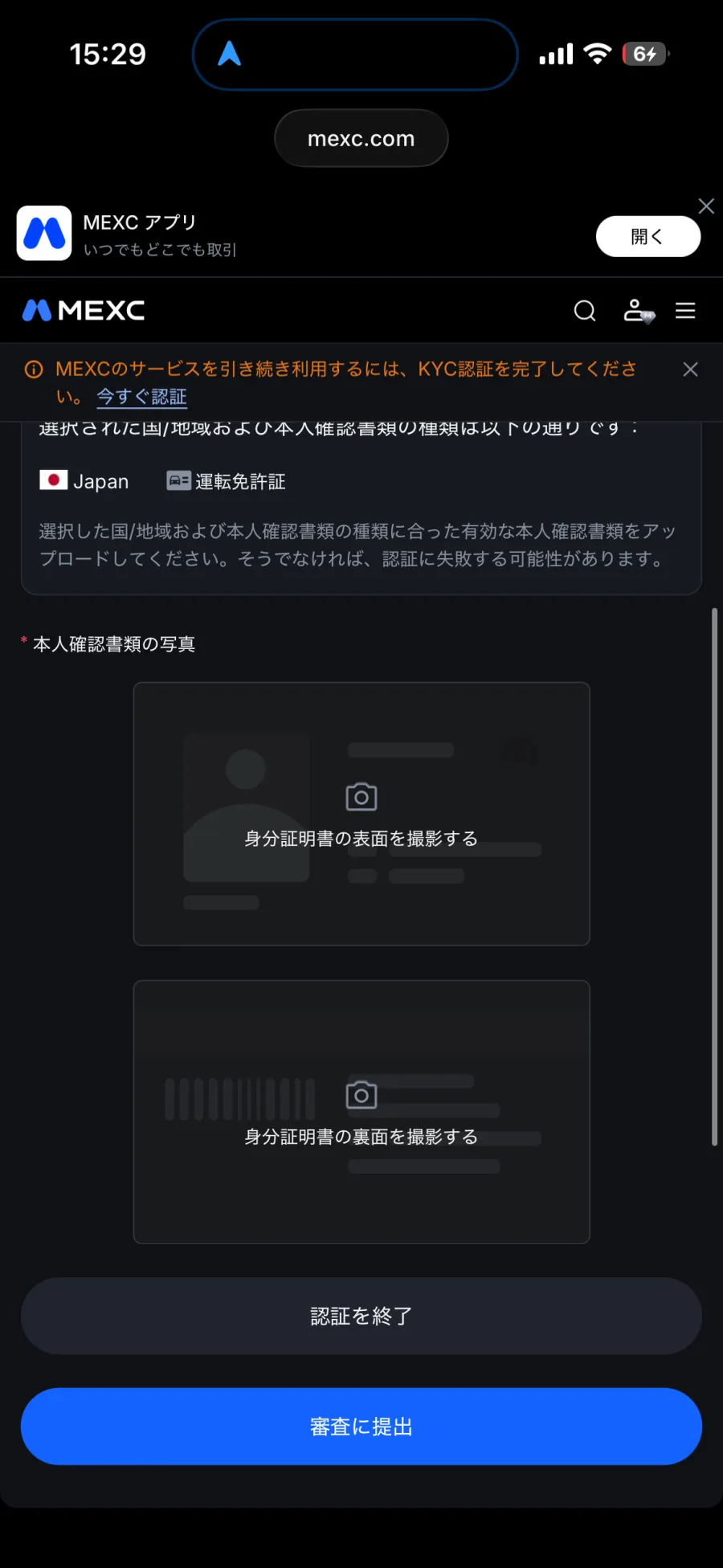
For identity verification (KYC), you will need to submit one of the following:
- Photo ID (My Number Card / Passport / Driver's License / Residence Permit)
- Camera for taking pictures of documents
There is a limit to the amount you can withdraw unless you complete identity verification. We recommend completing this before you start trading

Get cashback
once your account is open !
CASHBACK APPLICATION
Register with Manecha and get
cashback on every trade.
HOW TO OPEN
Transfer procedure
Please see below
for instructions on how to make your existing account eligible for MoneyChat
How to change MEXC linking
If you already have an account withMEXC, you may be able to switch to using MoneyChat by contacting their support desk or creating an additional account
- Please check with MEXC's support desk regarding the possibility of changing partners
- If possible, submit a change request using the IB information specified by MoneyChat
- After the changes are complete, apply for account registration on your MoneyChat My Page
Some brokers may not allow you to change the link of your existing account. In that case, please create a new account or an additional account using the MoneyChat designated link
FAQ
Frequently Asked Questions about
Opening an Account or Switching Accounts
Generally, you will need to provide proof of identity (passport, driver's license, or My Number Card) and proof of address (utility bill, bank statement, or resident registration certificate, issued within the last three months)
The input process itself takes as little as 5 minutes, and the identity verification review is usually completed within one business day. The actual time required may vary depending on the service provider and the review status
Existing accounts are generally not eligible. Please check the "Already usingMEXC" tab at the top to see how to switch or add an account
The possibility and conditions for opening multiple accounts vary from broker to broker. If you plan to use an additional account, please check the process for receiving cashback through MoneyChat before proceeding
No.MEXCdoes not currently support auto-rebates. To receive cashback, please register your account number on your MoneyChat My Page
There are only three things you need to do!
Step 1
Open an account via the referral link
Step 2
Register an account with MoneyChat
Step 3
If it's approved, then it's OK!
Check the account opening procedure
that suits you.
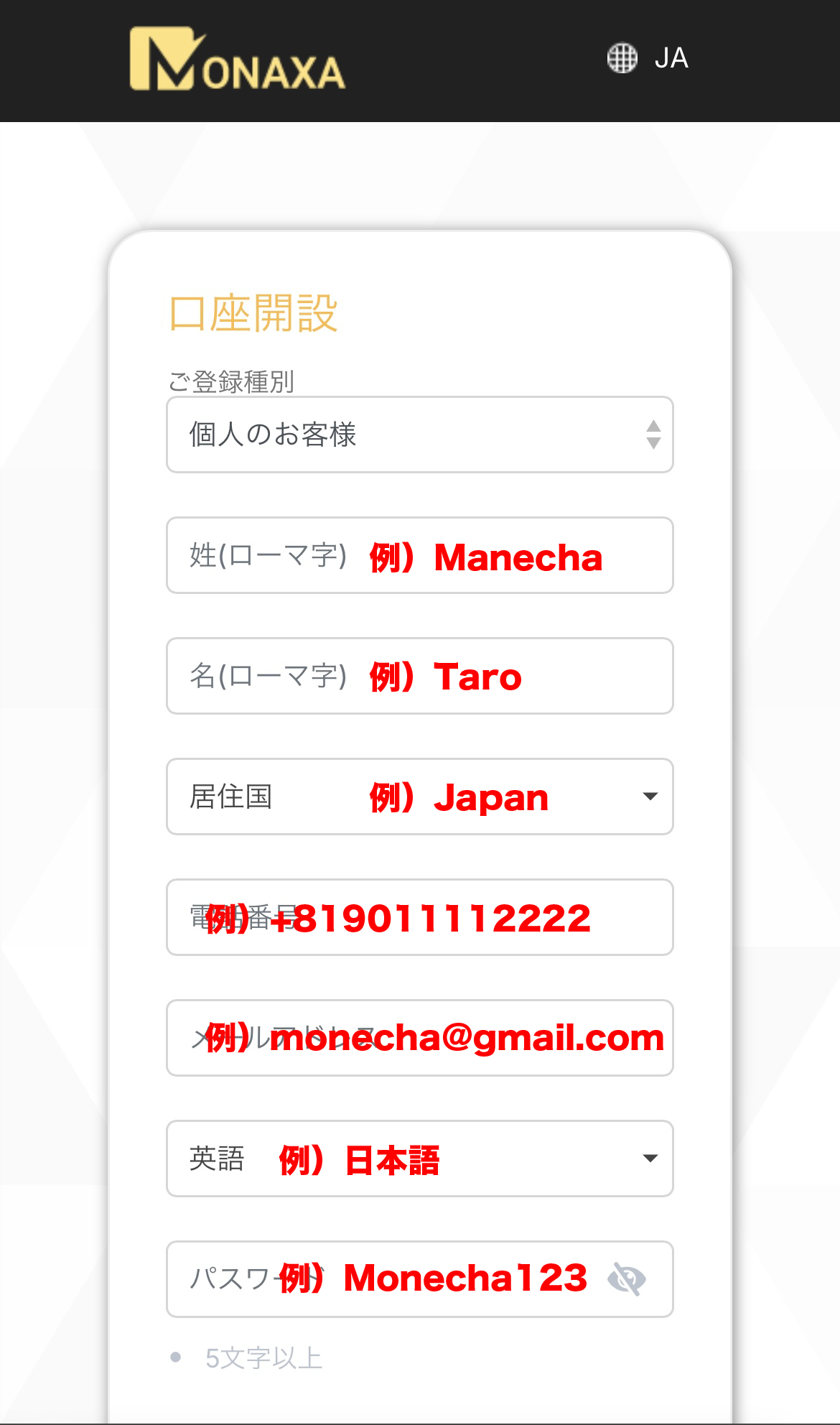
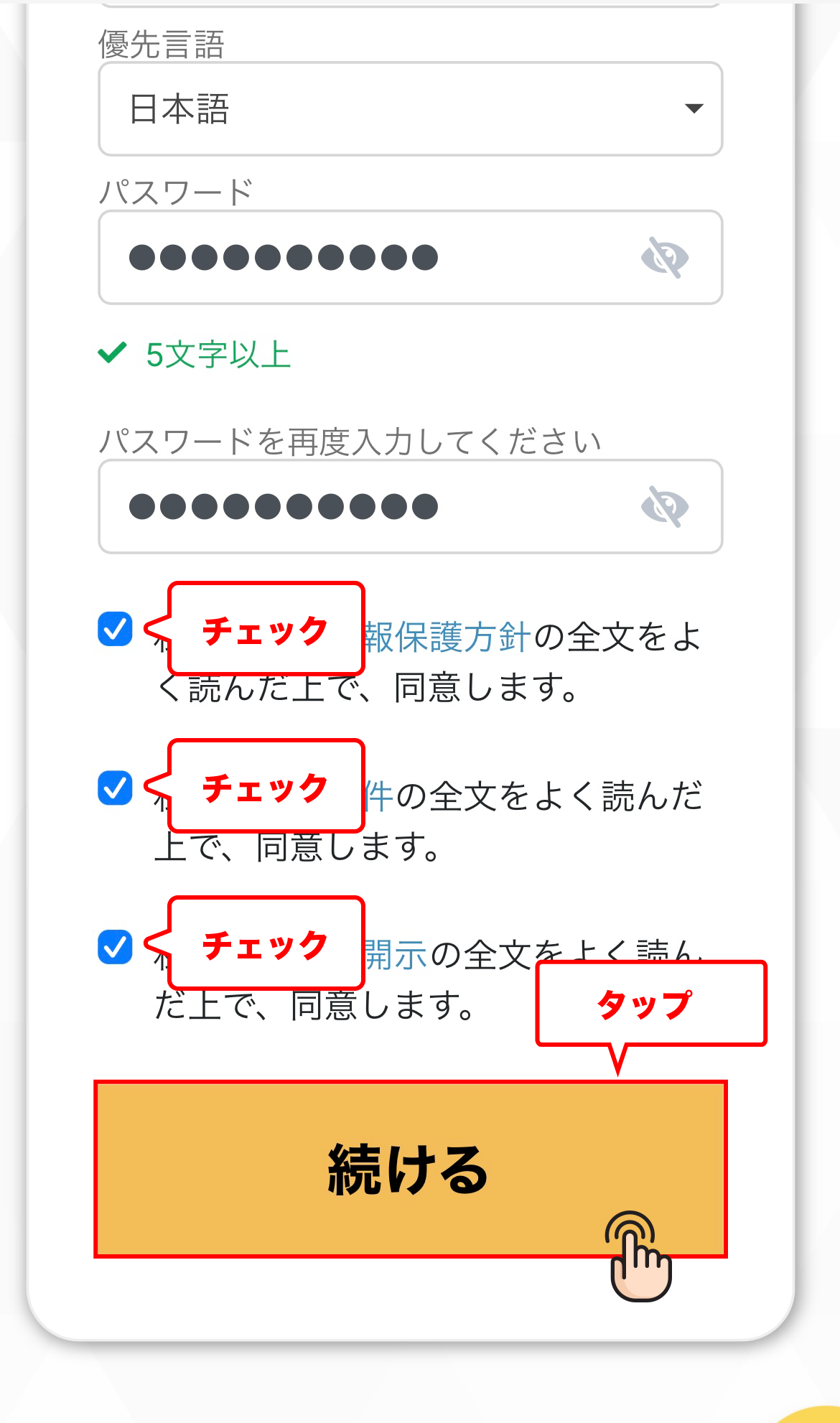
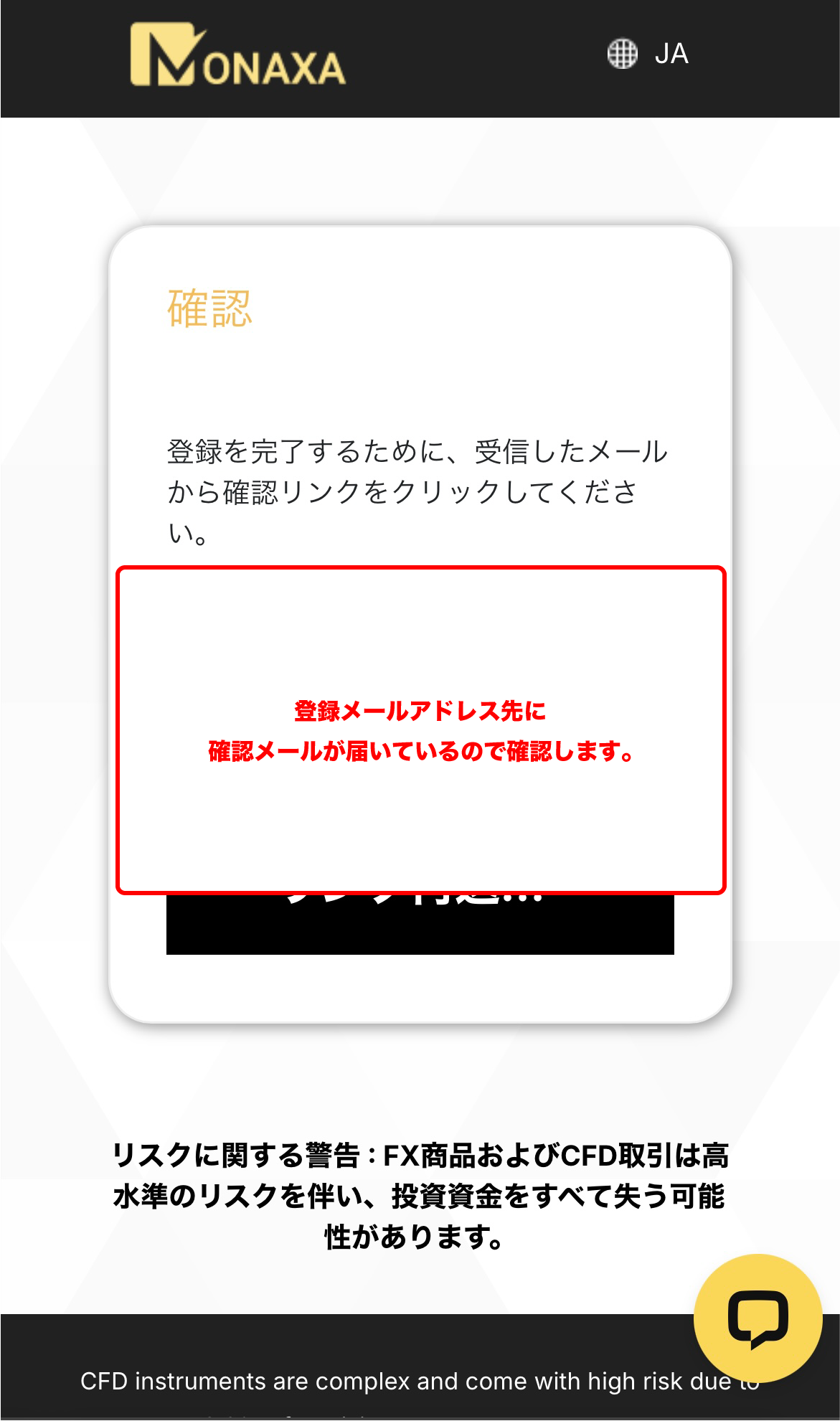
Monaxacreating a
?
HOW TO OPEN
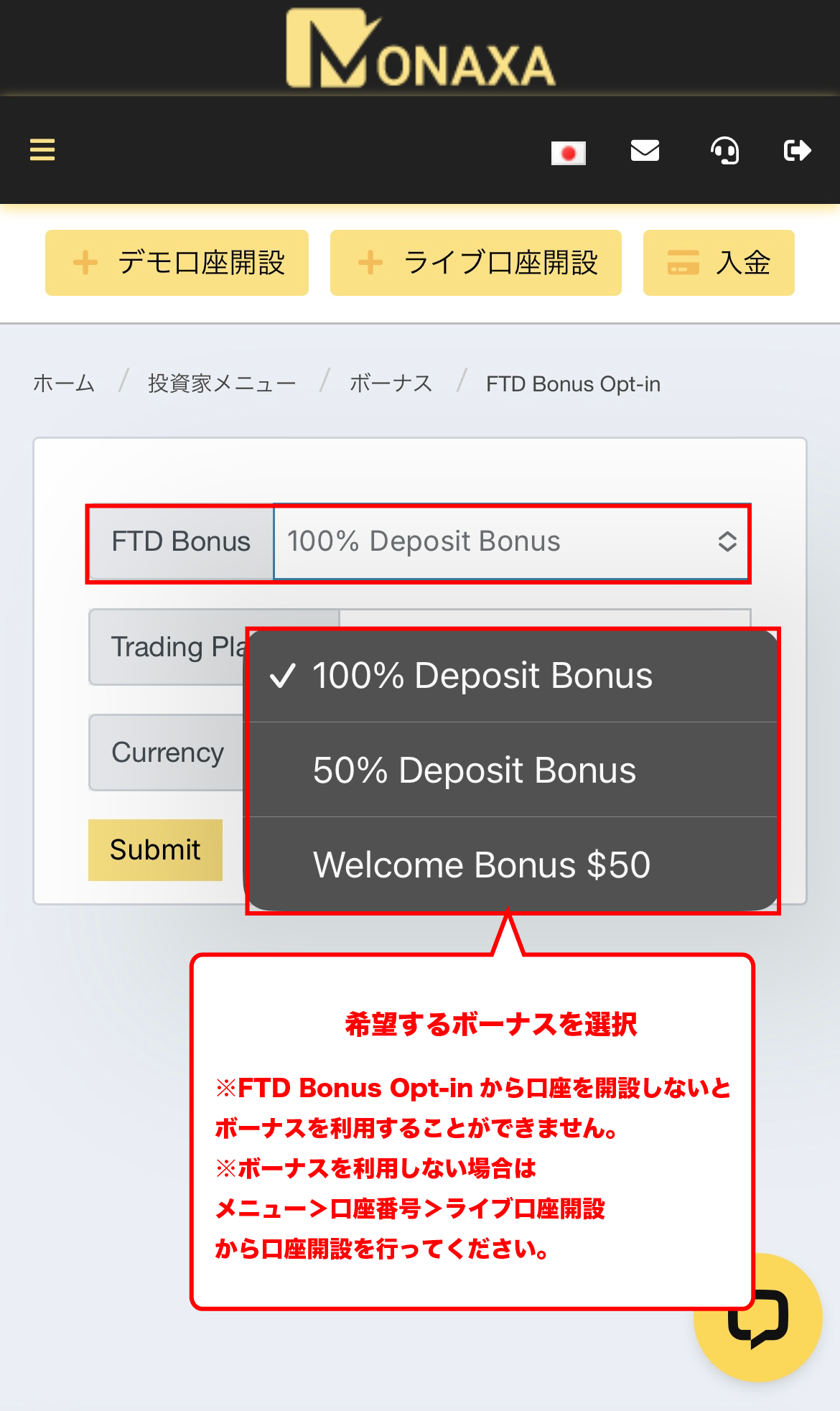
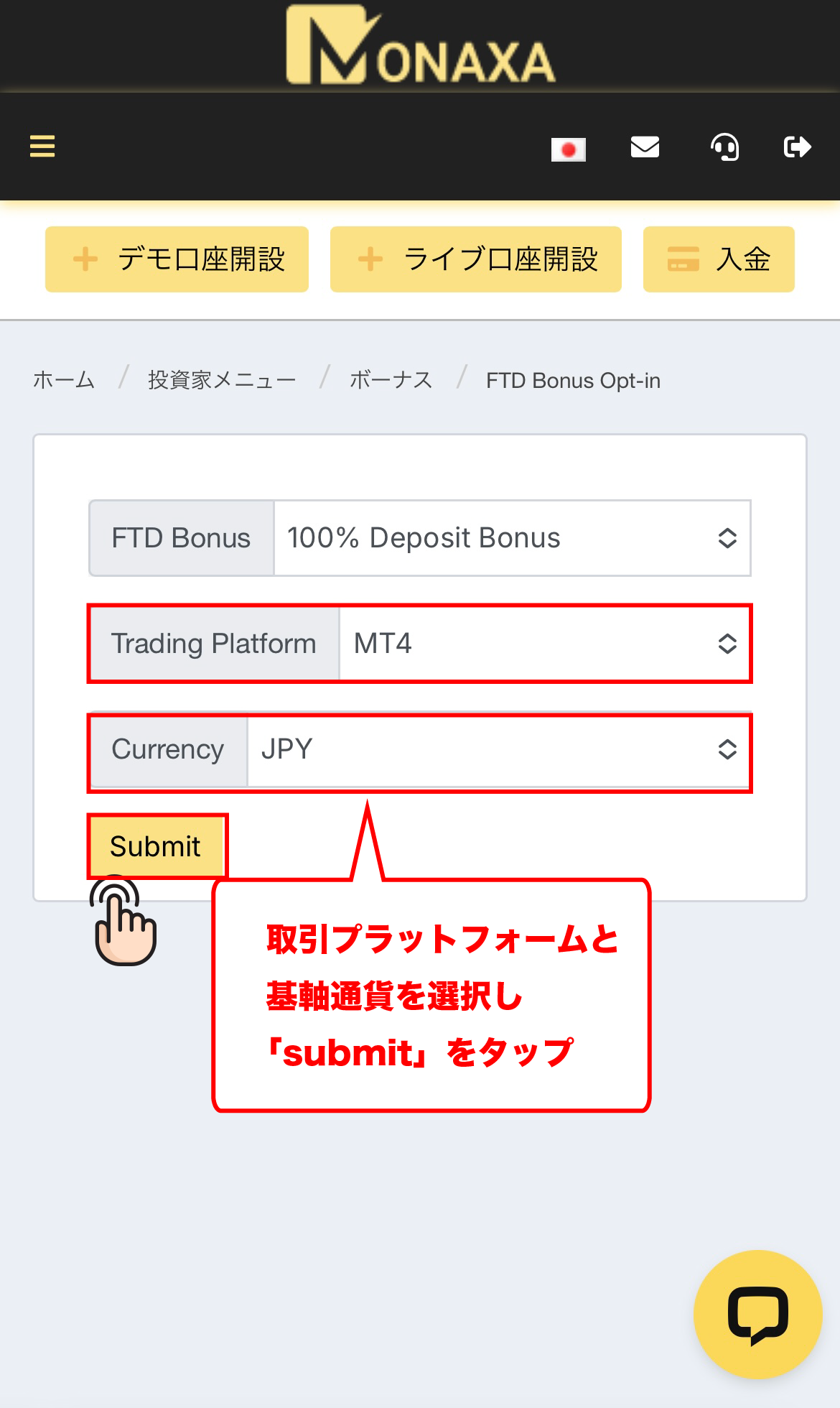
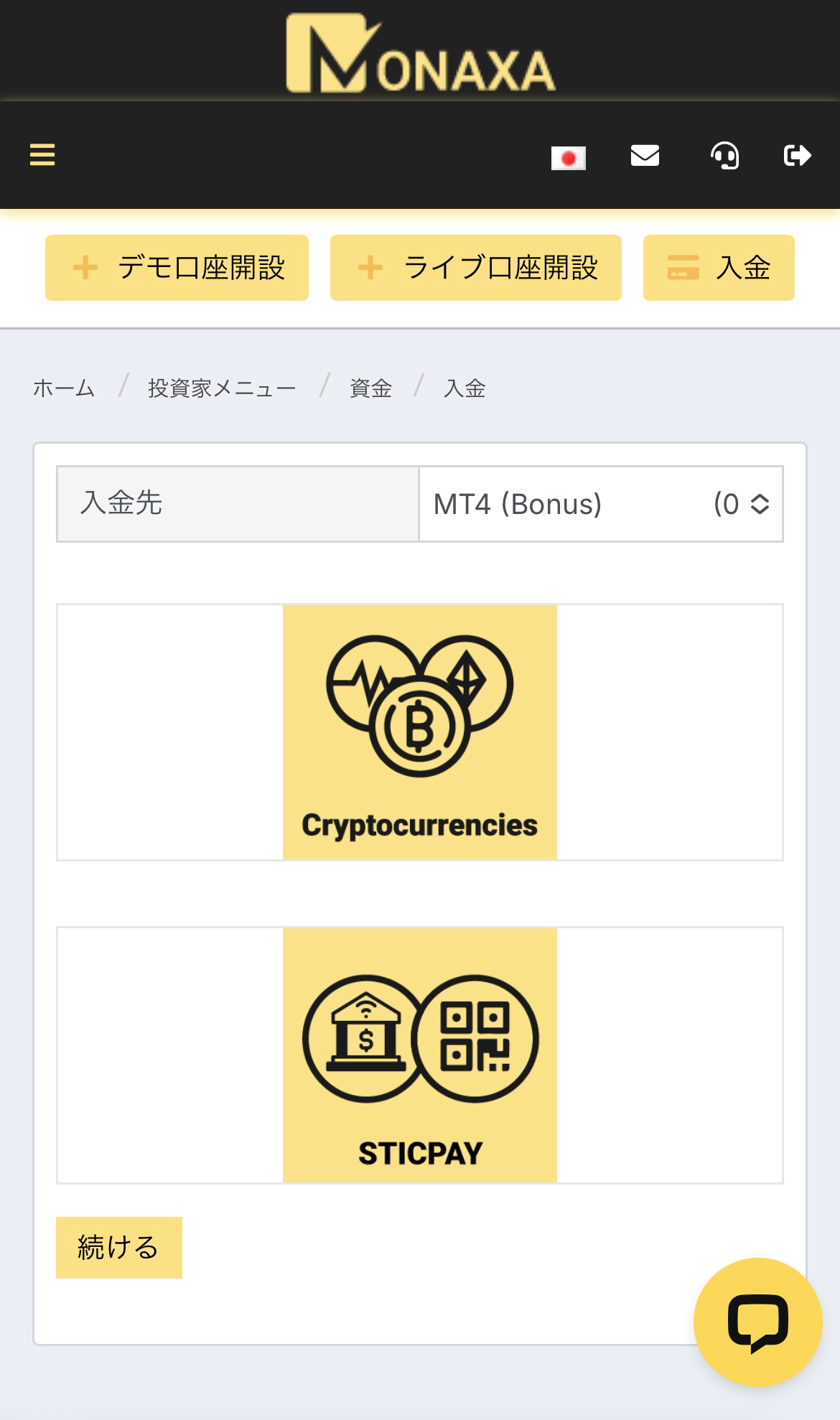
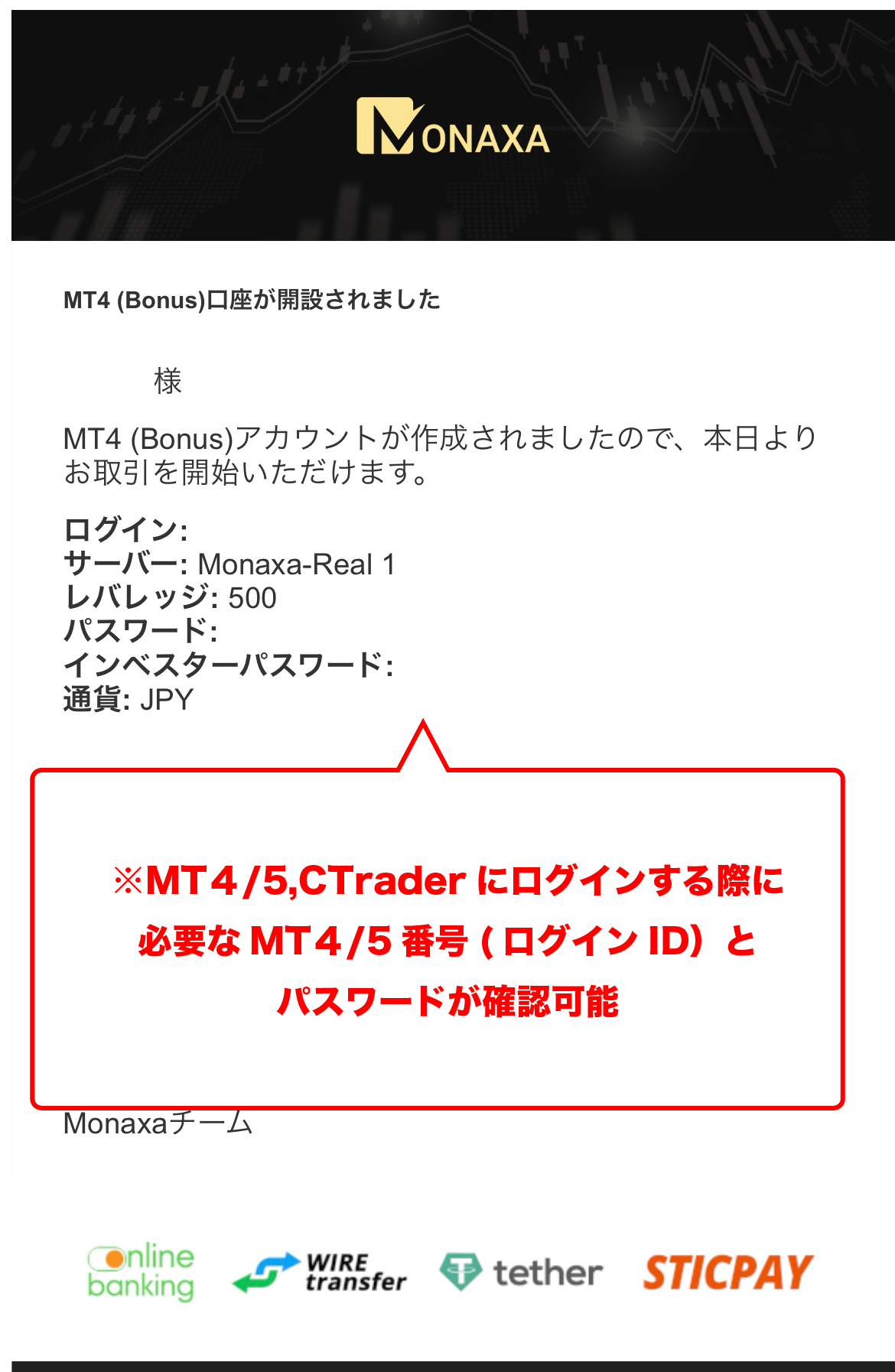
Account Opening Procedure
Please see below for detailed instructions
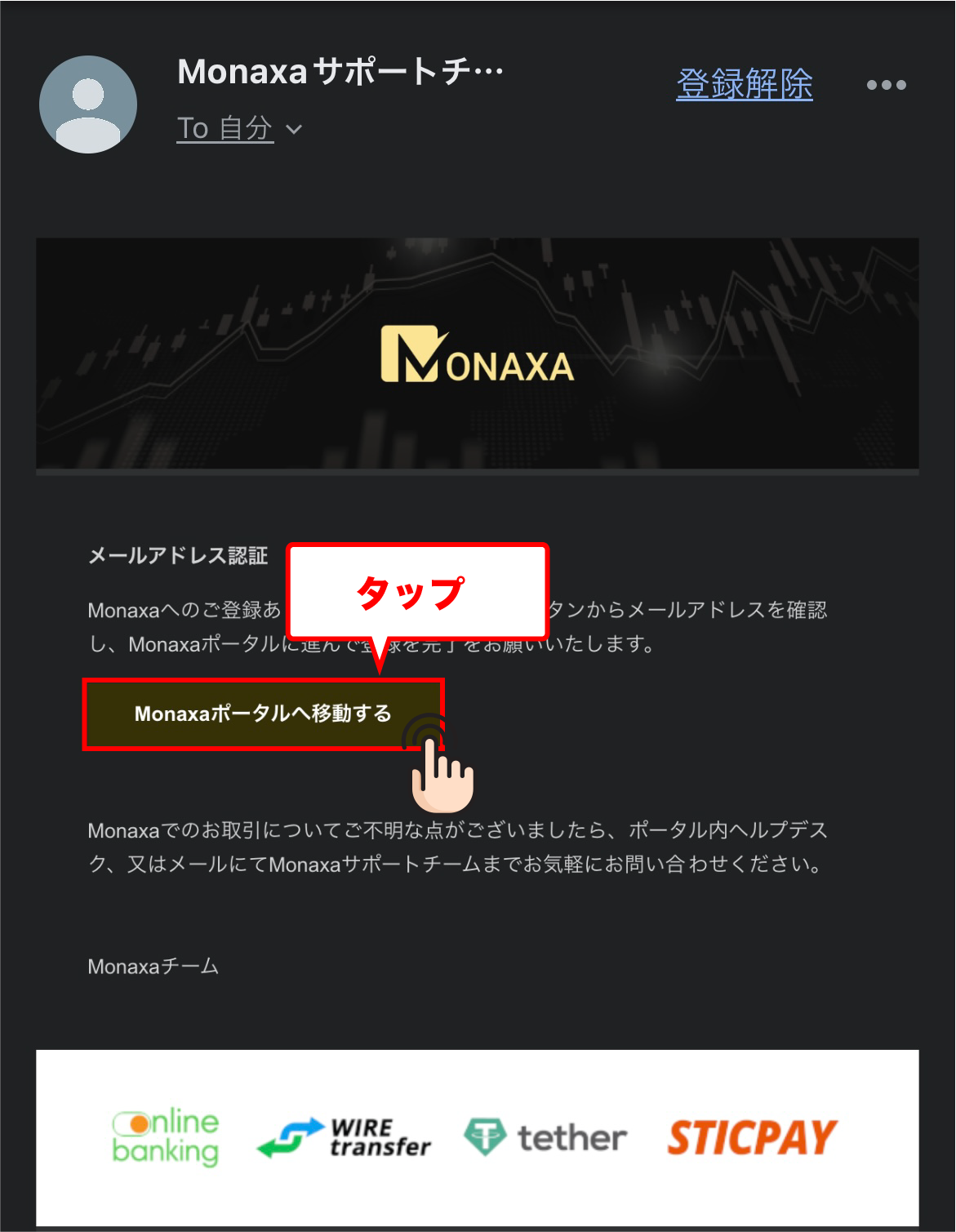
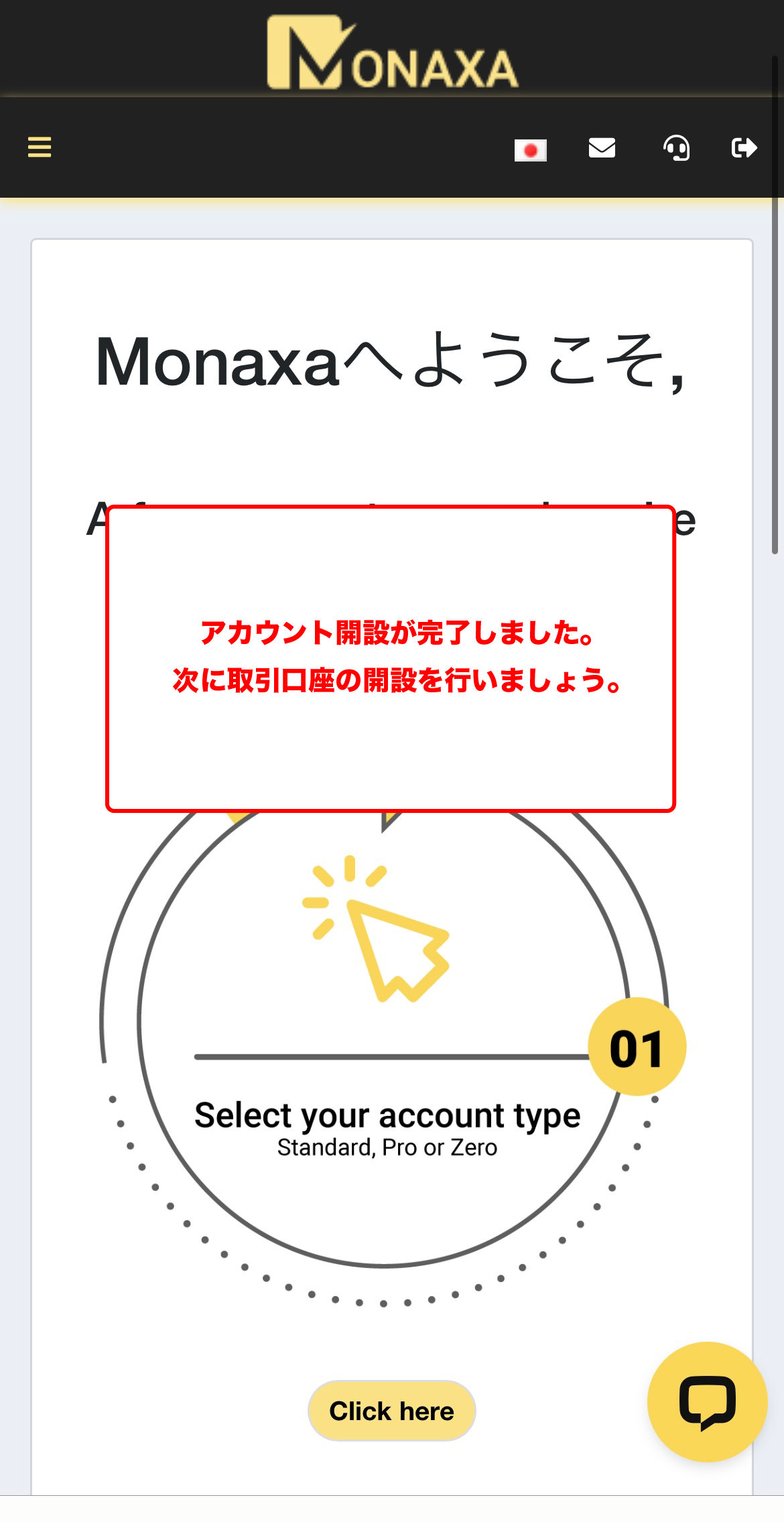
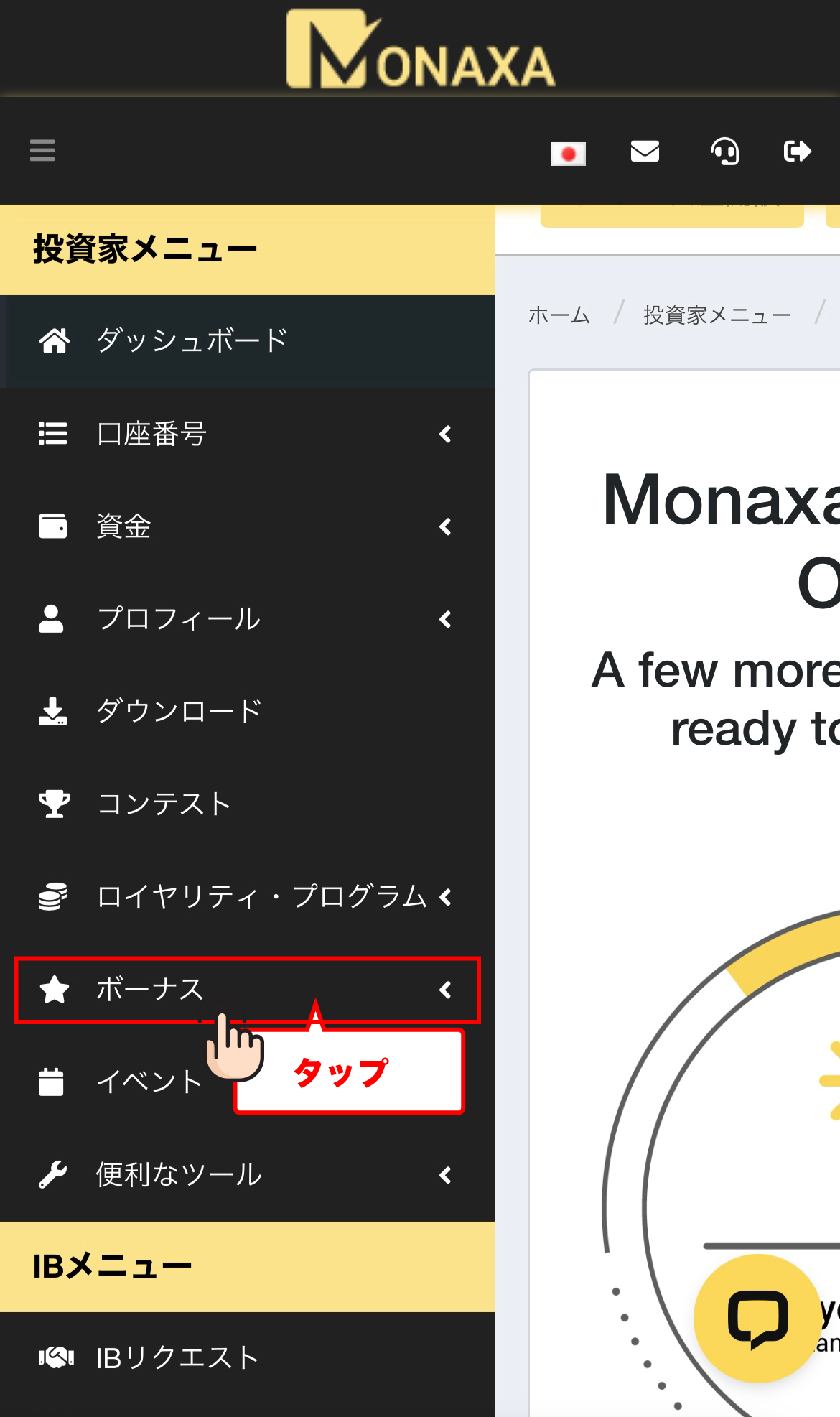
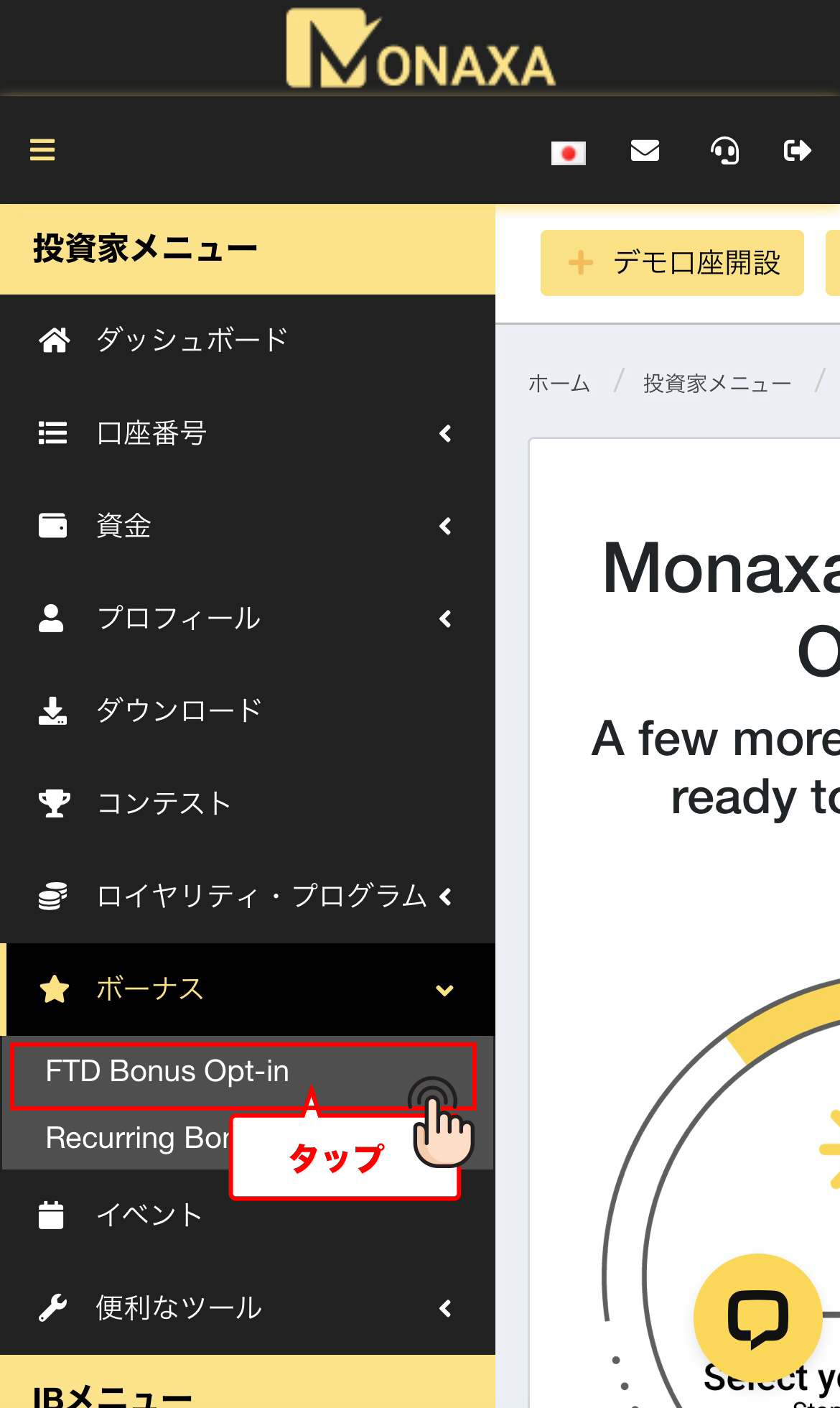
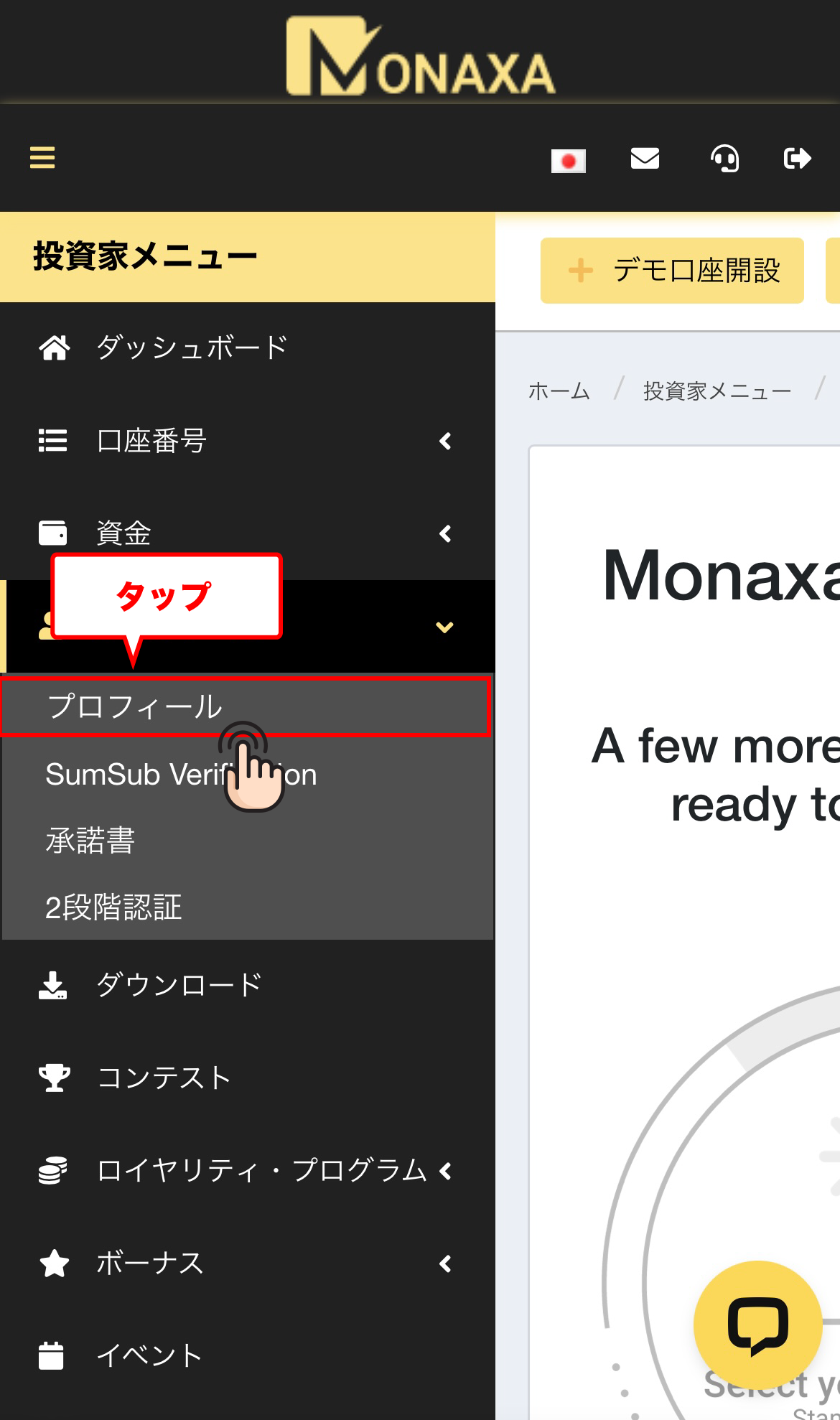
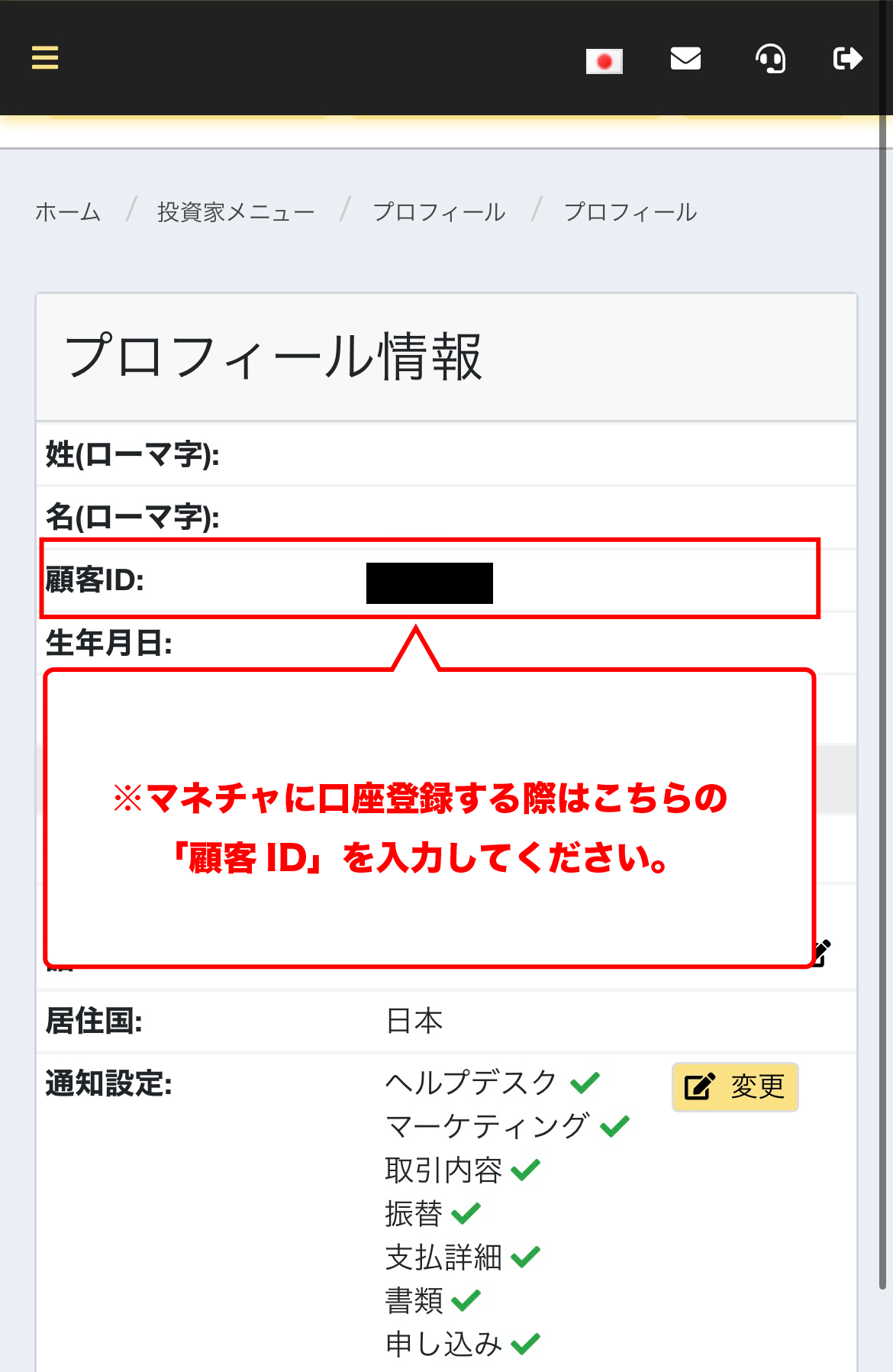
Get cashback
once your account is open !
CASHBACK APPLICATION
Register with Manecha and get
cashback on every trade.
HOW TO OPEN
Transfer procedure
Please see below
for instructions on how to make your existing account eligible for MoneyChat
How to change the link in Monaxa
If you already have an account withMonaxa, you may be able to switch to using Monaxa Chat by contacting support or creating an additional account
- Please contact Monaxa's support desk to confirm whether a partner change is possible
- If possible, submit a change request using the IB information specified by MoneyChat
- After the changes are complete, apply for account registration on your MoneyChat My Page
Some brokers may not allow you to change the link of your existing account. In that case, please create a new account or an additional account using the MoneyChat designated link
FAQ
Frequently Asked Questions about
Opening an Account or Switching Accounts
Generally, you will need to provide proof of identity (passport, driver's license, or My Number Card) and proof of address (utility bill, bank statement, or resident registration certificate, issued within the last three months)
The input process itself takes as little as 5 minutes, and the identity verification review is usually completed within one business day. The actual time required may vary depending on the service provider and the review status
Existing accounts are generally not eligible. Please check the "Already usingMonaxa" tab at the top to see how to switch or add an account
The possibility and conditions for opening multiple accounts vary from broker to broker. If you plan to use an additional account, please check the process for receiving cashback through MoneyChat before proceeding
No.Monaxadoes not currently support auto-rebates. To receive cashback, please register your account number on your Monaxa My Page
There are only three things you need to do!
Step 1
Open an account via the referral link

Step 2
Register an account with MoneyChat
Step 3
If it's approved, then it's OK!
Check the account opening procedure
that suits you.
creating a MYFX Markets account
?
HOW TO OPEN
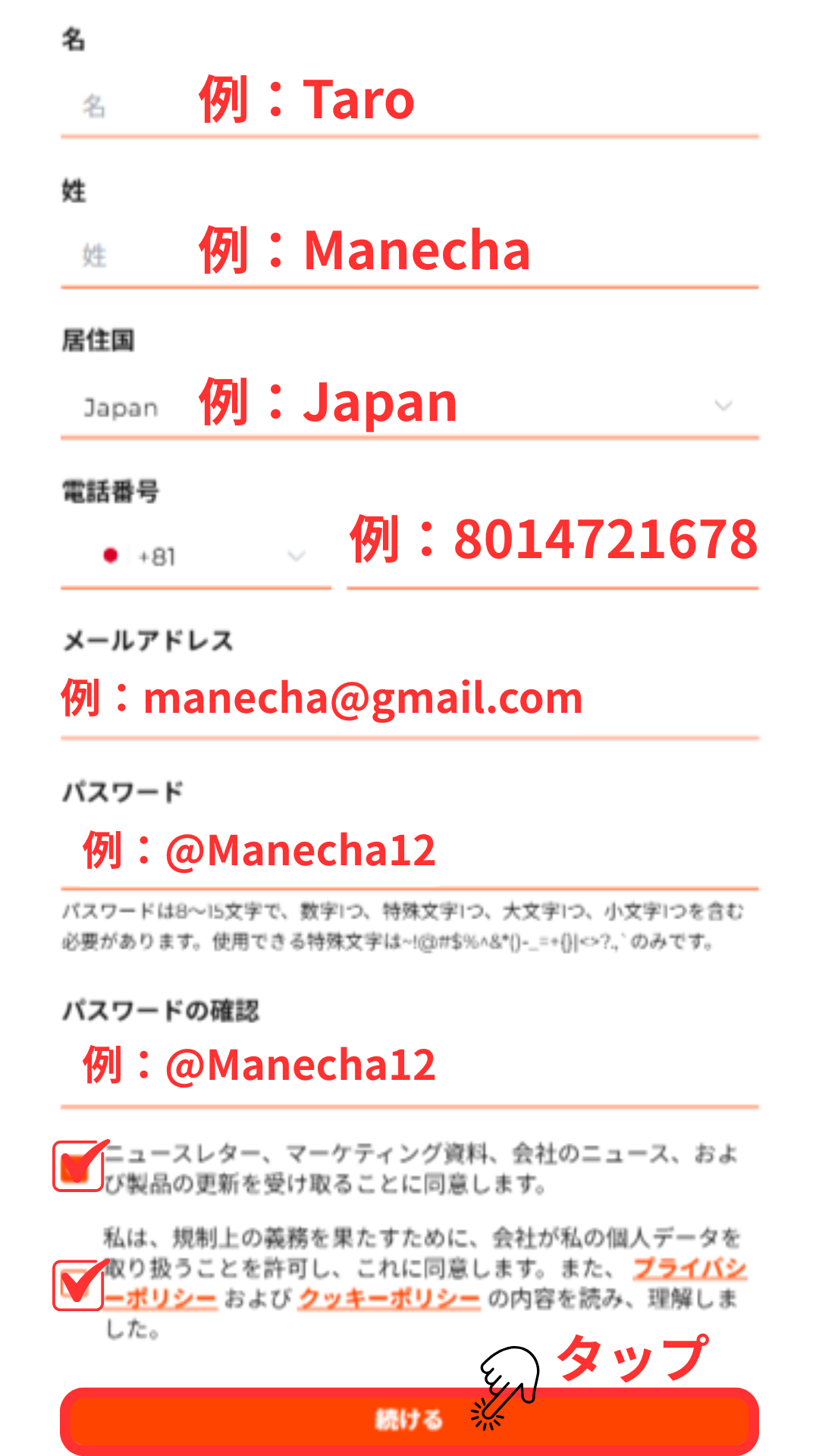
Account Opening Procedure
Please see below for detailed instructions
Get cashback
once your account is open !
CASHBACK APPLICATION
Register with Manecha and get
cashback on every trade.
HOW TO OPEN
Transfer procedure
Please see below
for instructions on how to make your existing account eligible for MoneyChat
How to change your MYFX Markets account link
If you already have an account with MYFX Markets, you may be able to switch to using MoneyChat by contacting support or creating an additional account
- Please contact MYFX Markets support to inquire about the possibility of changing partners
- If possible, submit a change request using the IB information specified by MoneyChat
- After the changes are complete, apply for account registration on your MoneyChat My Page
Some brokers may not allow you to change the link of your existing account. In that case, please create a new account or an additional account using the MoneyChat designated link
FAQ
Frequently Asked Questions about
Opening an Account or Switching Accounts
Generally, you will need to provide proof of identity (passport, driver's license, or My Number Card) and proof of address (utility bill, bank statement, or resident registration certificate, issued within the last three months)
The input process itself takes as little as 5 minutes, and the identity verification review is usually completed within one business day. The actual time required may vary depending on the service provider and the review status
Existing accounts are generally not eligible. Please check the instructions for transferring or adding an account from the "Already using MYFX Markets" tab at the top of the page
The possibility and conditions for opening multiple accounts vary from broker to broker. If you plan to use an additional account, please check the process for receiving cashback through MoneyChat before proceeding
No. MYFX Markets does not currently support auto-rebates. To receive cashback, please register your account number on your MoneyChat My Page
There are only three things you need to do!
Step 1
Open an account via the referral link
Step 2
Register an account with MoneyChat
Step 3
If it's approved, then it's OK!
Check the account opening procedure
that suits you.
OQTimacreating an
?
HOW TO OPEN
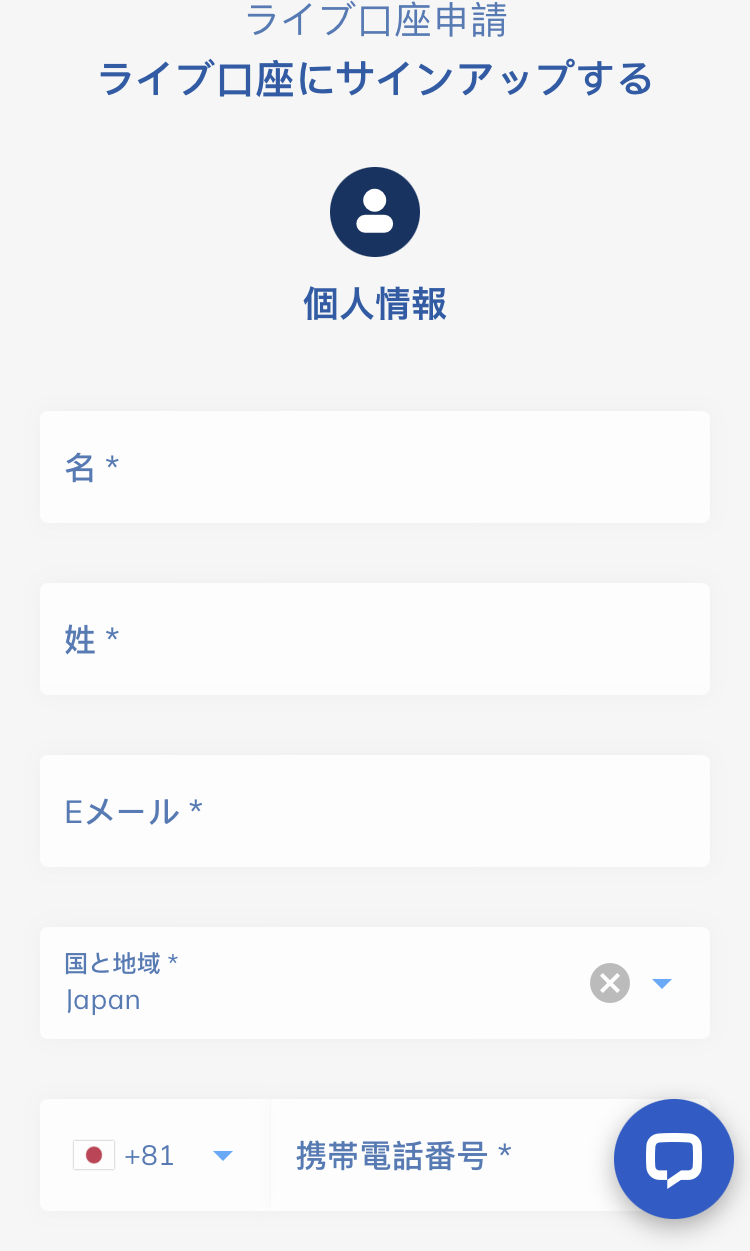
Account Opening Procedure
Please see below for detailed instructions
Get cashback
once your account is open !
CASHBACK APPLICATION
Register with Manecha and get
cashback on every trade.
HOW TO OPEN
Transfer procedure
Please see below
for instructions on how to make your existing account eligible for MoneyChat
How to change OQTima linking
If you already have an account withOQTima, you may be able to switch to MoneyChat by contacting support or creating an additional account
- Please check with OQTima's support desk regarding the possibility of changing partners
- If possible, submit a change request using the IB information specified by MoneyChat
- After the changes are complete, apply for account registration on your MoneyChat My Page
Some brokers may not allow you to change the link of your existing account. In that case, please create a new account or an additional account using the MoneyChat designated link
FAQ
Frequently Asked Questions about
Opening an Account or Switching Accounts
Generally, you will need to provide proof of identity (passport, driver's license, or My Number Card) and proof of address (utility bill, bank statement, or resident registration certificate, issued within the last three months)
The input process itself takes as little as 5 minutes, and the identity verification review is usually completed within one business day. The actual time required may vary depending on the service provider and the review status
Existing accounts are generally not eligible. Please check the instructions for transferring or adding accounts from the "Already usingOQTima" tab at the top of the page
The possibility and conditions for opening multiple accounts vary from broker to broker. If you plan to use an additional account, please check the process for receiving cashback through MoneyChat before proceeding
No.OQTimadoes not currently support auto-rebates. To receive cashback, please register your account number on your MoneyChat My Page
There are only three things you need to do!
Step 1
Open an account via the referral link
Step 2
Register an account with MoneyChat
Step 3
If it's approved, then it's OK!
Check the account opening procedure
that suits you.
ThreeTradercreating a
?
HOW TO OPEN
Account Opening Procedure
Please see below for detailed instructions


Get cashback
once your account is open !
CASHBACK APPLICATION
Register with Manecha and get
cashback on every trade.
HOW TO OPEN
Transfer procedure
Please see below
for instructions on how to make your existing account eligible for MoneyChat
How to change the link in ThreeTrader
If you already have an account withThreeTrader, you may be able to switch to MoneyChat by contacting support or creating an additional account
- Please contact ThreeTradersupport to inquire about the possibility of changing partners
- If possible, submit a change request using the IB information specified by MoneyChat
- After the changes are complete, apply for account registration on your MoneyChat My Page
Some brokers may not allow you to change the link of your existing account. In that case, please create a new account or an additional account using the MoneyChat designated link
FAQ
Frequently Asked Questions about
Opening an Account or Switching Accounts
Generally, you will need to provide proof of identity (passport, driver's license, or My Number Card) and proof of address (utility bill, bank statement, or resident registration certificate, issued within the last three months)
The input process itself takes as little as 5 minutes, and the identity verification review is usually completed within one business day. The actual time required may vary depending on the service provider and the review status
Existing accounts are generally not eligible. Please check the instructions for transferring or adding an account from the "Already usingThreeTrader" tab at the top of the page
The possibility and conditions for opening multiple accounts vary from broker to broker. If you plan to use an additional account, please check the process for receiving cashback through MoneyChat before proceeding
No.ThreeTraderdoes not currently support auto-rebates. To receive cashback, please register your account number on your MoneyChat My Page
There are only three things you need to do!
Step 1
Open an account via the referral link
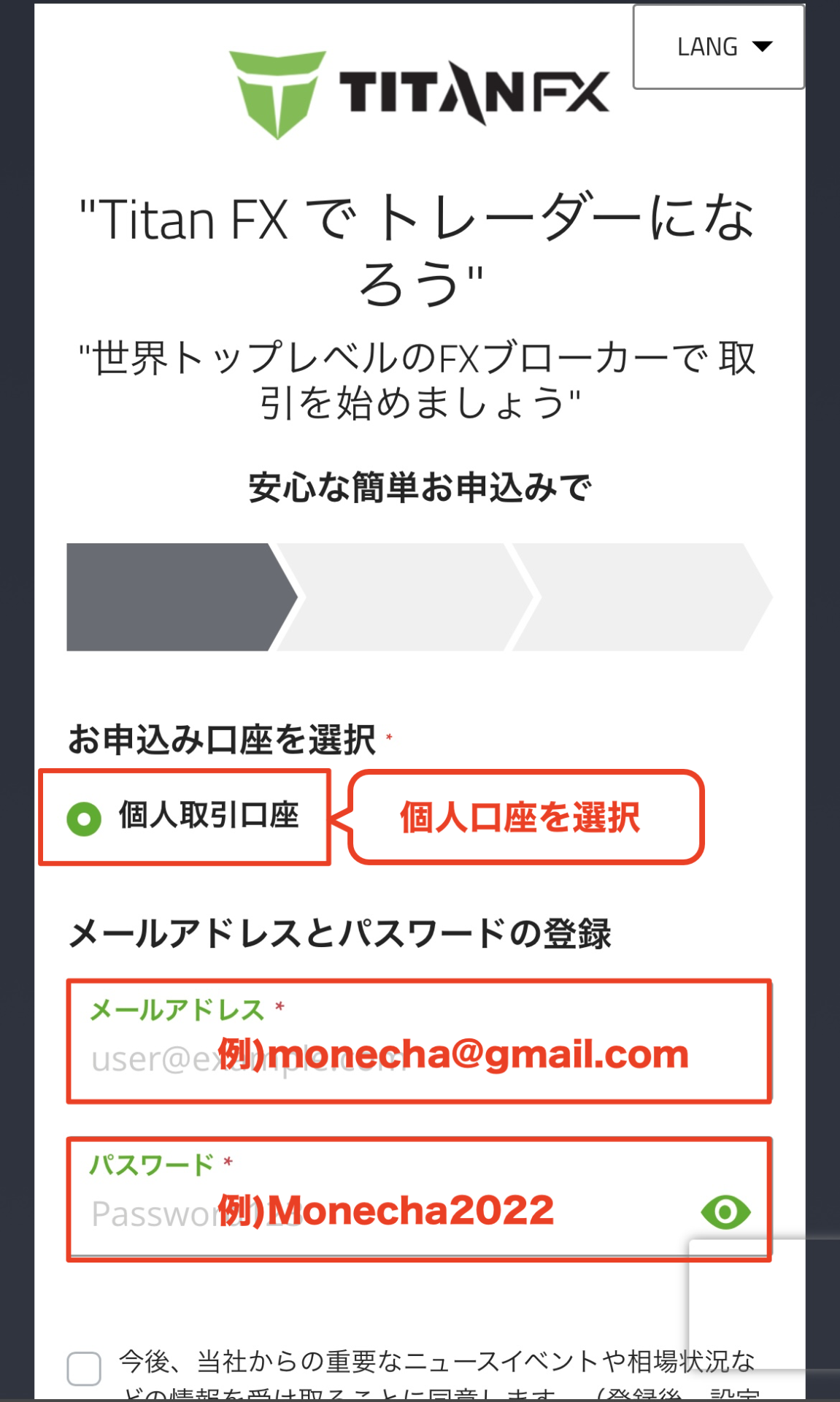
Step 2
Register an account with MoneyChat
Step 3
If it's approved, then it's OK!
Check the account opening procedure
that suits you.
Titan FXcreating a
?
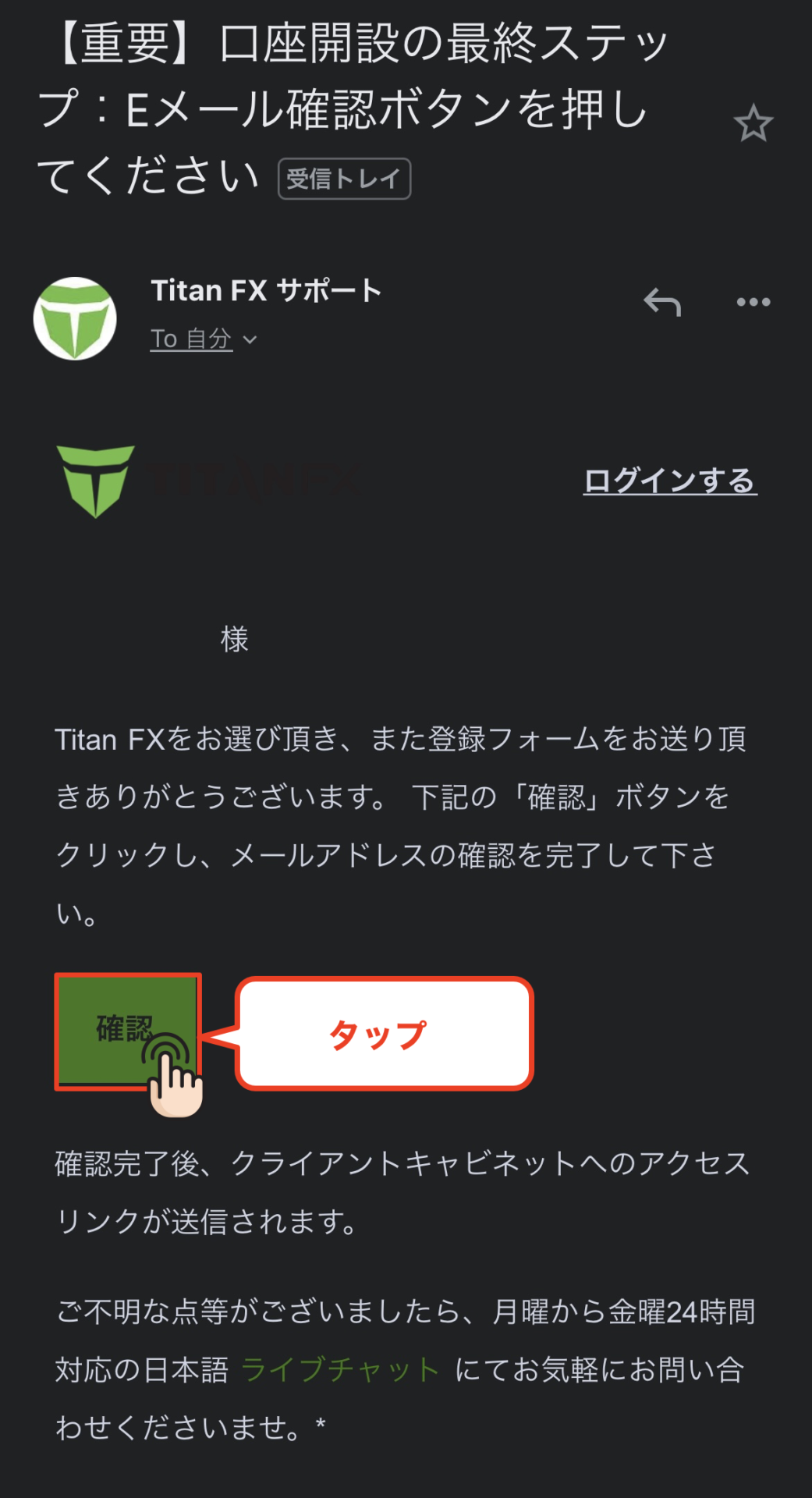
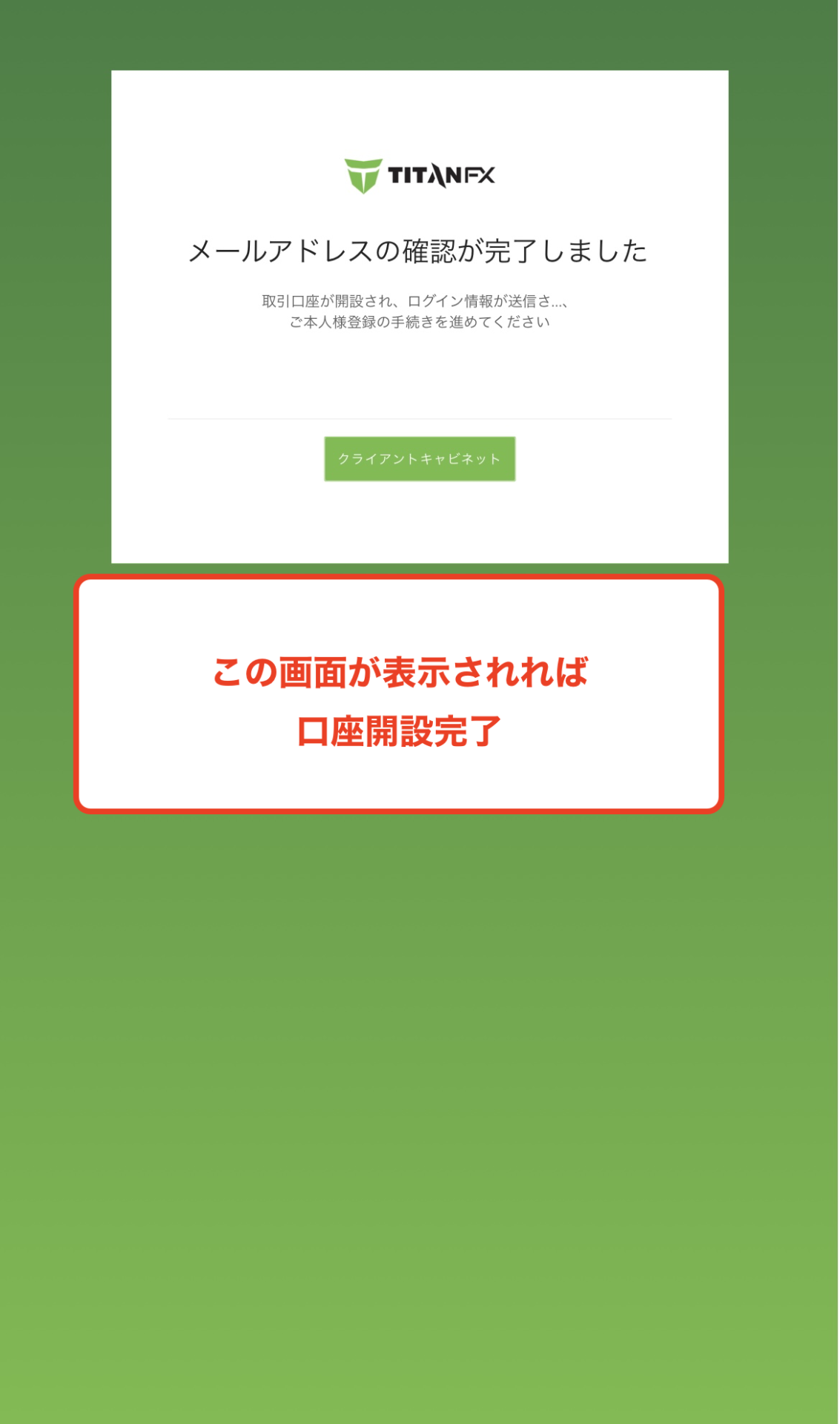
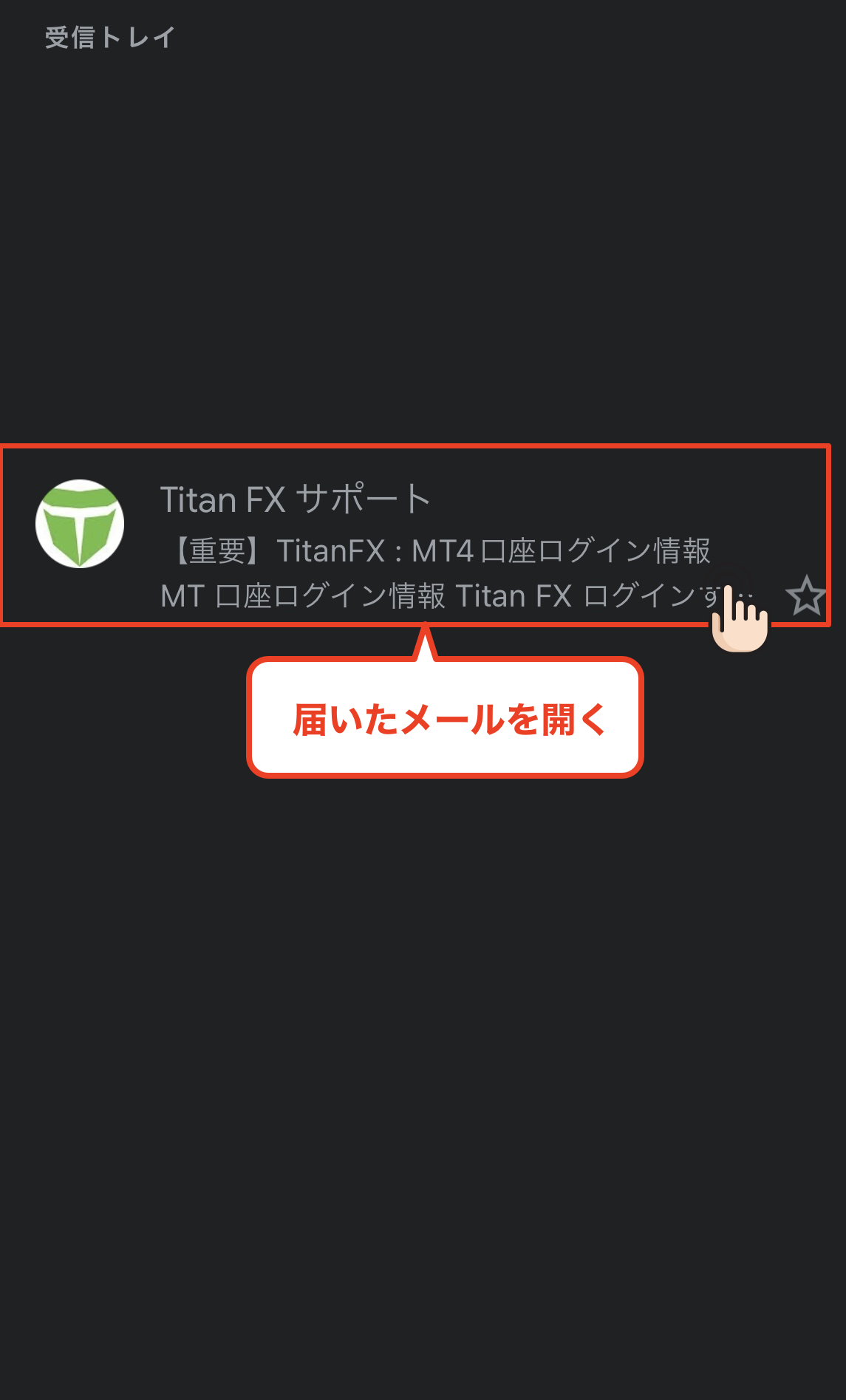
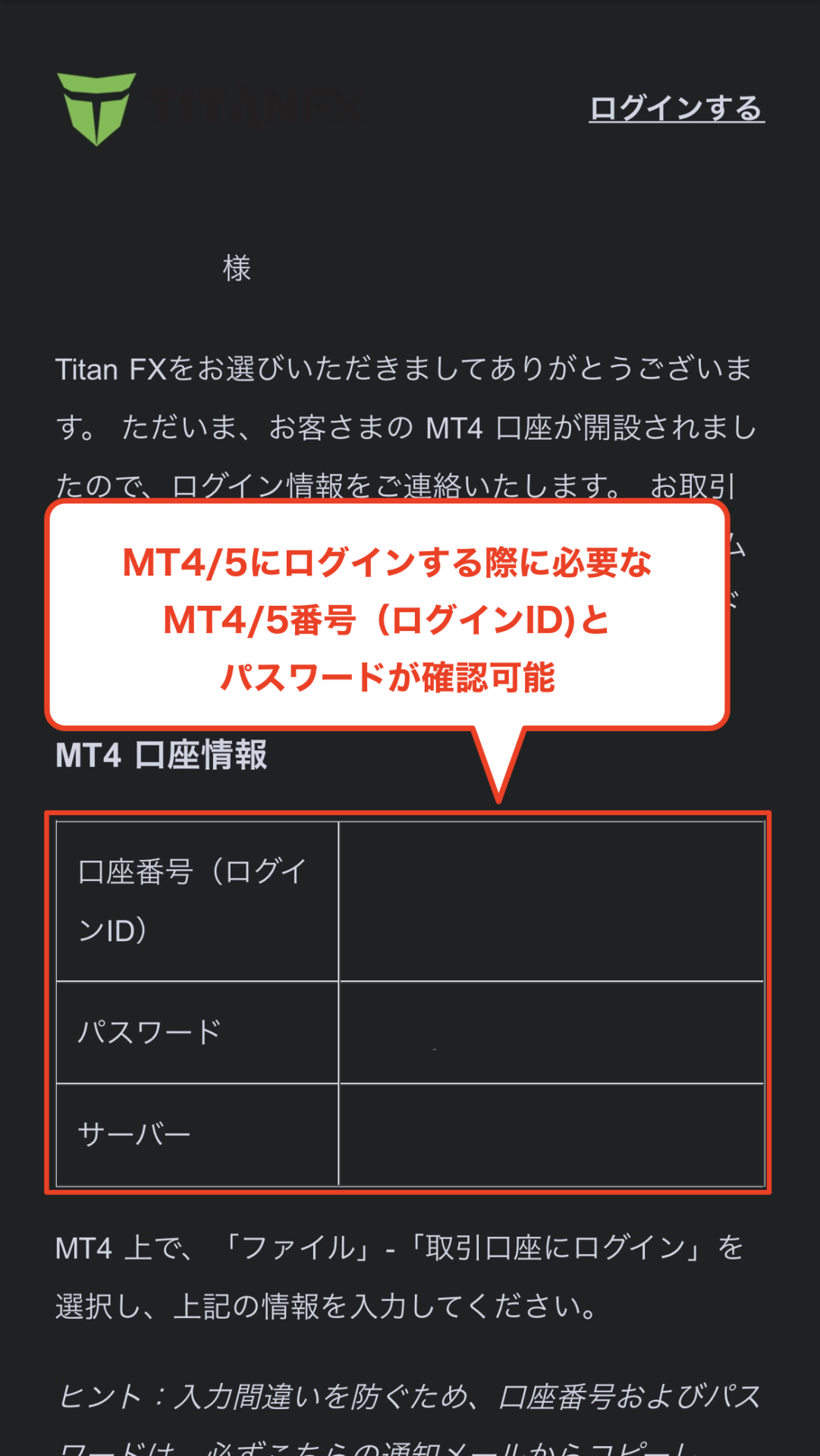
HOW TO OPEN
Account Opening Procedure
Please see below for detailed instructions
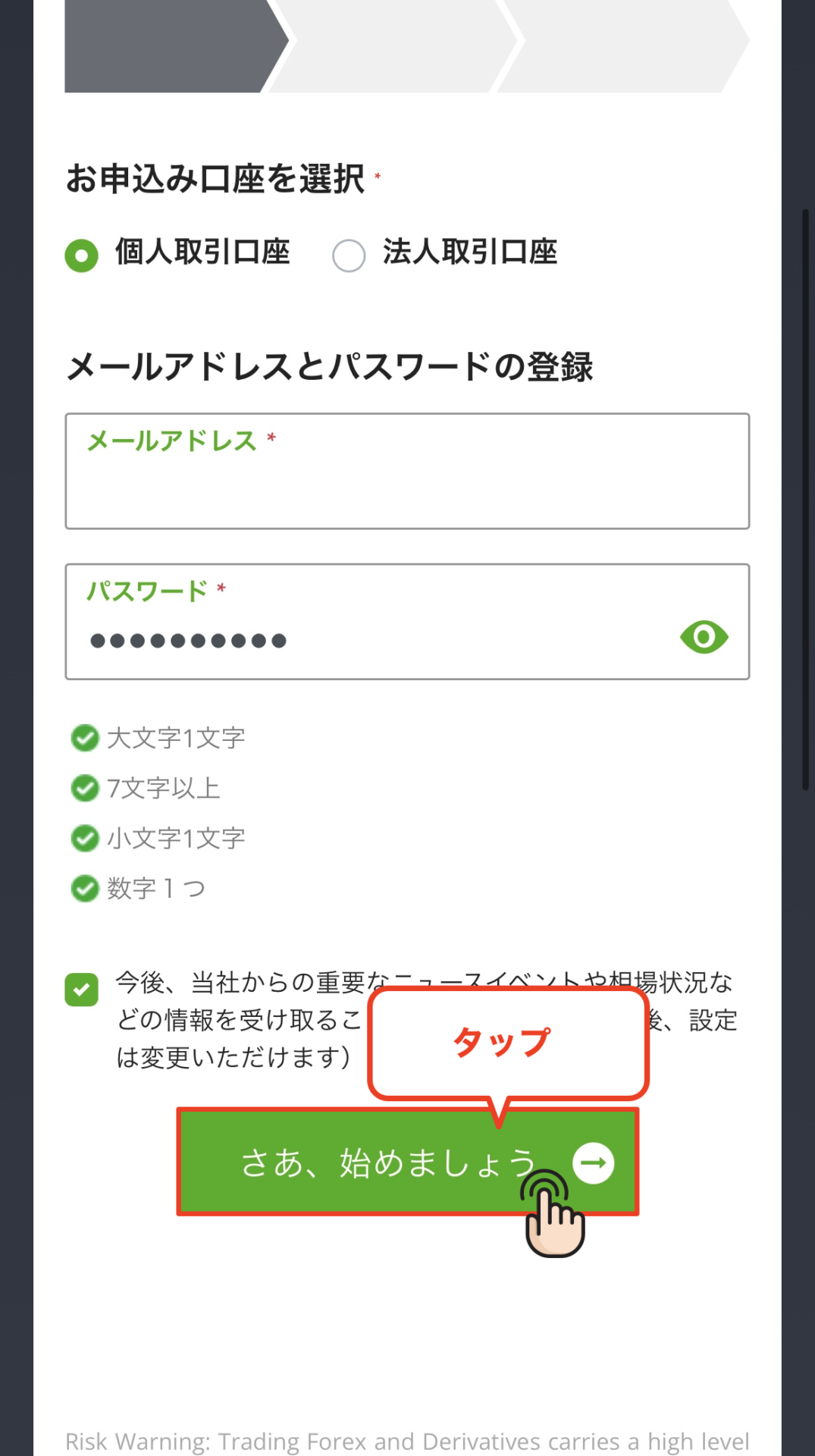
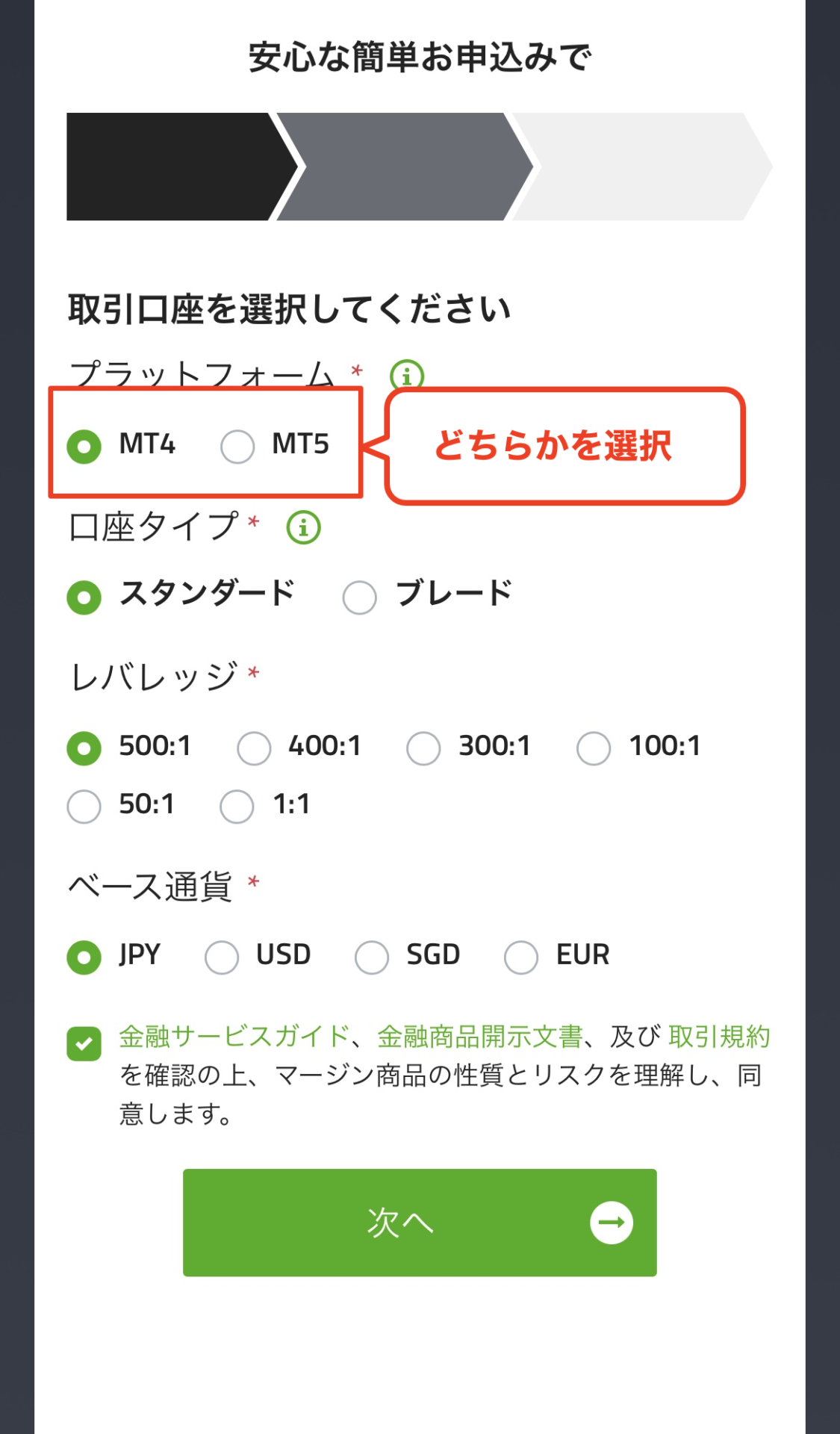
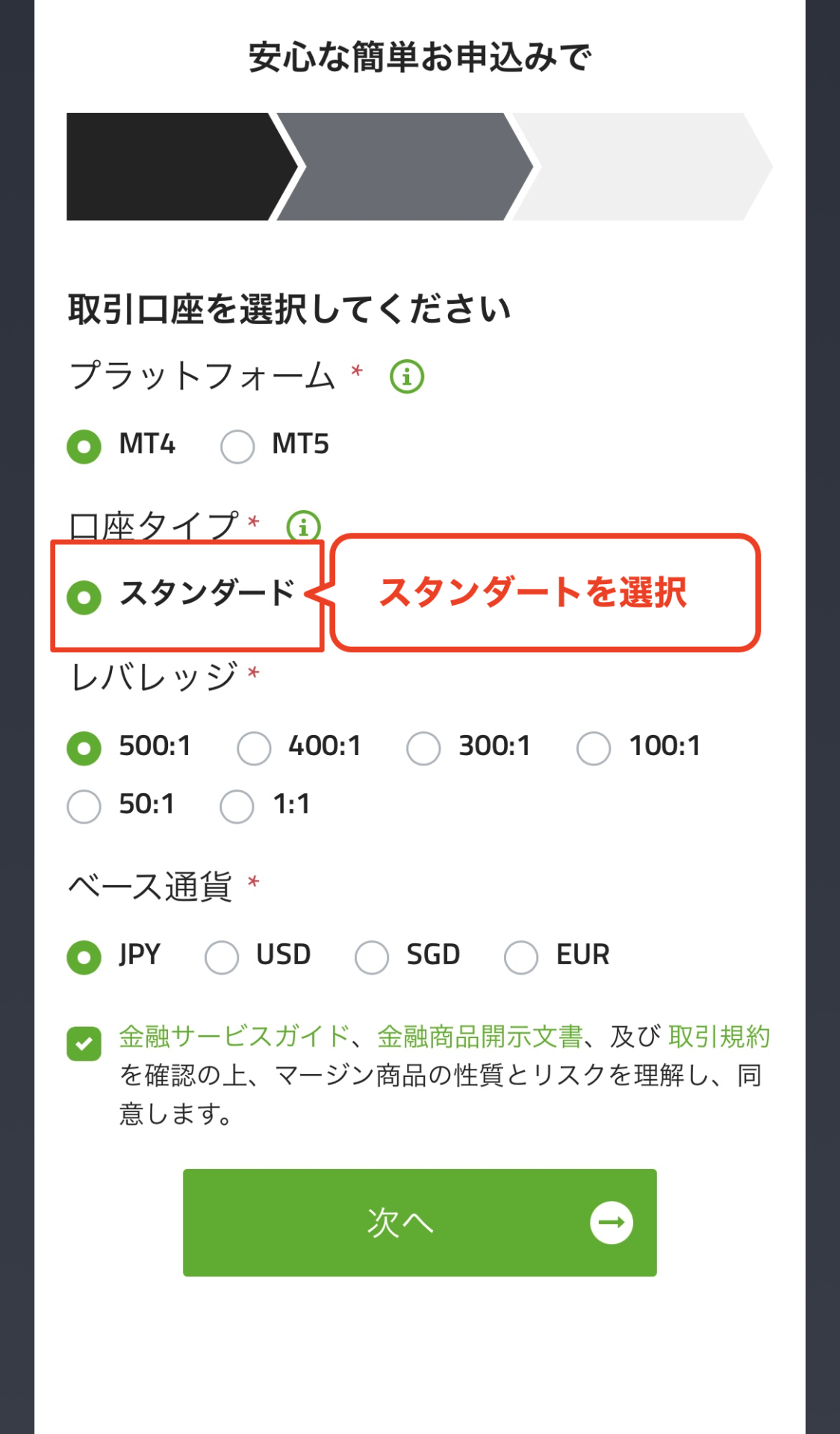
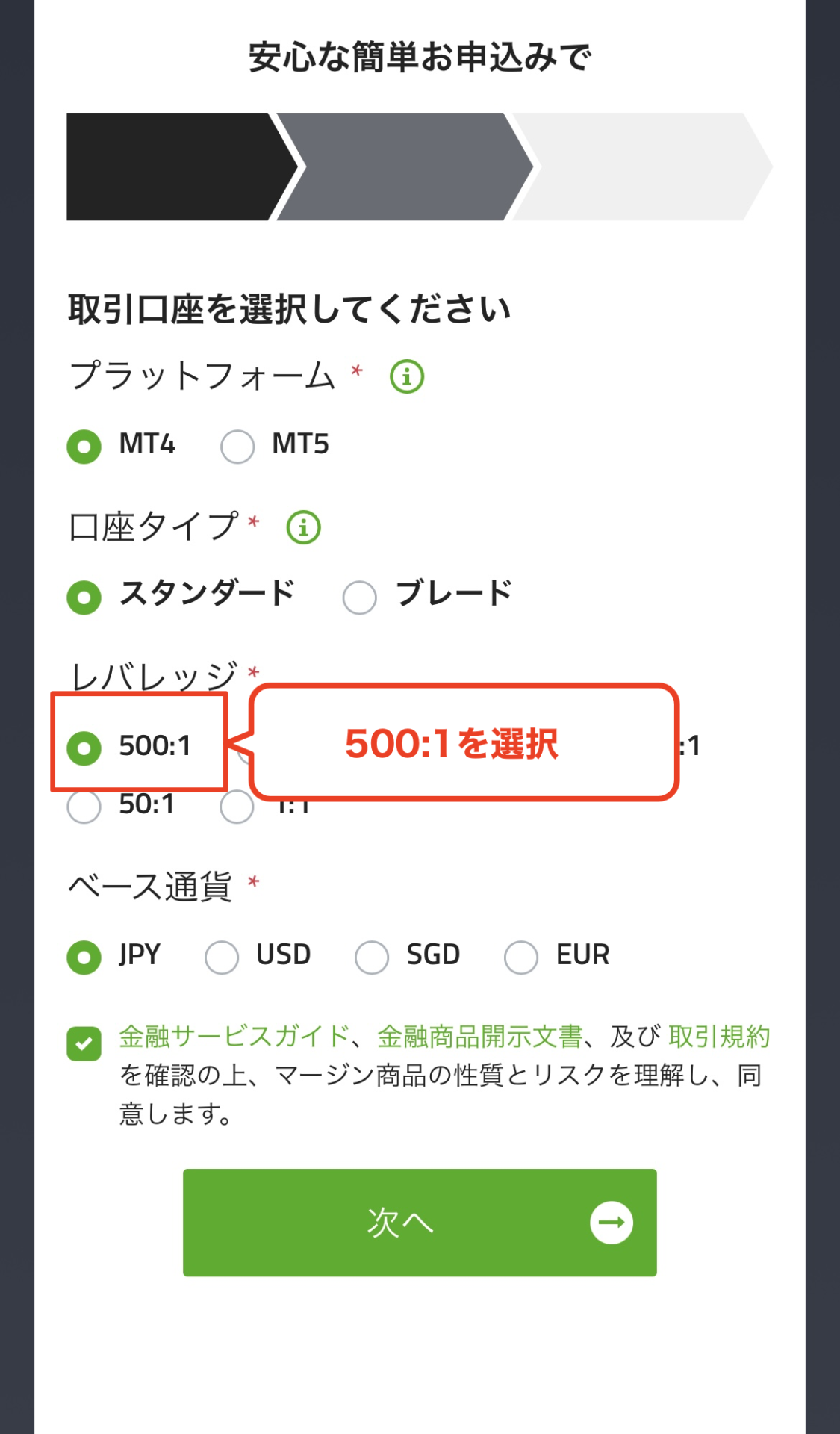
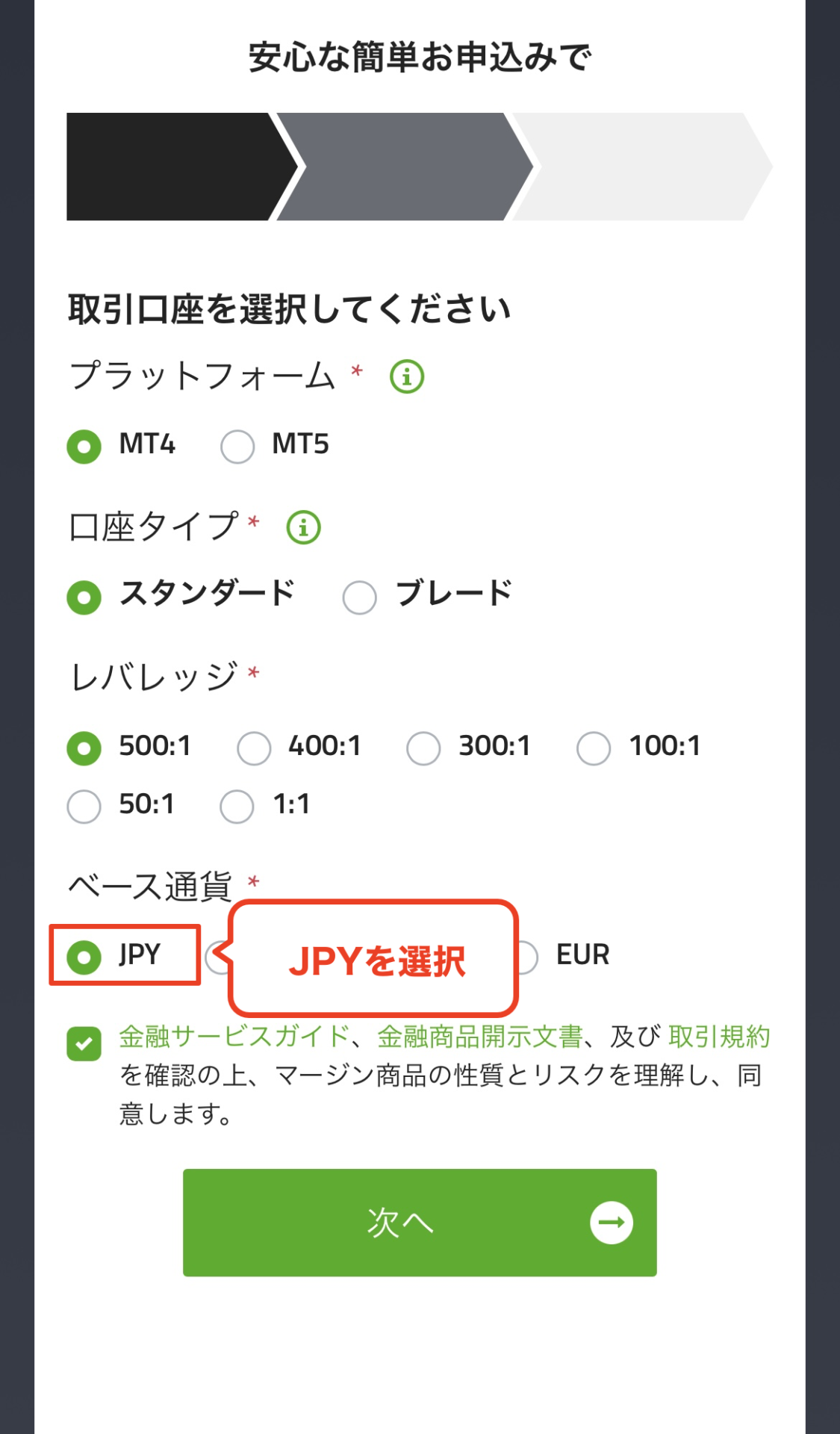
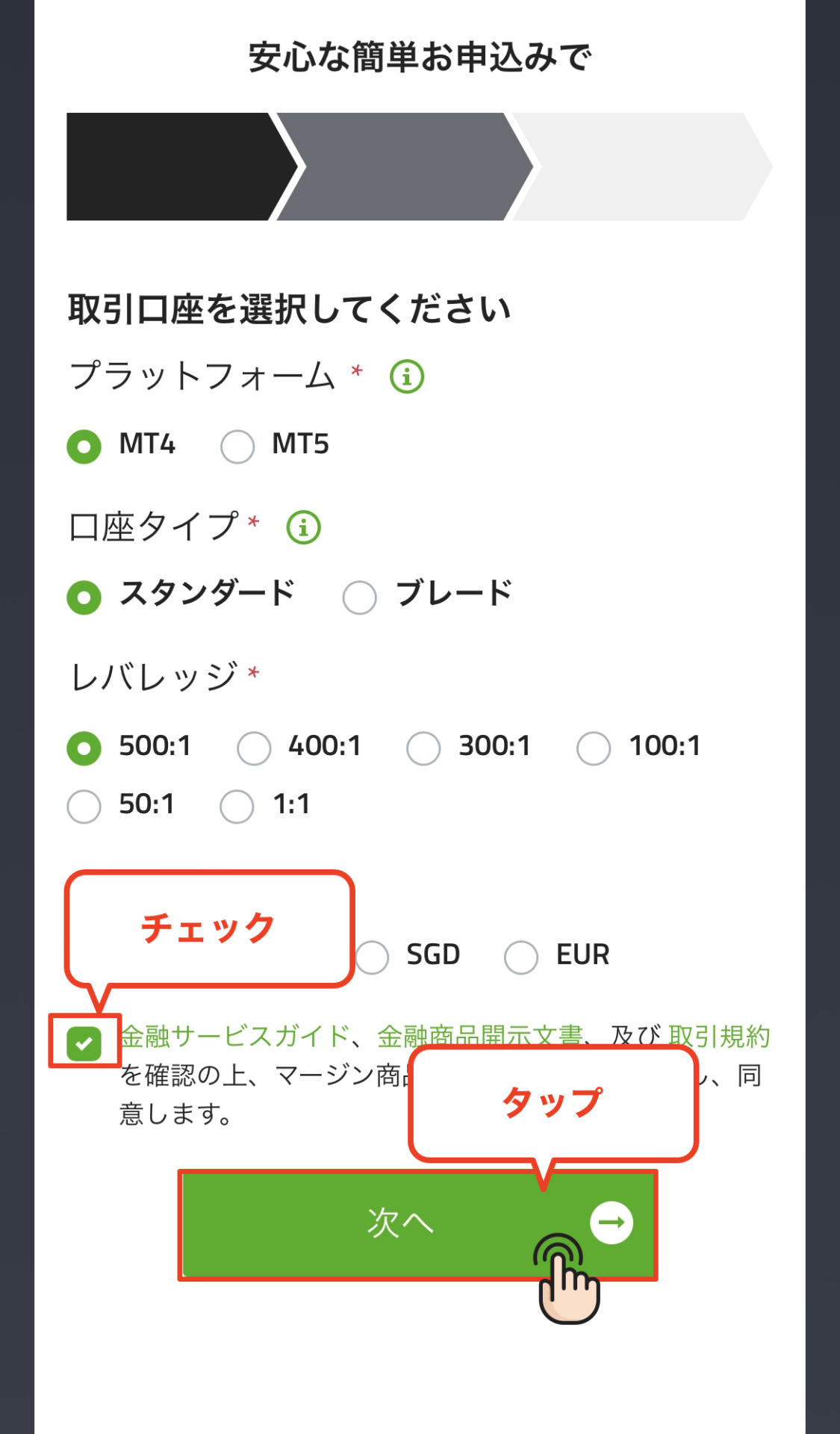
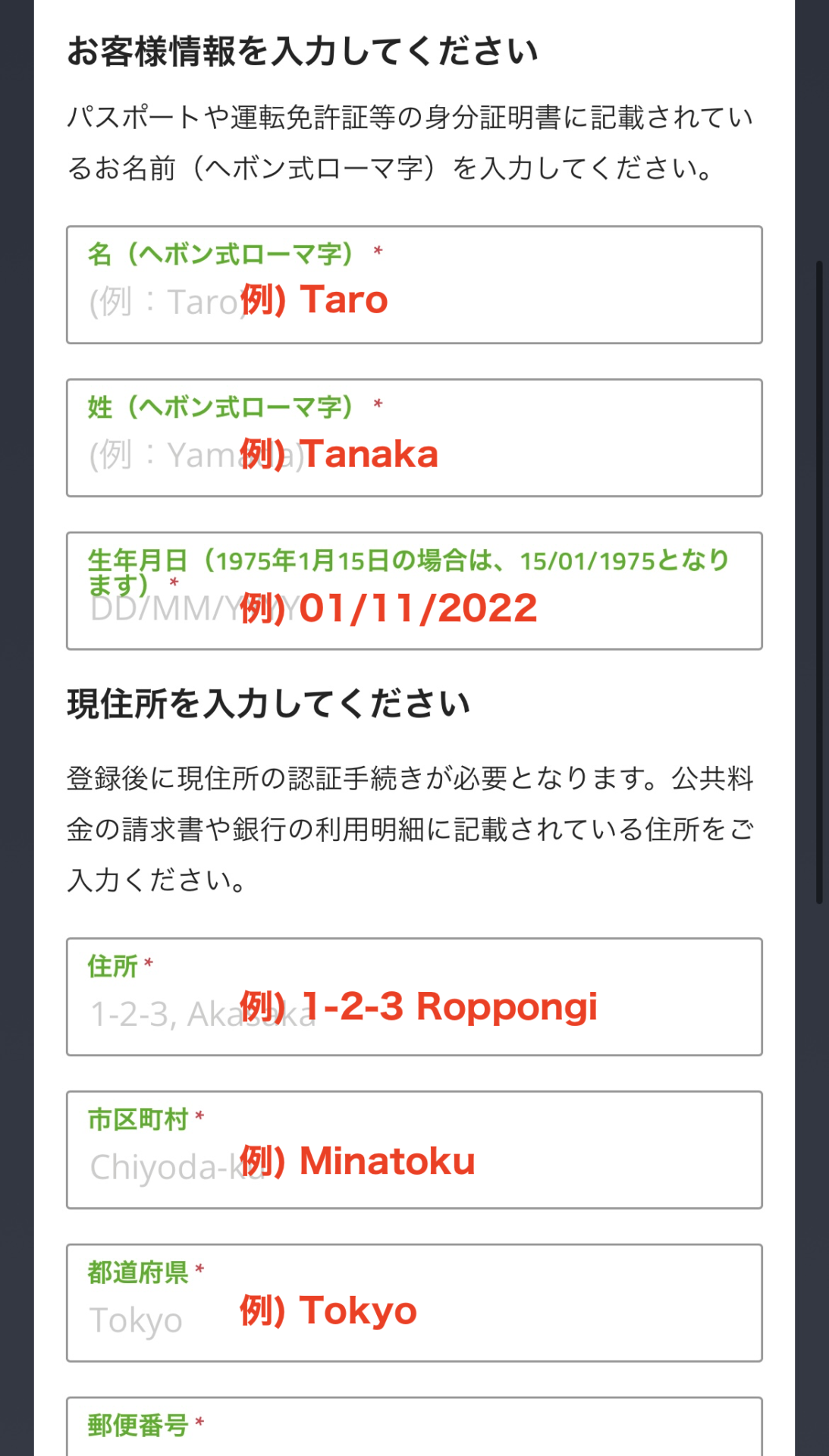
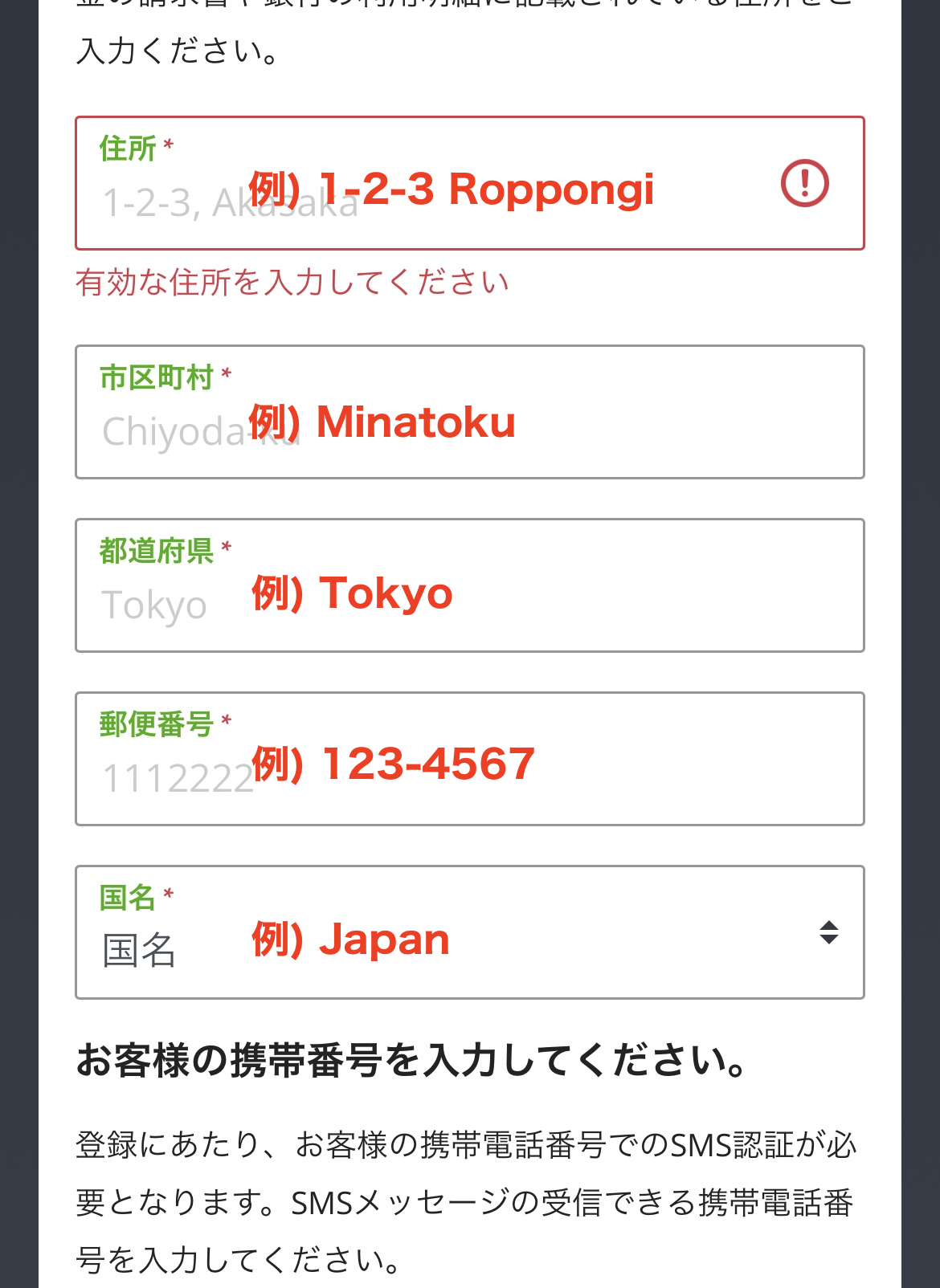
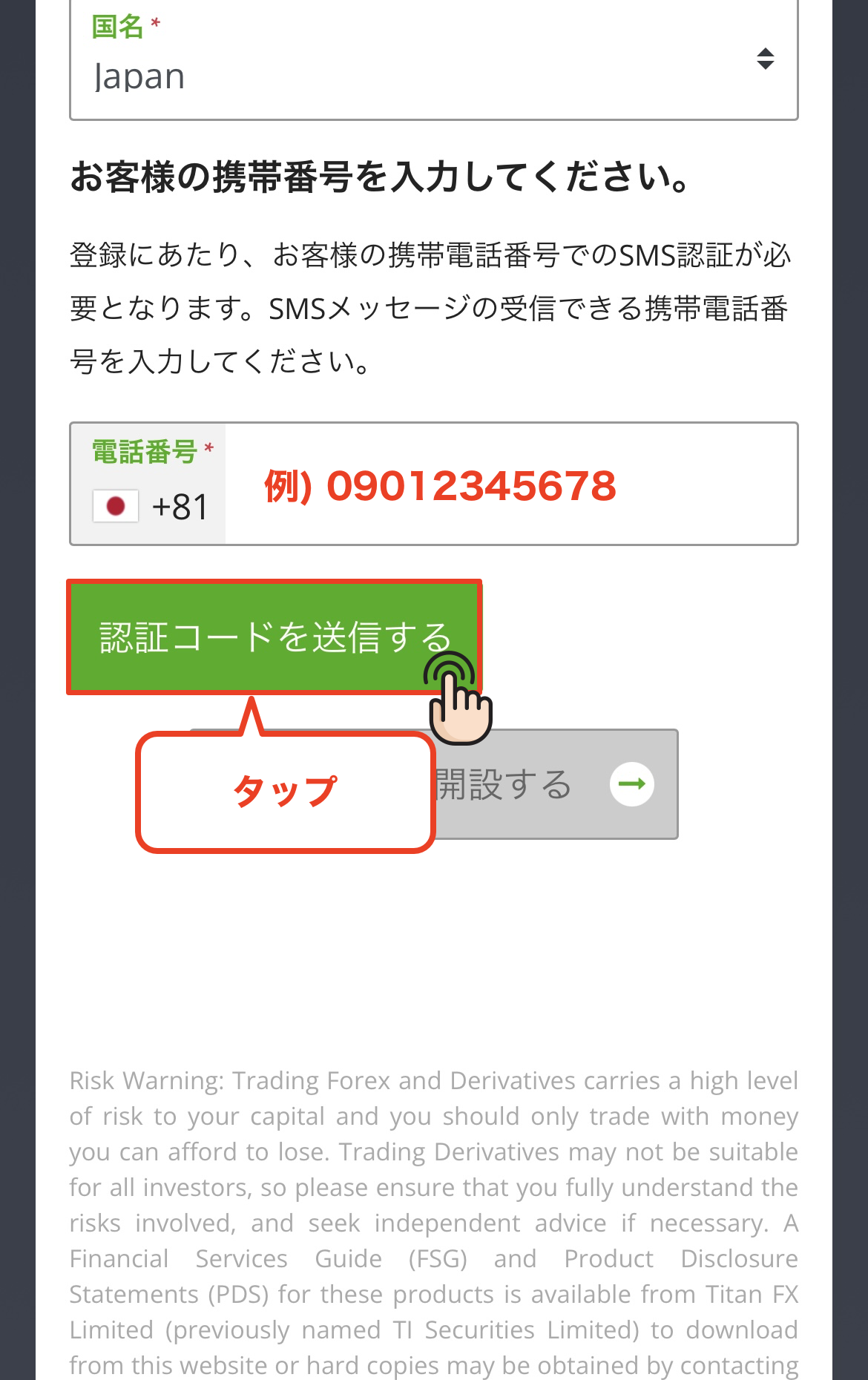
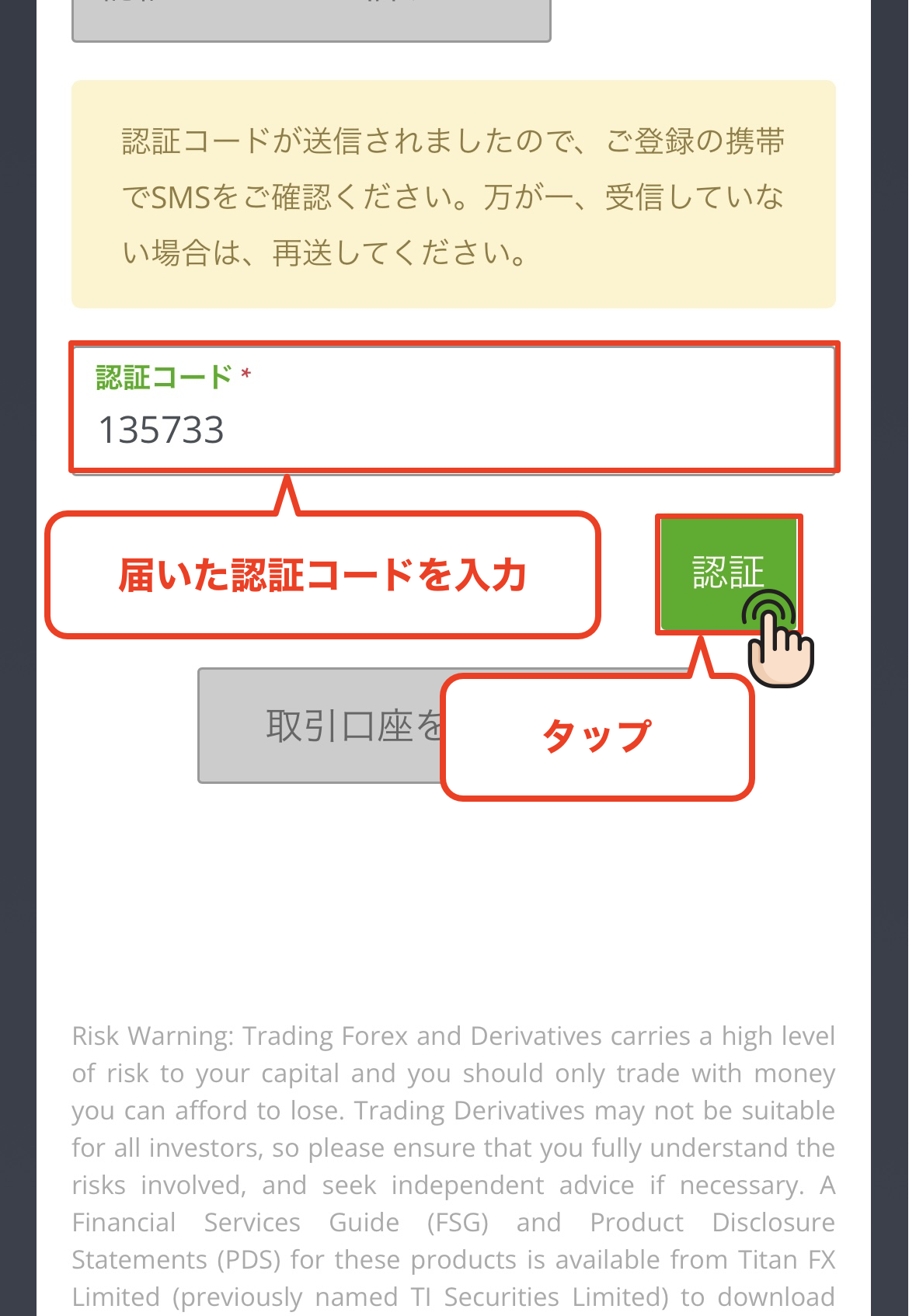
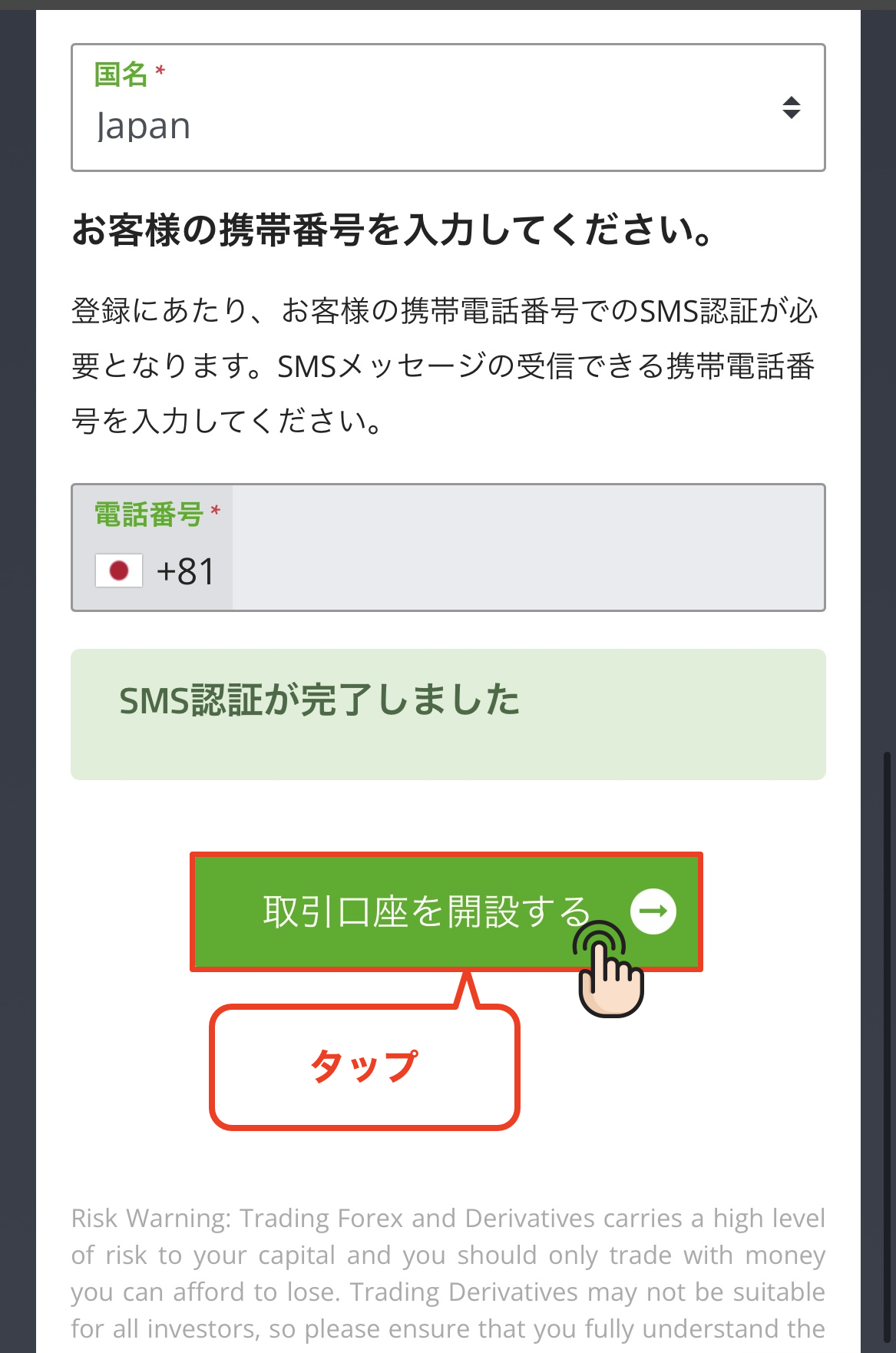
Get cashback
once your account is open !
CASHBACK APPLICATION
Register with Manecha and get
cashback on every trade.
HOW TO OPEN
Transfer procedure
Please see below
for instructions on how to make your existing account eligible for MoneyChat
How to change your Titan FX account
If you already have an account withTitan FX, you may be able to switch to MoneyChat by contacting customer support or creating an additional account
- I contacted Titan FX's support desk to inquire about the possibility of changing partners
- If possible, submit a change request using the IB information specified by MoneyChat
- After the changes are complete, apply for account registration on your MoneyChat My Page
Some brokers may not allow you to change the link of your existing account. In that case, please create a new account or an additional account using the MoneyChat designated link
FAQ
Frequently Asked Questions about
Opening an Account or Switching Accounts
Generally, you will need to provide proof of identity (passport, driver's license, or My Number Card) and proof of address (utility bill, bank statement, or resident registration certificate, issued within the last three months)
The input process itself takes as little as 5 minutes, and the identity verification review is usually completed within one business day. The actual time required may vary depending on the service provider and the review status
Existing accounts are generally not eligible. Please check the instructions for transferring or adding an account from the "Already usingTitan FX" tab at the top of the page
The possibility and conditions for opening multiple accounts vary from broker to broker. If you plan to use an additional account, please check the process for receiving cashback through MoneyChat before proceeding
No.Titan FXdoes not currently support auto-rebates. To receive cashback, please register your account number on your MoneyChat My Page
There are only three things you need to do!
Step 1
Open an account via the referral link
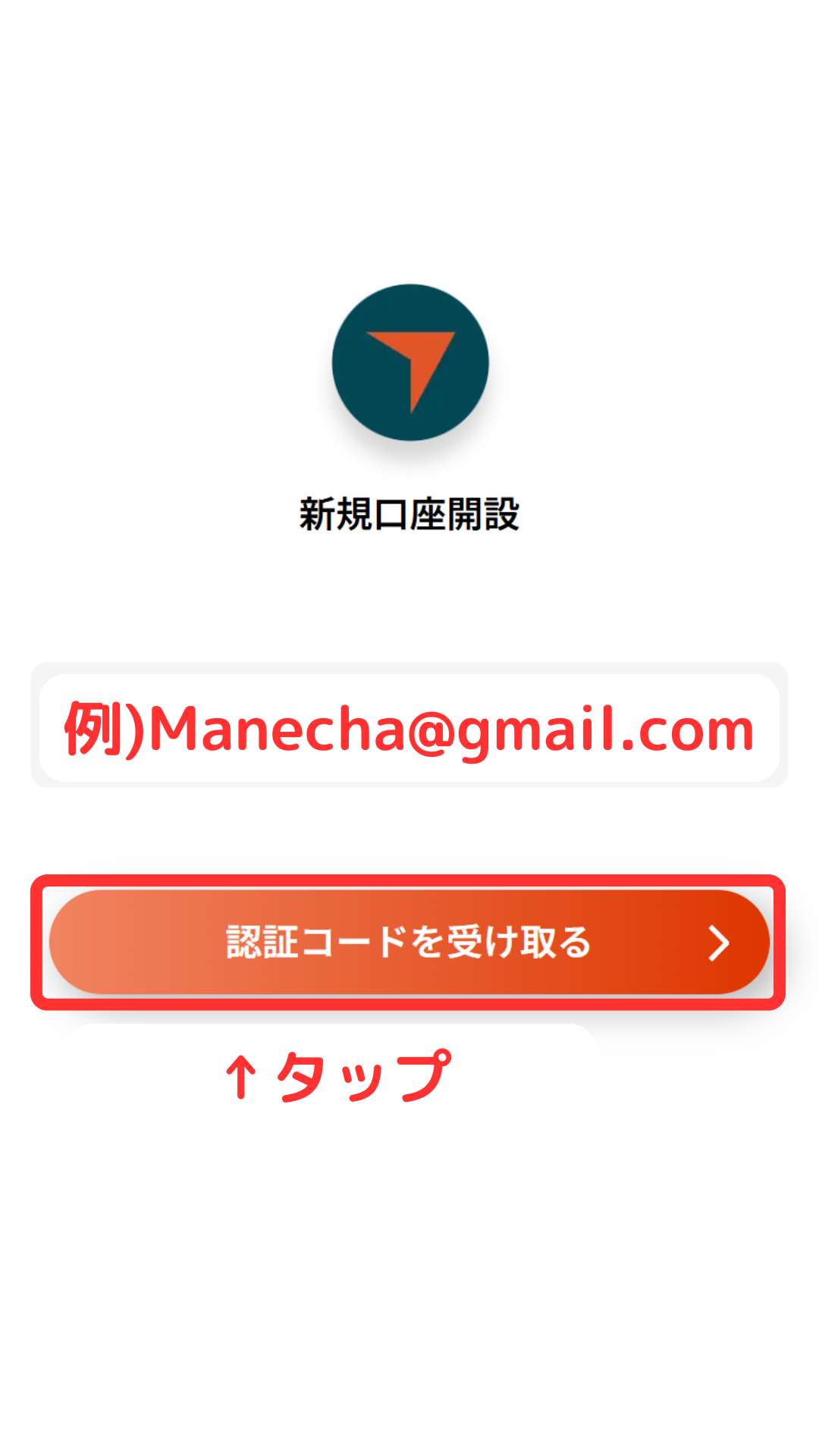
Step 2
Register an account with MoneyChat
Step 3
If it's approved, then it's OK!
Check the account opening procedure
that suits you.
Vantage creating a
?
HOW TO OPEN
Account Opening Procedure
Please see below for detailed instructions
Get cashback
once your account is open !
CASHBACK APPLICATION
Register with Manecha and get
cashback on every trade.
HOW TO OPEN
Transfer procedure
Please see below
for instructions on how to make your existing account eligible for MoneyChat
How to change your Vantage Trading account
If you already have an account withVantage Trading, you may be able to switch to using MoneyChat by contacting support or creating an additional account
- Please contact Vantage Trading's support desk to inquire about the possibility of changing partners
- If possible, submit a change request using the IB information specified by MoneyChat
- After the changes are complete, apply for account registration on your MoneyChat My Page
Some brokers may not allow you to change the link of your existing account. In that case, please create a new account or an additional account using the MoneyChat designated link
FAQ
Frequently Asked Questions about
Opening an Account or Switching Accounts
Generally, you will need to provide proof of identity (passport, driver's license, or My Number Card) and proof of address (utility bill, bank statement, or resident registration certificate, issued within the last three months)
The input process itself takes as little as 5 minutes, and the identity verification review is usually completed within one business day. The actual time required may vary depending on the service provider and the review status
Existing accounts are generally not eligible. Please check the instructions for transferring or adding an account from the "Already usingVantage Trading" tab at the top of the page
The possibility and conditions for opening multiple accounts vary from broker to broker. If you plan to use an additional account, please check the process for receiving cashback through MoneyChat before proceeding
No.Vantage Trading does not currently support auto-rebates. To receive cashback, please register your account number on your MoneyChat My Page
There are only three things you need to do!
Step 1
Open an account via the referral link
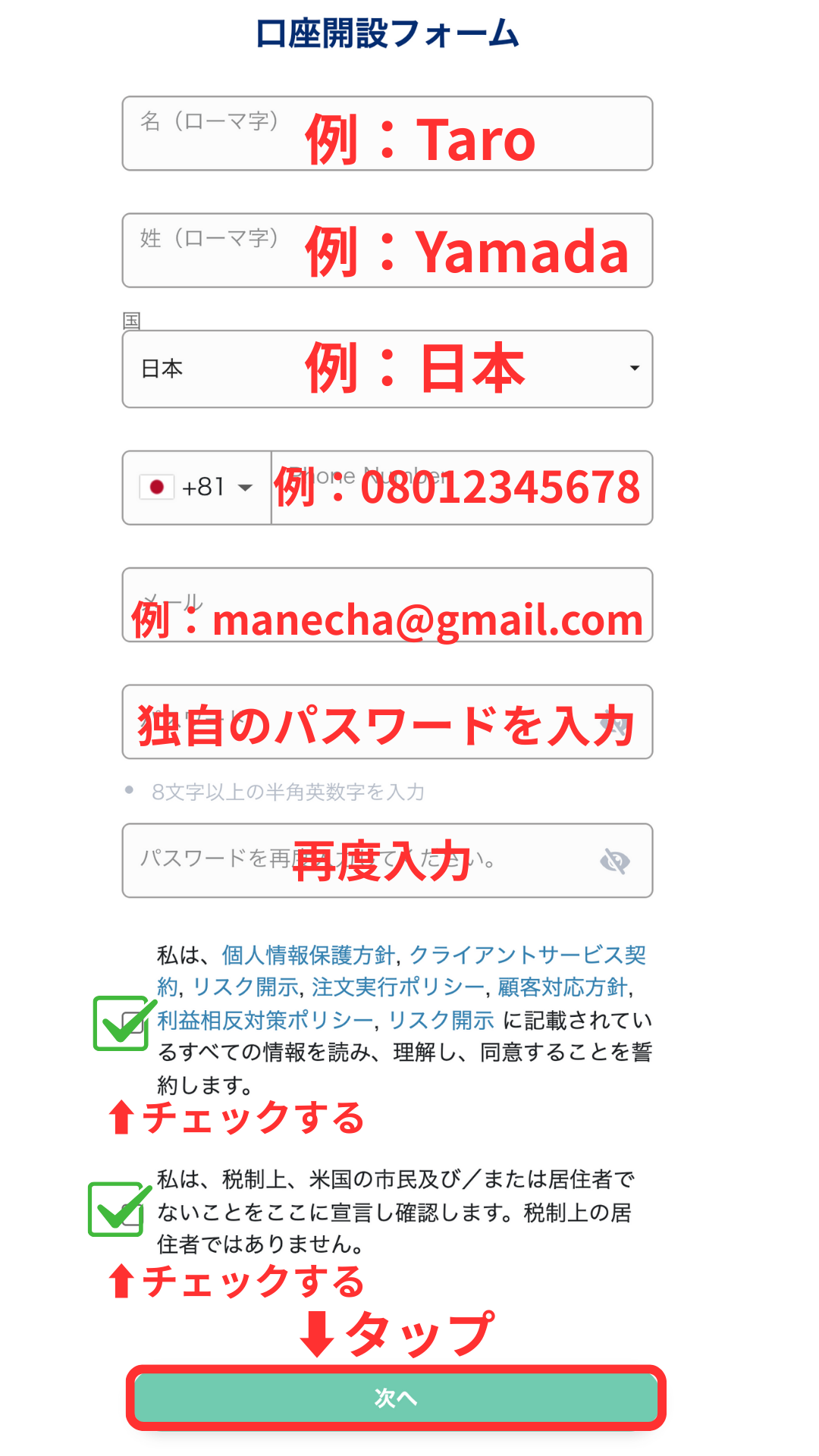
Step 2
Register an account with MoneyChat
Step 3
If it's approved, then it's OK!
Check the account opening procedure
that suits you.
XScreating an
?
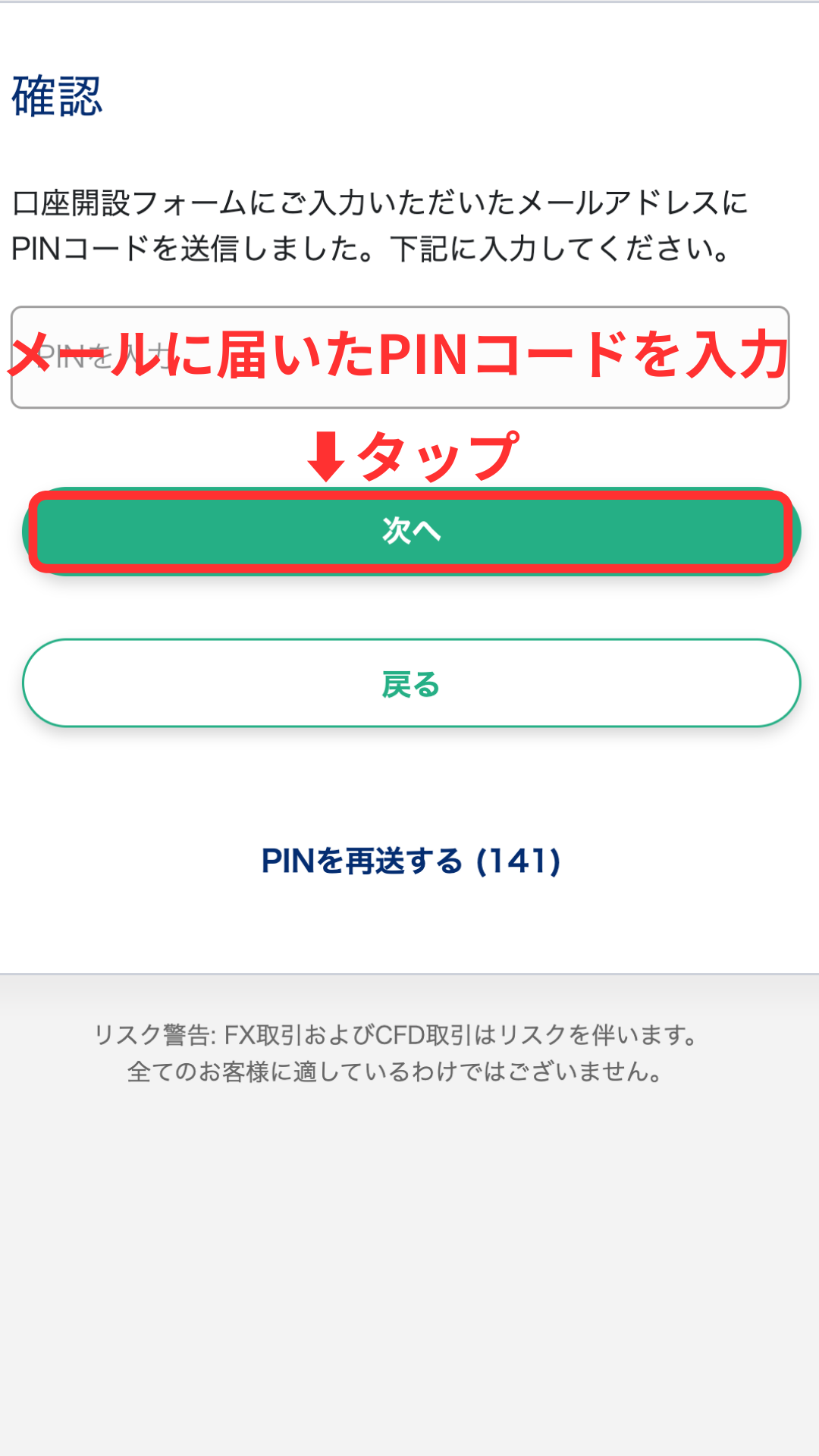
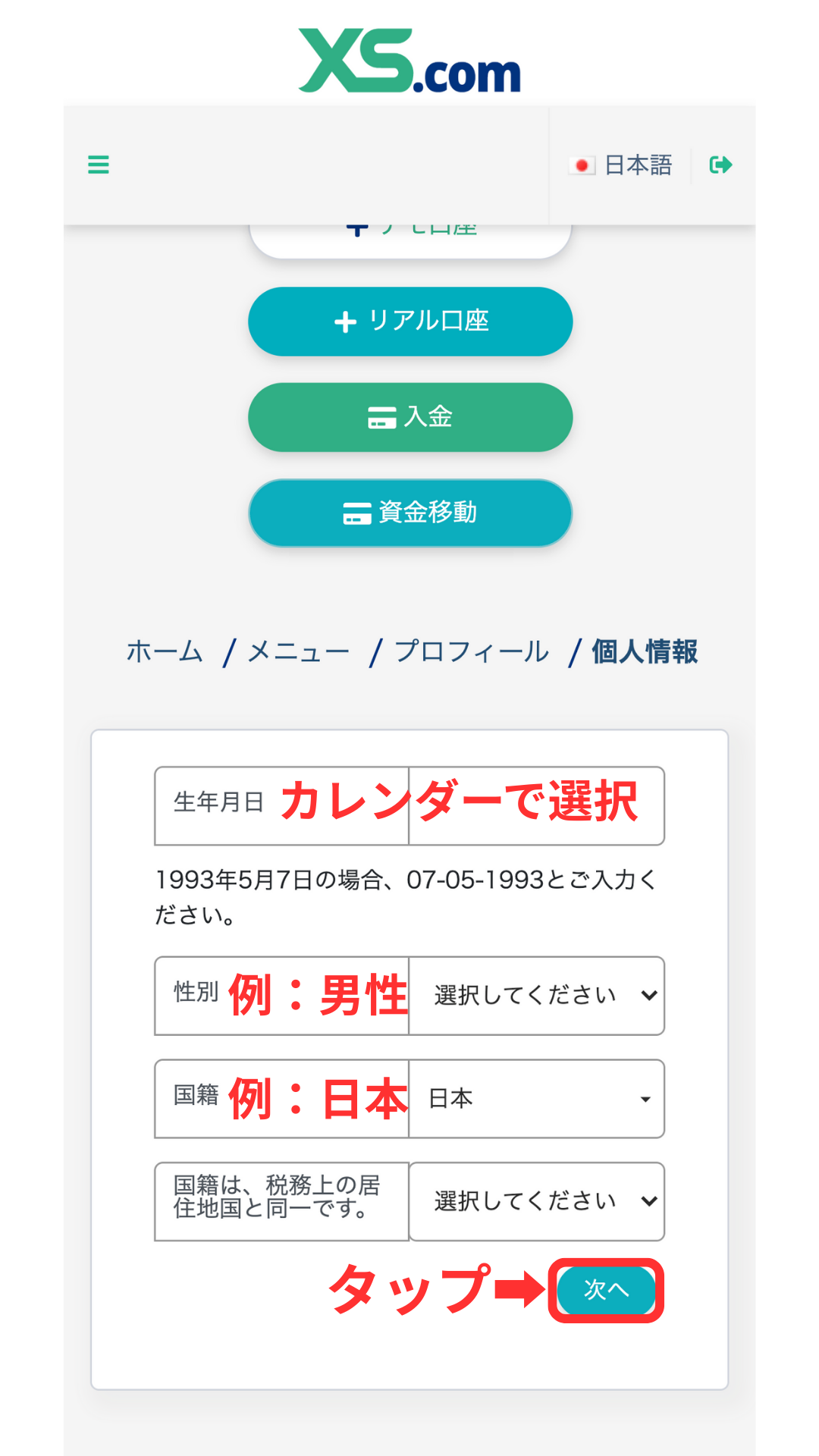
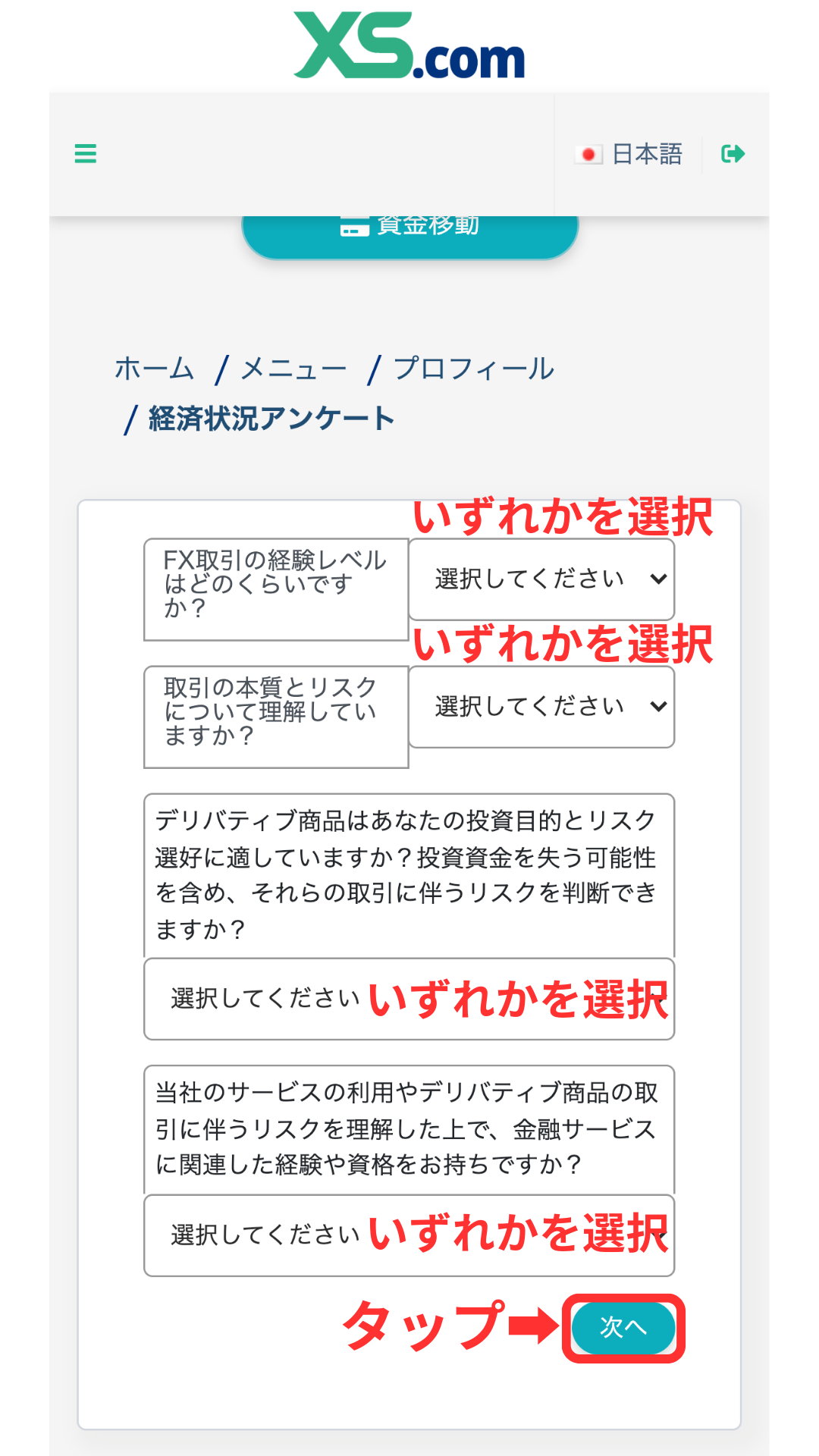
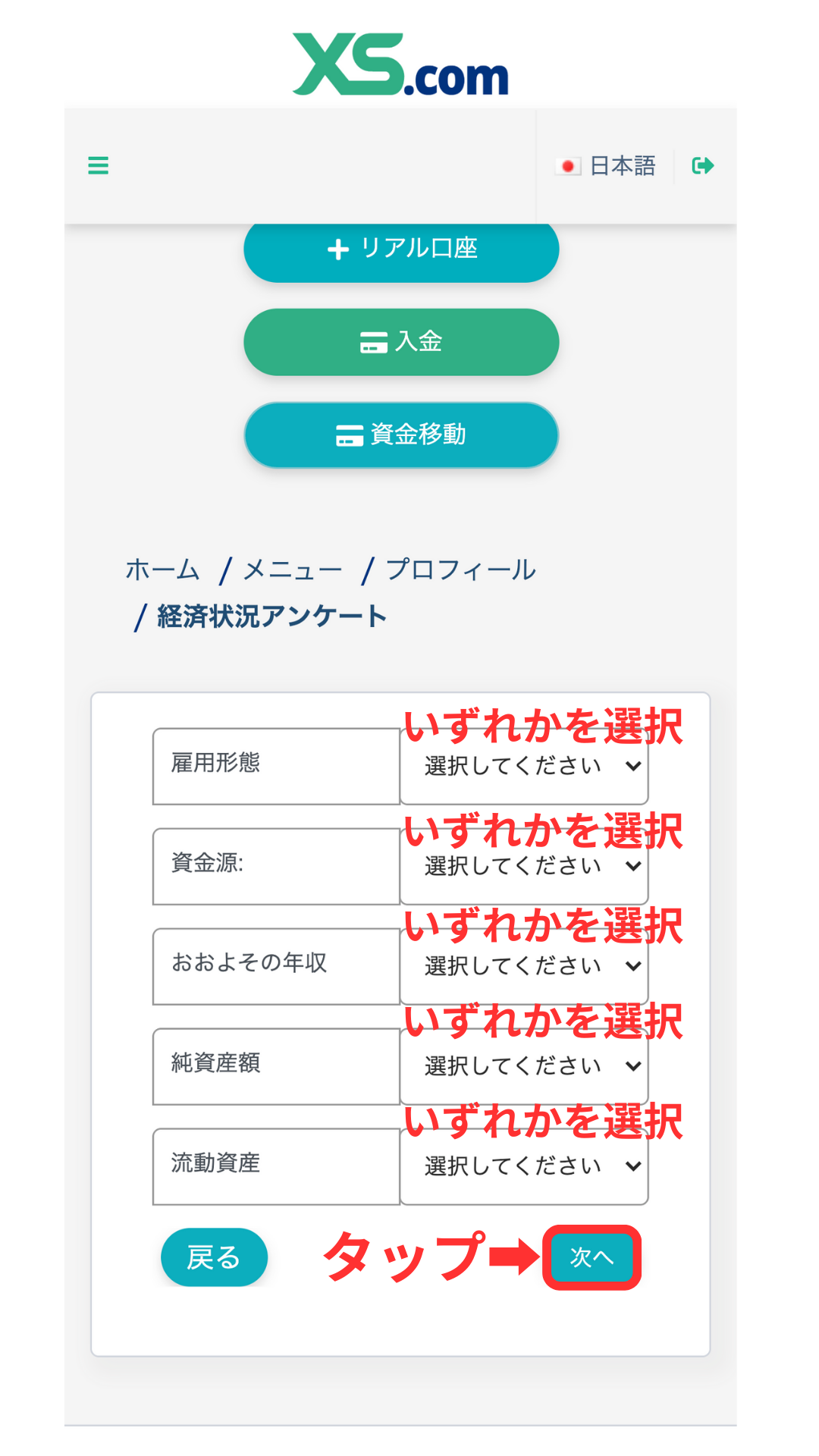
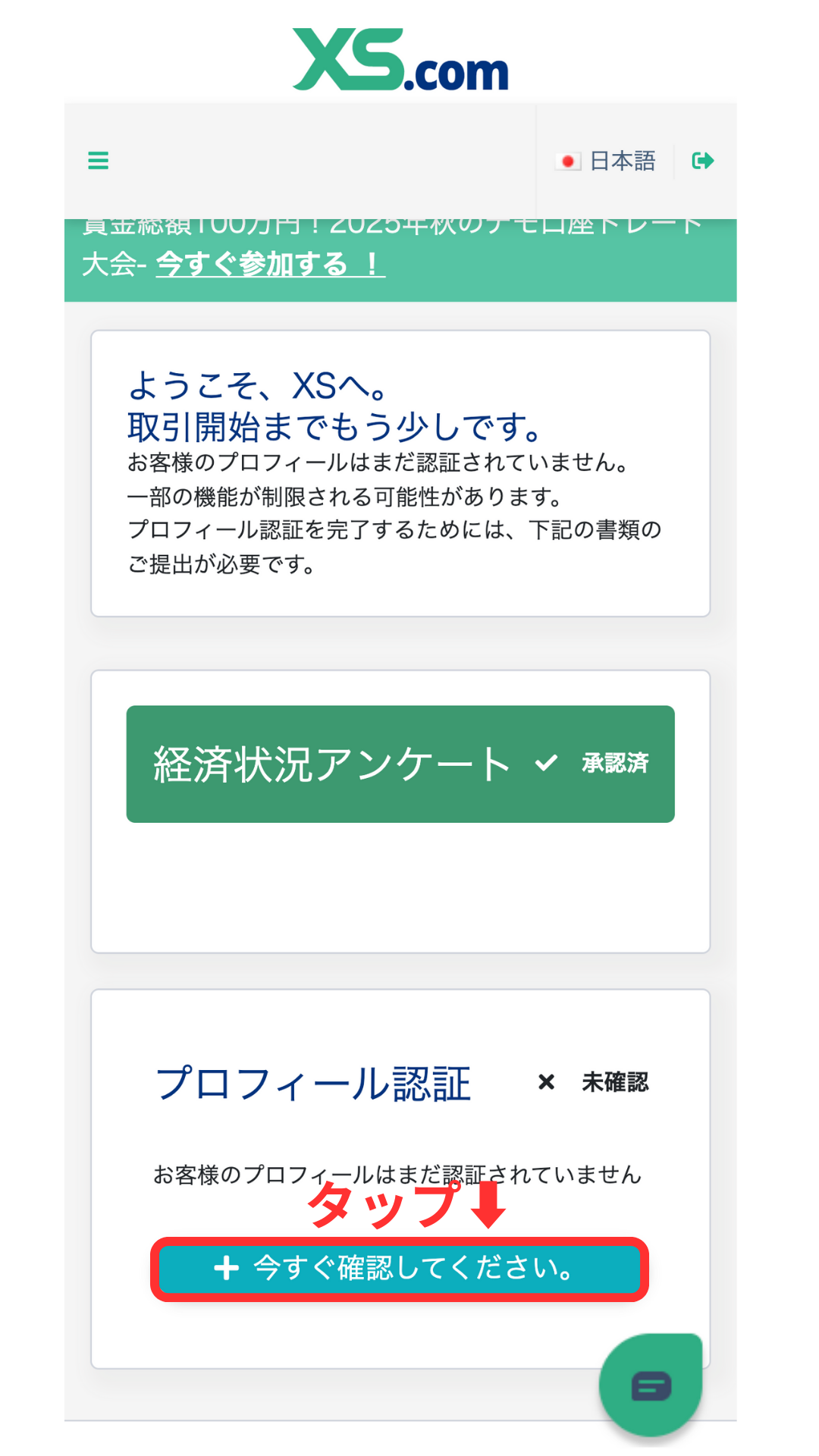
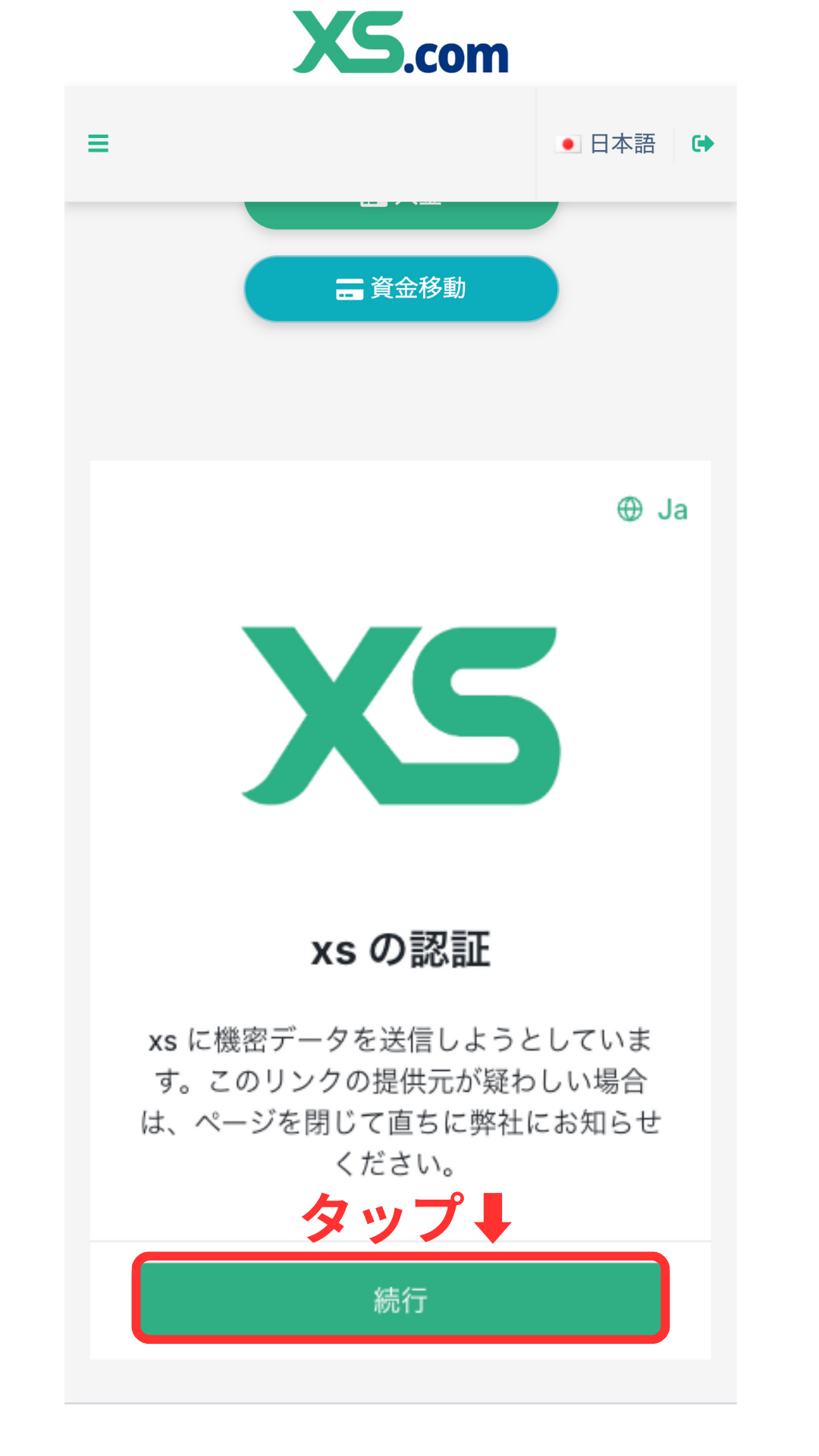
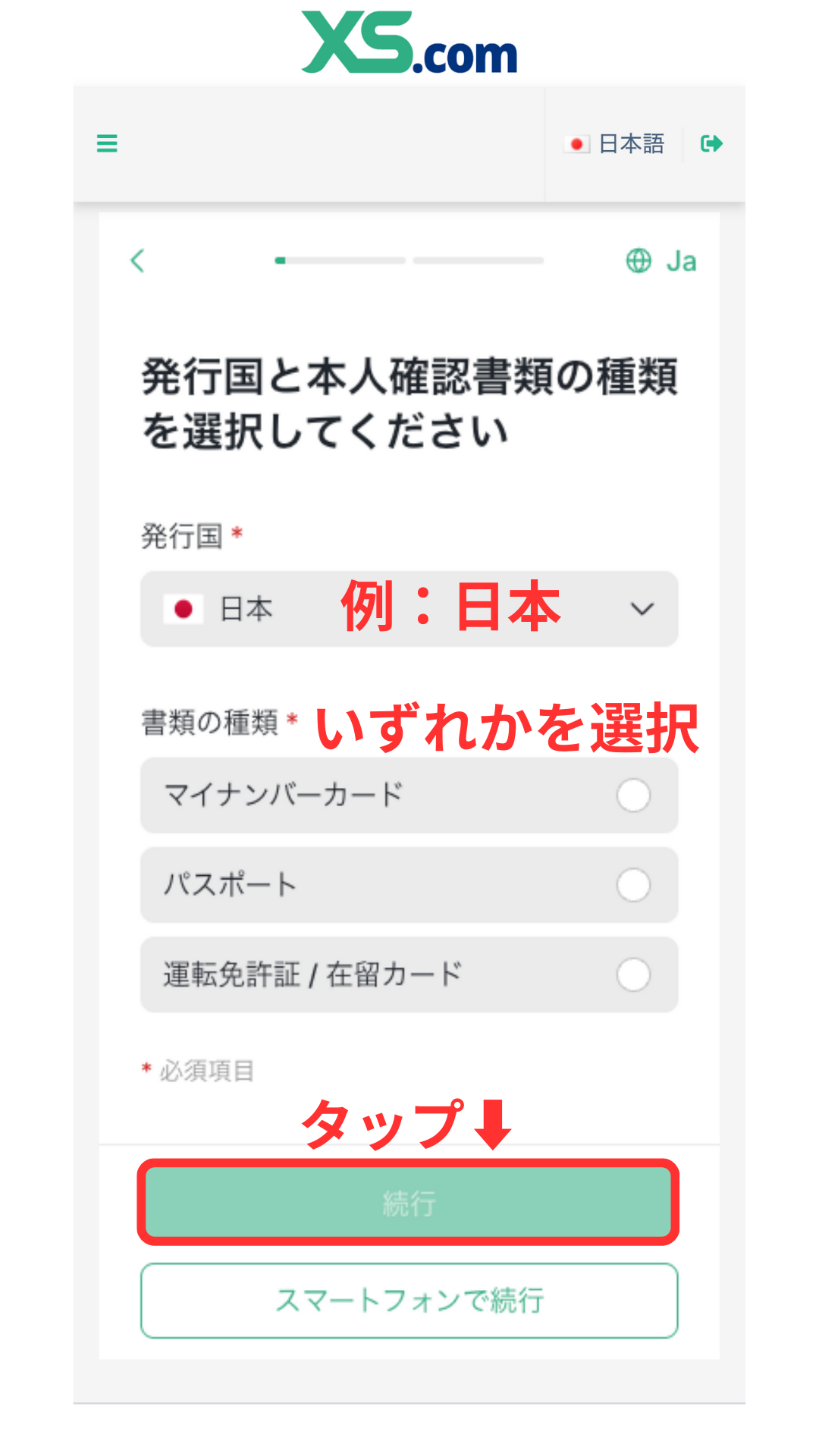
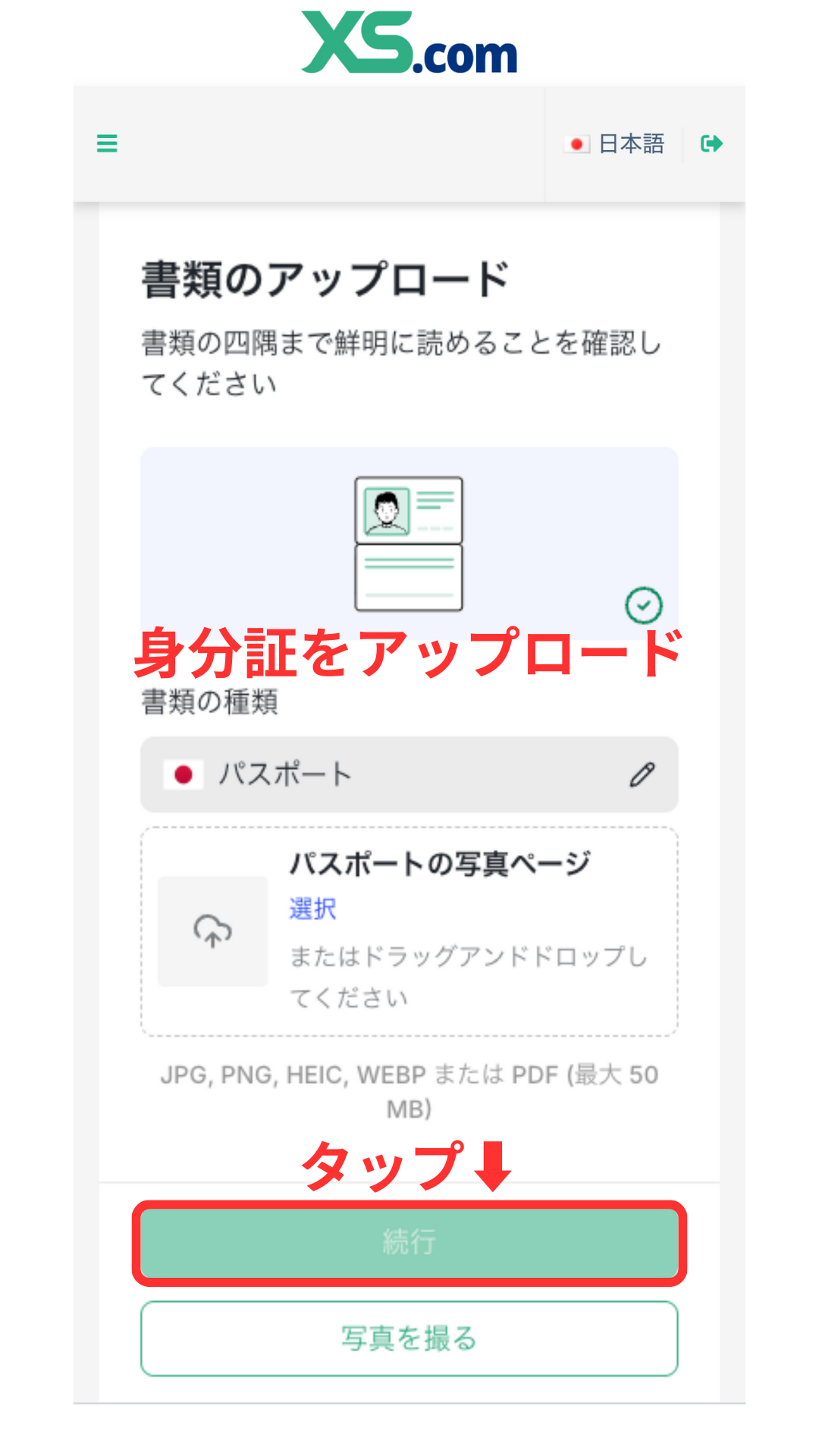
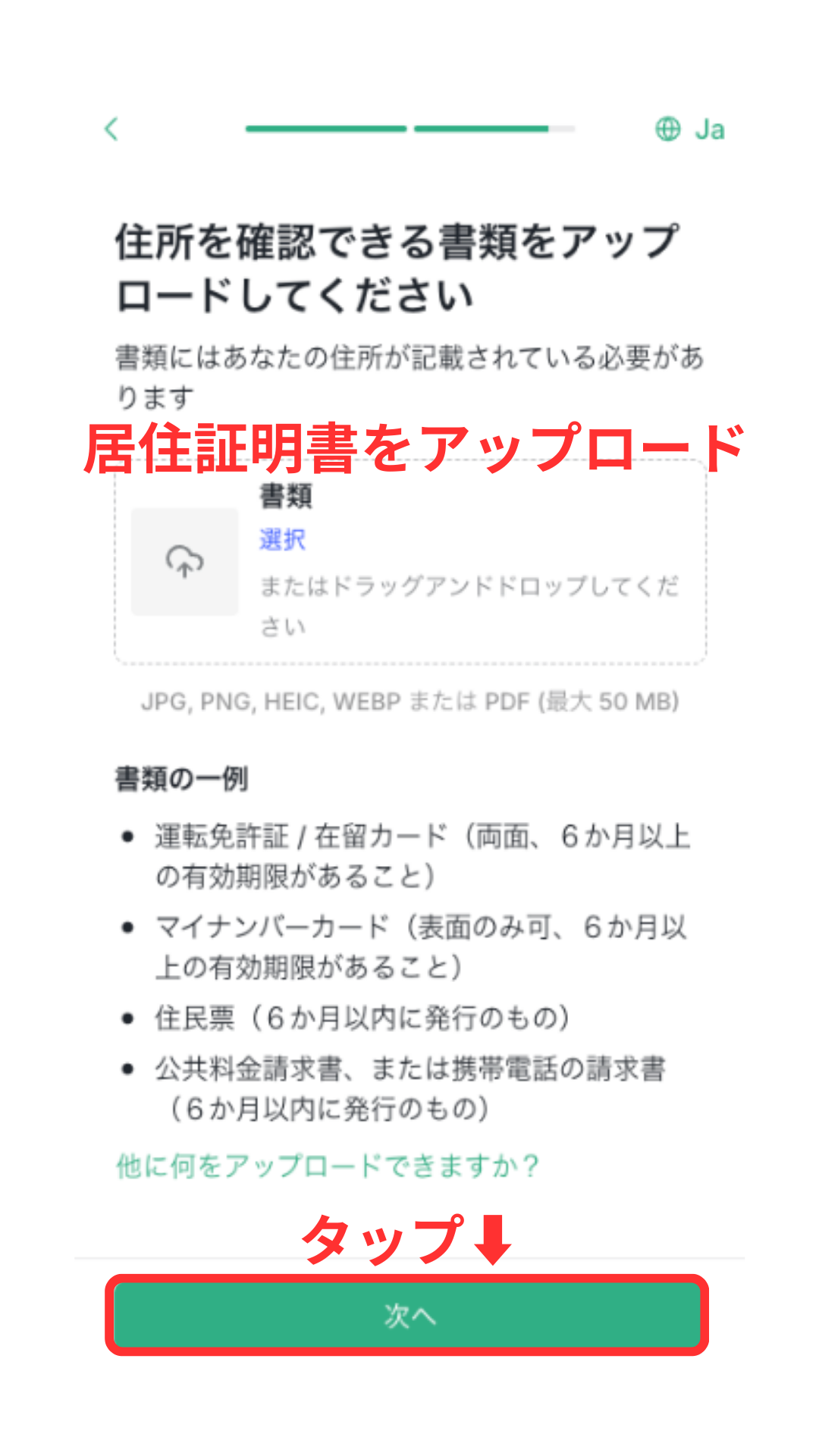
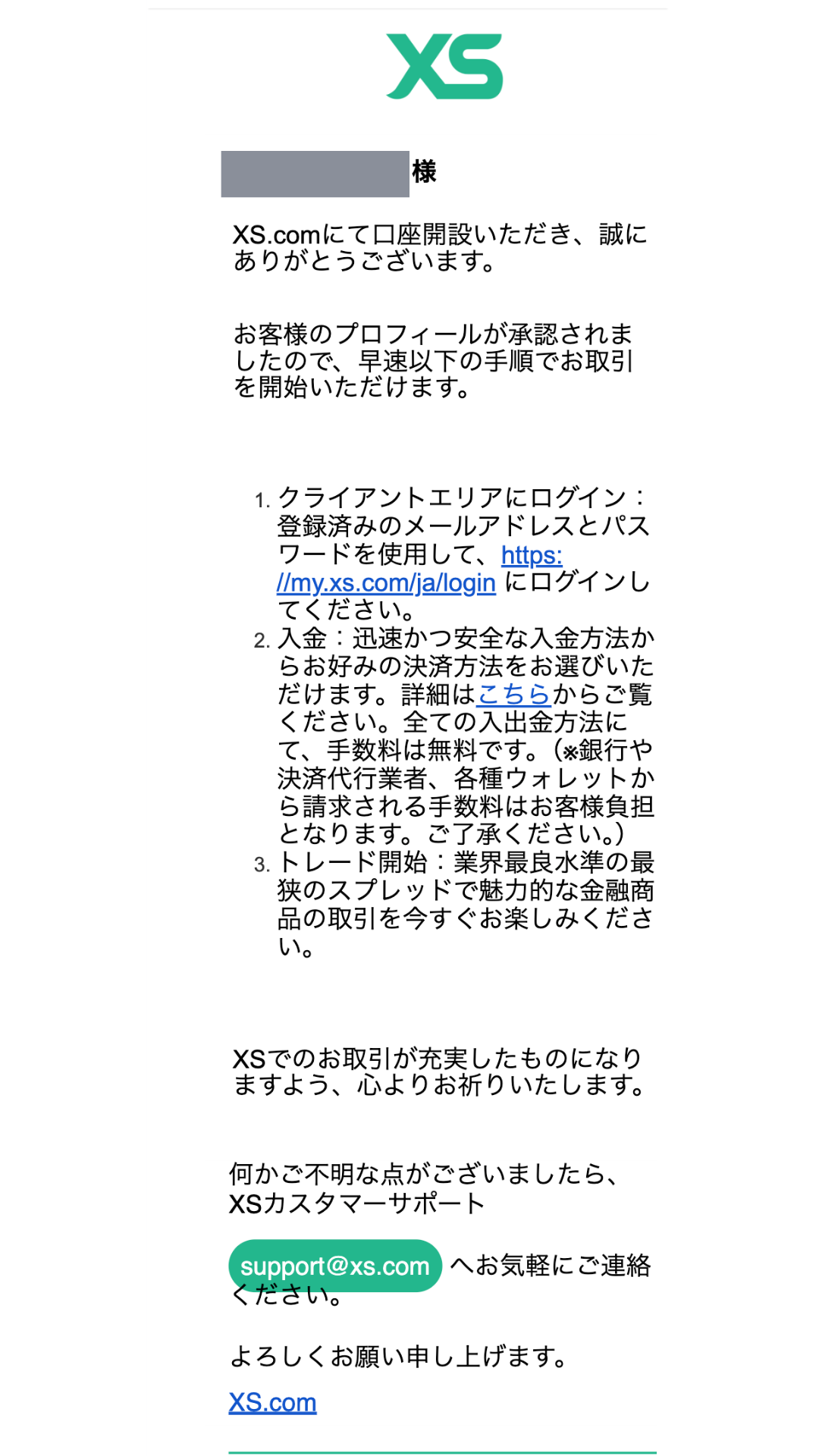
HOW TO OPEN
Account Opening Procedure
Please see below for detailed instructions
Get cashback
once your account is open !
CASHBACK APPLICATION
Register with Manecha and get
cashback on every trade.
HOW TO OPEN
Transfer procedure
Please see below
for instructions on how to make your existing account eligible for MoneyChat
How to change XS linking
If you already have an account withXS, you may be able to switch to MoneyChat by contacting customer support or creating an additional account
- I contacted XSsupport to inquire about the possibility of changing partners
- If possible, submit a change request using the IB information specified by MoneyChat
- After the changes are complete, apply for account registration on your MoneyChat My Page
Some brokers may not allow you to change the link of your existing account. In that case, please create a new account or an additional account using the MoneyChat designated link
FAQ
Frequently Asked Questions about
Opening an Account or Switching Accounts
Generally, you will need to provide proof of identity (passport, driver's license, or My Number Card) and proof of address (utility bill, bank statement, or resident registration certificate, issued within the last three months)
The input process itself takes as little as 5 minutes, and the identity verification review is usually completed within one business day. The actual time required may vary depending on the service provider and the review status
Existing accounts are generally not eligible. Please check the "Already usingXS" tab at the top to see how to switch or add accounts
The possibility and conditions for opening multiple accounts vary from broker to broker. If you plan to use an additional account, please check the process for receiving cashback through MoneyChat before proceeding
No.XSdoes not currently support auto-rebates. To receive cashback, please register your account number on your MoneyChat My Page
Check the cashback amount and conditions
for Axi
You can check the reward rates and conditions for receiving rewards for each account type
Check the cashback →You can quickly check the reward rates for each account type