Regarding the procedure for opening a new account with EBC Financial Group:
We will explain it with diagrams and smartphone images so that anyone can easily understand it
In conclusion, EBC Financial Group is
You can easily open an account and set up cashback in just two steps
- Step 1: Create an account with EBC Financial Group
- Step 2: Apply for account registration from your MoneyCharger My Page
Contents
Step 1: Create an account with EBC Financial Group
① Go to the EBC Financial Group account creation page
First, please go to the EBC Financial Group account creation page via the link below
Open a new account with EBC Financial Group here
*Please note that if you register through any link other than this one, you will not be able to receive cashback from Money Charger (Moneycha)
What is cashback with MoneyChat?
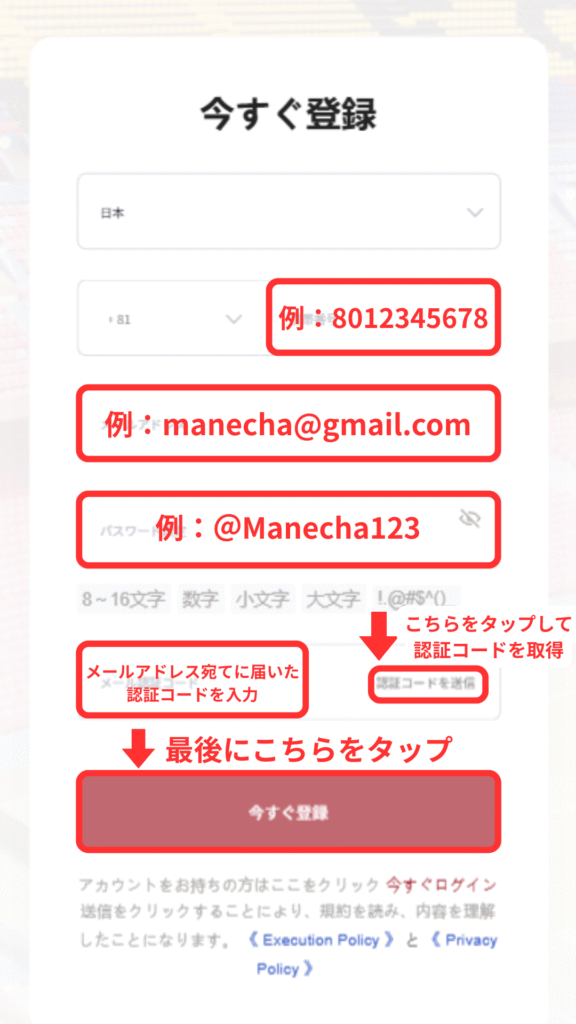
② Entering registration information
登録情報を入力します。
メールアドレスを入力後、「認証コードを送信」をタップし、メールアドレス宛てに届いた認証コードを入力する必要があります。
③ Tap "Submit Now"
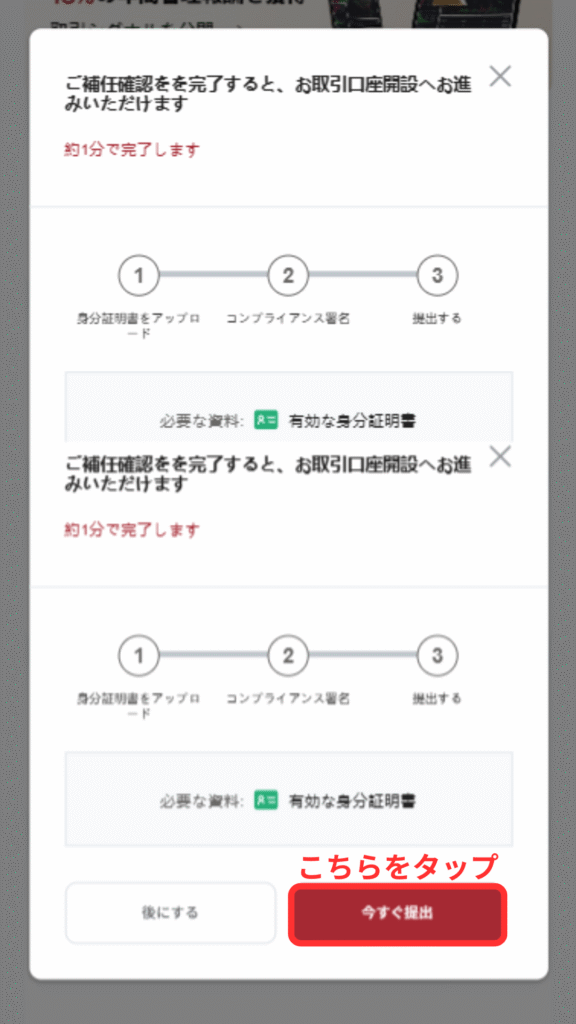
④ Upload your identification document
Please select the form of identification you will submit from the following options: "Passport," "Driver's License," "My Number Card," or "Residence Card."

*If using a driver's license or similar document, please upload images of both sides

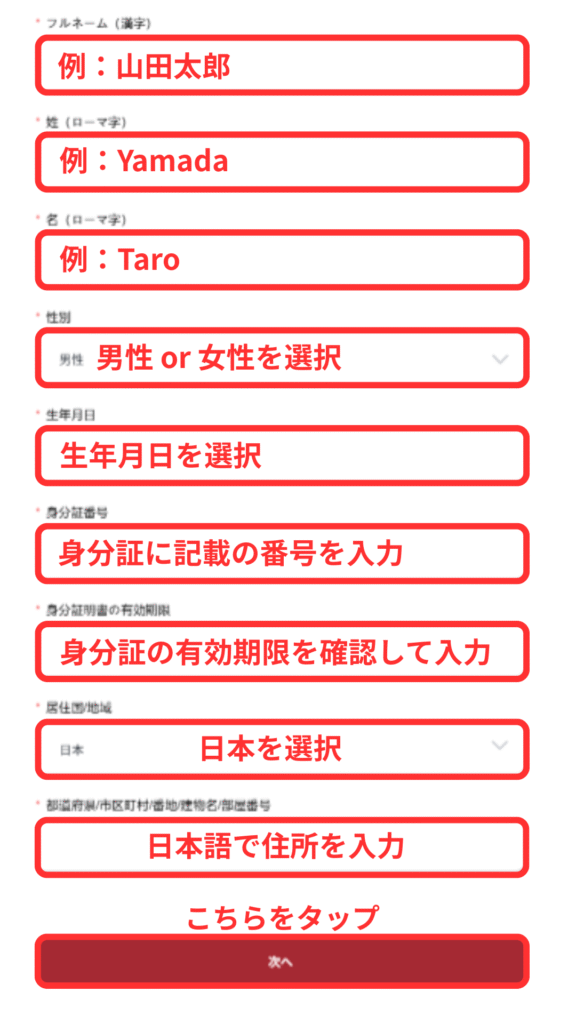
⑤ Entering personal information
After uploading the image, a form for entering personal information will appear; please fill it out
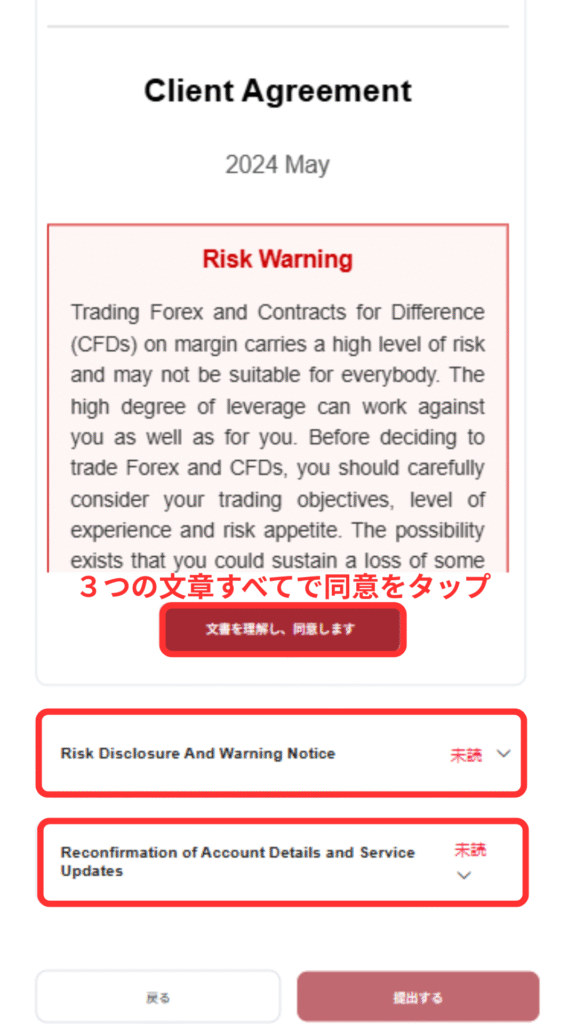
⑥ Agreement to Terms of Use
Three sets of terms of service will be displayed; please review them and agree to all of them
Finally, tap "AutoFill," then electronically sign, and then tap "Submit."
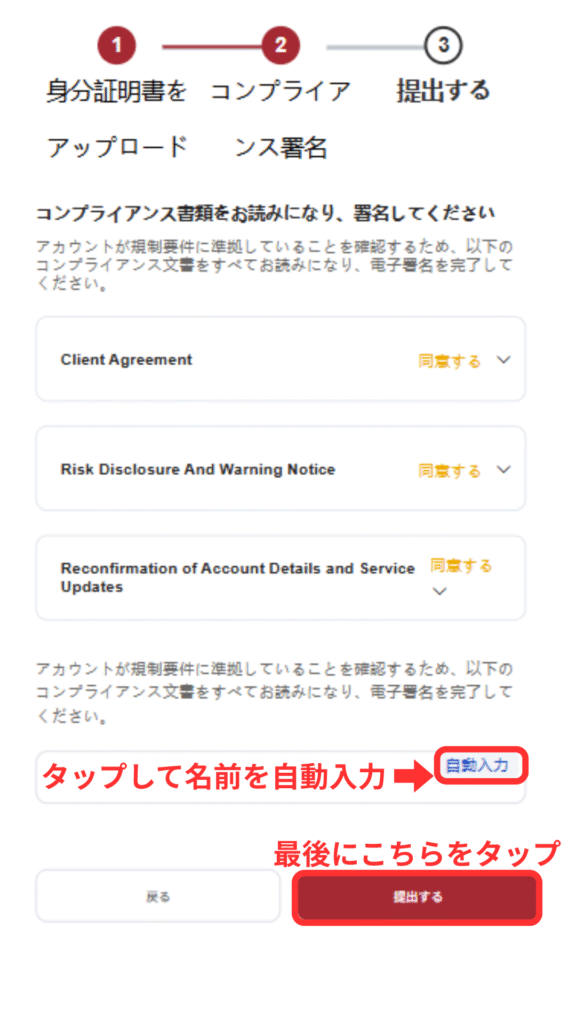
⑦ Create a live account
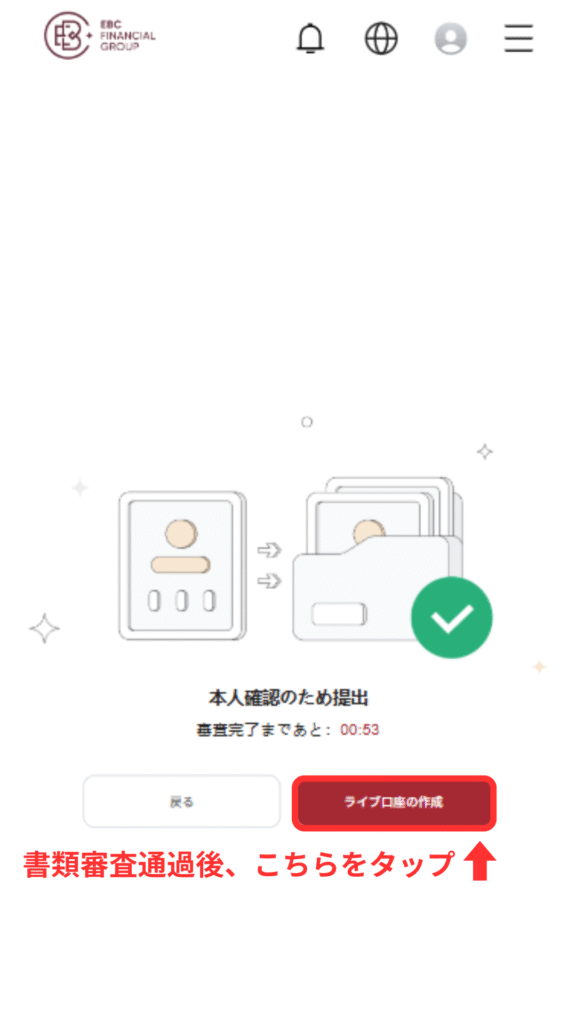
身分証を提出後、数分~数時間で審査結果のメールが届きます。
審査が完了しましたら「ライブ口座の開設」をタップし、口座の作成を進めます。
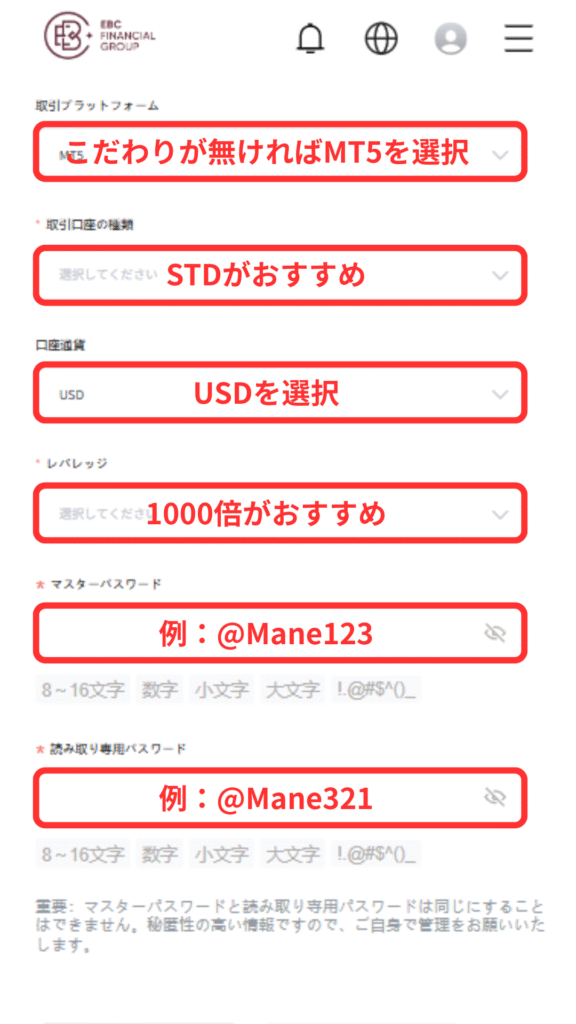
Select your trading platform and account type
お疲れ様です。
こちらの画面が表示されましたら口座の作成作業は完了となります。

数分程度で口座番号やサーバー名が記載されたメールが届きます。
忘れないようにメモしておきましょう。

Step 2: Apply for account registration from your MoneyCharger My Page
Next, you will apply to register your account through your MoneyCharger My Page
① Go to the MoneyCharger My Page login screen from the link below
The login page for MoneyCharger is here
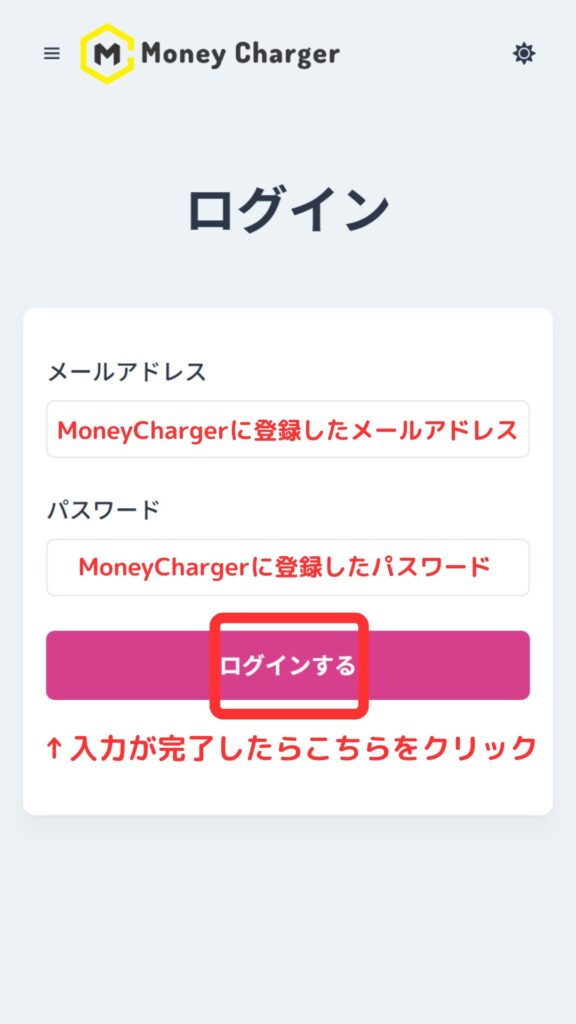
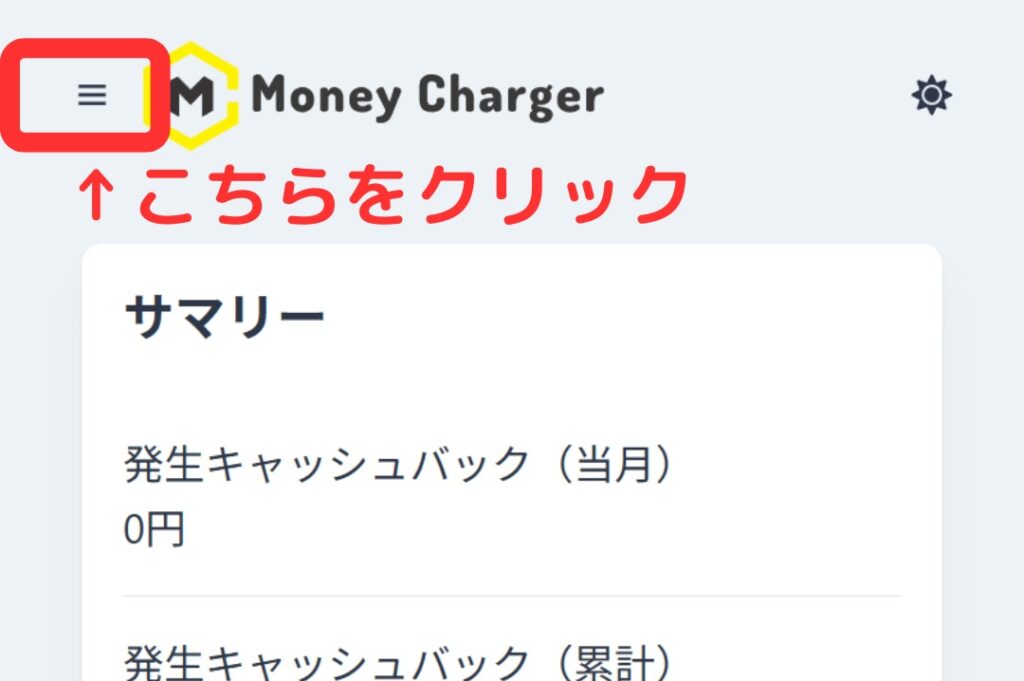
② Click the three lines in the upper left corner
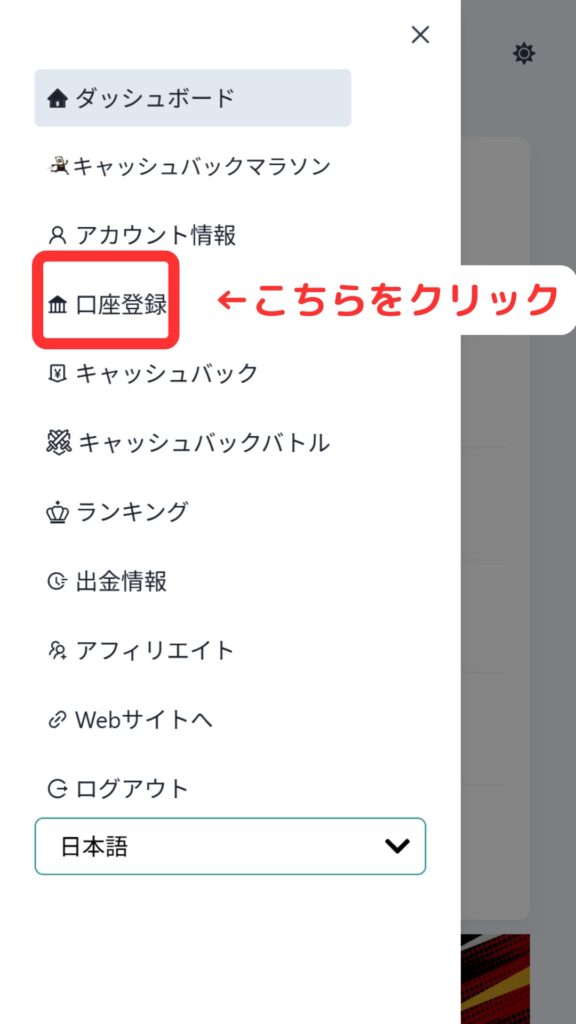
③ Click "Register Account"
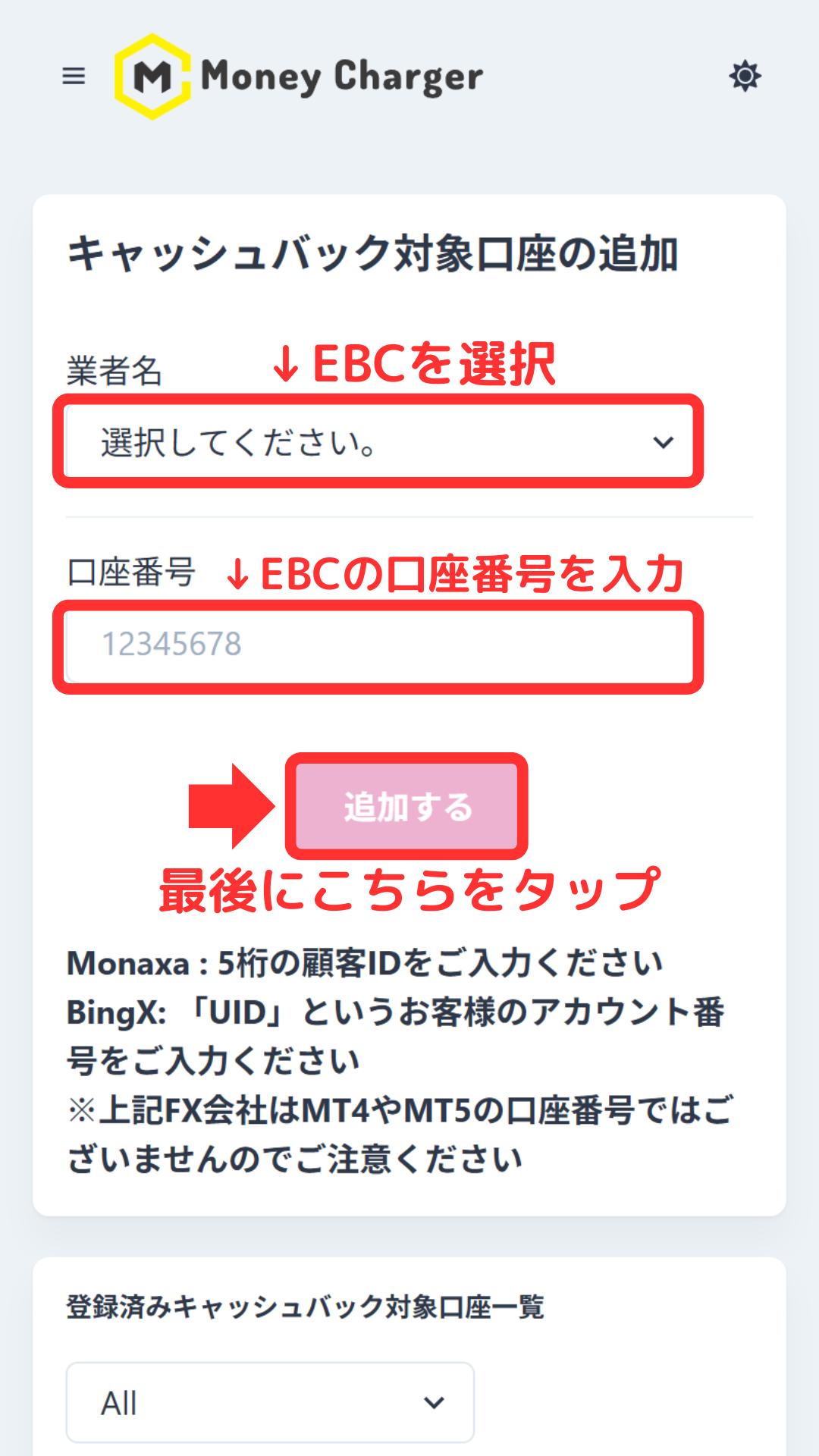
④ Enter the required information
Thank you for your hard work. Your application is now complete
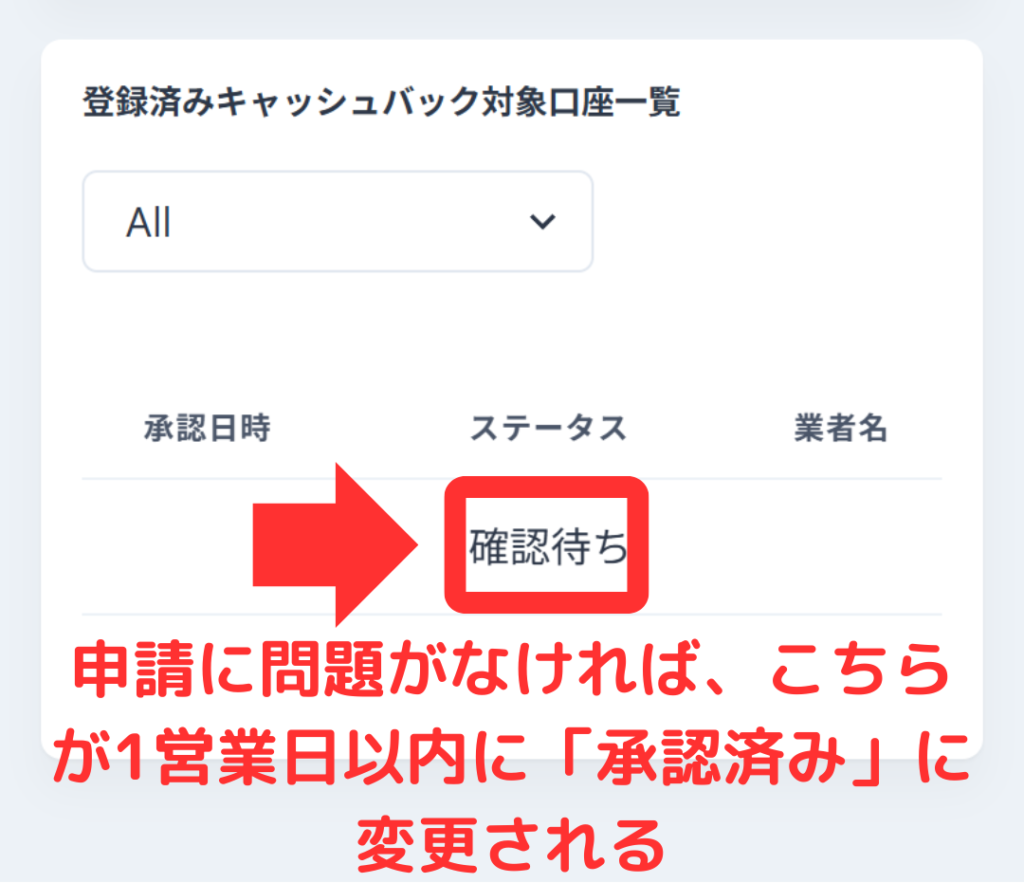
If there are no problems with your application within one business day of submission, the status at the bottom of "Account Registration" will change to "Approved"
You can now receive cashback with MoneyCharger
In conclusion
The above is a step-by-step guide with smartphone screenshots explaining how to open a new account with EBC Financial Group
Next, let's check the withdrawal procedure on your Money Charger My Page