This article explains how to change (switch) your IB (Introducing Broker) link in StarTrader
*This page is for those who registered in the order of StarTrader → MoneyCharger.
It does not apply to those who registered for StarTrader via a referral link from their MoneyCharger account.
(However, this procedure is also required if you registered for StarTrader without using a referral link.)
You can easily change (switch) your IB (Internet Budget) link in just two steps
- Step 1: Request a change in IB linkage from your StarTrader My Page
- Step 2: Apply for FX account registration from your MoneyCharger My Page
Contents
Step 1: Request a change in IB (Introducing Broker) linking from your StarTrader My Page
① Go to the StarTrader My Page login screen from the link below
The StarTrader login page is here
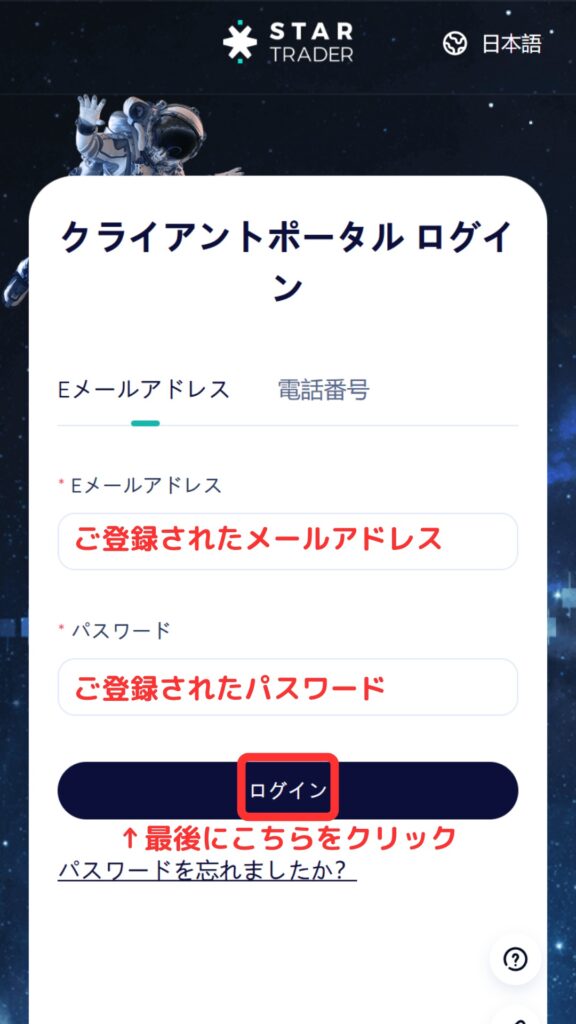
The StarTrader login screen will appear. Enter your registration information and log in
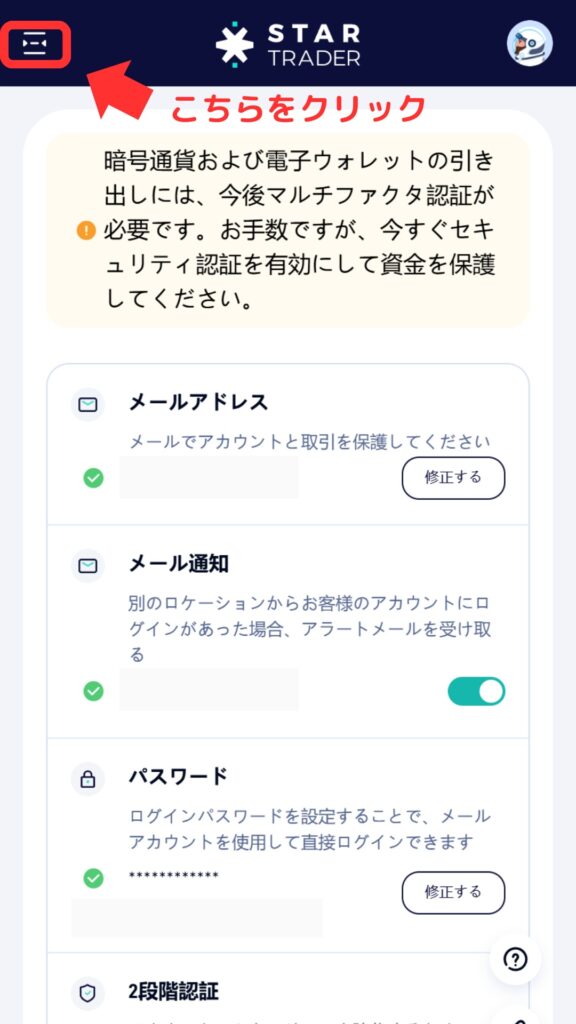
② Tap the icon in the upper left corner of My Page
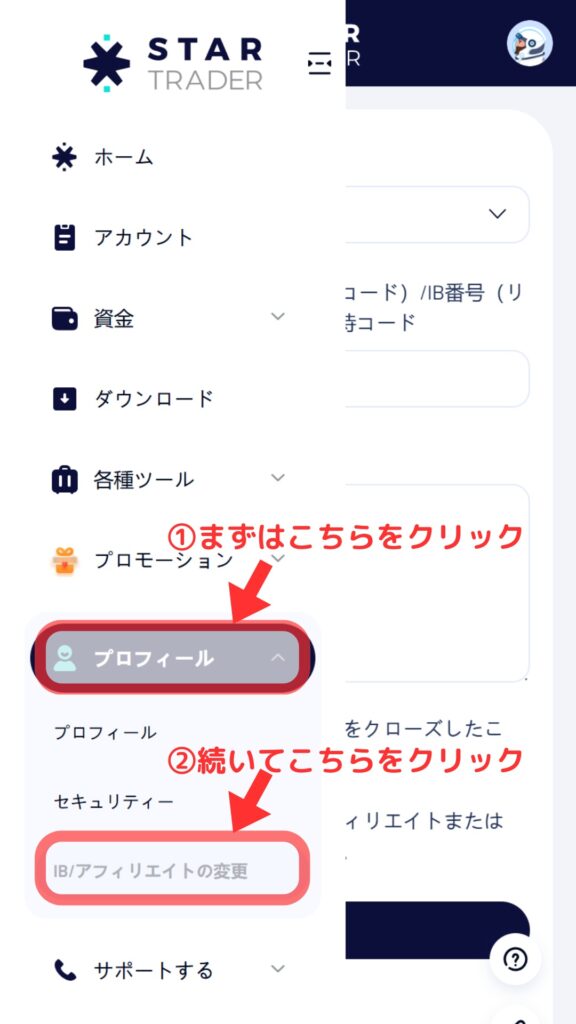
③ Click on "Profile" → "Change IB/Affiliate" in that order
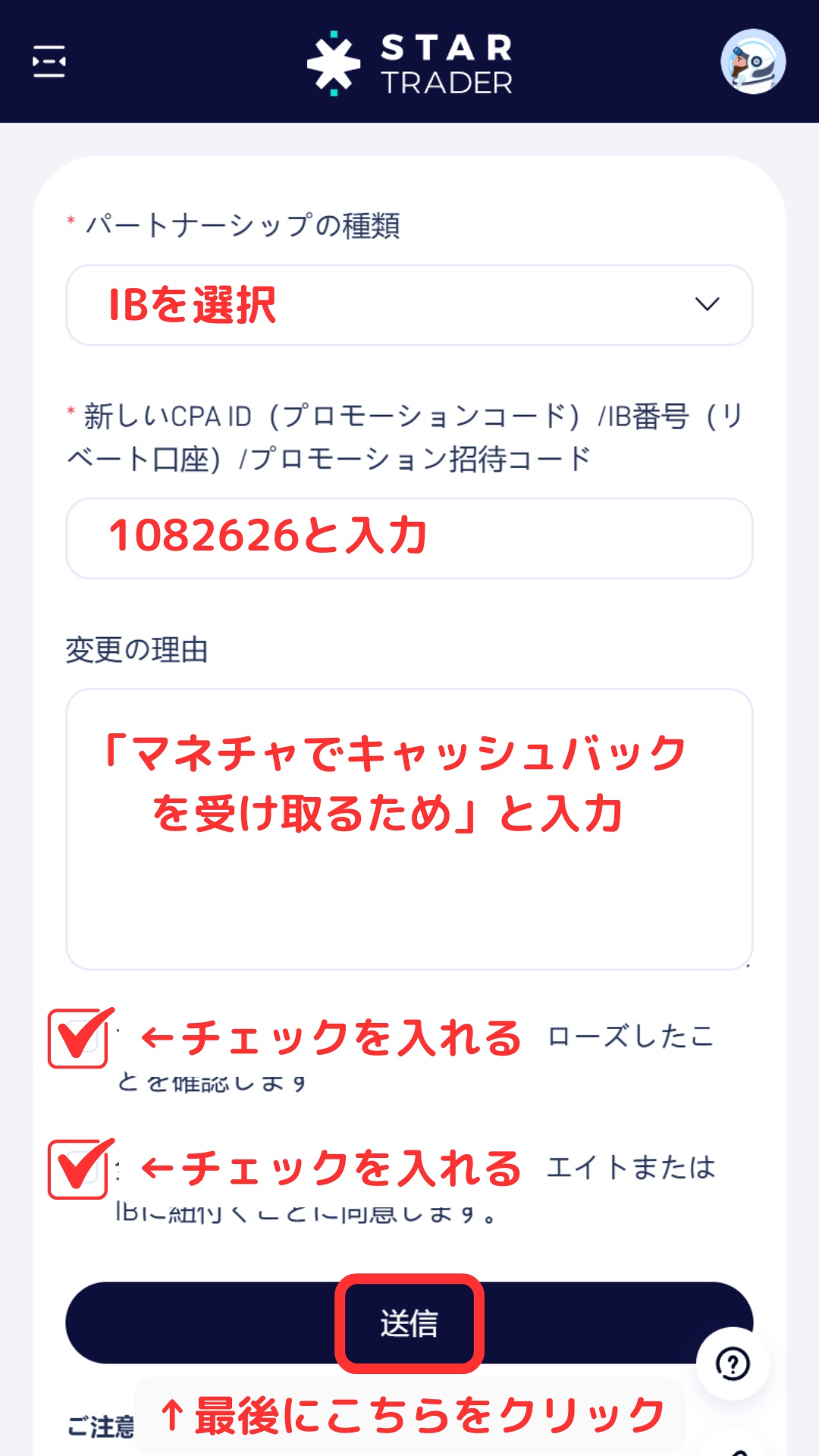
④ Enter the information and check the boxes as shown in the image below, then click the "Submit" button
Step 2: Request an IB change from My Page
Next, you will apply to register for an FX account from your MoneyCharger My Page
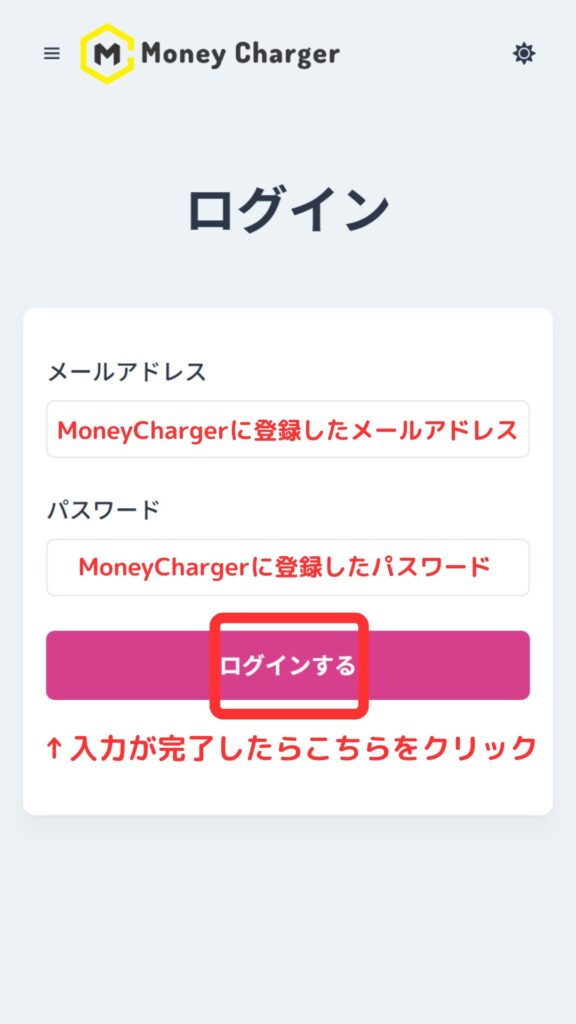
① Go to the MoneyCharger My Page login screen from the link below
The login page for MoneyCharger is here
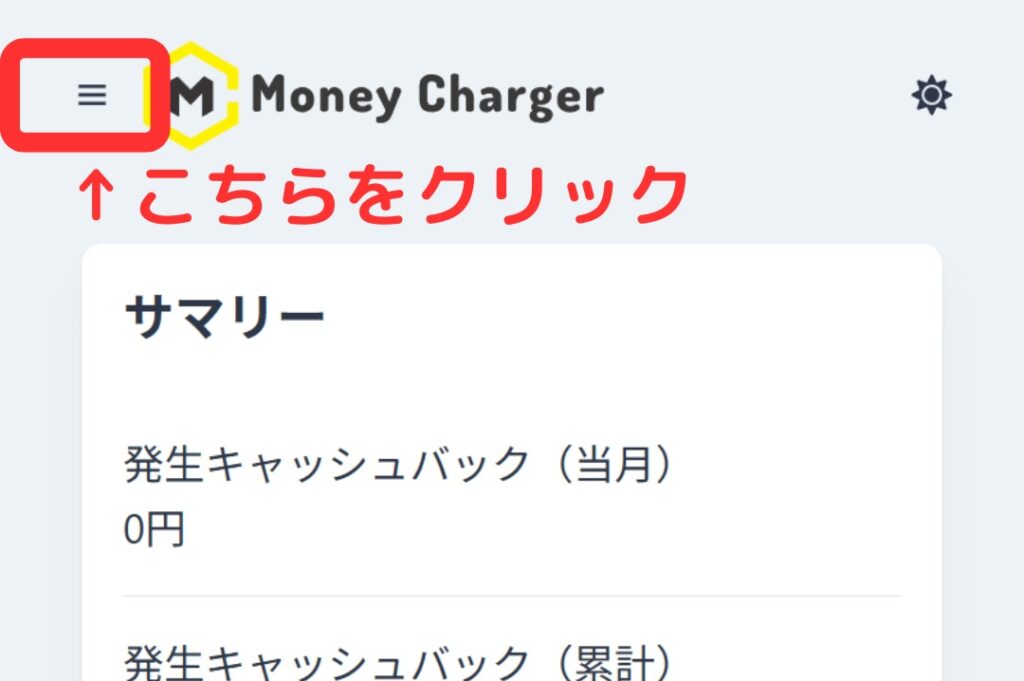
② Click the three lines in the upper left corner
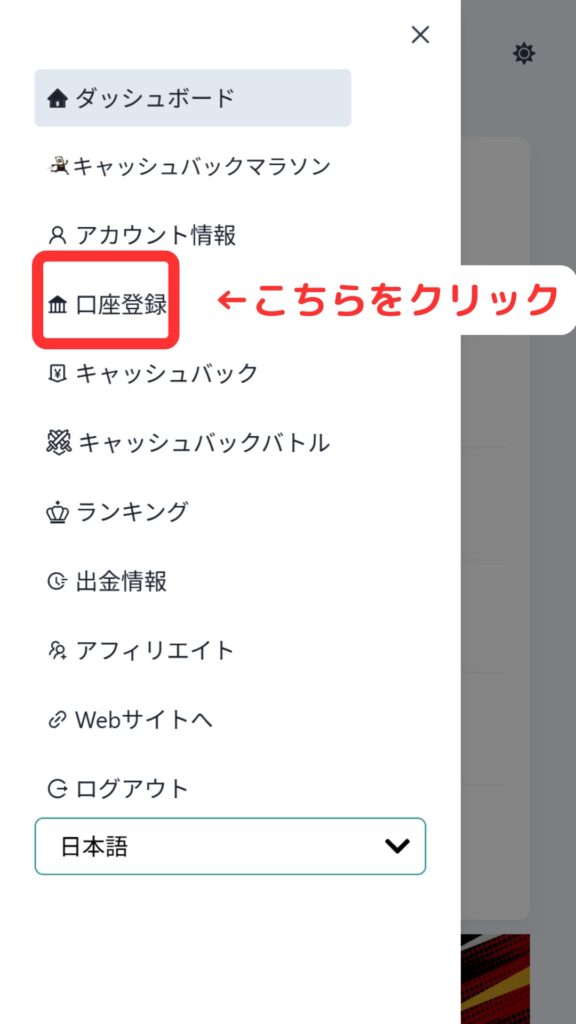
③ Click "Register Account"
④ Enter the required information

Thank you for your hard work. Your application is now complete
If there are no problems with your application within one business day of submission, the status at the bottom of "Account Registration" will change to "Approved"

The IB linking is now complete, and you can start receiving cashback with MoneyCharger
In conclusion
The above explains how to change (switch) your IB (Introducing Broker) link on StarTrader
Next, let's check the withdrawal procedure on your Money Charger My Page