This is a complete guide to opening an Exness account, with step-by-step instructions and images
This guide explains how to open a new Exness account, using easy-to-follow diagrams and smartphone screenshots, making it simple for anyone to follow
Exness makes it easy to open an account and set up cashback by following the instructions
Follow the steps below to open an account and apply for one
- How to open an account with Exness
- How to apply for an account with MoneyChat
you can get cashback if you register with Moneycha.



available for troubleshooting trading and withdrawal issues.

83 active players.

with 56 participants.


Part 1
Open an Exness account
First, you will need to open an Exness account. Please follow the instructions below and open an account via the dedicated link provided by the button
Step 1
Go to the Exness account creation page
First, click the button below to go to the Exness account creation page. When you open the link, the Exness registration form will be displayed
*Please note that if you register through a link other than the one provided by Moneycha, you will not be able to receive cashback from Moneycha
Step 2
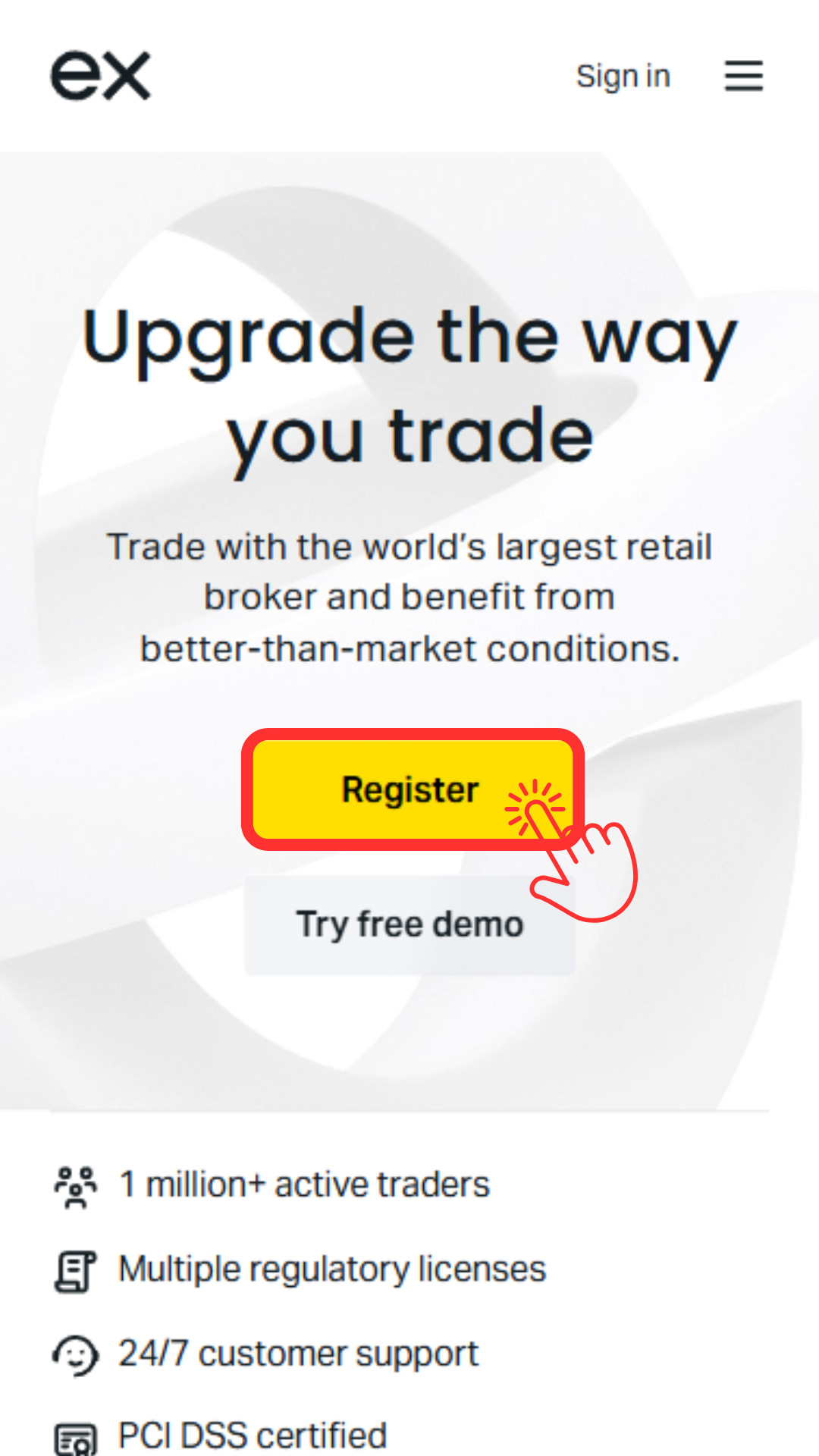
Tap "Register"
The Exness registration form will appear, so tap the "Register" button to begin registration
Step 3
Enter the required information
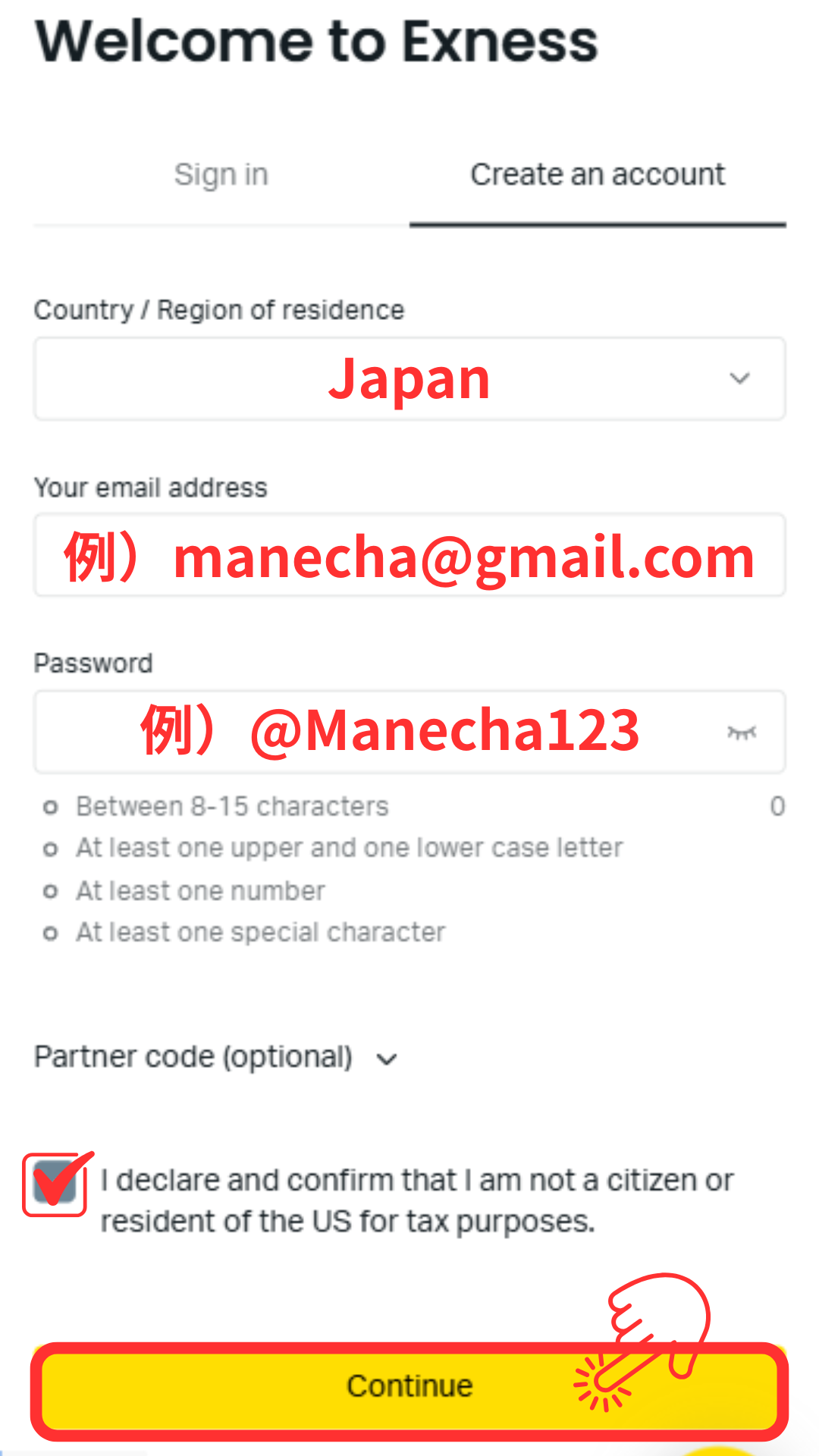
Select "Japan" as your country of residence and enter the required information such as your email address and password. Once you have finished entering the information, proceed to the next step
*Please be sure to write down your registered email address and password, as you will need them to log in to your My Page
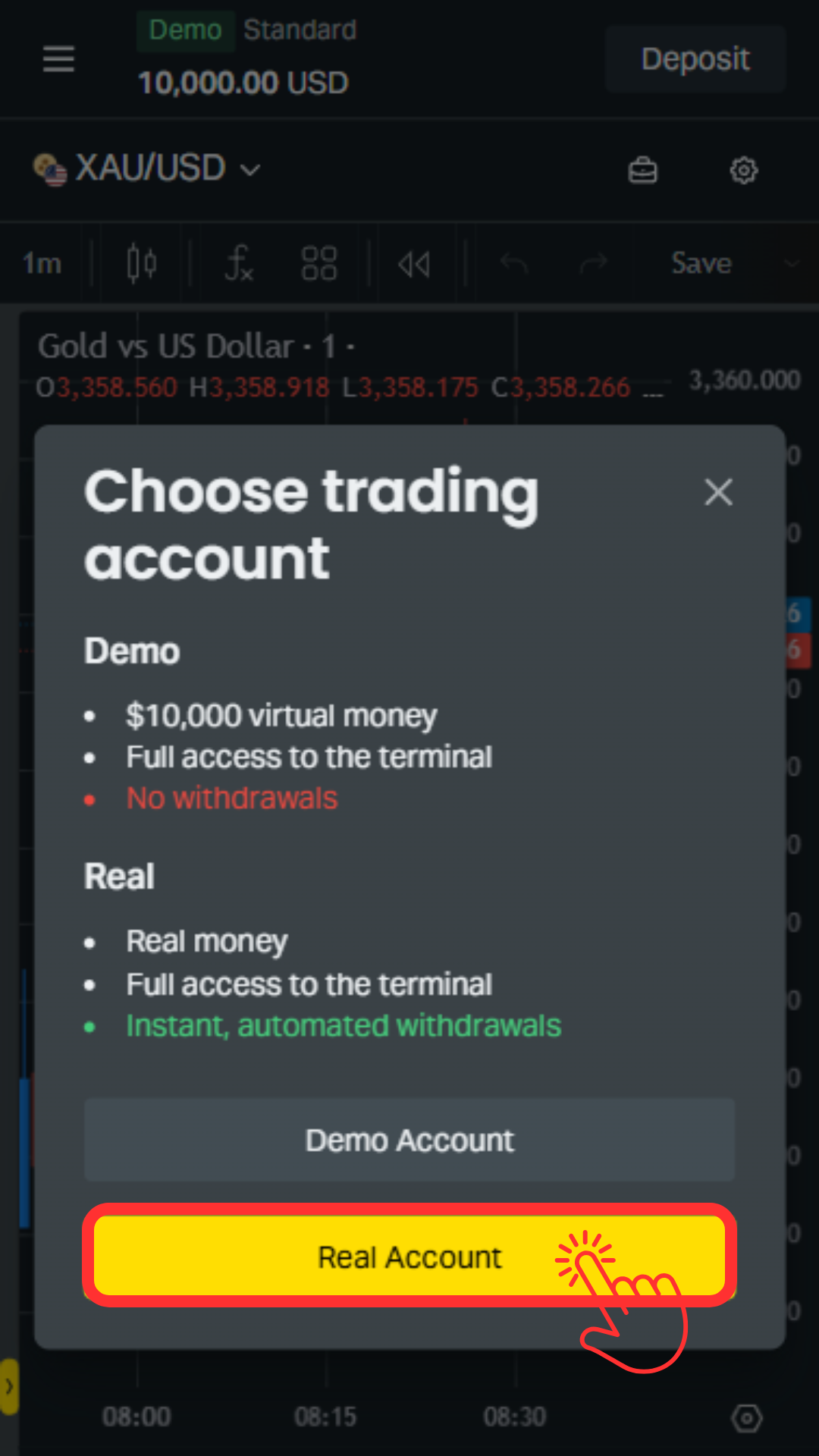
Step 4
Tap "Real Account"
On the account type selection screen, tap the "Real Account" button to proceed with opening a real account
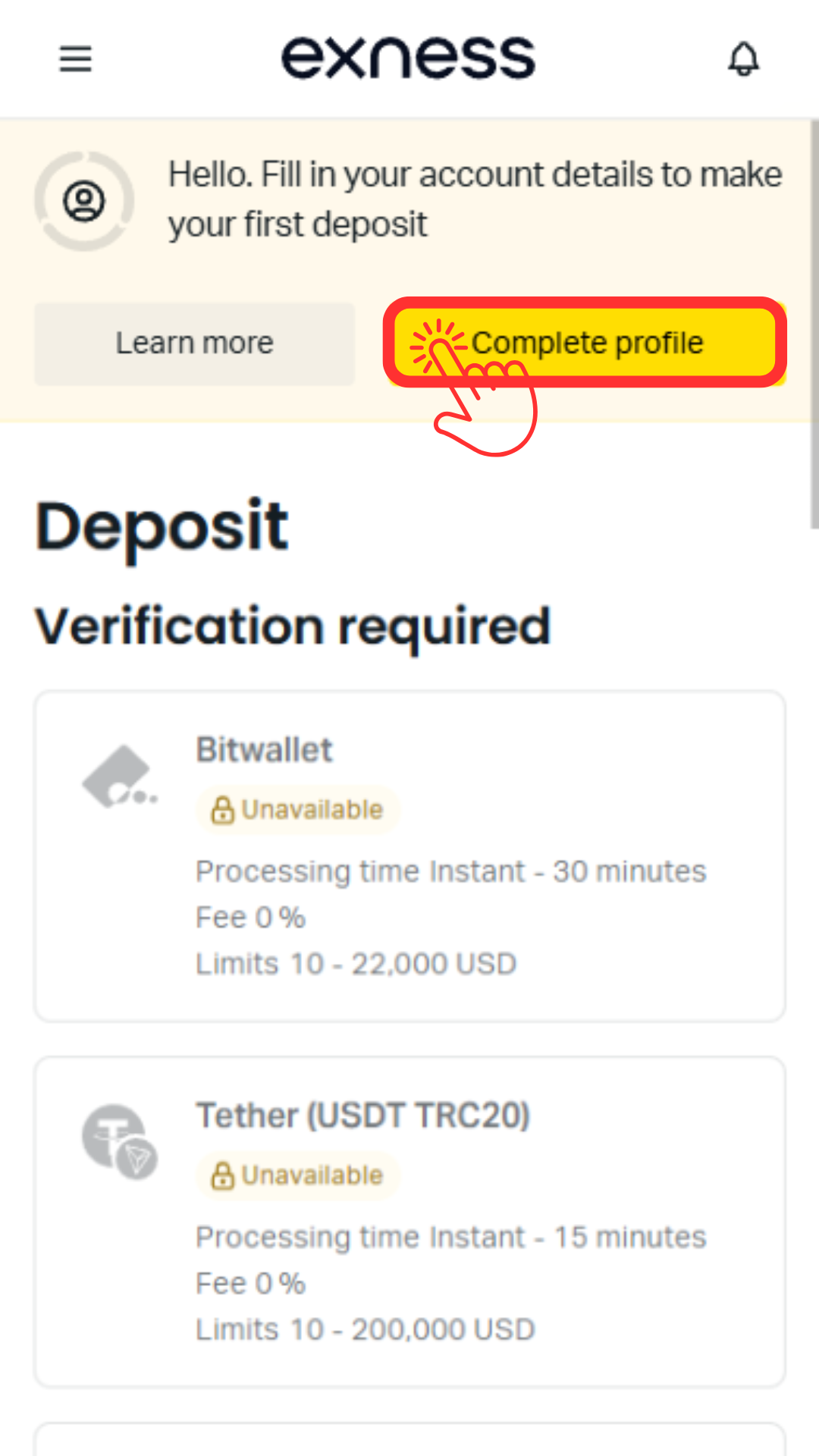
Wi5
Tap "Complete profile"
You will now be able to access your My Page. Tap the "Complete profile" button to begin the identity verification process. Then, tap "Get Started now" to proceed
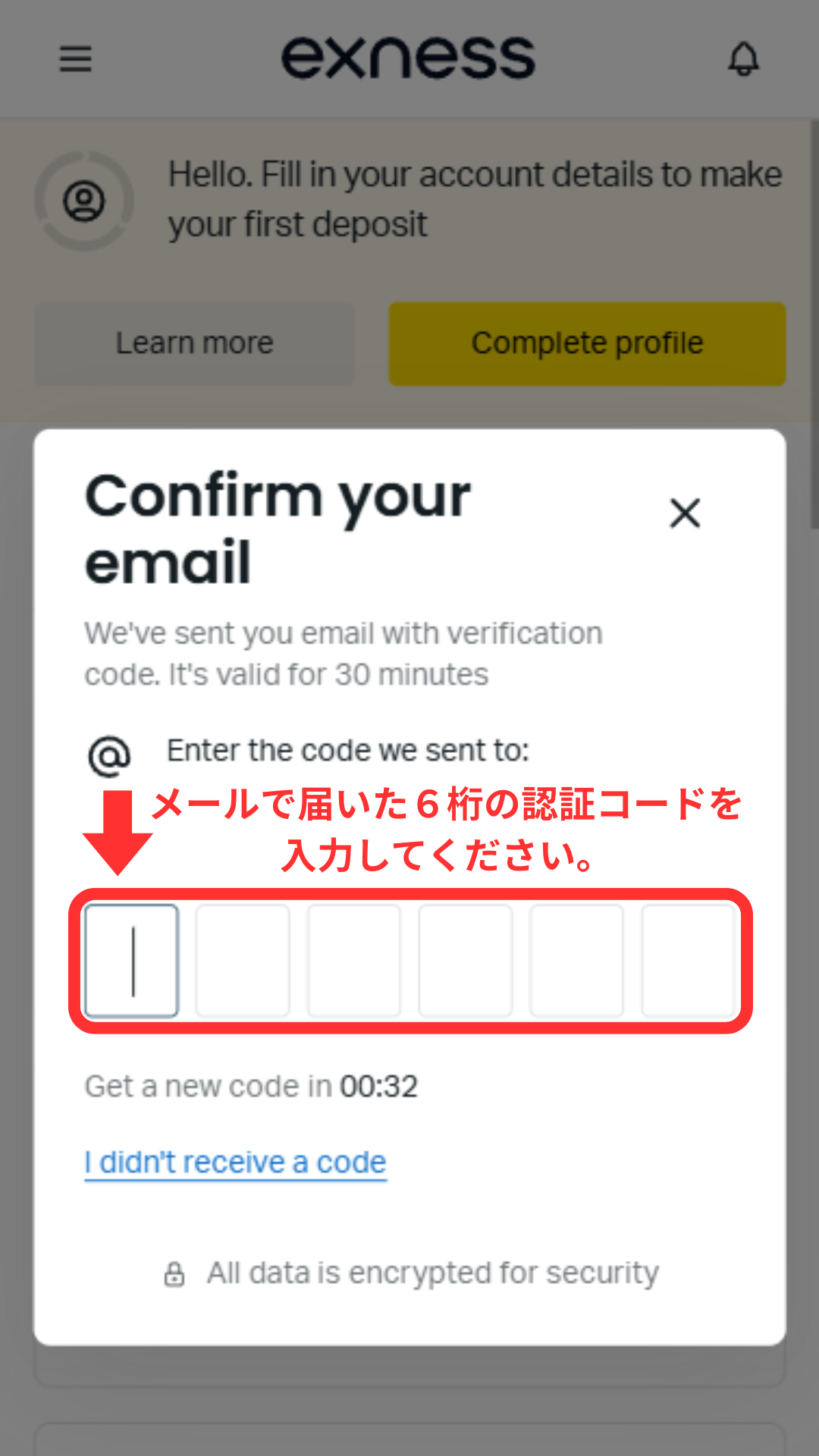
Step 6
Enter your email verification code
You will receive a 6-digit verification code from Exness at the email address you registered. Please enter this code on the screen
*If you do not receive the email, please check your spam folder
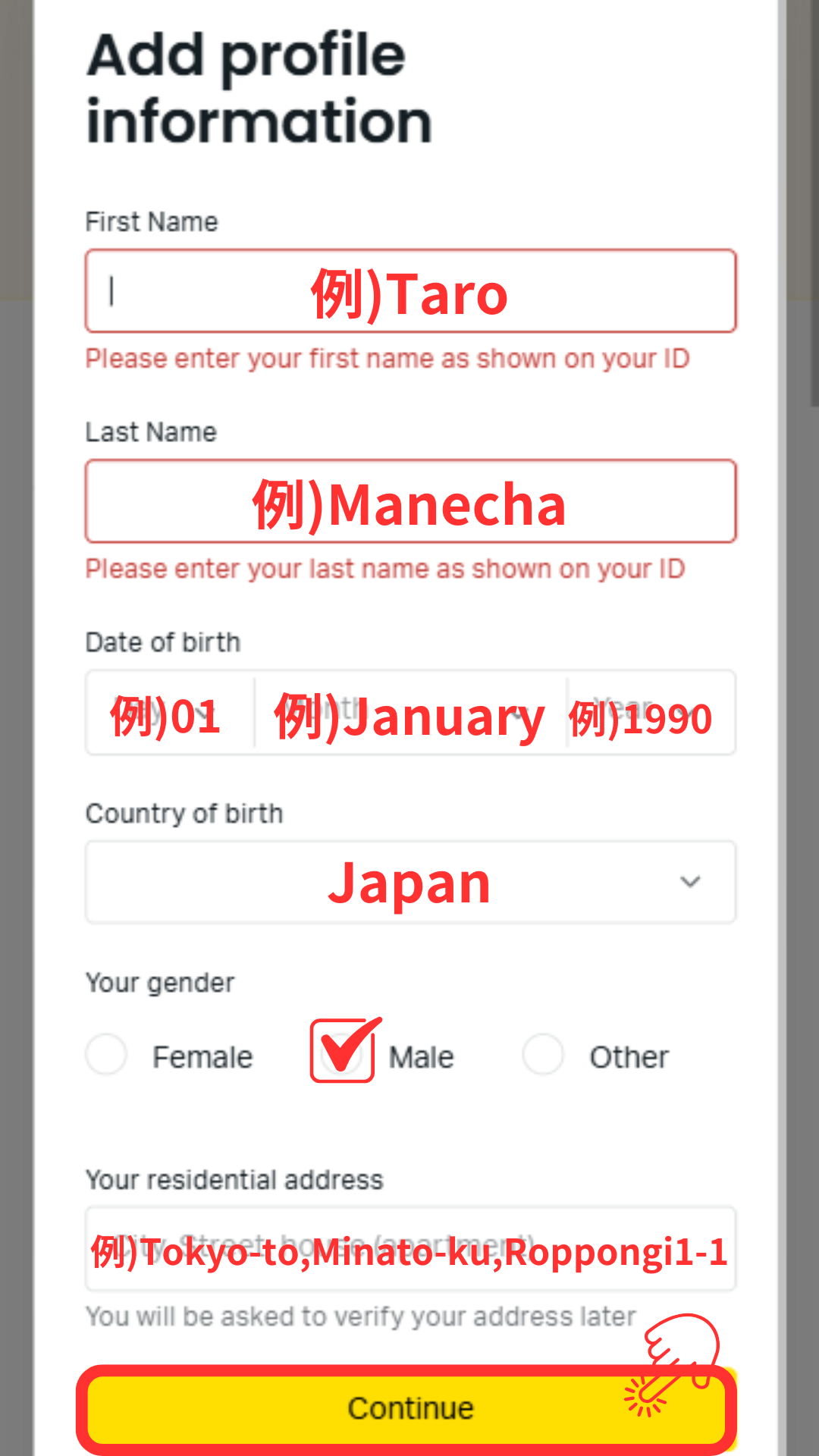
Step 7
Enter your personal information
Tap the "Complete now" button and enter your personal information, such as your name (in Roman letters), date of birth, and address, exactly as it appears on your identification document
Step 8
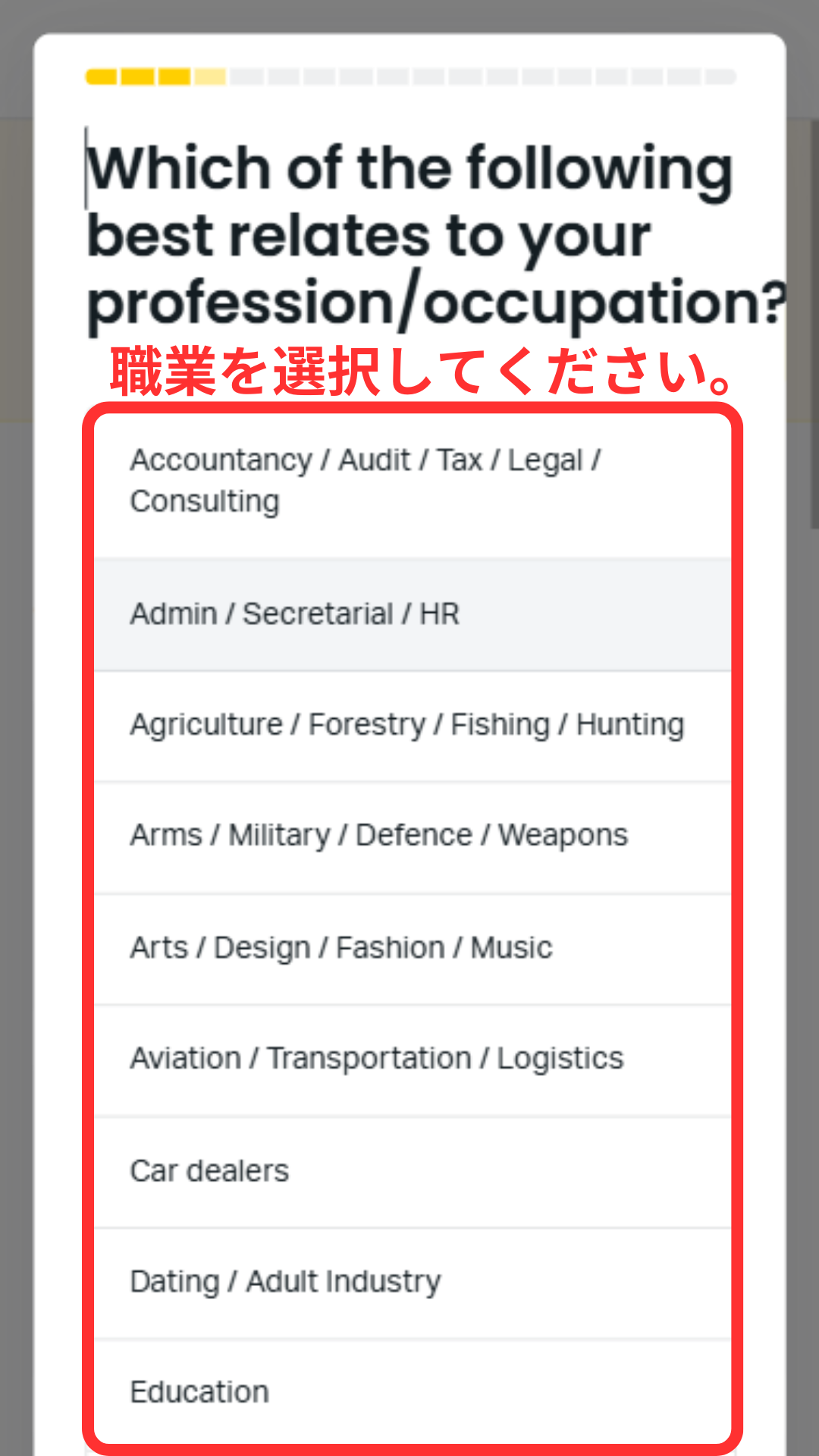
Questionnaire ① (Purpose, Employment, Occupation)
You will answer the displayed questionnaires in order. First, please select your "Purpose of opening an account," "Employment status," and "Occupation."
Step 9
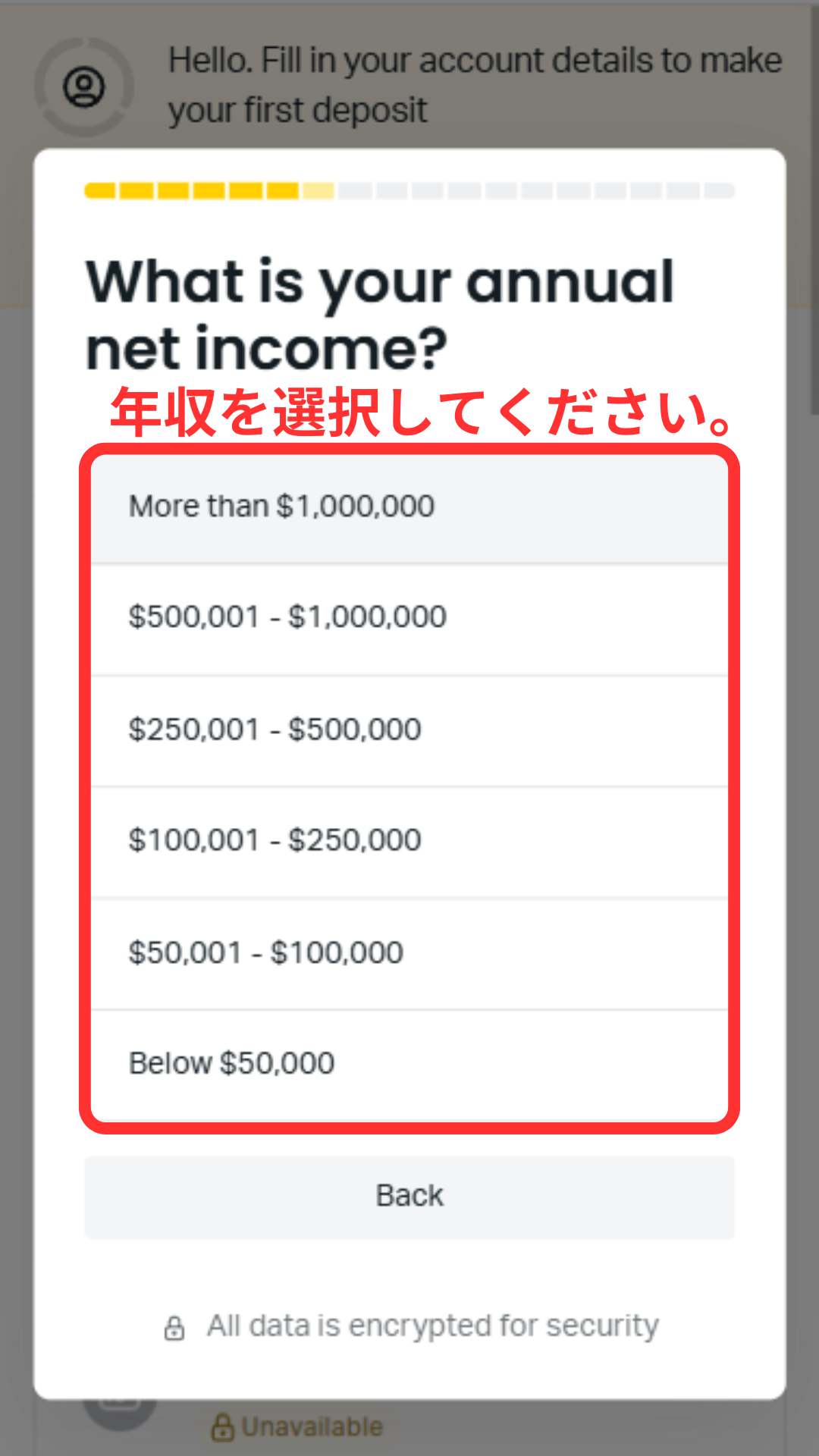
Questionnaire ② (Income sources, assets, annual income)
Next, you will select your "Main Source of Income," "Estimated Assets," and "Annual Income." Please select the appropriate income range from the dropdown menu
Step 10
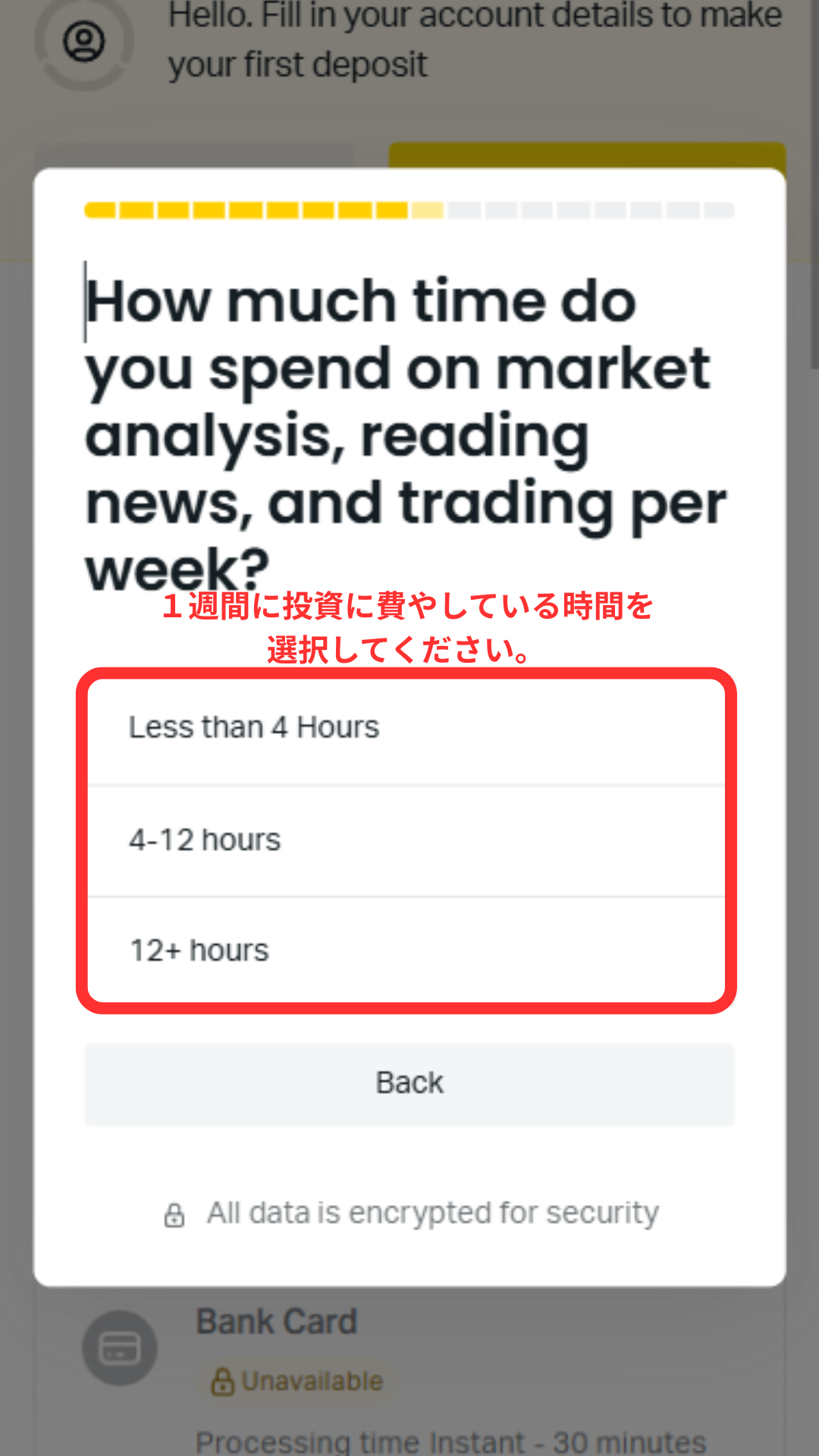
Questionnaire ③ (Investment ratio, experience, time)
Please select the following in order: "What percentage of your annual income do you plan to invest in Exness?", "Your CFD trading experience over the past 3 years", and "How much time do you spend investing per week?"
Step 11
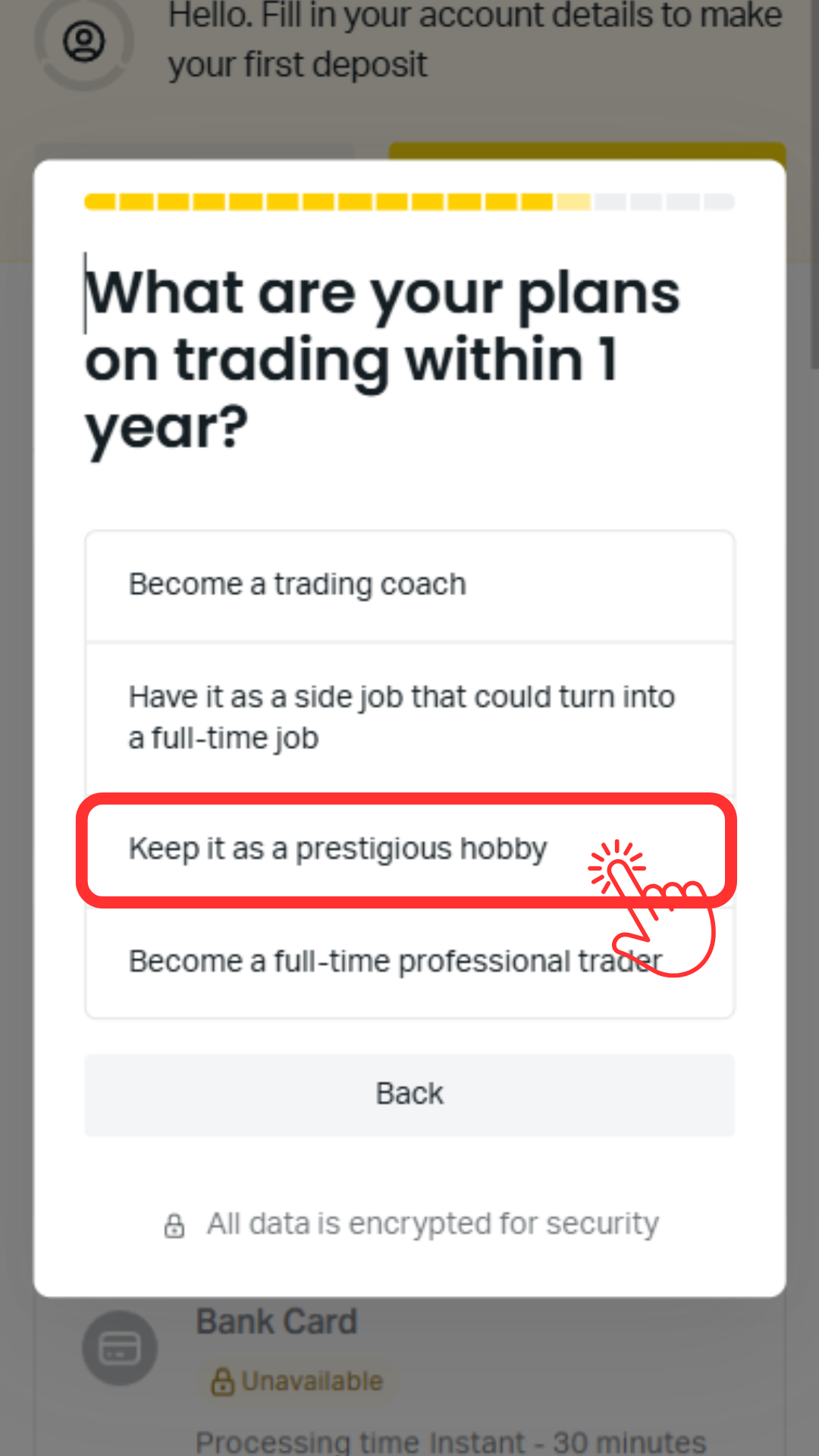
Questionnaire ④ (CFD qualifications and projected investment amount)
Select your qualifications regarding CFDs, your estimated initial investment amount (approximately 1,000 EUR), and your investment strategy (e.g., Keep it as a prestigious hobby) to proceed
Step 12
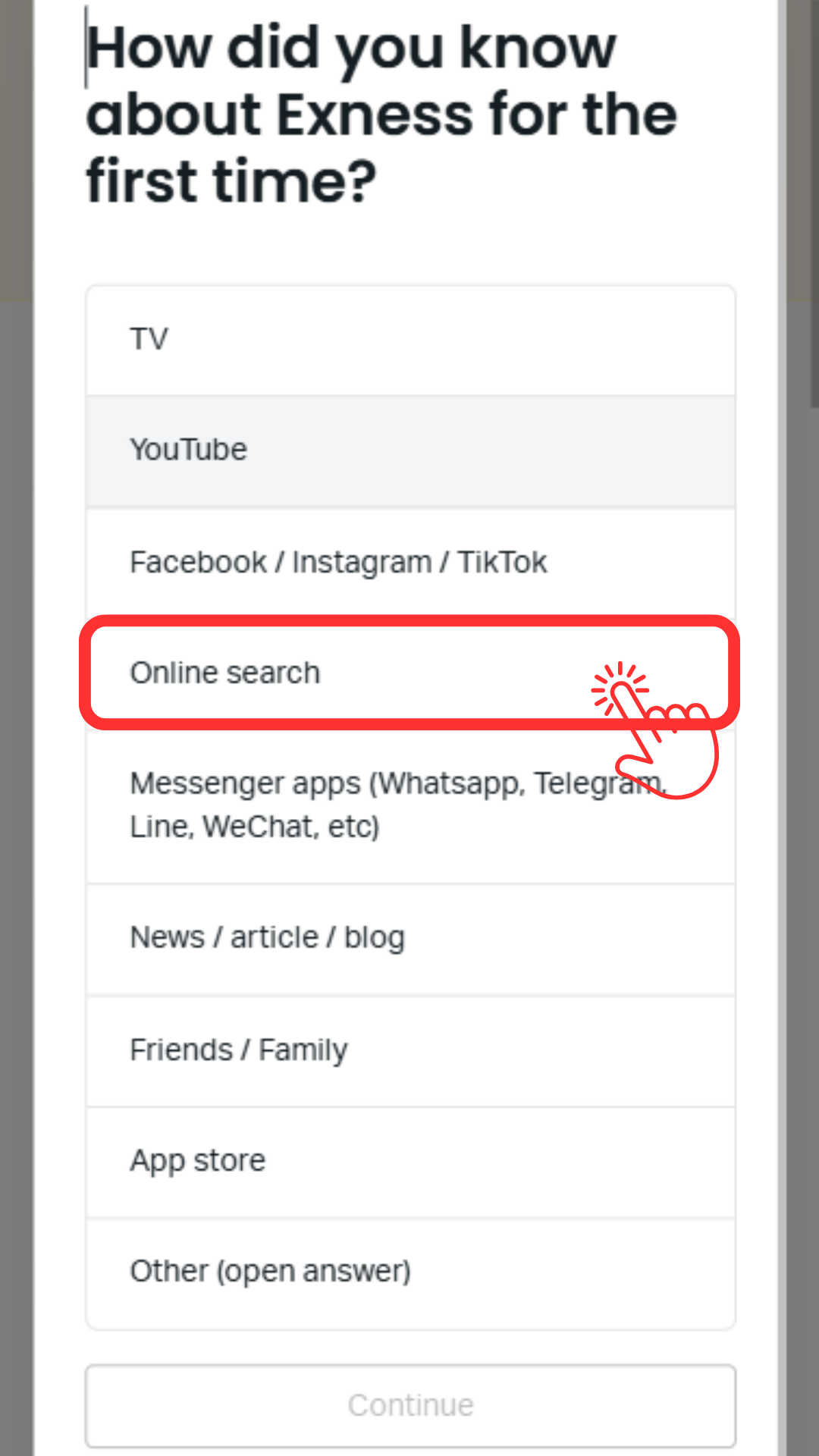
Questionnaire 5 (Products traded and reasons for use)
Please select the "products you plan to trade" and "how you learned about Exness (e.g., online search)" to complete the survey
Step 13
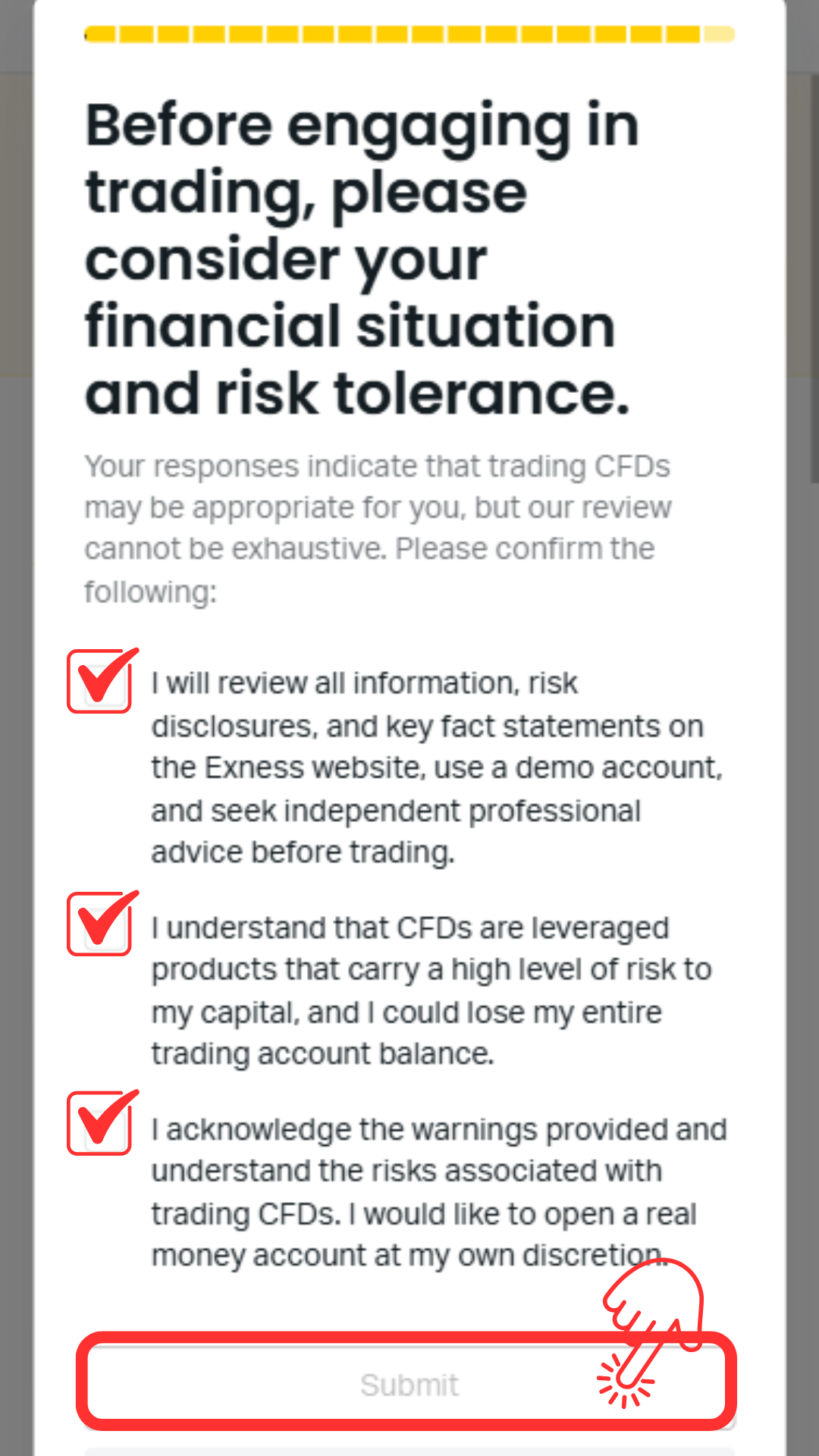
Agree and tap "Submit"
Check the boxes in all three locations to agree to the terms of service, then tap the "Submit" button to submit your survey response
Step 14
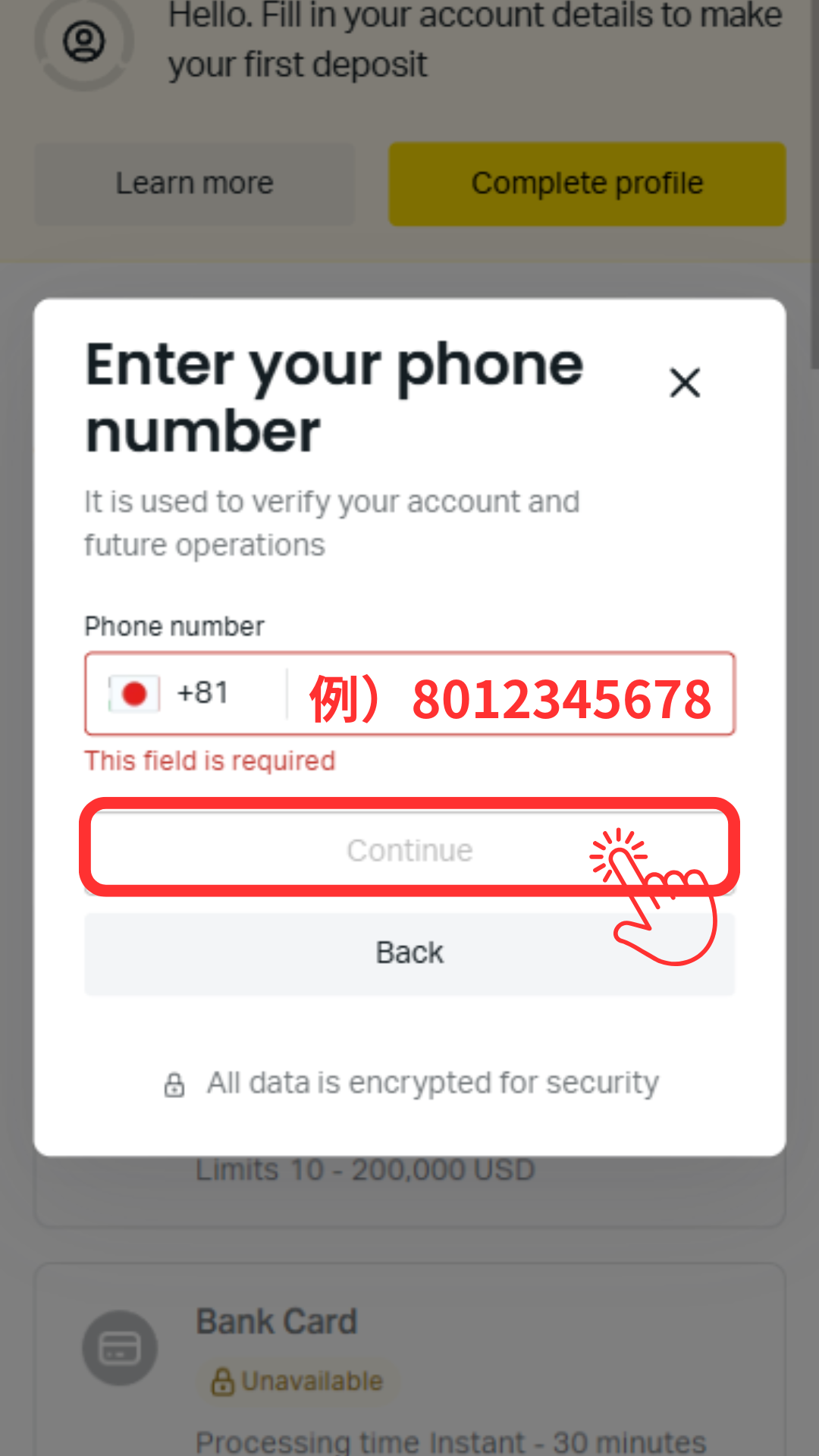
Enter your phone number
Enter the phone number you wish to register. Please enter a number that can receive SMS messages, without the leading zero (e.g., 080-1234-5678 → 8012345678)
Step 15
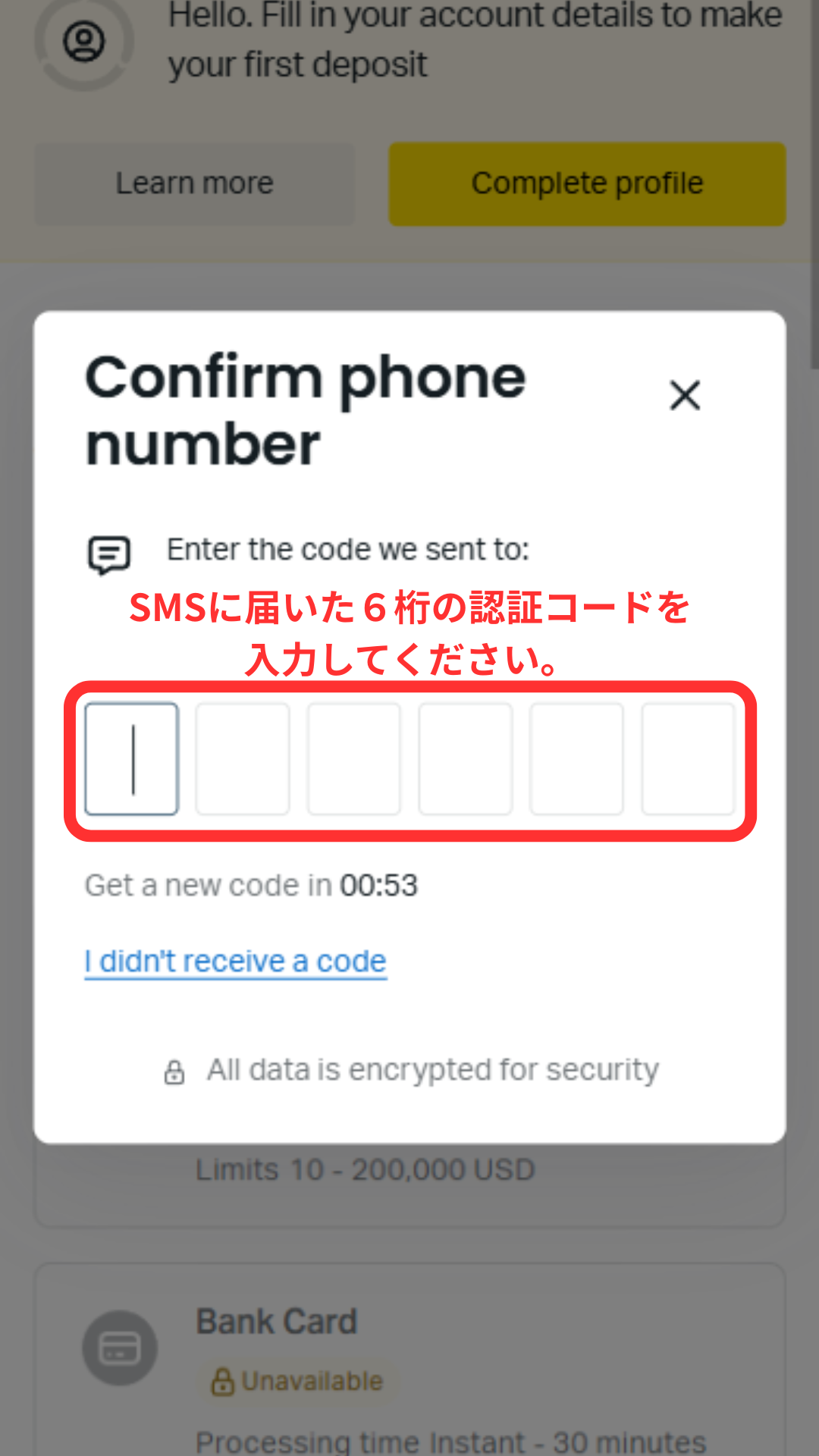
Enter the SMS verification code
Enter the 6-digit verification code received via SMS into the screen to complete phone number verification
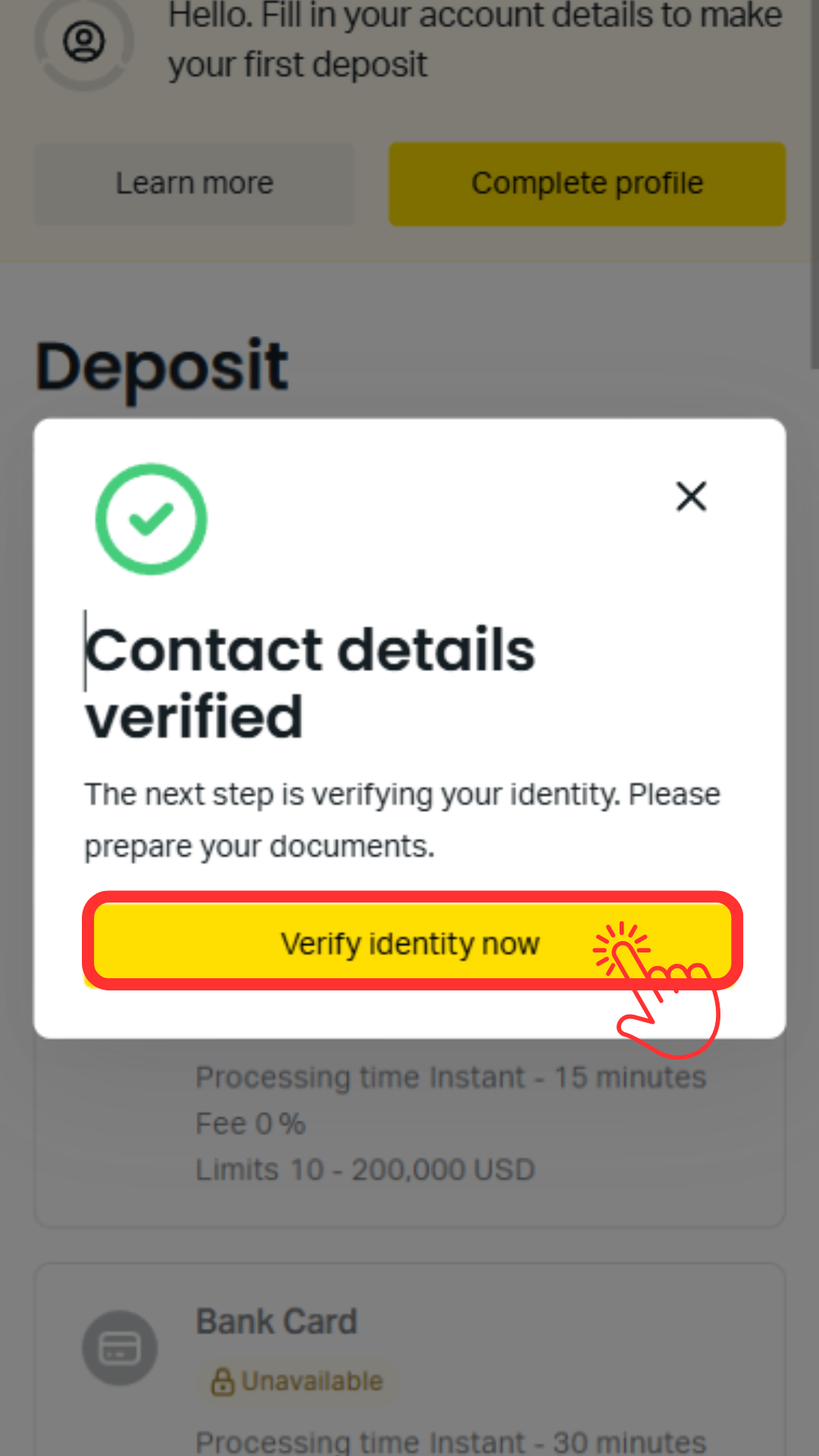
Step 16
Proceed to submitting your identification
Tap the "Verify identity now" button to proceed with submitting your identification documents
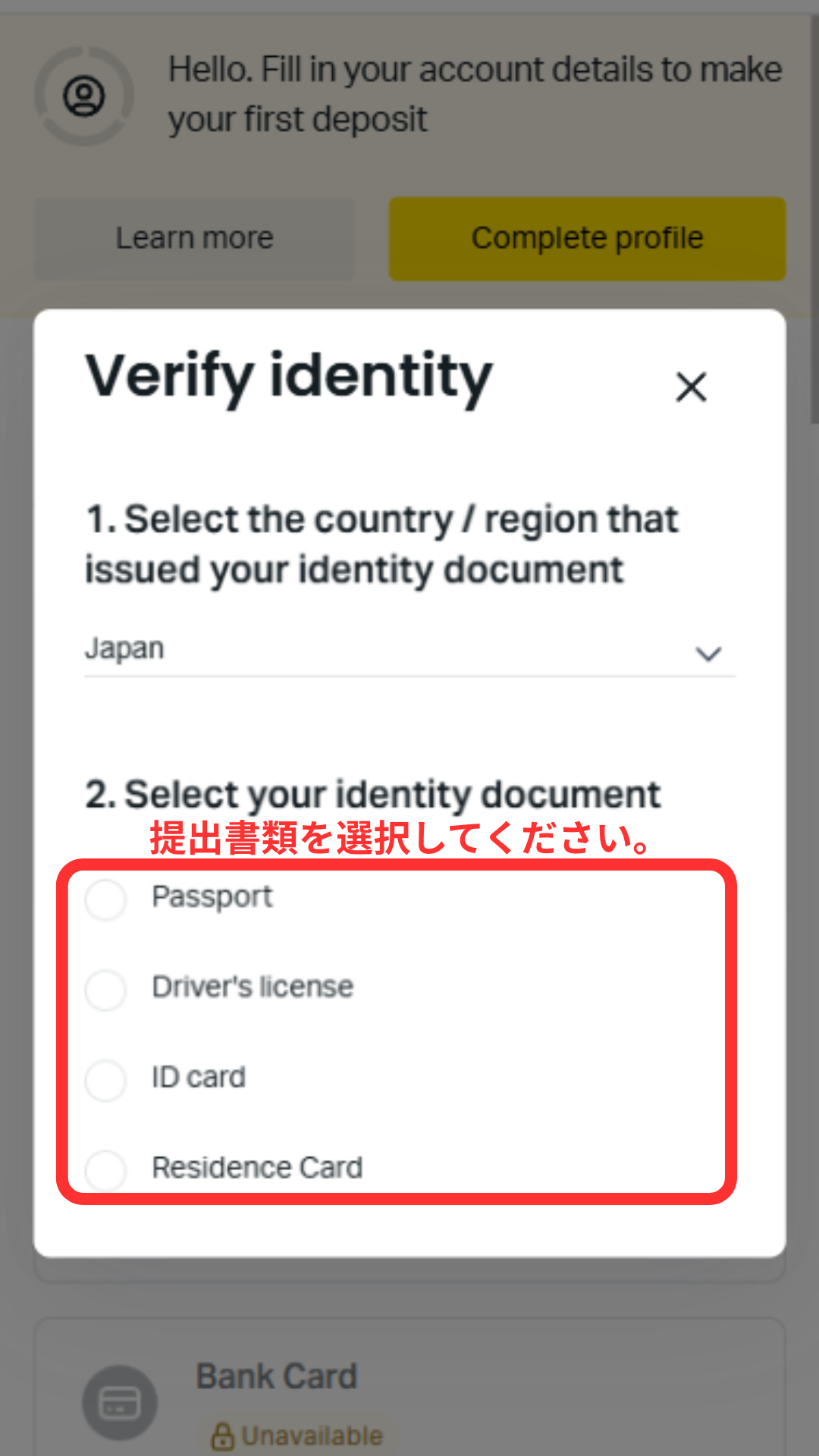
Step 17
Select the type of identification document you will submit
Go to "Uploaded documents" → "Submit Document" and select the identification document you wish to submit (Passport / Driver's license / ID card / Residence Card)
*If you are using a My Number Card, please select "ID card"
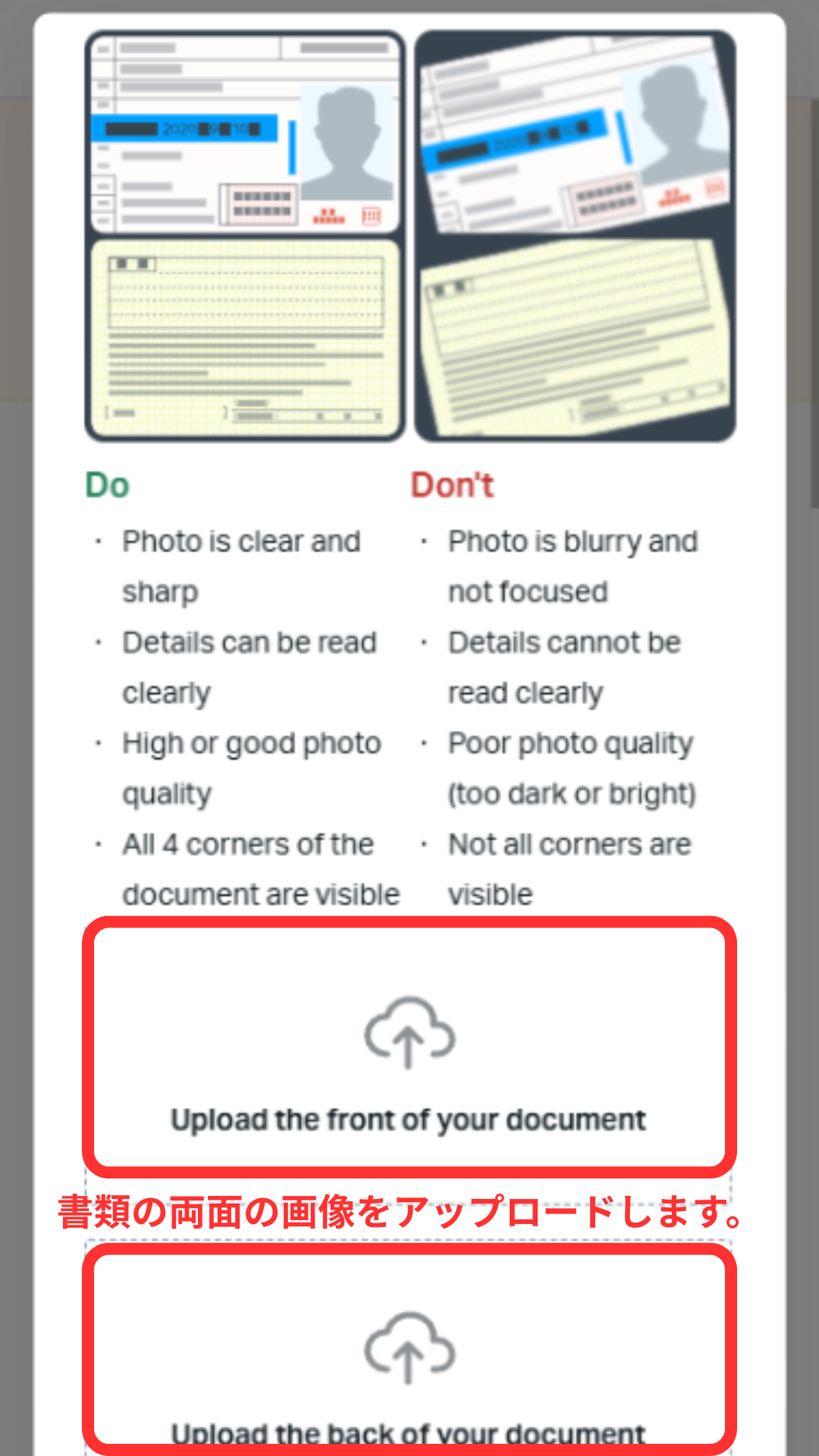
Step 18
Upload your identification document
Tap the image of your selected identification document to upload it. Please ensure that all four corners of the document are visible in the image and that the text is clearly legible. Once the upload is complete, you will usually receive an email with the review results within 10 minutes
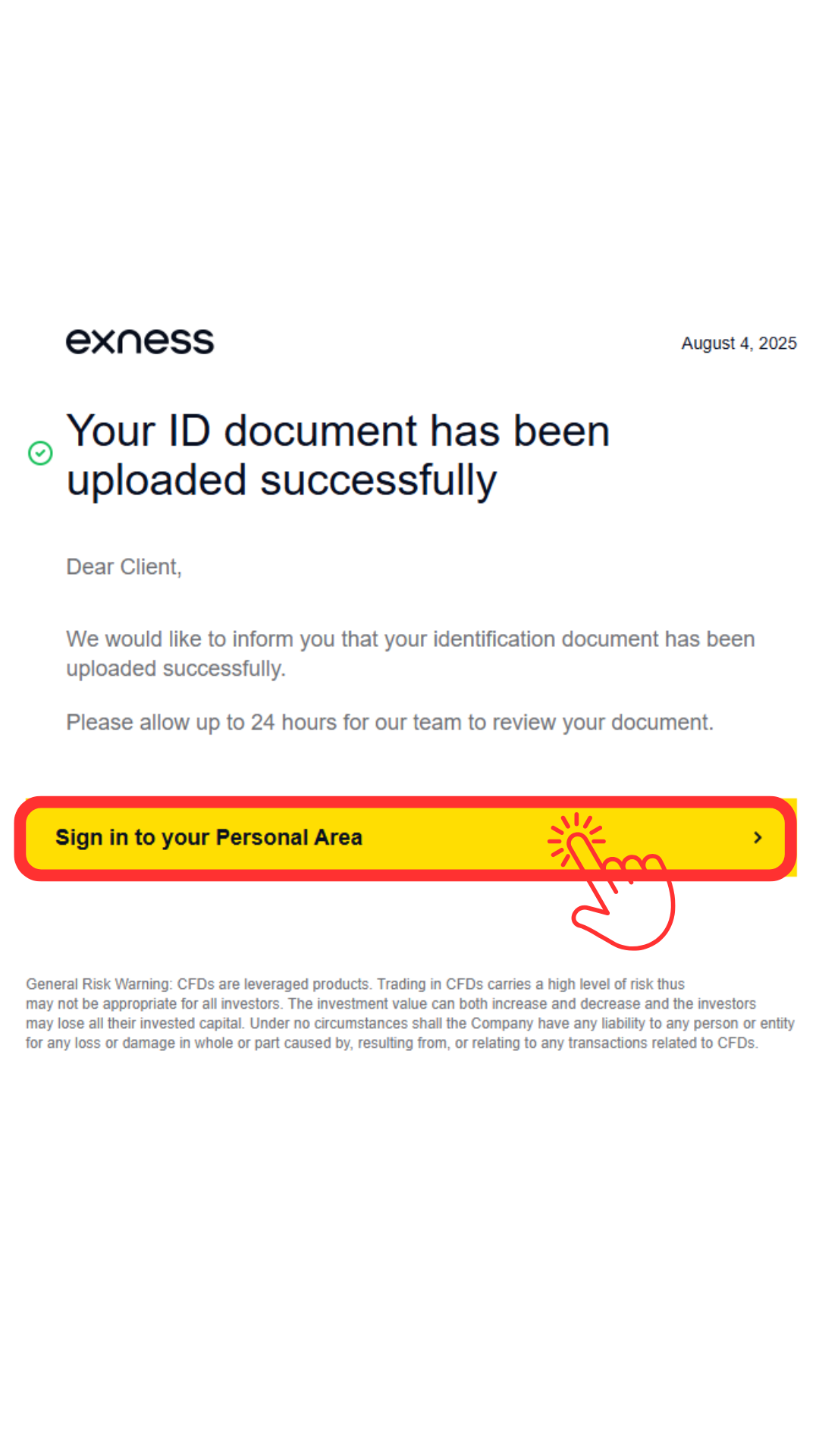
Step 19
I received an email confirming that my identity verification has been completed
Once the review is complete, you will receive an email like this. Tap the link in the email to proceed to submitting your proof of address
Step 20
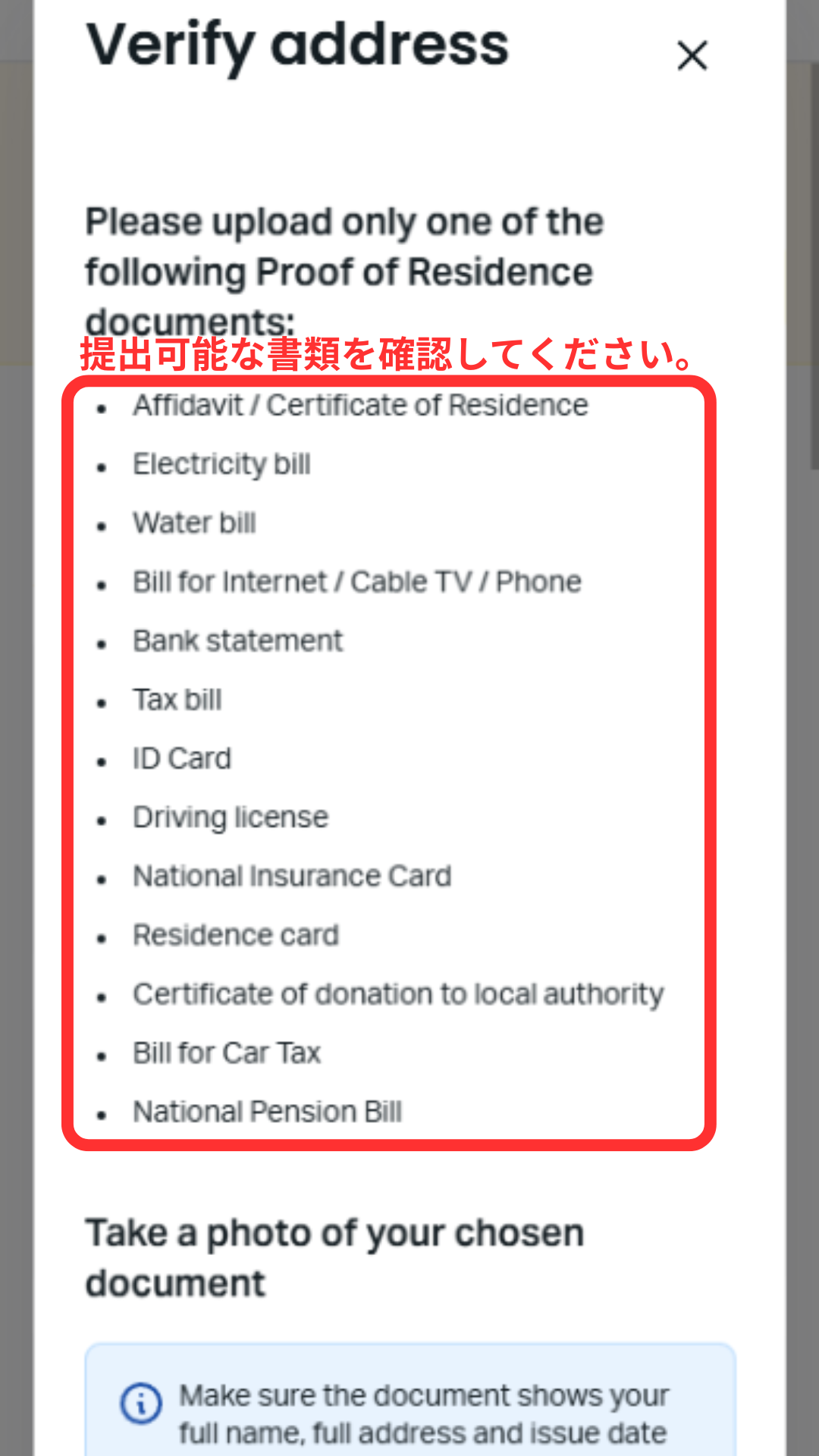
Check the type of address verification document
From your My Page, tap "Complete profile" again to check the acceptable address verification documents. These include your My Number Card, resident registration certificate, and utility bill statements
Step 21
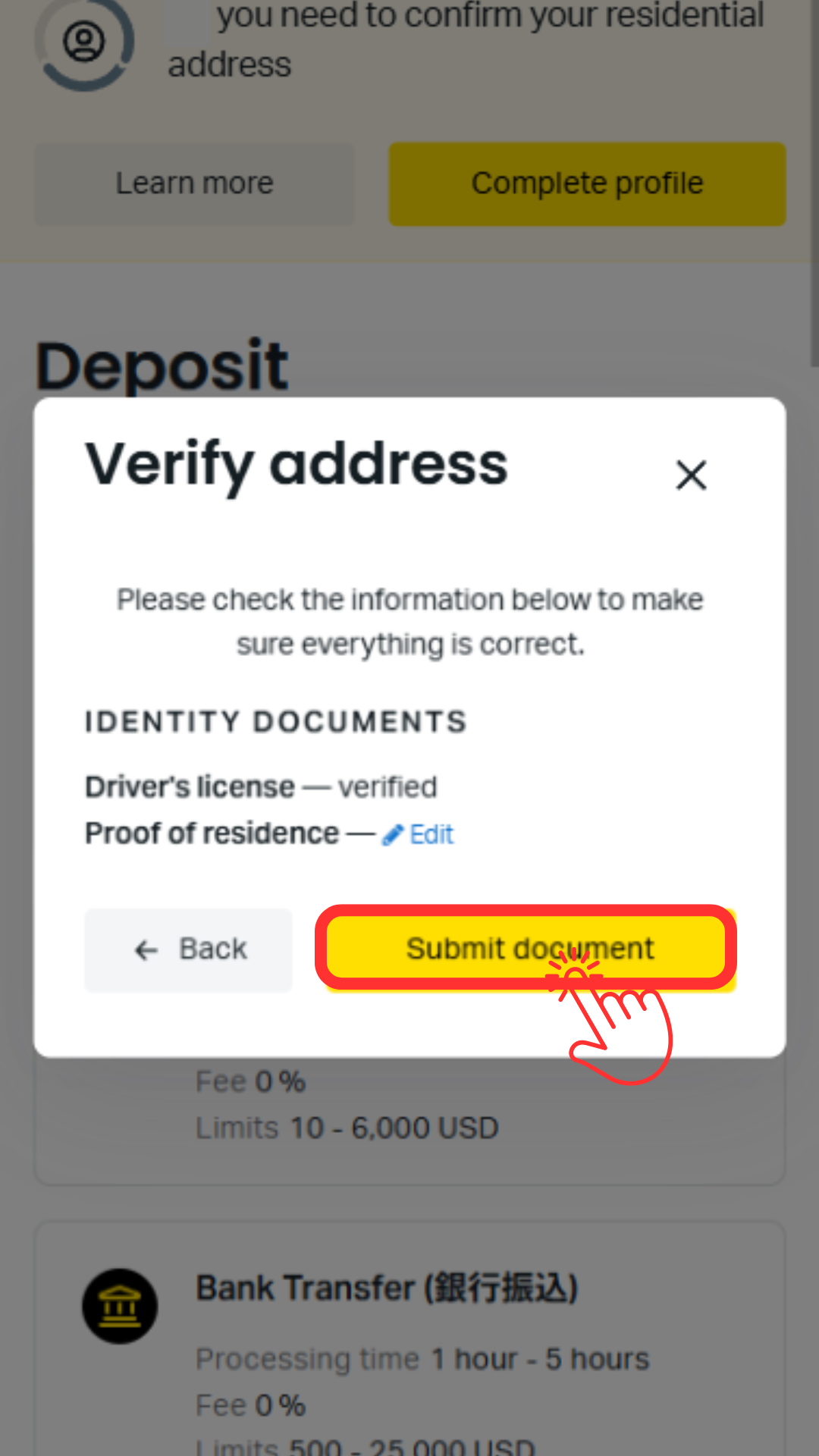
Upload proof of address document
Tap the image of your proof of address document to upload it, then tap the "Submit Document" button. The review process usually takes less than 10 minutes
Step 22
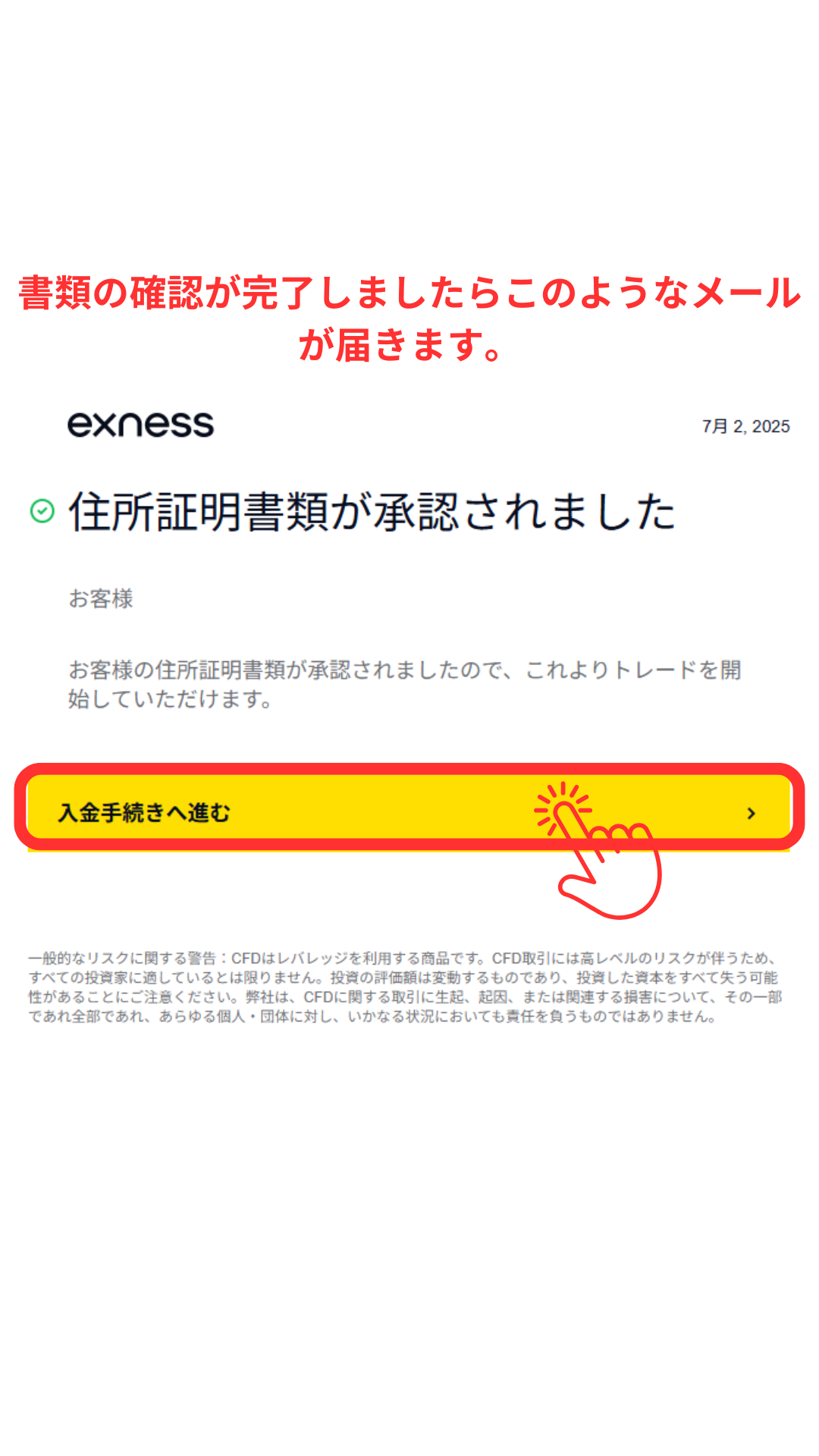
I received an email confirming that my address verification application has been approved
You will receive an email once your address verification is complete. Tap the "Proceed to deposit" button to log in to your My Page, and then proceed to create your trading account
Step 23
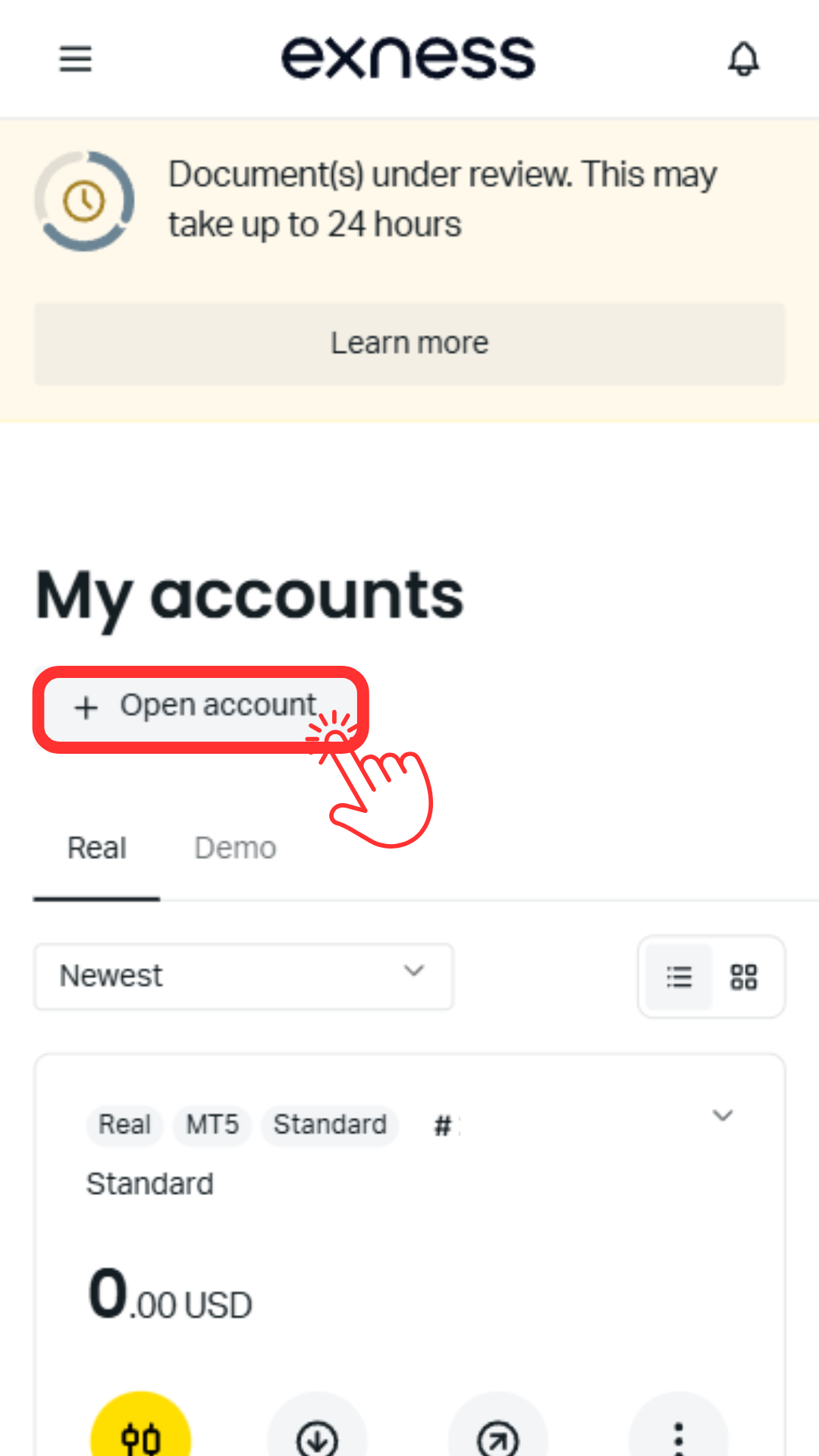
Open the trading account creation screen
Tap "My accounts" on your My Page, then tap the "Open account" button to open the trading account creation screen
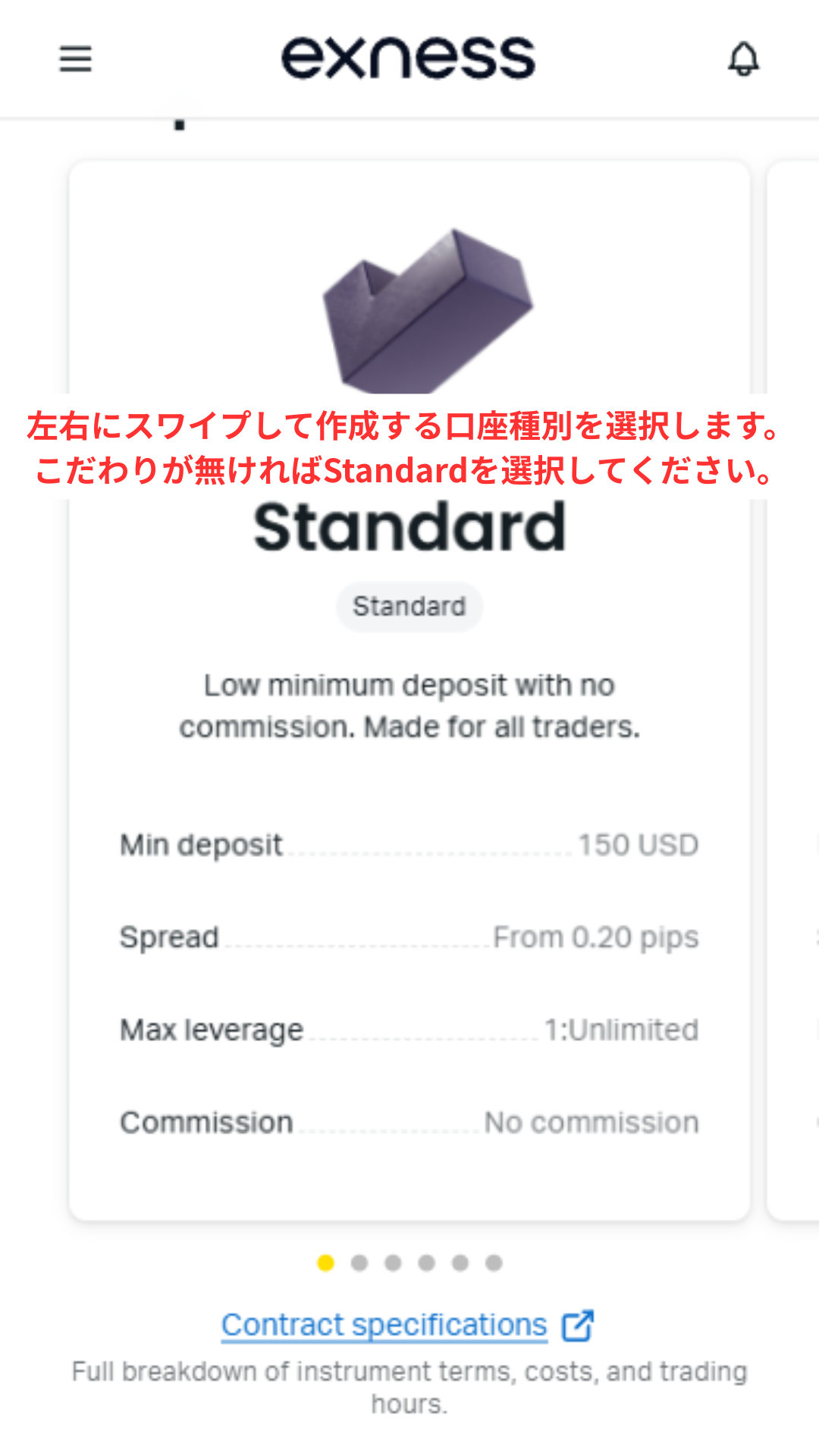
Step 24
Select an account type
Swipe left or right to select the account you want to create
*For first-time users, we recommend the versatile "Standard" account
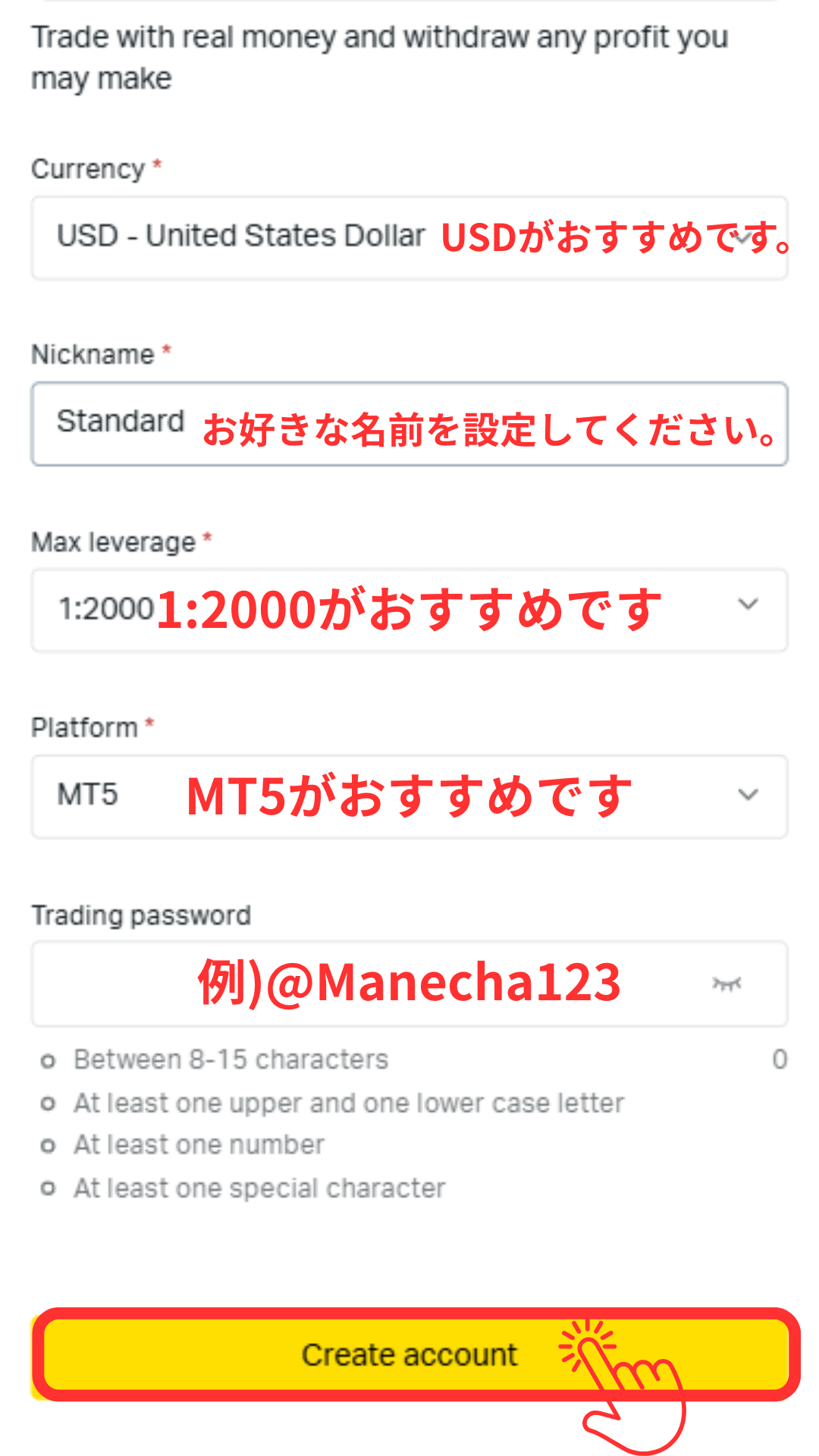
Step 25
Set your account password
Set your account login password and other settings. Once you've finished, proceed to the next step
*This password will be used to log in to your MT4/MT5 account, so please be sure to write it down
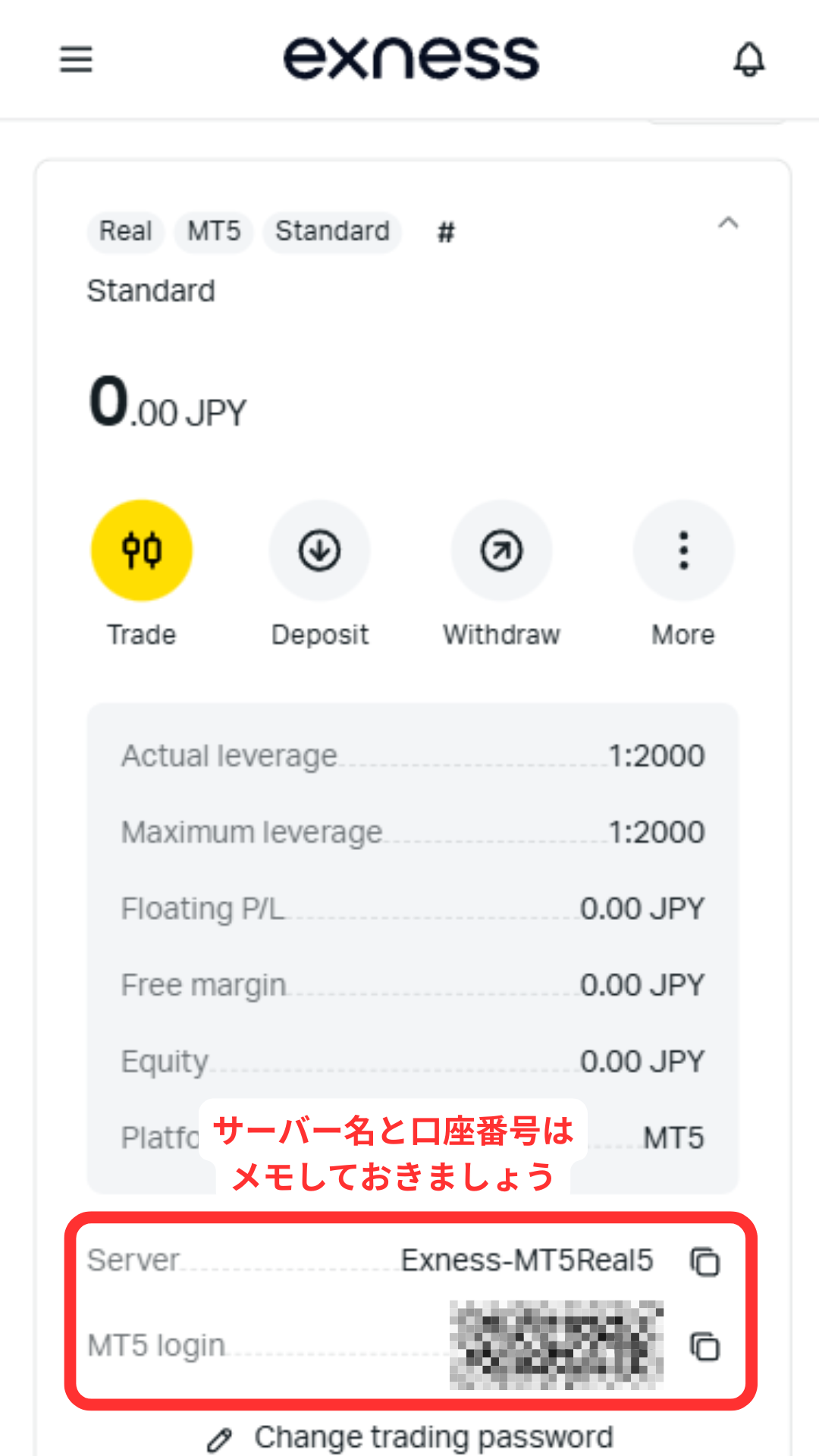
Step 26
Get account number and server name
Your account number and server name will be displayed, so please make a note of them along with the password you used earlier. Congratulations, your Exness account has now been opened
*This account number will be needed when registering your MoneyChat account in Part 2, so please be sure to write it down
Part 2
Register your account from your MoneyChat My Page (required)
If you forget this step, you will not receive the cashback. Be sure to apply from your MoneyChat My Page and confirm that the status has changed to "Approved" before trading
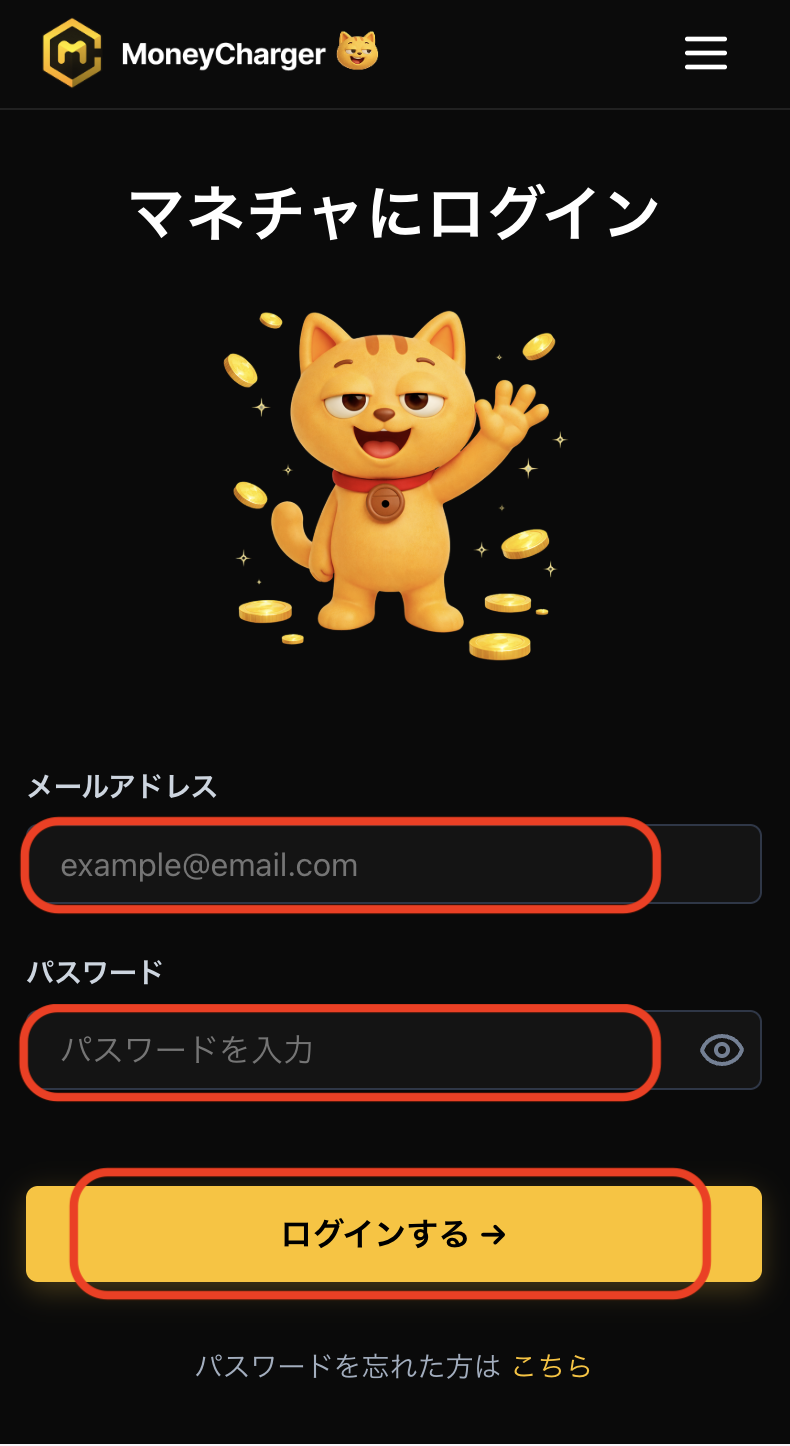
Step 1
Log in to your MoneyChat My Page
Log in to the MoneyChat page from the login page
Step 2
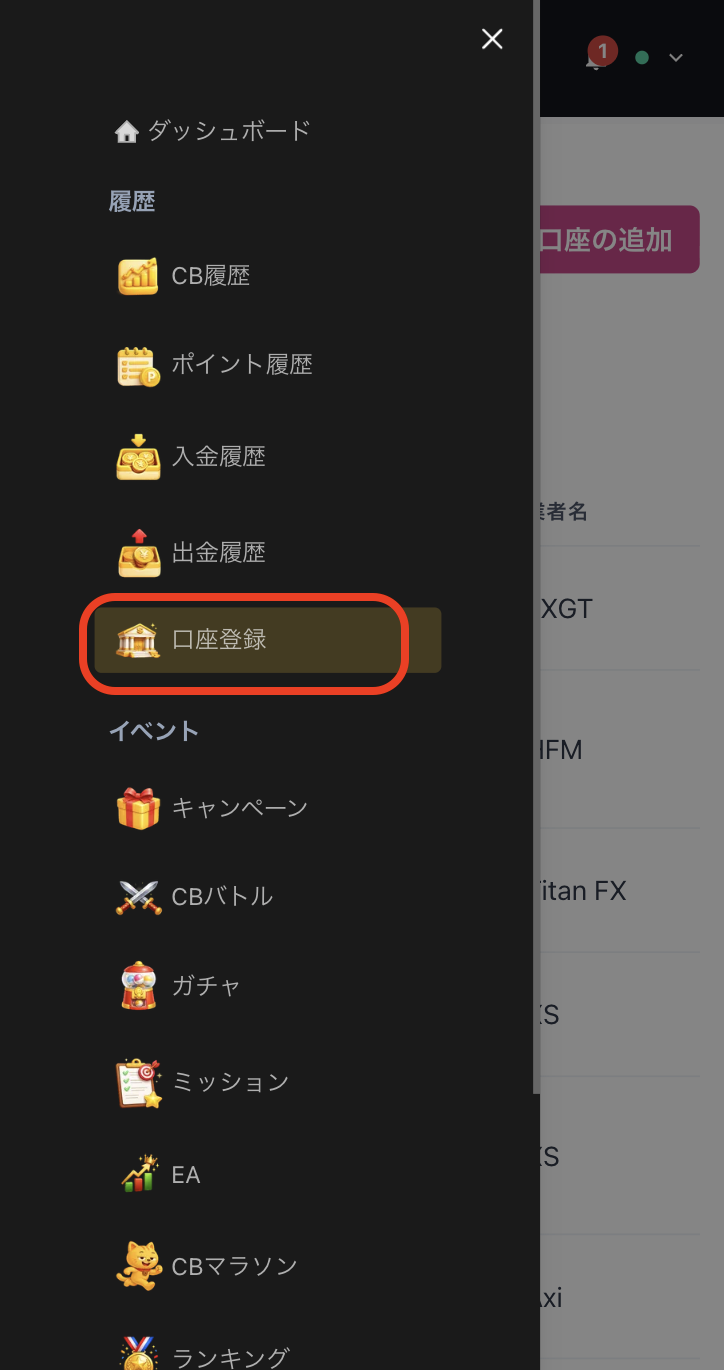
Select "Register Account" from the menu
Tap the three lines in the upper left corner of the screen to bring up a menu, then select "Register Account" from there
Step 3
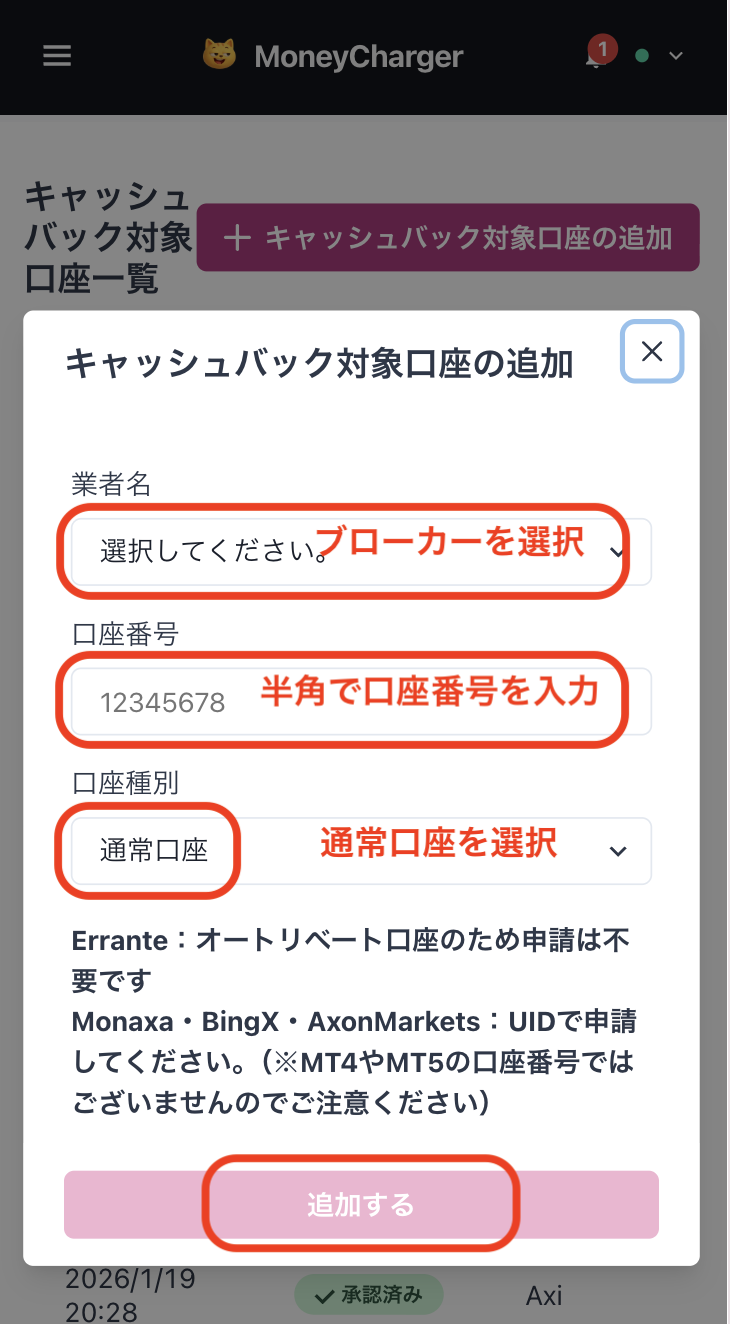
Select a broker and enter your account number
A menu like the one shown in the image will appear. Select "Exness" as the broker name and enter your account number using half-width numerals. For account type, select "Regular Account" if you are doing regular discretionary trading or using your own EA
While there is an option for a dedicated account for MoneyChat EAs, this is only for those who wish to use EAs within MoneyChat's EA menu, so please select "Regular Account"
Step 4
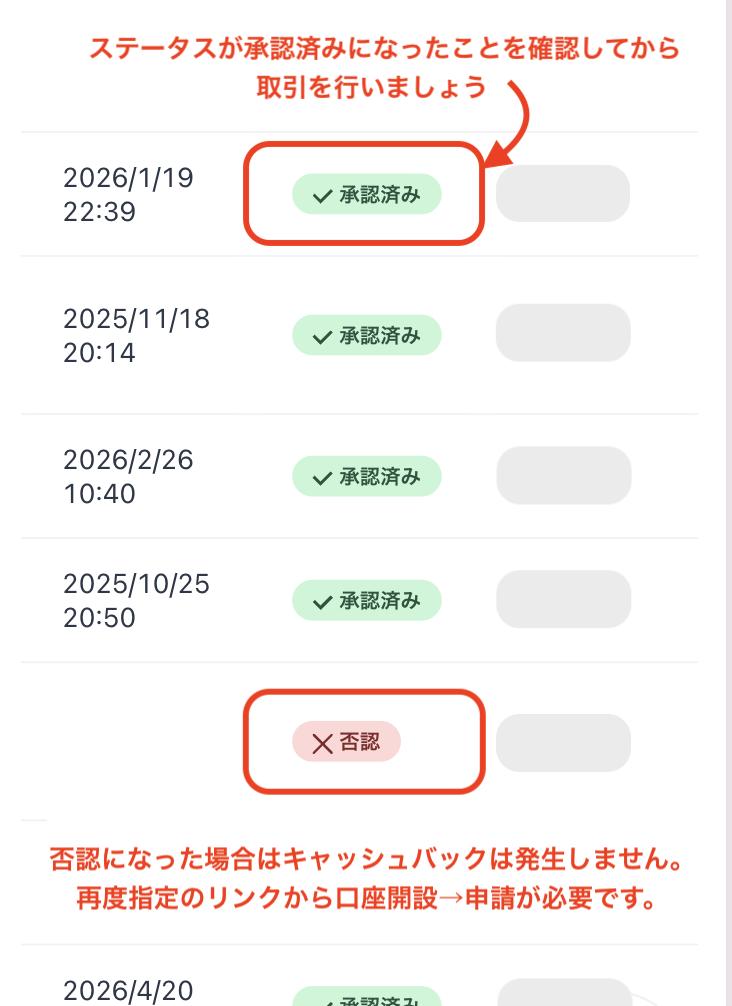
Once approved, it's complete
Once you see this screen, your application is complete.
After submitting your application, if there are no problems with your application details, the status at the bottom of "Account Registration" will change to "Approved" within one business day.
Cashback on your transactions will be reflected from the time the status changes to "Approved".
[Caution] Cashback will not be provided if you trade using an account that has not been approved. Please be aware of this