














allows you to start withMonaxa a minimum deposit of $15.
Overseas forex brokers that make it easy to start with a Pro account offering leverage up to 2,000 times and no fees

Get cashback automatically in 1 minute by using the referral link
WHY MONAXA?
Why does Monaxa
continue to be chosen?

REASON 01
Pro account with 0.9 pips and zero trading fees for a low-cost environment
Monaxa's Pro account offers a low cost environment with spreads starting from 0.9 pips and completely commission-free trading, making it competitively priced compared to other ECN accounts. With a minimum deposit of just $50, it's easy to get started, and combined with leverage up to 2,000x, it offers high capital efficiency. It's highly regarded by scalpers and day traders
REASON 02
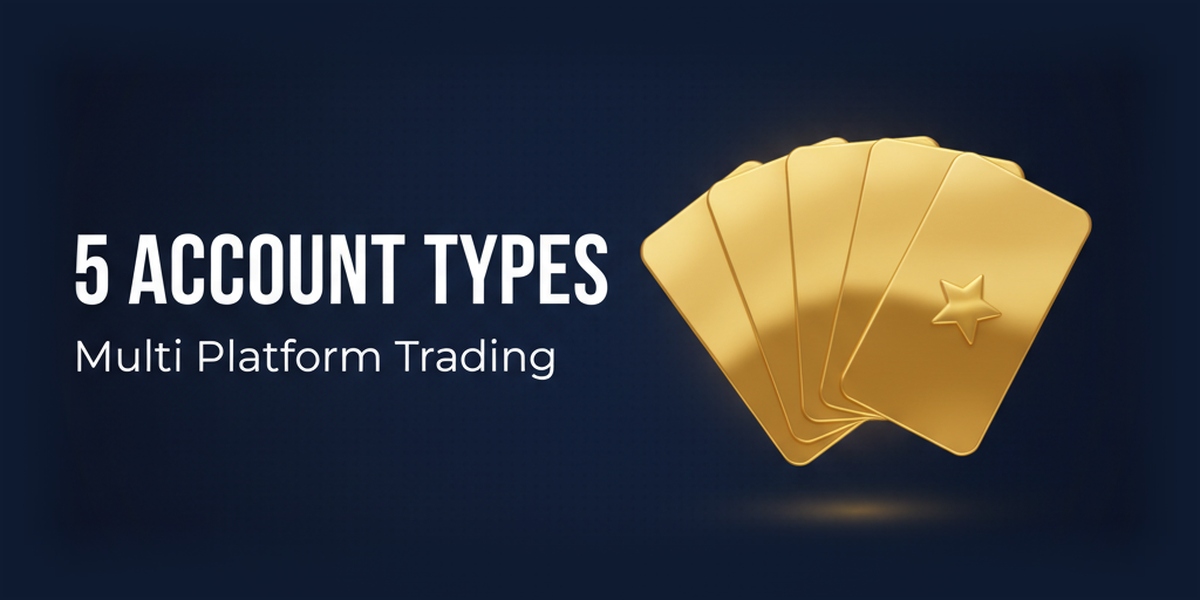
MT4/MT5 compatible × 4 account type options
Monaxasupports MT4 and MT5 and offers four account types: Standard, Pro, Zero, and Cent. With Standard and Cent accounts starting from a minimum deposit of $15, and cost-conscious Pro and Zero accounts,Monaxa's strength lies in its flexibility, allowing users from beginners to professionals to choose an account that suits their trading style
ABOUT
MonaxaWhat isA complete guide to its basics.
Account type
- Leverage2,000x
- Spread1.8 pips ~
- No fees
- Minimum deposit amountfrom 15 USD
- Leverage2,000x
- Spread0.9 pips ~
- No fees
- Minimum deposit amountfrom 50 USD
- 500x leverage
- Spread0.0 pips ~
- Commission:10 USD/lot (round trip)
- Minimum deposit amountfrom 200 USD
- Leverage1,000x
- Spread1.8 pips ~
- No fees
- Minimum deposit amountfrom 15 USD
Company Profile
 Operating company:Monaxa Ltd
 Establishedin 2023
 Head Office AddressNo. 9 Cassius Webster Building, Grace Complex, PO Box 1330, The Valley, AI-2640, Anguilla
Transaction specifications
 Maximum leverage:2,000x (Standard/Pro accounts) / 1,000x (Cent account) / 500x (Zero account)
 Products handled:
 currency pair50+
 Trading tools:MT4 / MT5
 Zero-cutsystem in place (negative balance reset).
 Japanese language supportavailable (email and chat).
EVALUATION
Monaxa's strengths and weaknesses
✅ Strengths
-
✓Commission-free Pro account with spreads starting from 0.9 pipsThe Pro account offers spreads starting from 0.9 pips and no trading fees. It is highly cost-effective and competitive in terms of actual cost compared to other companies' ECN accounts
-
✓You can start with a minimum deposit of $15Standard and Cent accounts have a low minimum deposit of $15, making them accessible even for beginners who want to try overseas forex trading with a small amount of capital
⚠️ Points to note
-
⚠It has a short operating history (established in 2023)As the company is relatively new, it lacks sufficient long-term experience and a solid track record. Judging its reliability will require time
-
⚠License is minorThey only hold licenses from Anguilla and Mauritius FSC. They do not hold higher-level licenses such as CySEC or FCA, so their regulatory security is limited
-
⚠The spread is slightly wider (Standard account)The spread on the Standard account is 1.8 pips or more, which is slightly wider than the industry average. If cost is a major concern, it is advisable to choose the Pro or Zero account
comprehensive evaluation
Recommended for: Beginners who want to start high-leverage trading with a small amount of capital. Also recommended for intermediate traders who value the cost-effectiveness of a Pro account.
Other recommended brokers: If scalping is your top priority,HFMweXS; if bonuses are your priority,BigBossAxonMarketsAxonMarketswe recommend
COMPARISON
\ You'll regret it if you don't know this /
Register directly from the official website vs.
Register from this page
| item | Register directly from the official website.from the official website Register directly |
 Register via Moneychavia Moneycha Register via Moneychavia MoneychaRegister |
|---|---|---|
| Cashback | none | You get $7.50 back per lot |
| Japanese support | Broker support only | Broker + MoneyChat (two points of contact) |
| Additional benefits | none | EA / Copy trading / Gacha / Tournaments, etc |
| Registration process | same | Same (5 minutes from the referral link) |
| Terms of Transaction | same | same |
Yet,if you go through Moneycha,Monaxayou get cashback for every transaction you make on
REVIEWS
Monaxareviews and testimonials
The Pro account's commission-free spreads starting from 0.9 pips are excellent, resulting in low effective costs
Source: X
It was easy to try since you can start for just $15. The Japanese support was also excellent
Source: X
Since they're still a new company, I'm hesitant to entrust them with a large sum of money. I'd like to wait until they've built up a track record
Source: X
The spreads on the Standard account are wide. It's difficult to justify the costs without a Pro account
Source: Review site
I'm worried that the licenses are only from Anguilla and Mauritius. I'd like a bit more reliability
Source: X
GET STARTED
How to get started with Monaxa

via the referral link.
Access the official siteAccess the official site via the referral link.
Cashback will not be provided unless you use Manecha's referral link
Approximately 10 seconds
Enter the
open an account.required information to
Submit your name, email address, and identification documents. Select your account type
Approximately 3 minutes
Deposit money
.and start trading
Once approved, you will earn cashback for each transaction
Immediate reflectionGet cashback automatically in 1 minute by using the referral link
EXTRA BENEFITS
MonaxaEven if you use a different service provider than
you'll get cashback
if you register with Moneycha.
MoneyChat is an overseas forex cashback service.
It supports over 25 brokersand
has a cumulative payment record of 20 billion yen.

Supports 25 vendors
Cashback available from providers other than Monaxa

Centralized management
Manage the income and expenses of all businesses with a single MoneyChat account
Five benefits you can receive by registering with Moneycha

Free support
Japanese chat support
available for troubleshooting trading and withdrawal issues.

OMEGA EA
EA, winner of the Tenkaichi Budokai, currently has
83 active players.

AI Copy Training
AI is currently trading 24 hours a day
with 56 participants.

Tenkaichi Budokai
A tournament to determine the strongest EA developer

Gacha Mission
Earn points through transactions → Receive fantastic prizes
receive benefits →
1 minute, completely free
FAQ
Frequently Asked Questions about Monaxa
Yes, it's completely free. There are no account maintenance fees either
It is pronounced "Monaxa"
Registration can be completed in as little as 5 minutes. Deposits and trading will be possible after identity verification (KYC) is completed
The Pro account has no commission and spreads starting from 0.9 pips, while the Zero account has a commission of $10 round trip and spreads starting from 0.0 pips. The actual cost varies depending on the trading frequency and the lot size per trade, so the Pro account may be more cost-effective for small trades, while the Zero account may be more cost-effective for large trades
Please enter your **"Customer ID"**, which is displayed onMonaxaMy Page profile screen, rather than your MT4/5 account number
Currently, no deposit-free account opening bonuses are not offered. Please check the officialMonaxawebsite for the latest bonus information
Existing accounts may be able to be linked by sending an email toMonaxasupport (monaxa) with the Transfer IB number "43269" and a request to change the linked account
No.Monaxadoes not currently support auto-rebates. To receive cashback, please register your account number on your Monaxa My Page
RELATED
Related information about Monaxa

Account Opening Guide
A complete guide to opening a Monaxaaccount

Leverage Explanation
Detailed explanation of Monaxa's leverage specifications

Withdrawal Guide
Monaxawithdrawal methods and troubleshooting

Bonus Information
Monaxa's latest campaign

Reviews and testimonials
Real reviews of Monaxa

Cashback details
Monaxacashback rates and account type comparison

Warning about fake IB sites
Beware of fake Monaxawebsites

Comparison with other companies
List of comparison articles between Monaxa and other companies
Start using MonaxaMonaxa the most cost-effective way.
Get tens of thousands of yen in cashback every month directly from the official source.
Complete the process in just one minute using the referral link.

Get cashback automatically in 1 minute by using the referral link