
A complete guide to opening a ThreeTraderaccount, with step-by-step instructions and images
This guide explains how to open a new ThreeTraderaccount, using easy-to-follow diagrams and smartphone screenshots, making it accessible to everyone
ThreeTradermakes it easy to open an account and set up cashback by following the instructions
Follow the steps below to open an account and apply for one
- How to open an account with ThreeTrader
- How to apply for an account with MoneyChat
you can get cashback if you register with MoneyChat.



available for troubleshooting trading and withdrawal issues.

83 active players.

with 56 participants.


Part 1
Open a ThreeTraderaccount
First, you need to open aThreeTraderaccount. Please follow the instructions below and open an account via the dedicated link provided by the button
Step 1
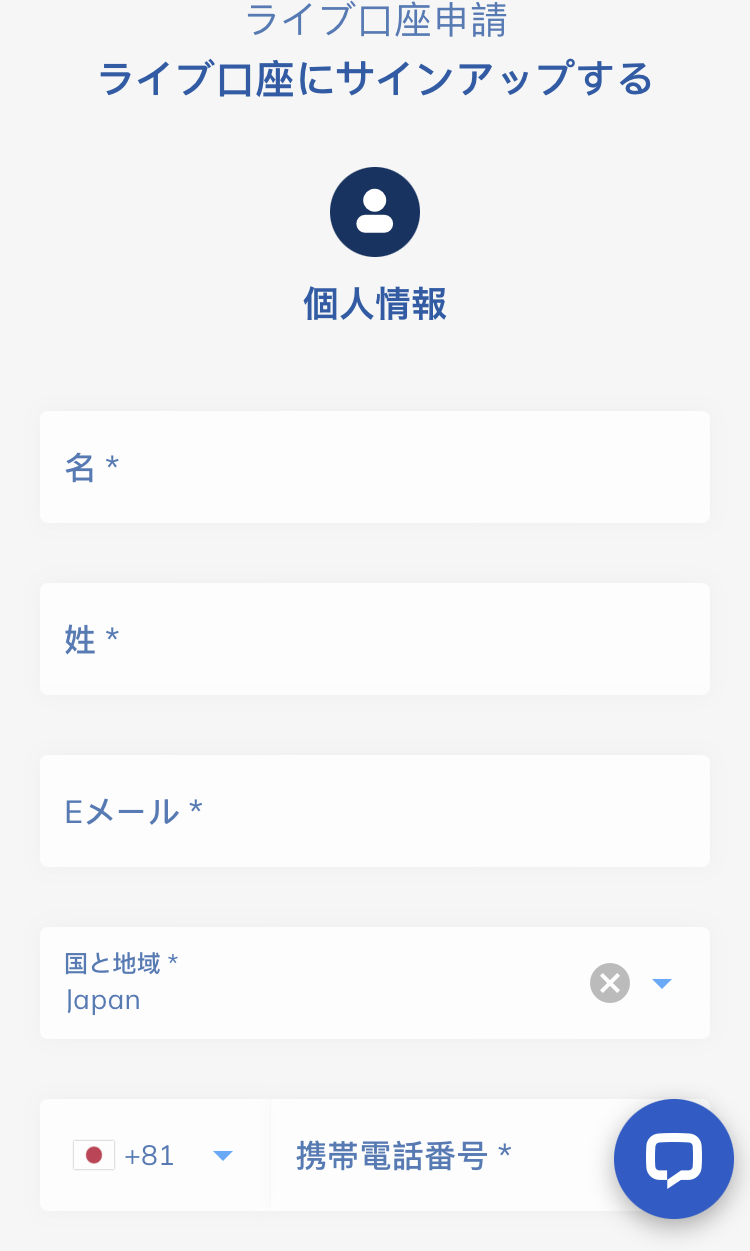
Go to ThreeTraderaccount creation page
First, click the button below to go toThreeTraderaccount creation page. When you open the link,ThreeTraderregistration form will be displayed
*Please note that if you register through a link other than the one provided by Moneycha, you will not be able to receive cashback from Moneycha
Step 2
Enter your registration information ①
Enter your basic information, such as your email address and name, into the displayed registration form to register withThreeTrader
*The email address you register will be used for logging in and receiving verification emails, so please be sure to enter an address that you can access
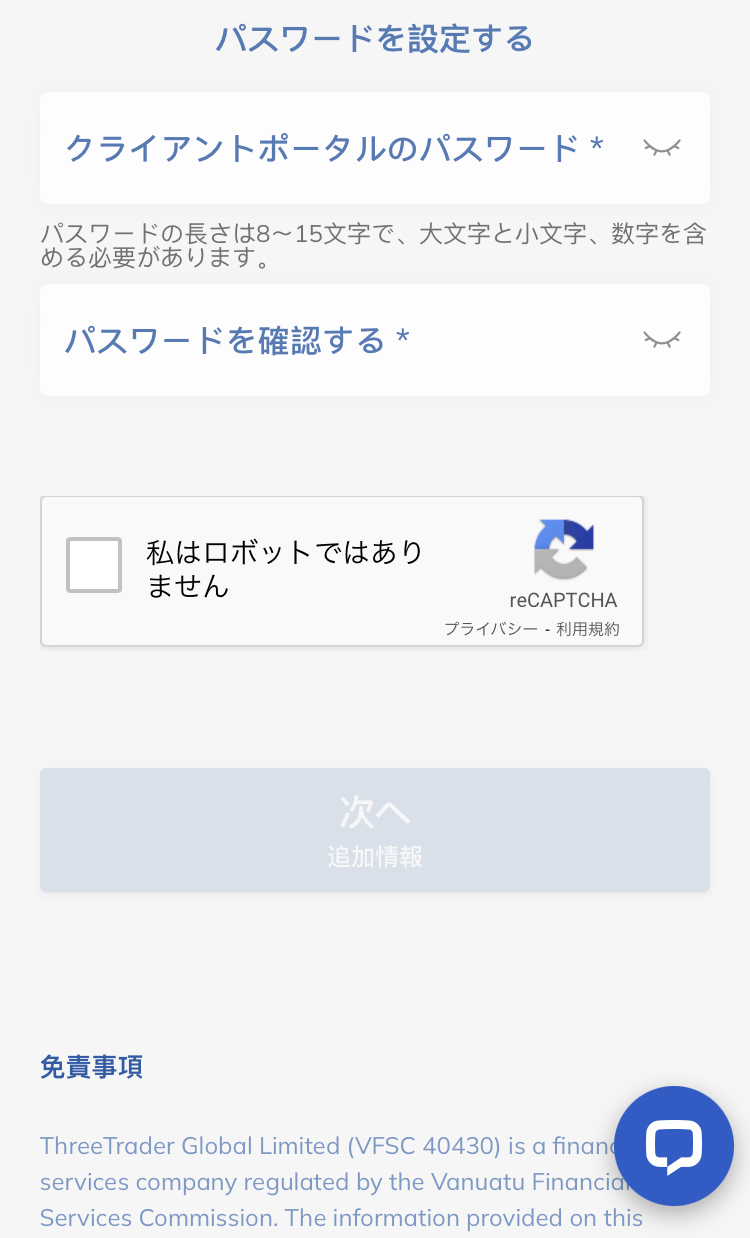
Step 3
Enter your registration information ②
Next, you will enter additional registration information such as your phone number and date of birth. Please enter the same information as it appears on your identification documents
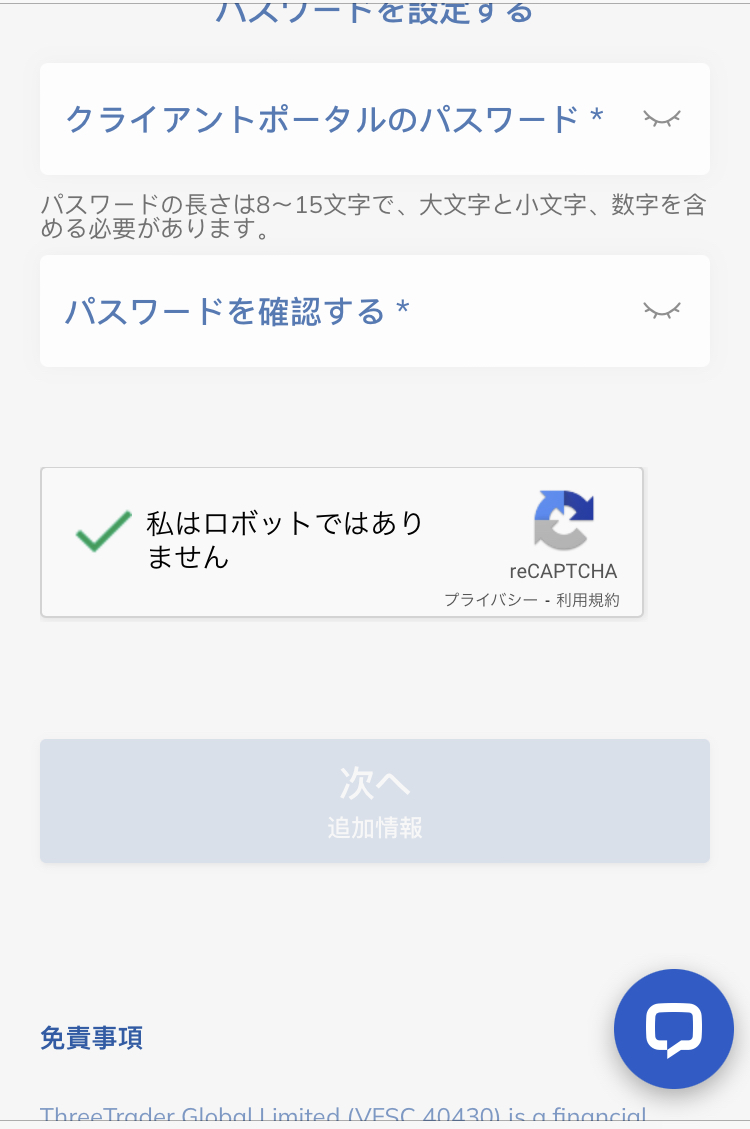
Step 4
Complete robot authentication and tap "Next"
Once you have finished entering your registration information, check the "I am not a robot" checkbox and tap the "Next" button
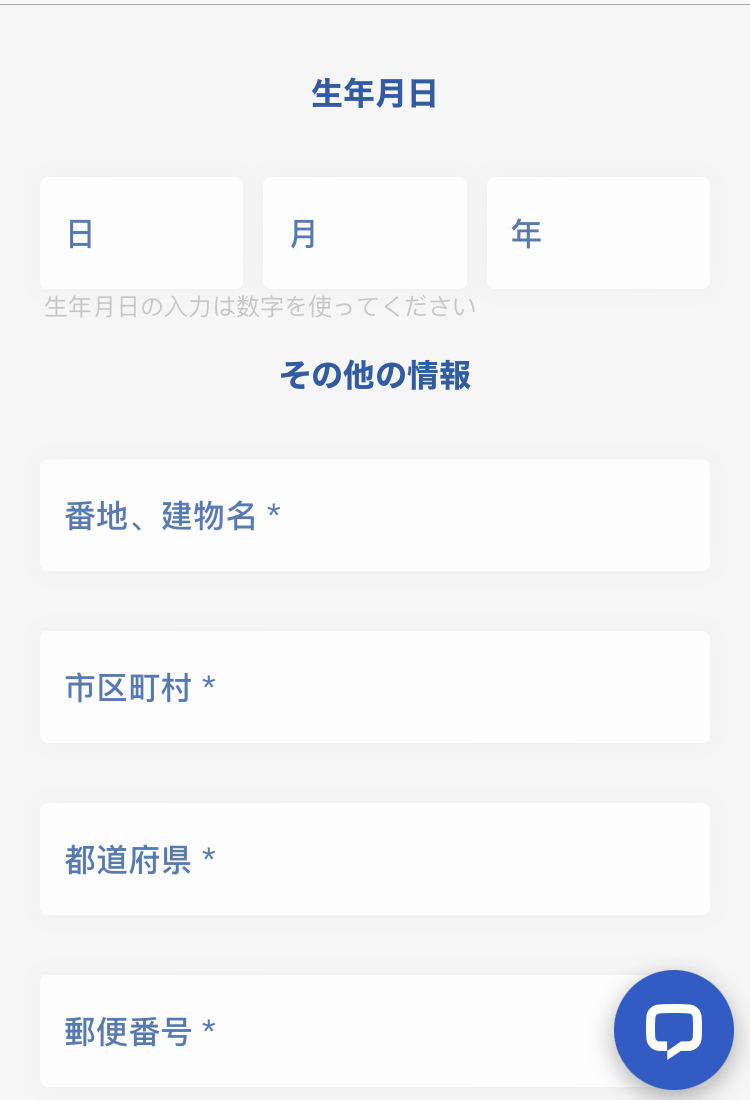
Wi5
Enter additional information
On the displayed screen, enter additional information such as your address and occupation
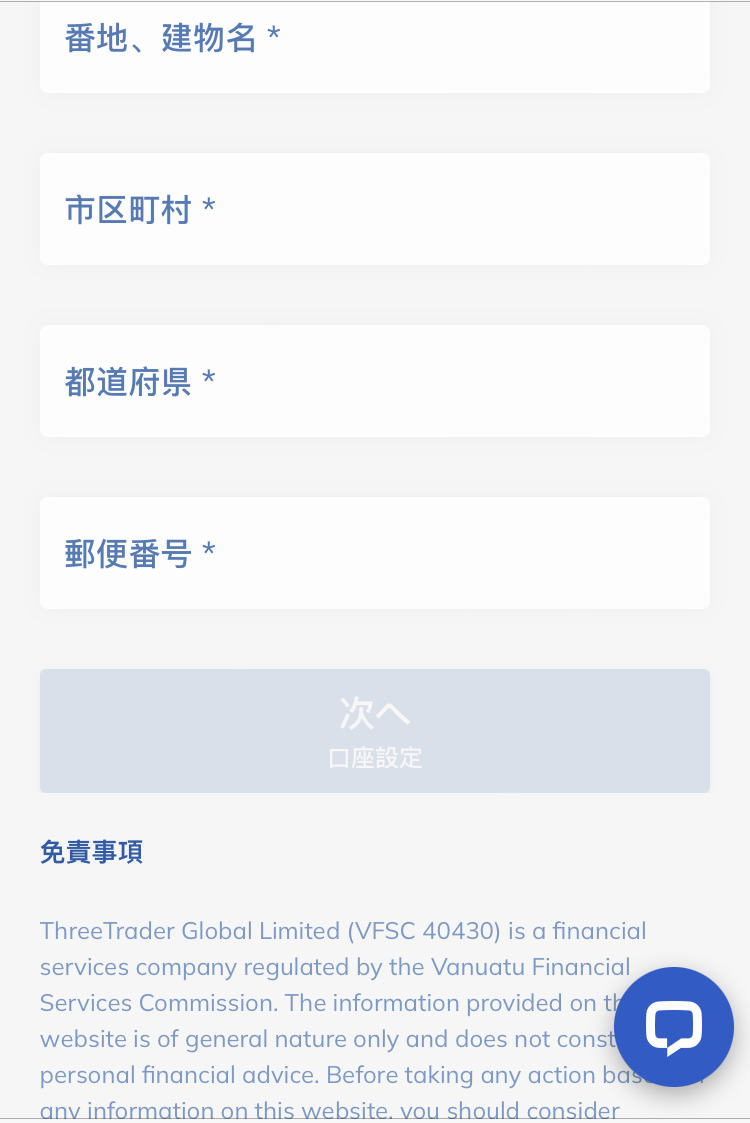
Step 6
Tap "Next"
Once you have finished entering the additional information, tap the "Next" button to proceed to the account details settings screen
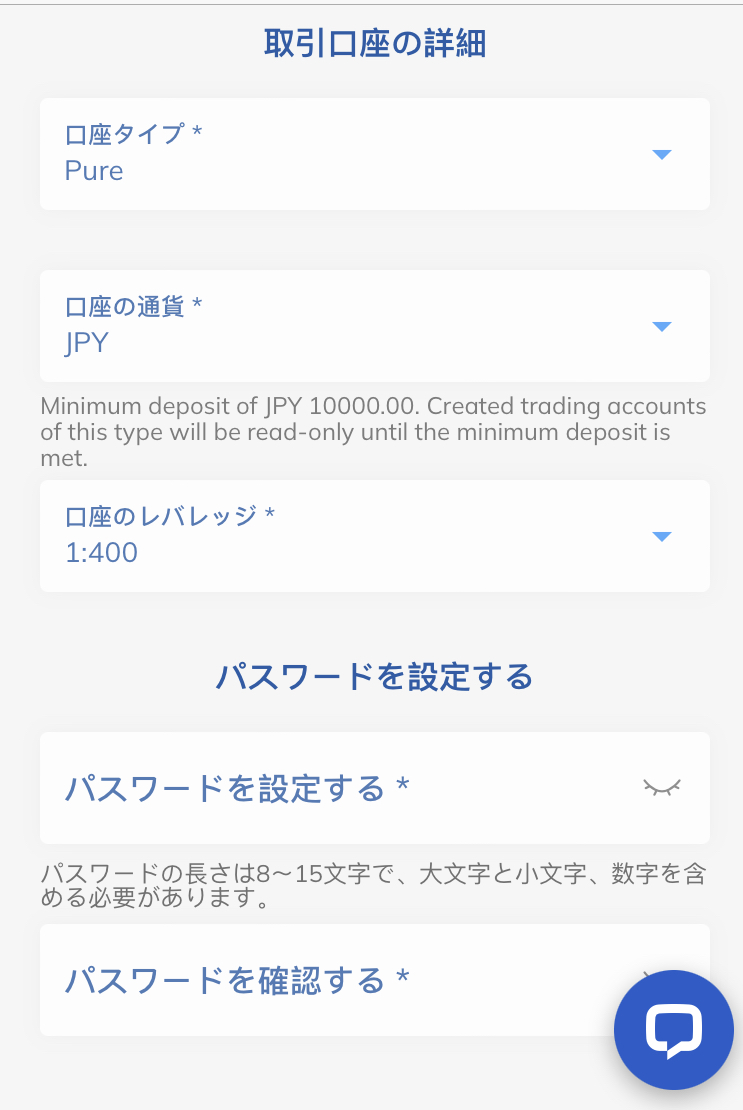
Step 7
Set account details and password
Select your trading account details (account type, trading platform, base currency, etc.) and set your login password for My Page
*The password you set will be used to log in to your My Page, so please make sure to write it down so you don't forget it
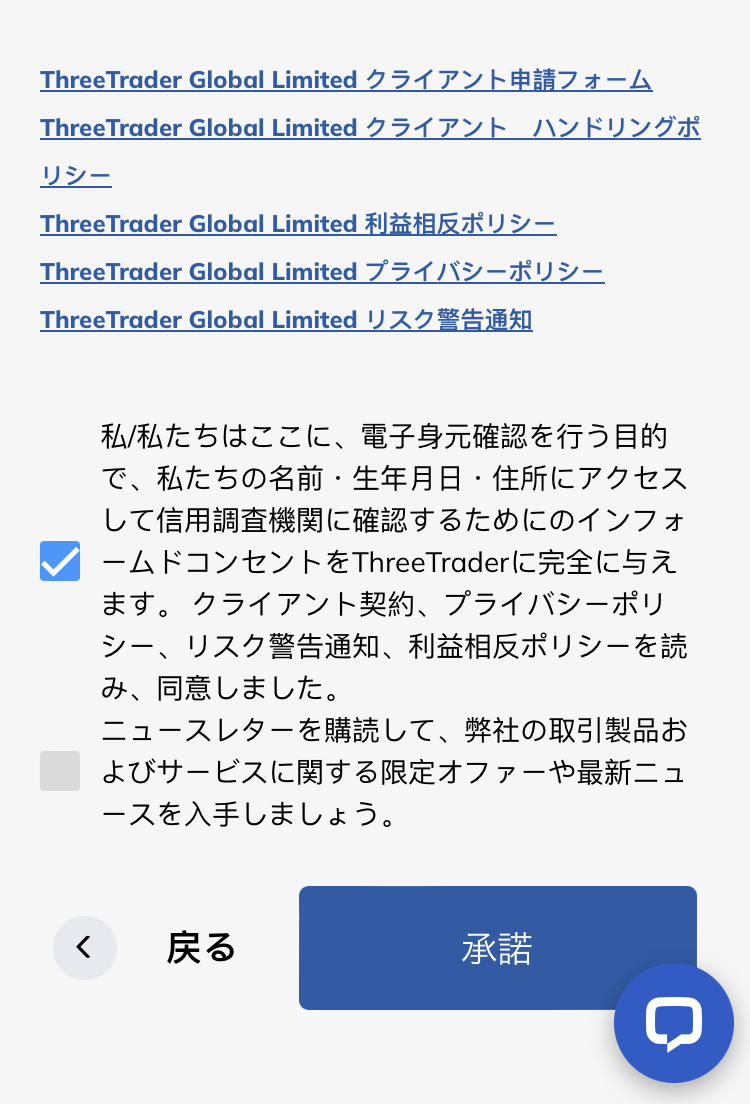
Step 8
Agree and tap "Accept"
Check the box to agree to the handling of your identity verification information, and then tap the "Accept" button
*The checkbox below is for consenting to receive emails about news and services. Please uncheck it if you do not wish to receive them
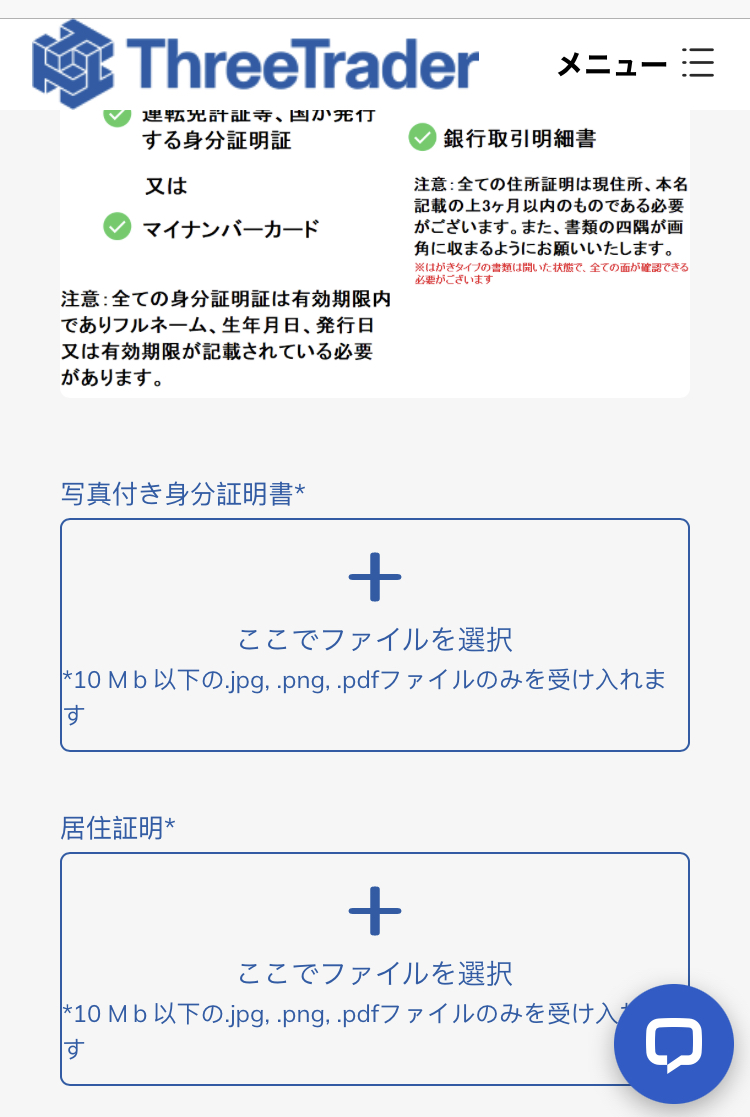
Step 9
Upload your ID and proof of residence
You will upload your identification document and proof of residence. You can choose from three types of identification documents and two types of proof of residence
*Please ensure that all four corners of the document are visible in the image and that the text is clearly legible when taking the photo
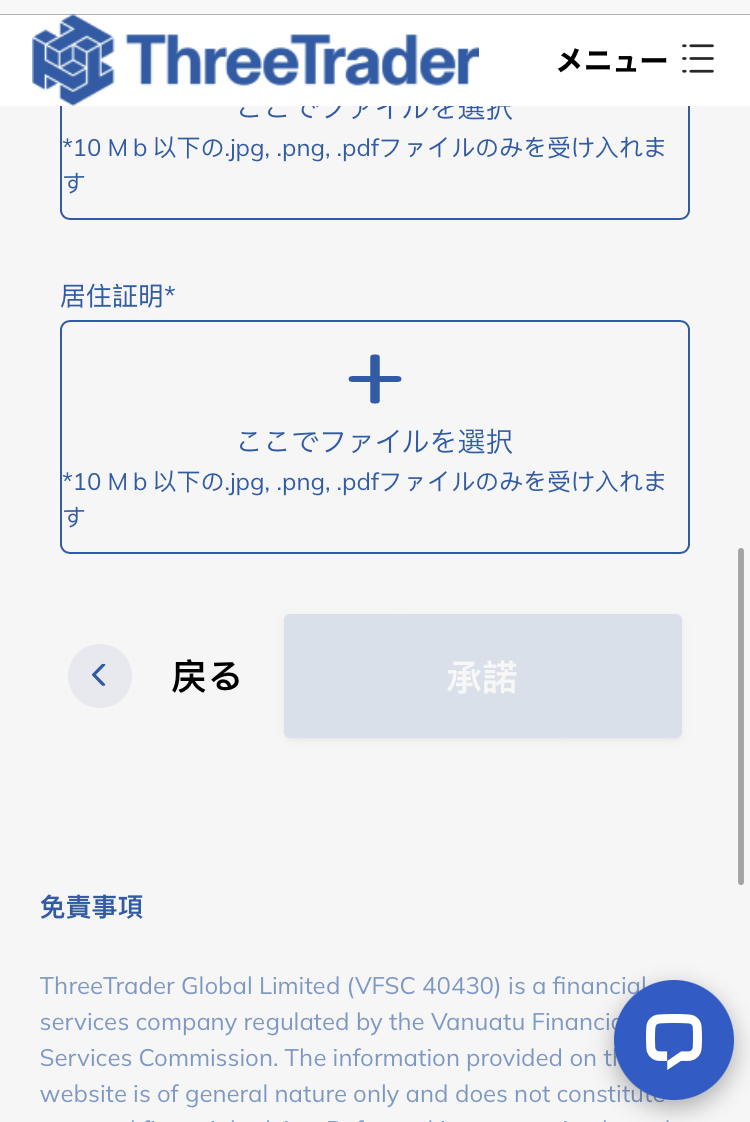
Step 10
Submit the documents and tap "Accept"
Once you have finished uploading your documents, tap the "Accept" button to complete your identity verification application. Congratulations, yourThreeTraderaccount opening is now complete
*Afterward, you will receive an email fromThreeTraderto your registered email address. This email will contain your MT4 server account information, so please save it or make a note of it. This login ID will be needed when registering your MoneyChat account in Part 2
Part 2
Register your account from your MoneyChat My Page (required)
If you forget this step, you will not receive the cashback. Be sure to apply from your MoneyChat My Page and confirm that the status has changed to "Approved" before trading
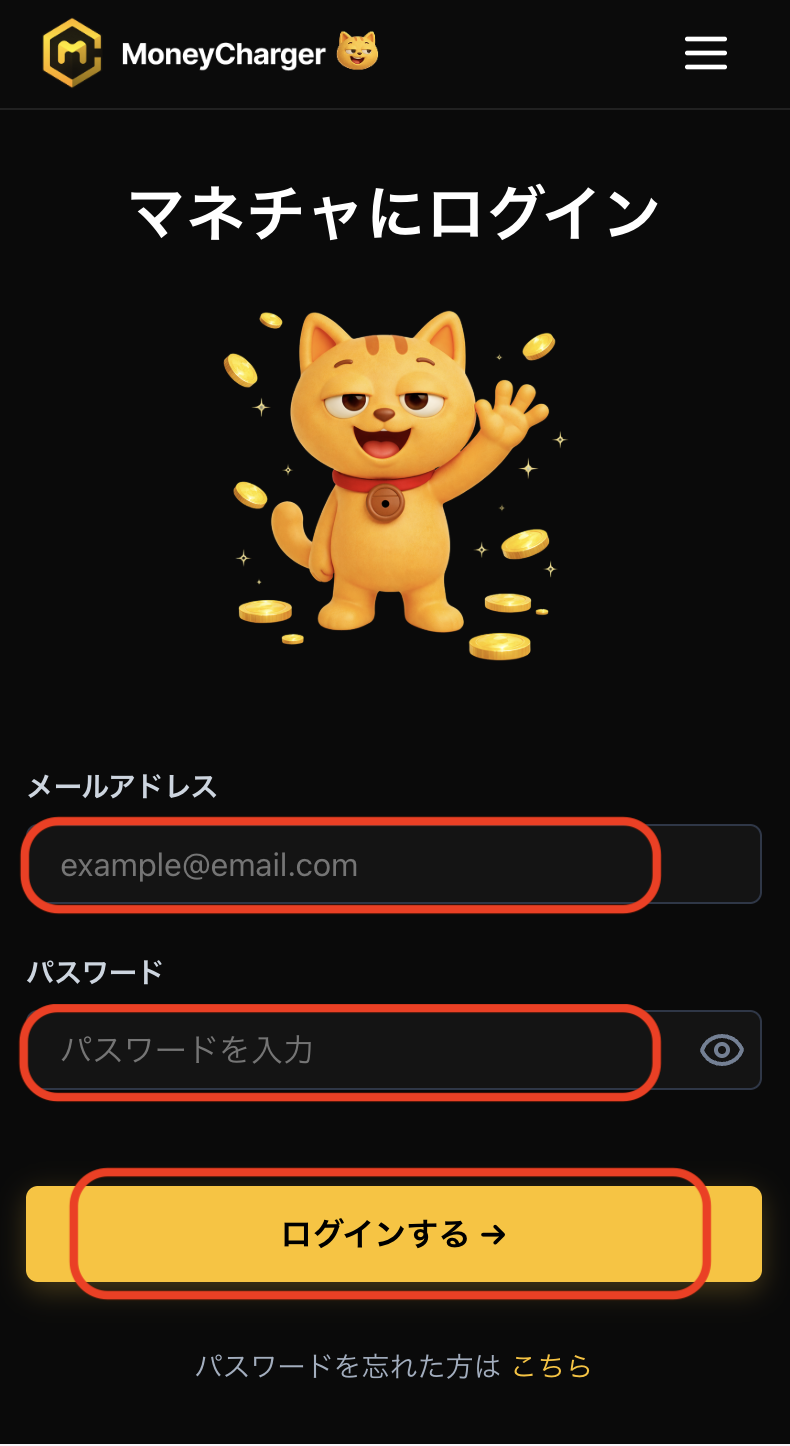
Step 1
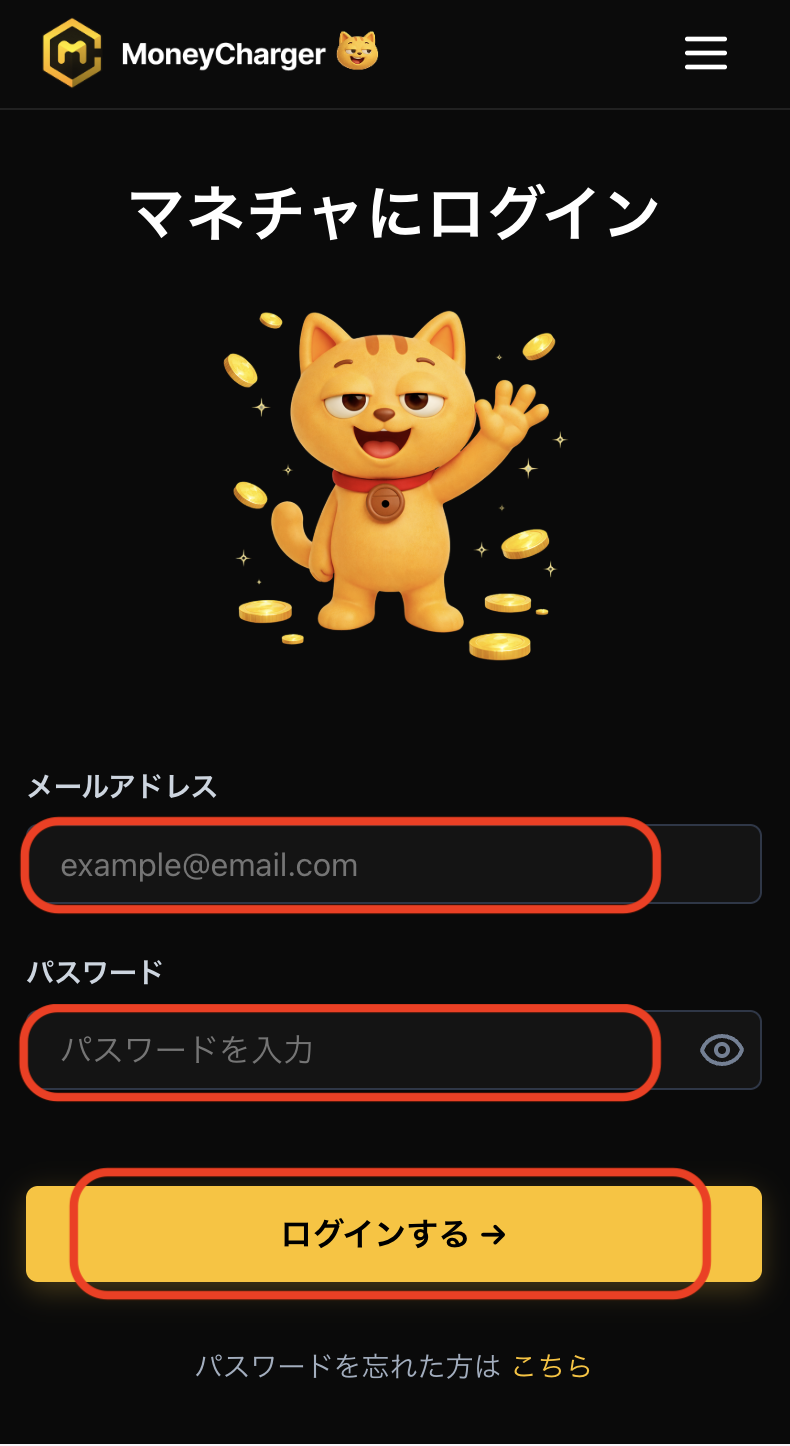
Log in to your MoneyChat My Page
Log in to the MoneyChat page from the login page
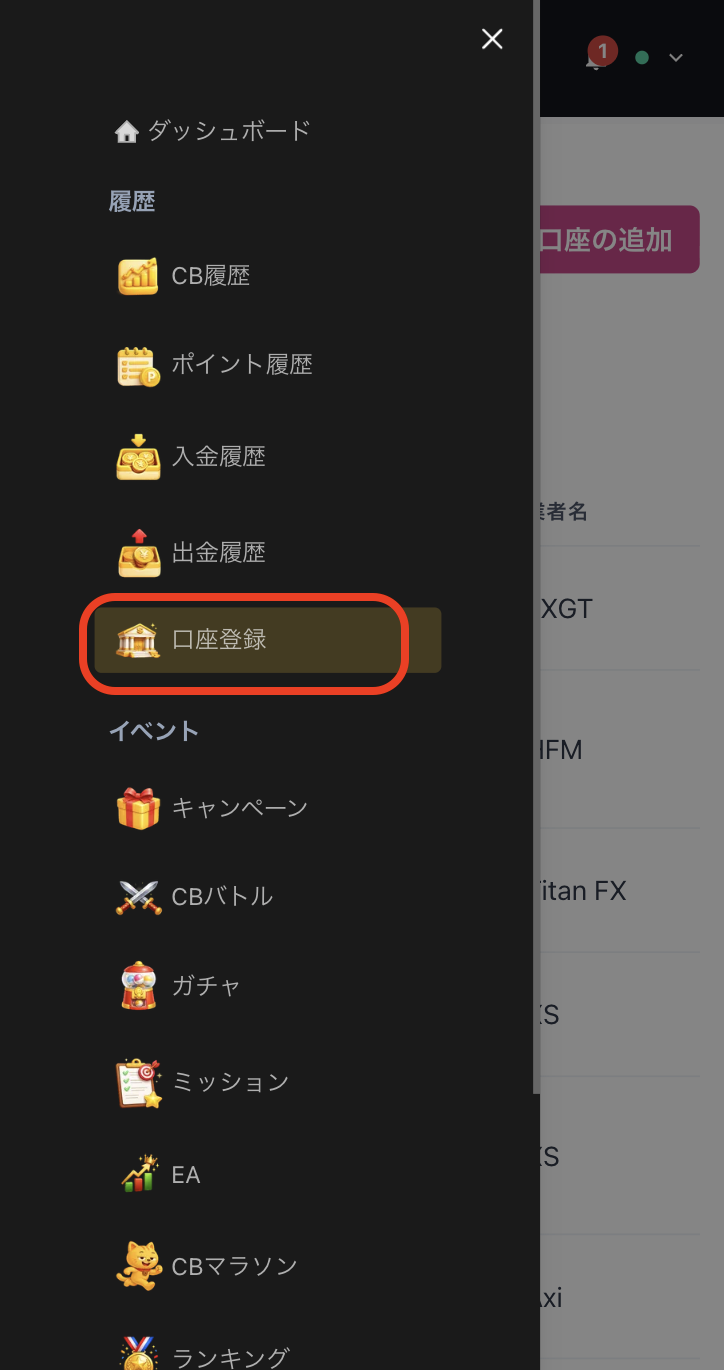
Step 2
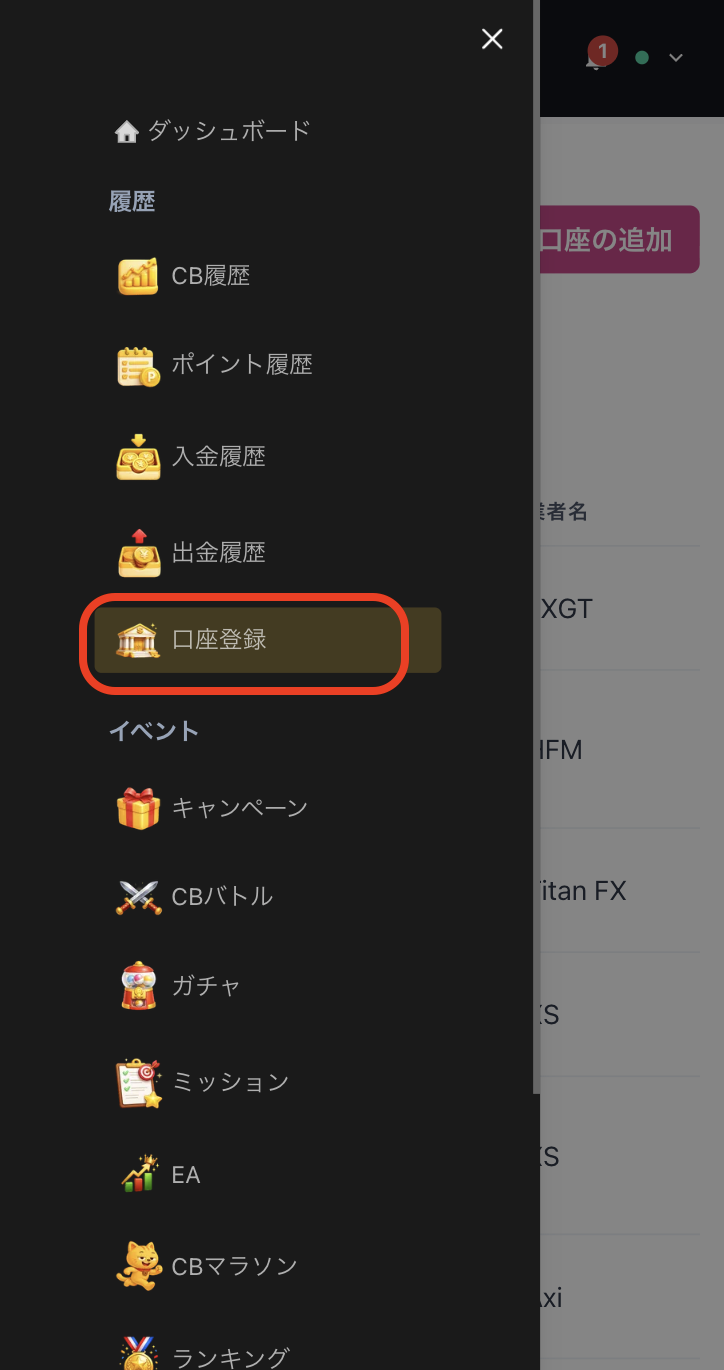
Select "Register Account" from the menu
Tap the three lines in the upper left corner of the screen to bring up a menu, then select "Register Account" from there
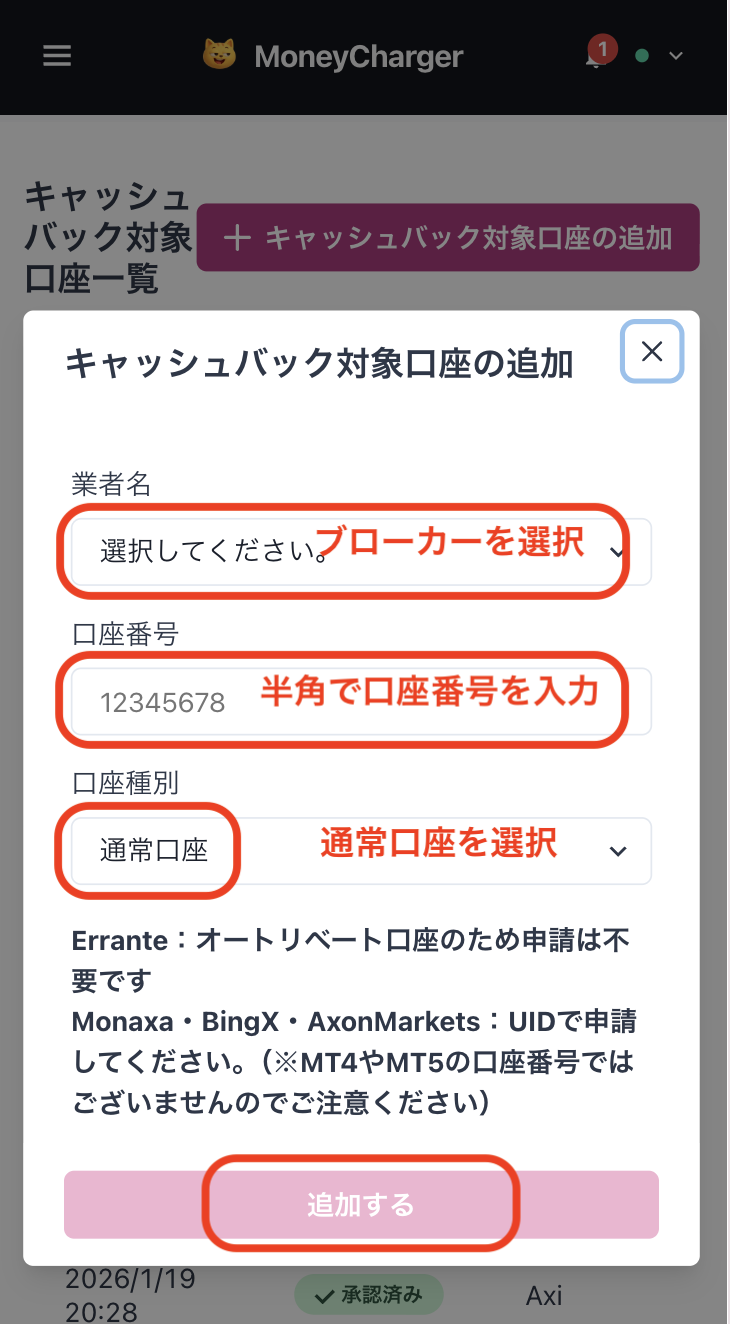
Step 3
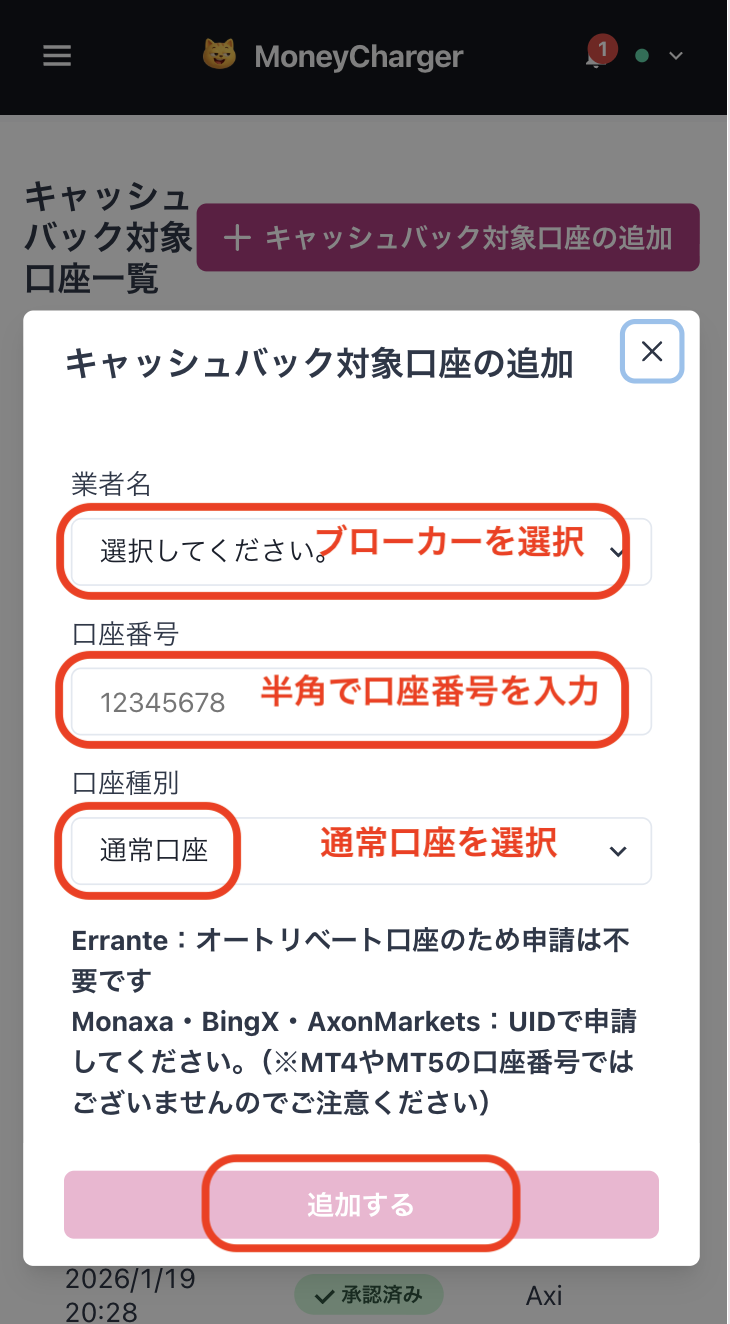
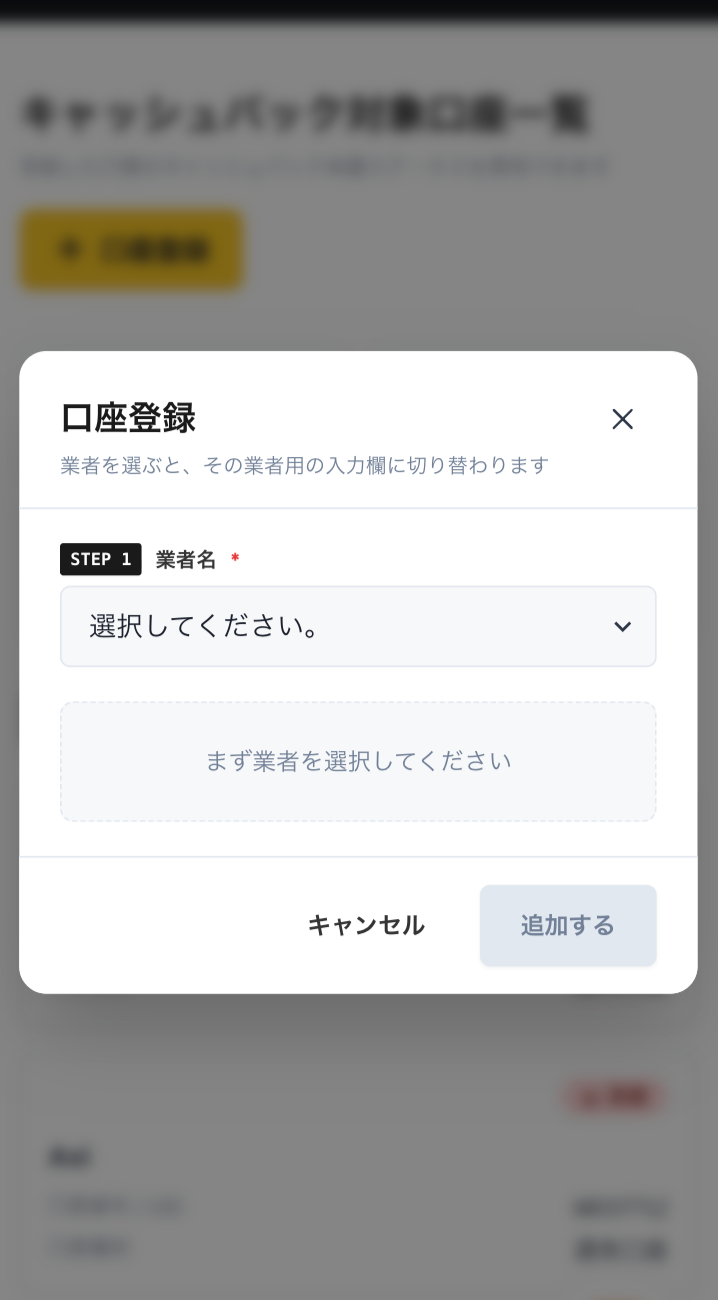
Select a broker and enter your account number
A menu like the one shown in the image will appear. SelectThreeTraderas the broker name and enter your account number using half-width numerals. For account type, select "Regular Account" if you are doing regular discretionary trading or using your own EA
While there is an option for a dedicated account for MoneyChat EAs, this is only for those who wish to use EAs within MoneyChat's EA menu, so please select "Regular Account"
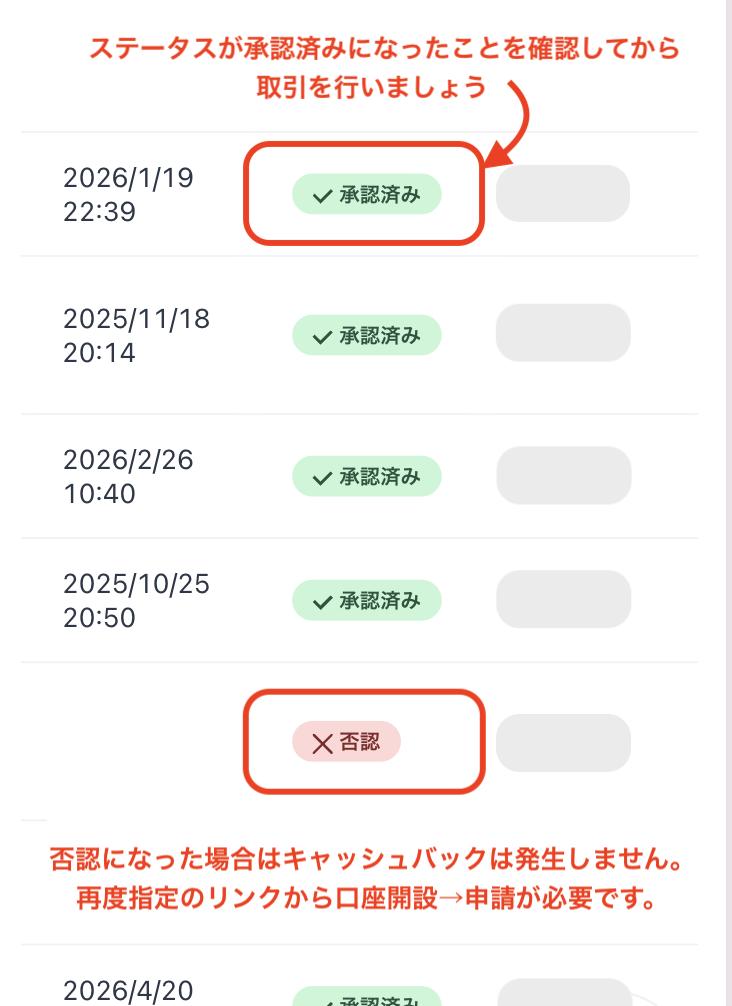
Step 4
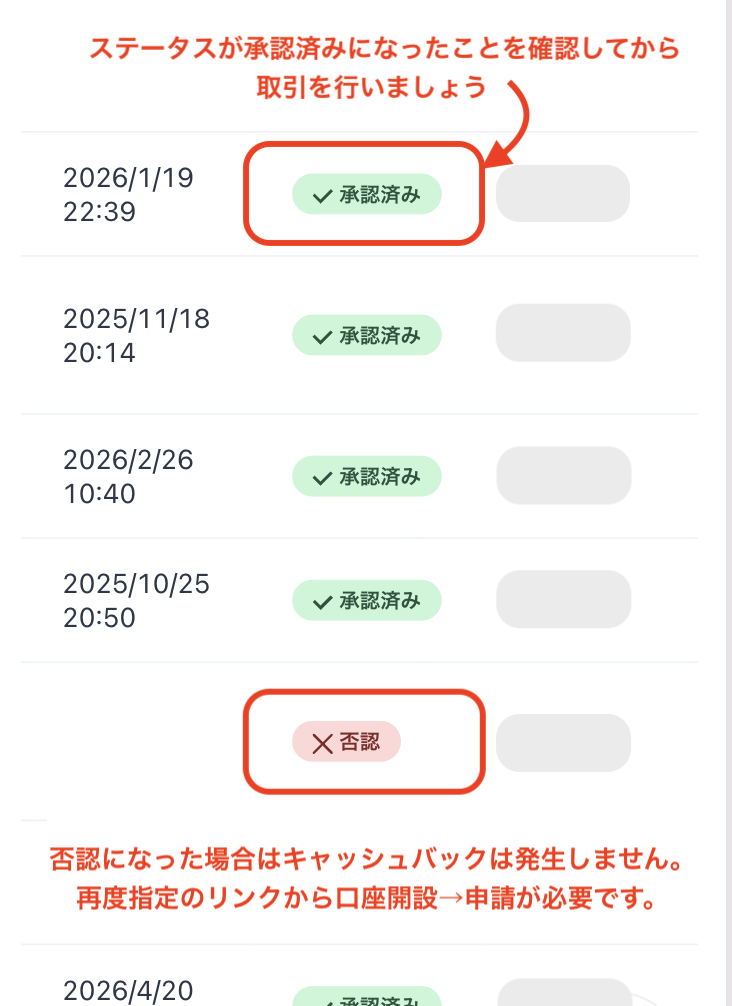
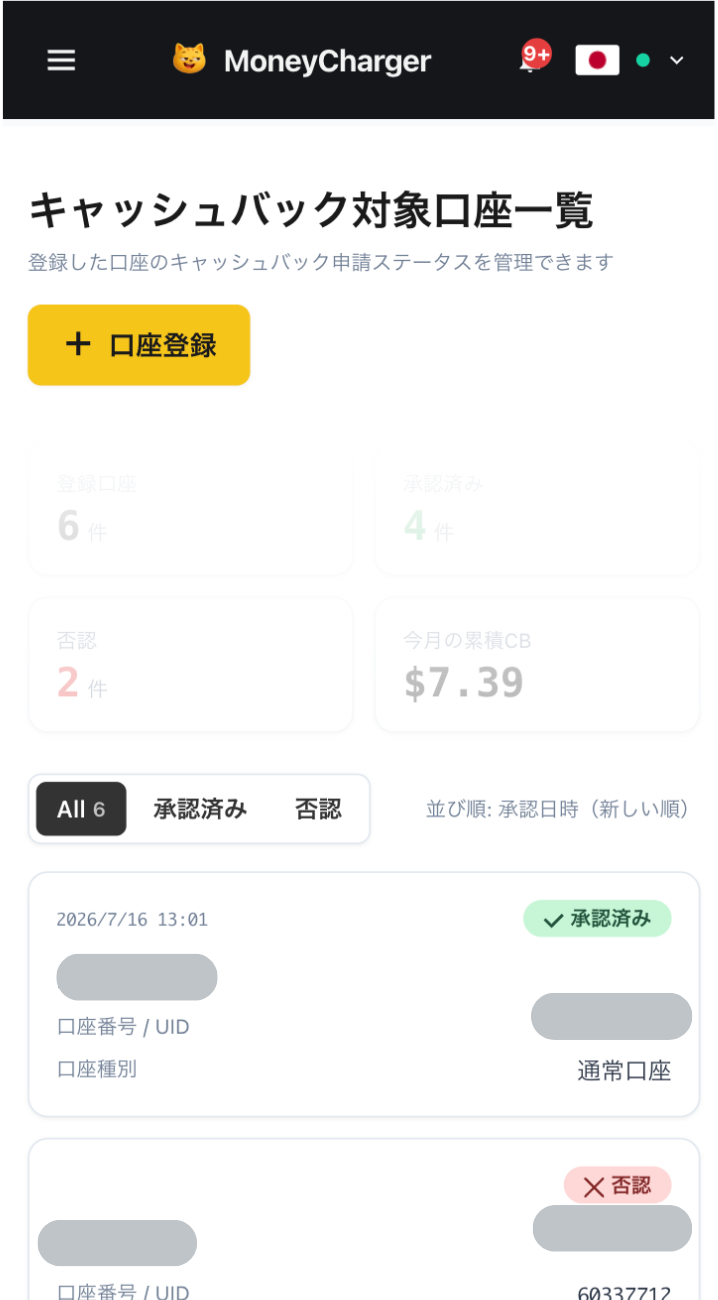
Once approved, it's complete
Once you see this screen, your application is complete.
After submitting your application, if there are no problems with your application details, the status at the bottom of "Account Registration" will change to "Approved" within one business day.
Cashback on your transactions will be reflected from the time the status changes to "Approved".
[Caution] Cashback will not be provided if you trade using an account that has not been approved. Please be aware of this