











\Better deal than registering directly through the official site/in 1 minuteXSOpen an

There are only three things you need to do!
Step 1
Open an account via the referral link
Step 2
Register an account with MoneyChat
Step 3
If it's approved, then it's OK!
Let's get started by opening anXSaccount!
Proceed to the officialXSwebsite via the referral link ↗Check the account opening procedure
that suits you.

XScreating an
?
HOW TO OPEN
Account Opening Procedure
Please see below for detailed instructions
Go to XSaccount creation page
First, click the button belowXSto go to the XS account creation page. When you open the link,XSregistration form will be displayed.
*Please note that if you register using a link other than the one provided by Moneycha, you will not be able to receive cashback from Moneycha.
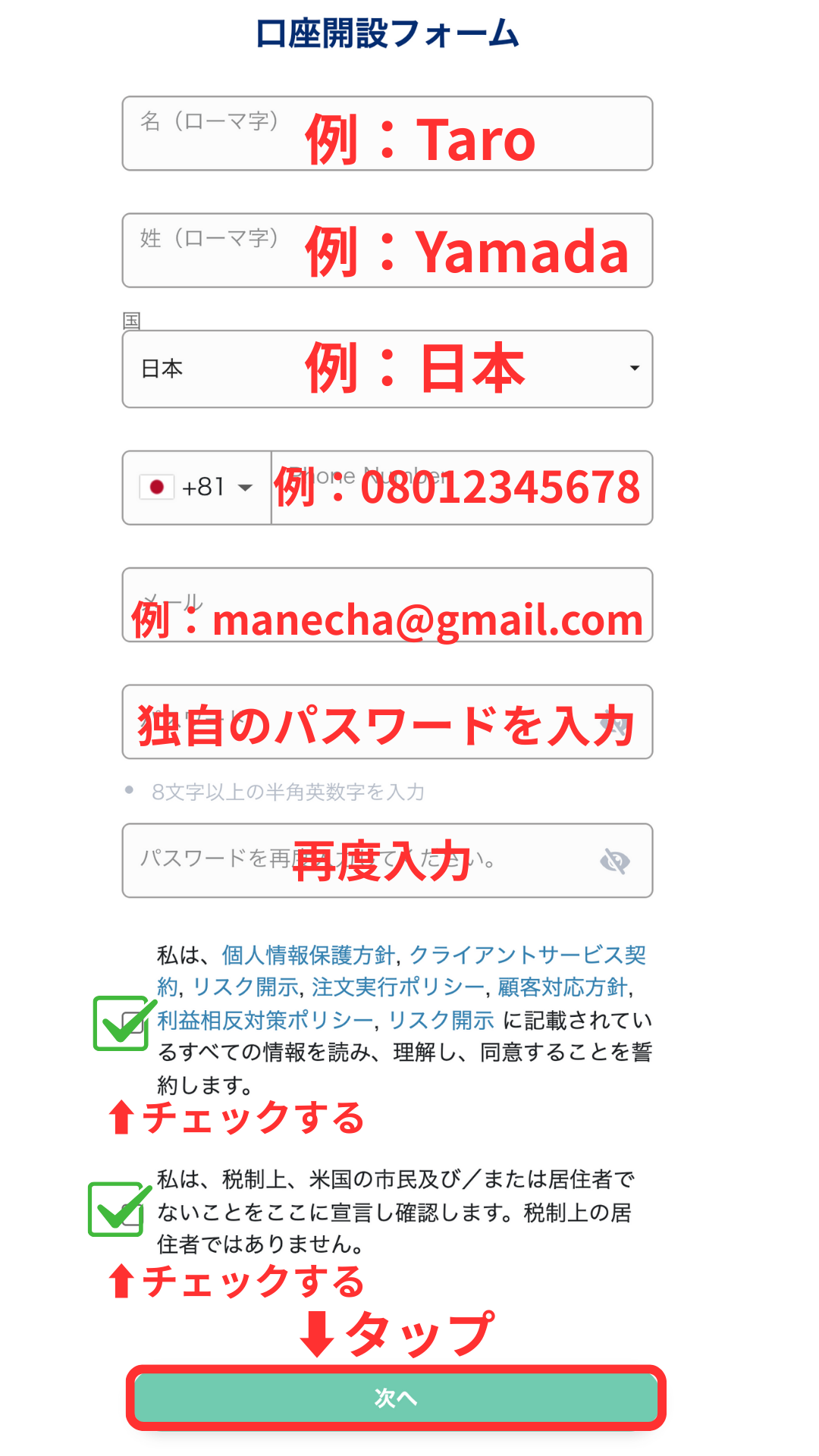
Enter your registration information
, into the displayed registration formXSEnter your registration information, such as the email address and password you wish to use with
*Please make sure to write down the registered email address and password, as you will need them to log in to your My Page.
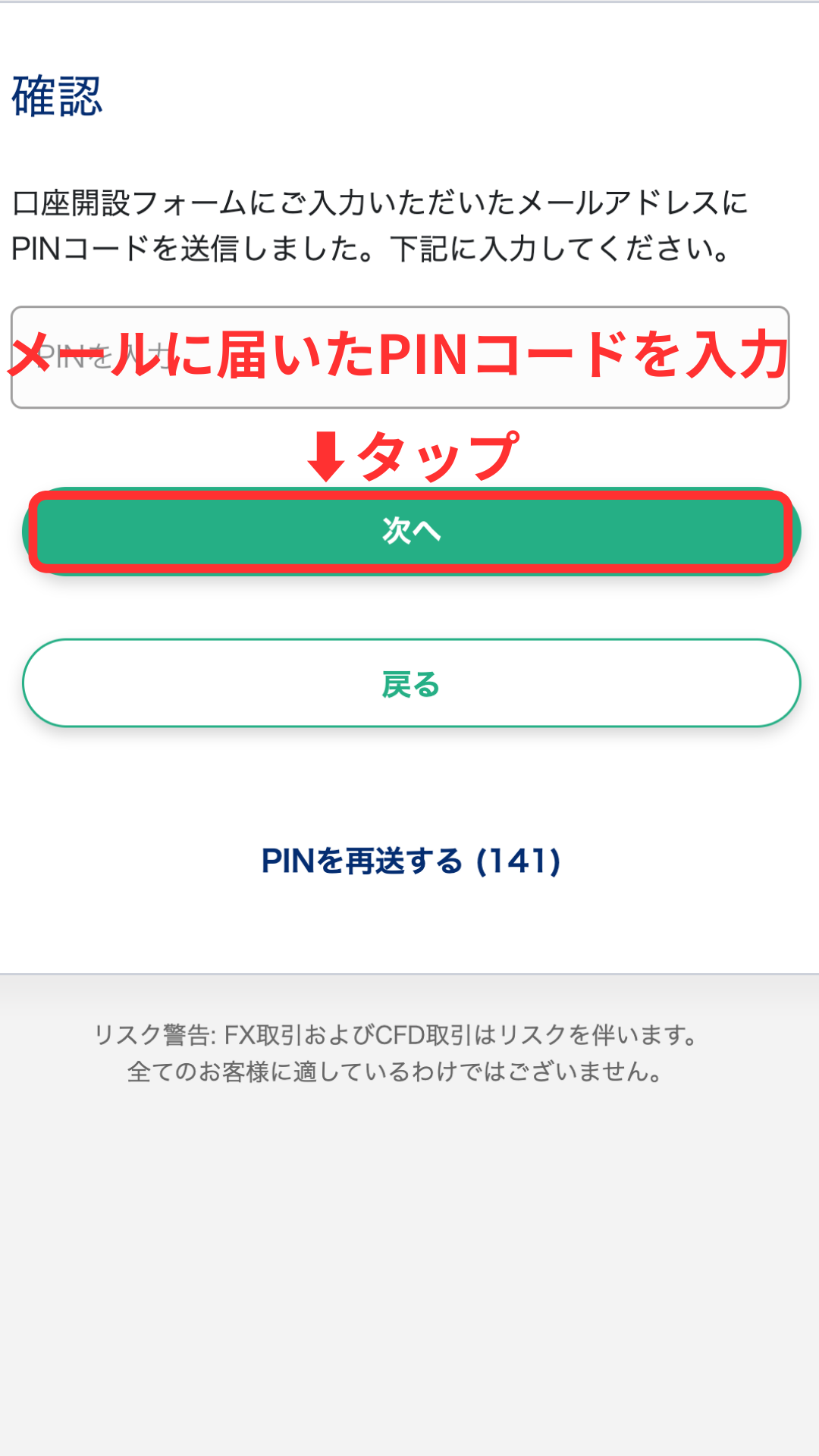
Enter your PIN code
A PIN code will be sent to the email address you entered. Please enter that PIN code on the screen.
*If you do not receive the email, please check your spam folder.
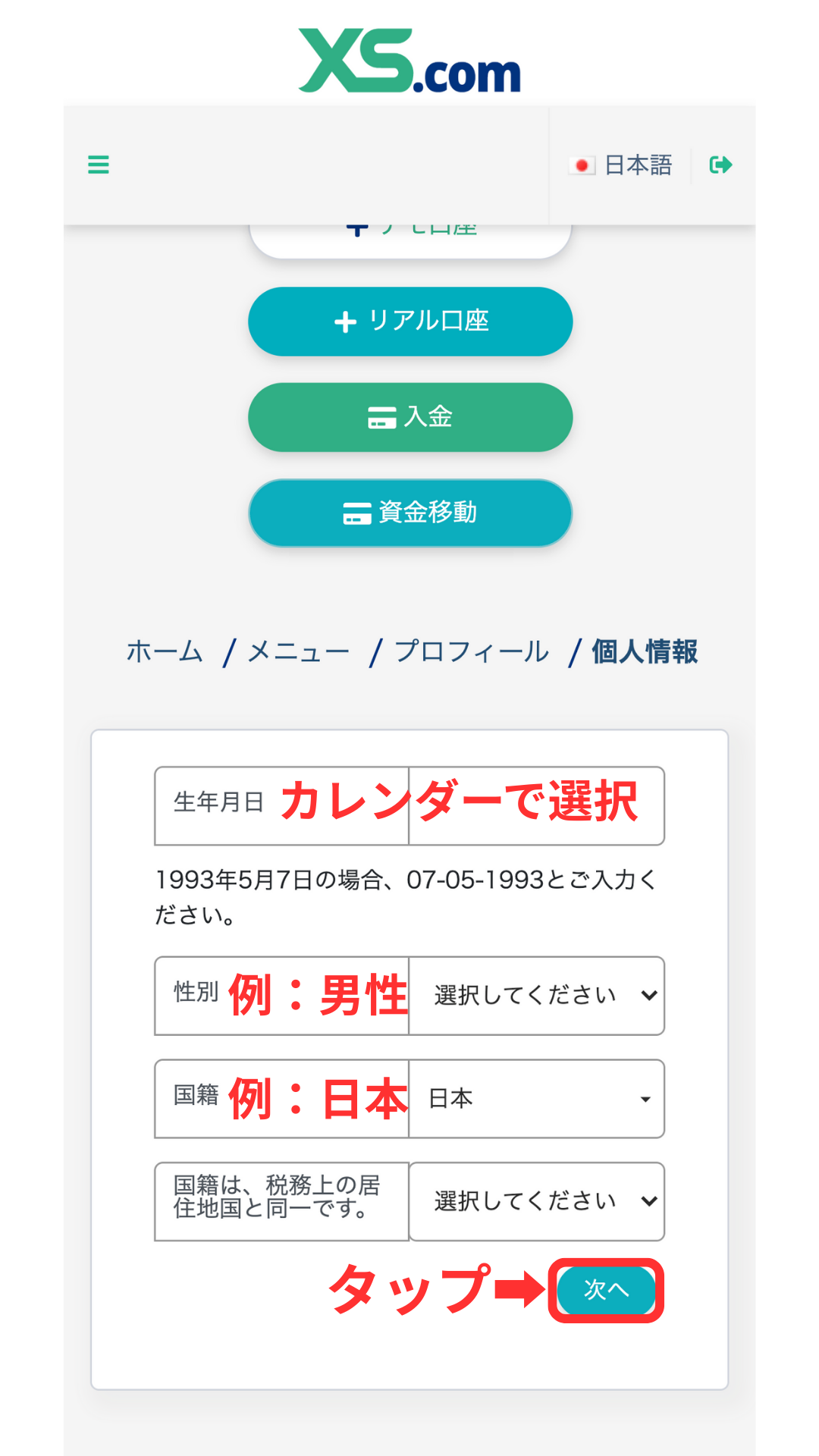
Enter your personal information
Next, enter your personal information, such as your name (in Roman letters), date of birth, and address, exactly as it appears on your identification document.
*If the information on your identification document does not match the information you enter, your application may not be approved during subsequent verification.
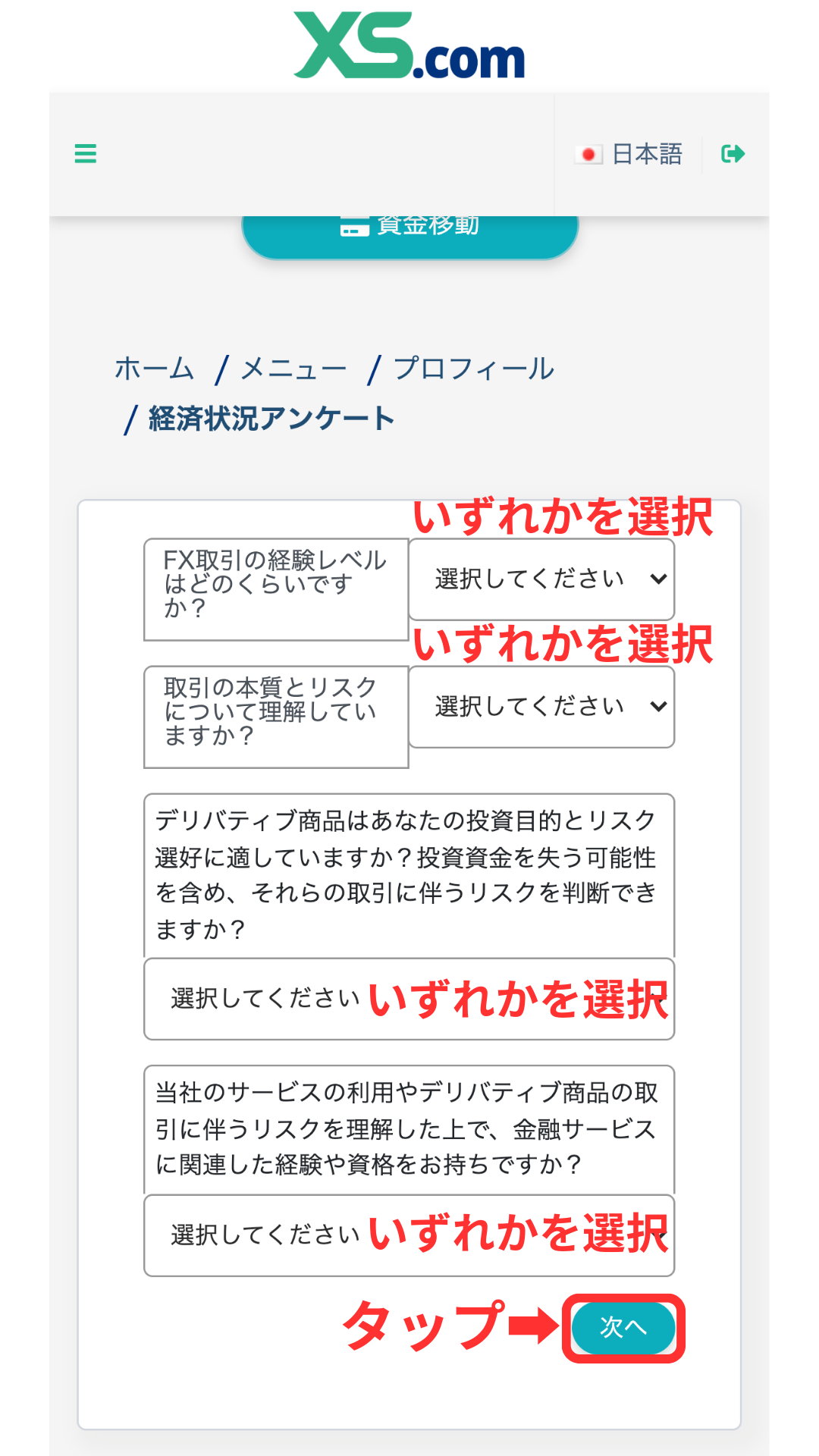
Responding to the economic situation questionnaire ①
I will answer a questionnaire about my financial situation. I will select and enter information on items such as annual income, assets, and trading experience
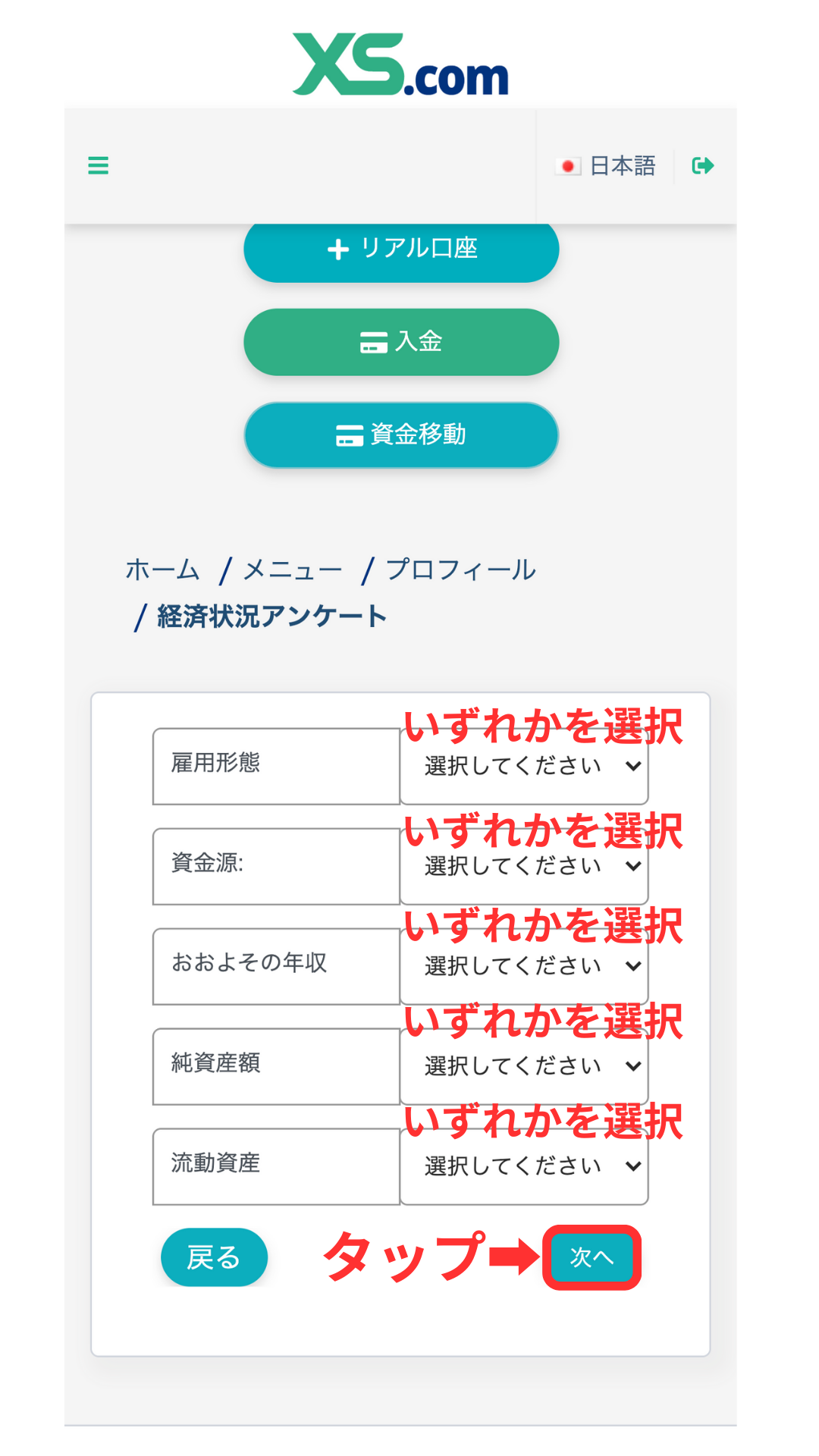
Responding to the economic situation questionnaire (Part 2)
Next, answer the second half of the questionnaire, complete the input, and submit it
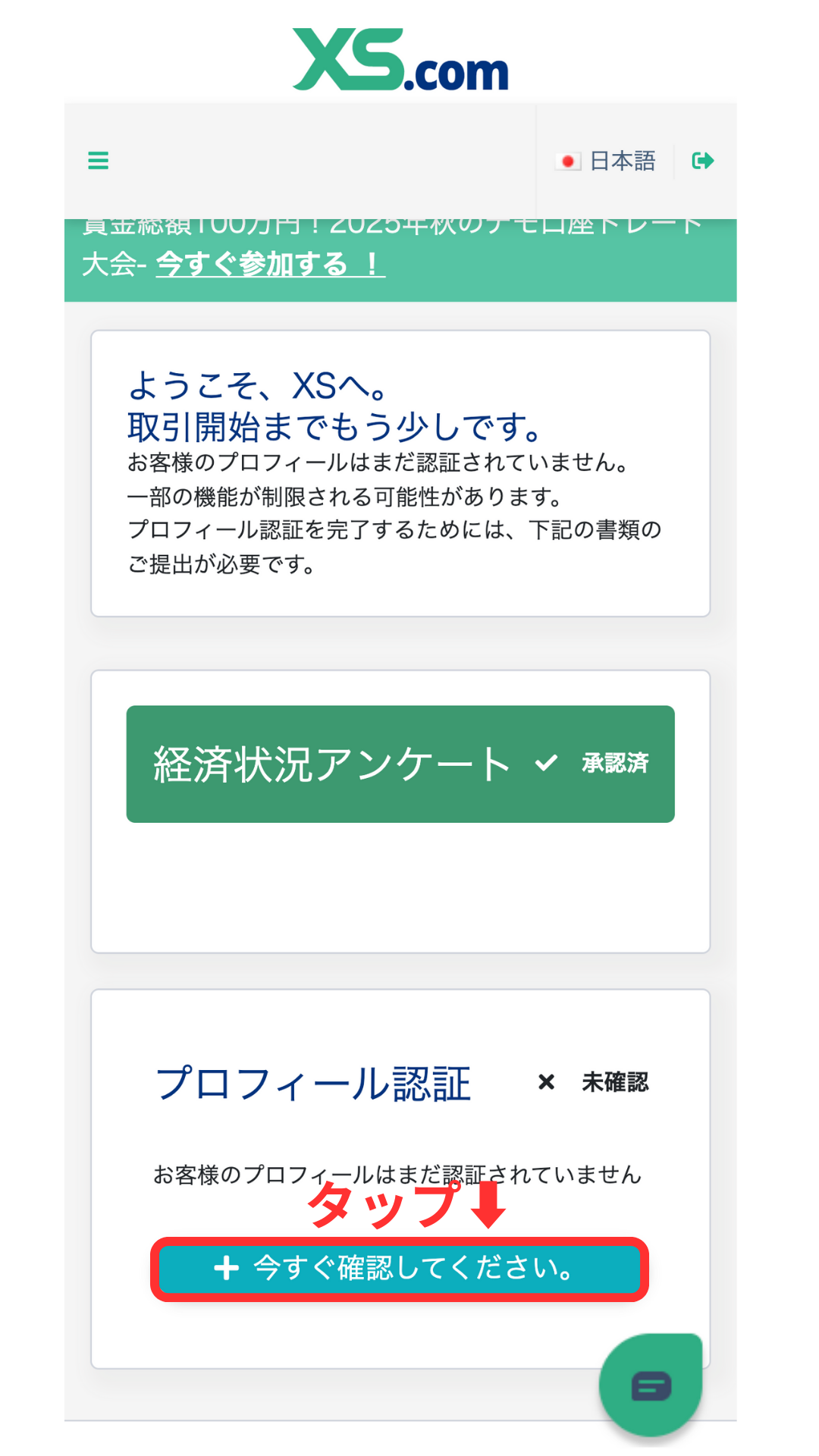
Confirm that the survey has been approved
Please confirm that the economic situation survey is marked as "Approved." Next, proceed to profile verification (identity verification)
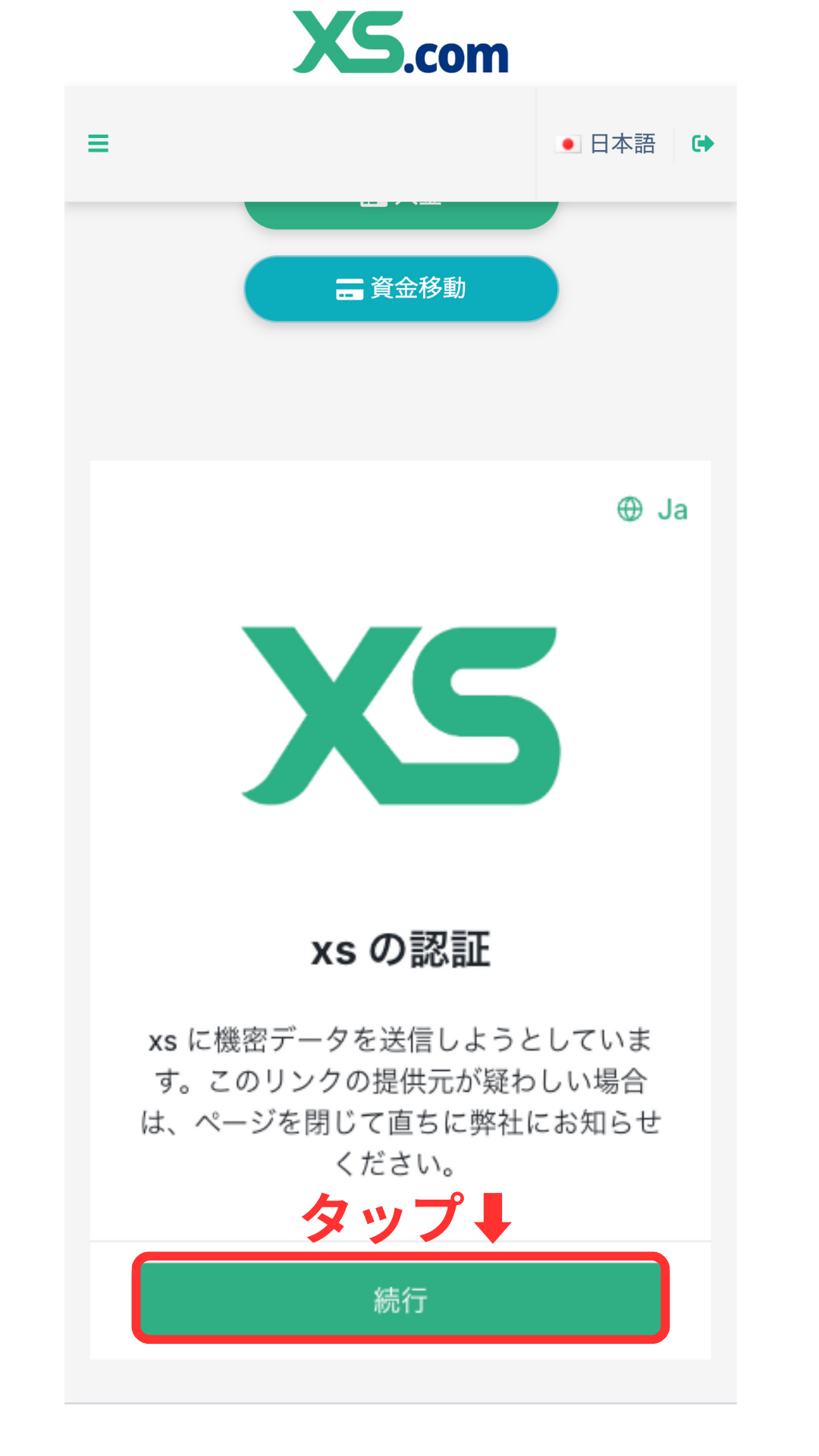
Proceed to profile verification
A profile verification screen will appear; please follow the on-screen instructions to begin the identity verification process
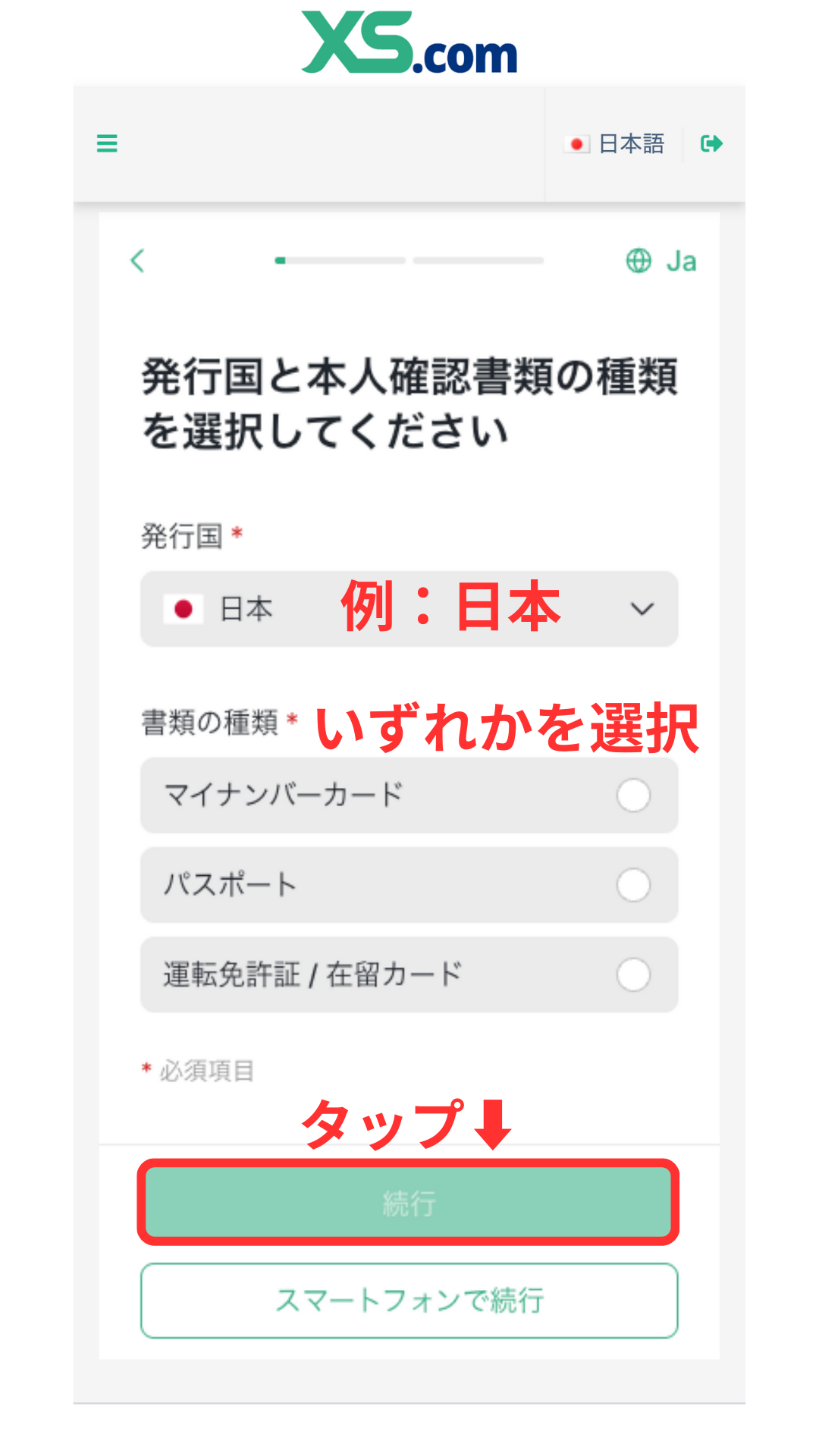
Select the type of identification document you will be using
Please select the type of identification document you will be submitting (e.g., driver's license, passport, My Number card)
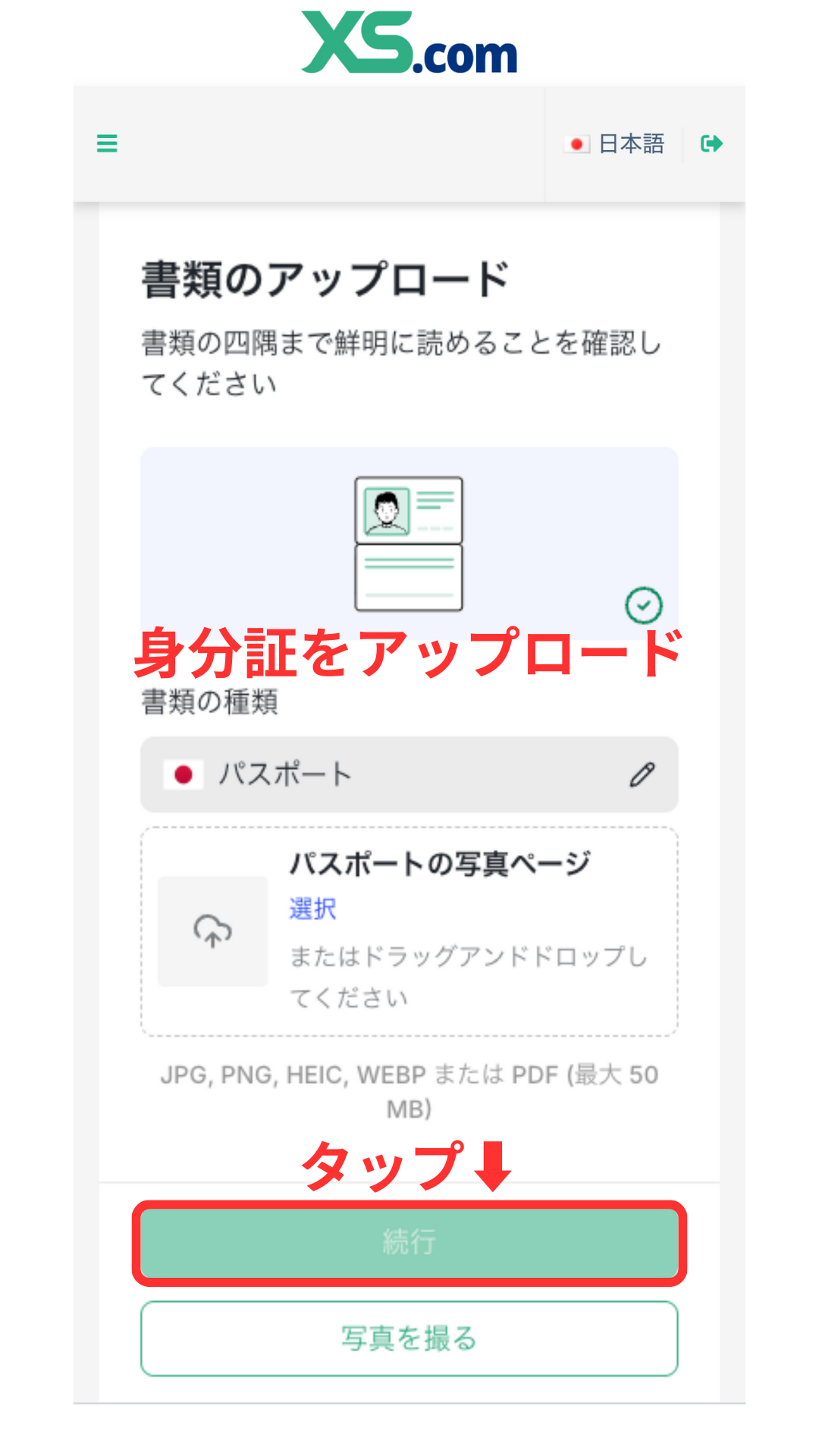
Upload your identity verification documents
Please upload an image of your selected identification document.
*Please ensure that all four corners of the document are visible in the image and that the text is clearly legible.
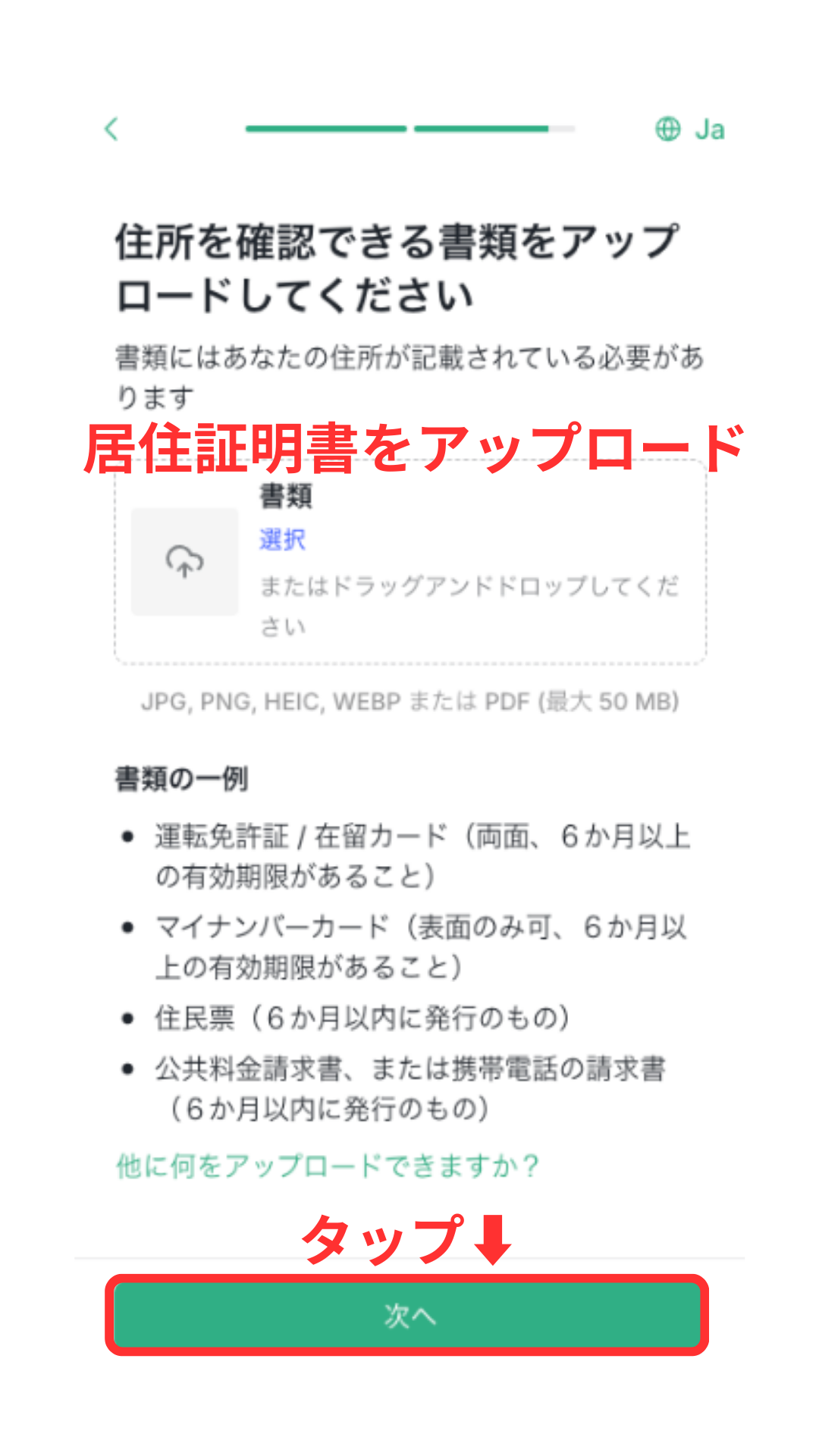
Submit proof of residence
Next, you will submit proof of residence (utility bill, bank statement, resident registration certificate, etc.). This completes the profile verification process. Verification can be completed in as little as one day.
*Please prepare documents issued within the last three months.
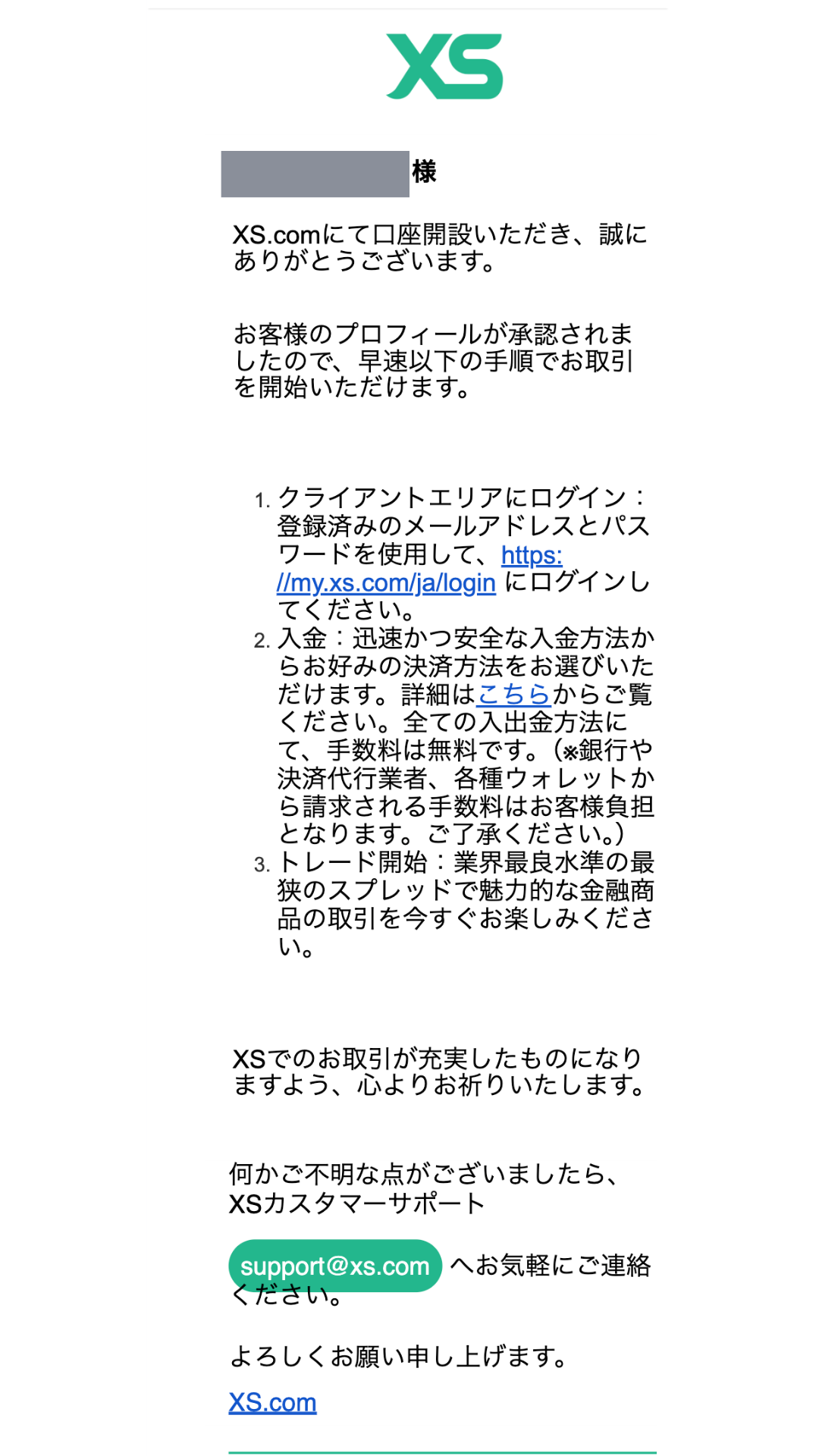
I received an email confirming my identity has been verified
Once authentication is complete, you will receive a notification at your registered email address. Please check the notification and log in to your My Page
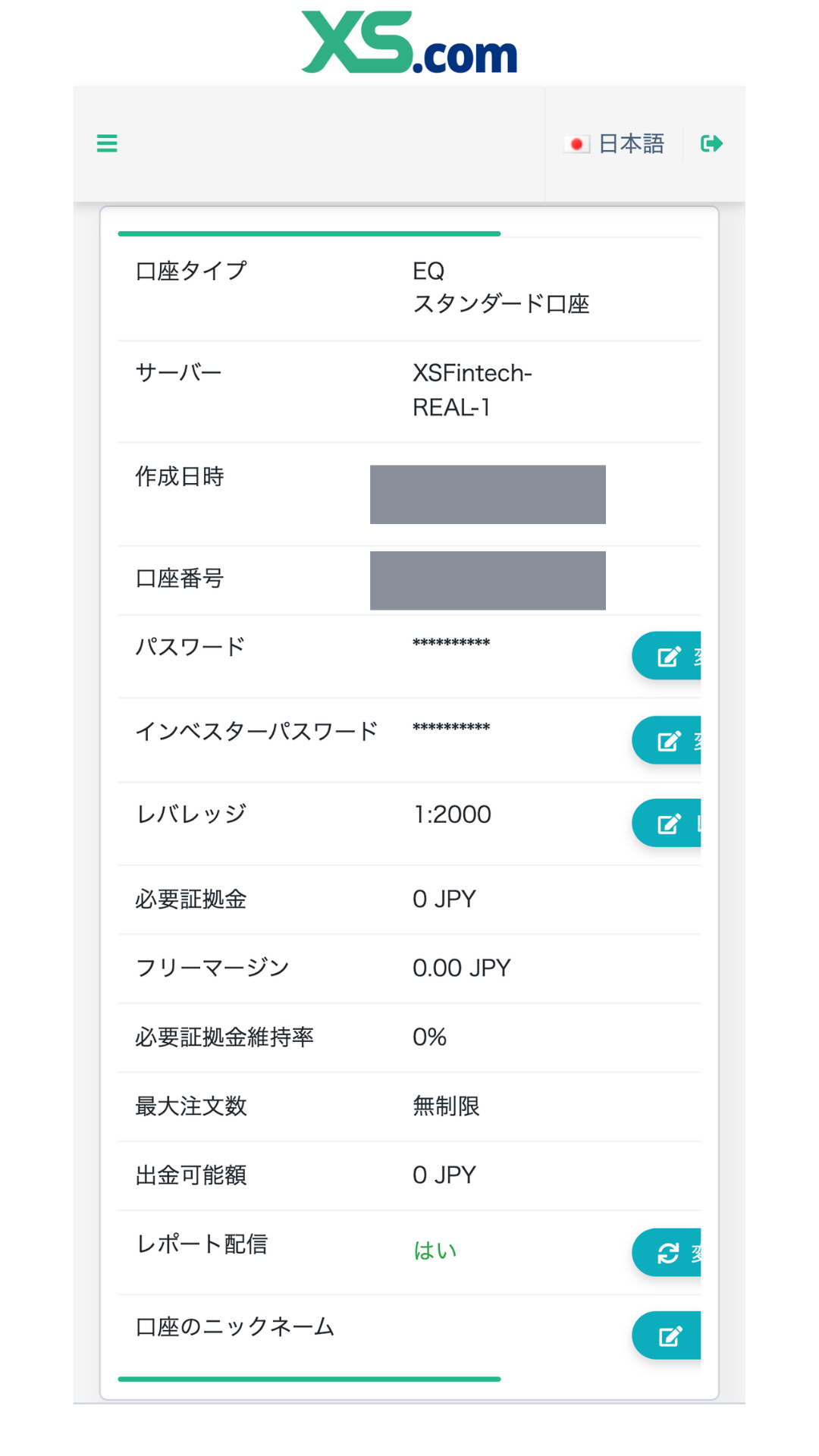
Check your trading account information
You can check your trading account information by logging into My Page. After confirming your server information, account number, and password, you can log in to your trading account and start trading. Congratulations, yourXSaccount opening is now complete
Get cashback
once your account is open !
CASHBACK APPLICATION
Register with Manecha and get
cashback on every trade.
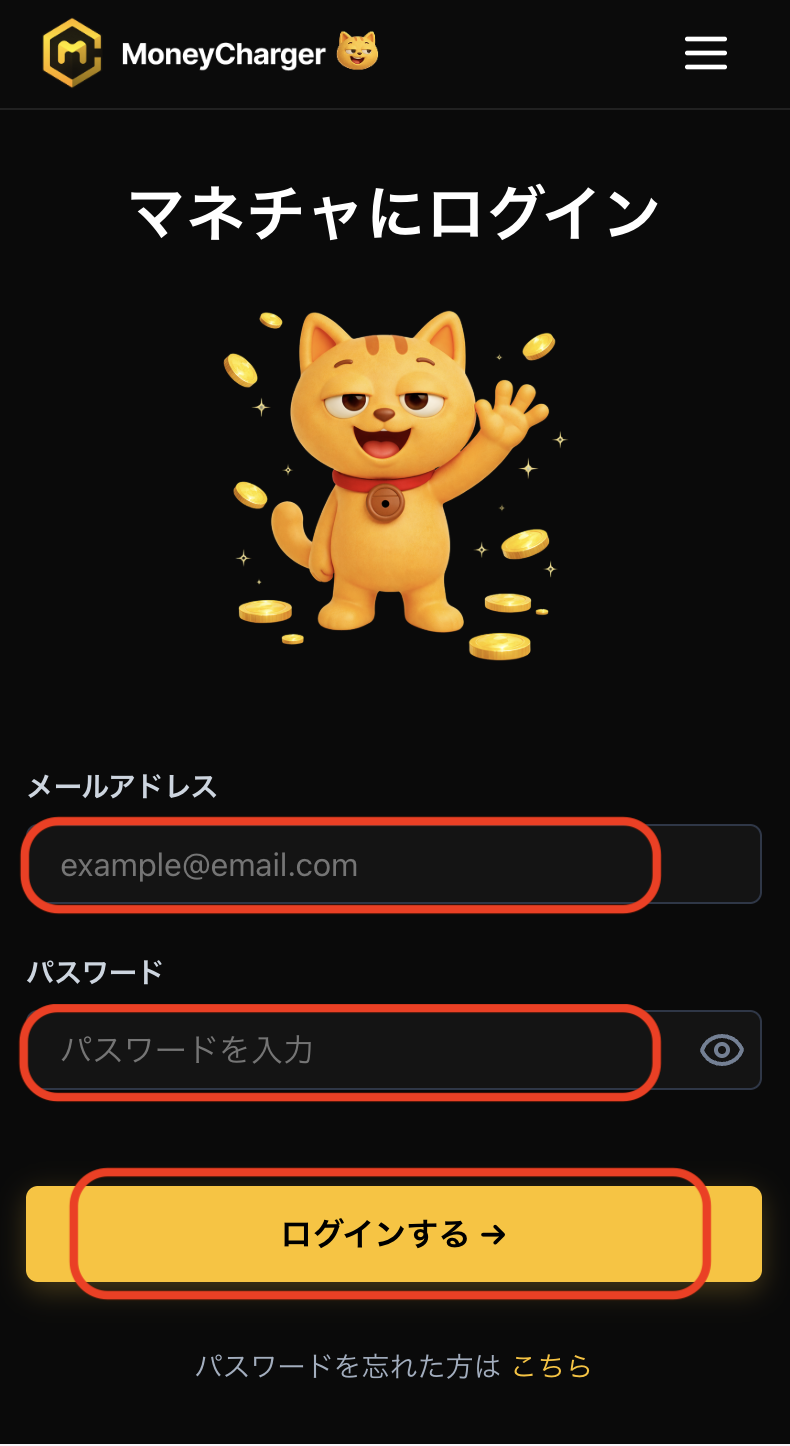
Log in to your MoneyChat My Page
Once your account is opened, log in to your MoneyChat My Page
If you haven't yet registered for a free Manecha account, please complete your registration first
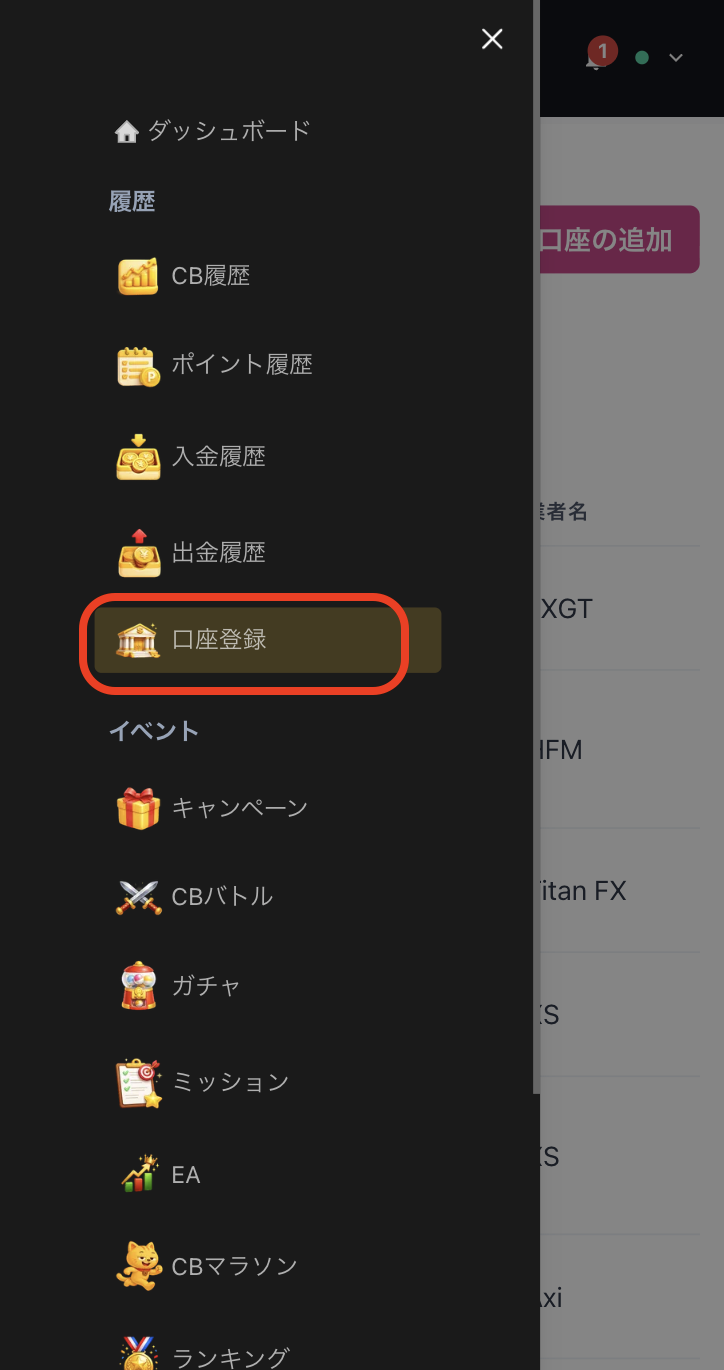
Select "Register Account" from the menu
Open the menu in the upper left corner of the screen and select "Register Account"
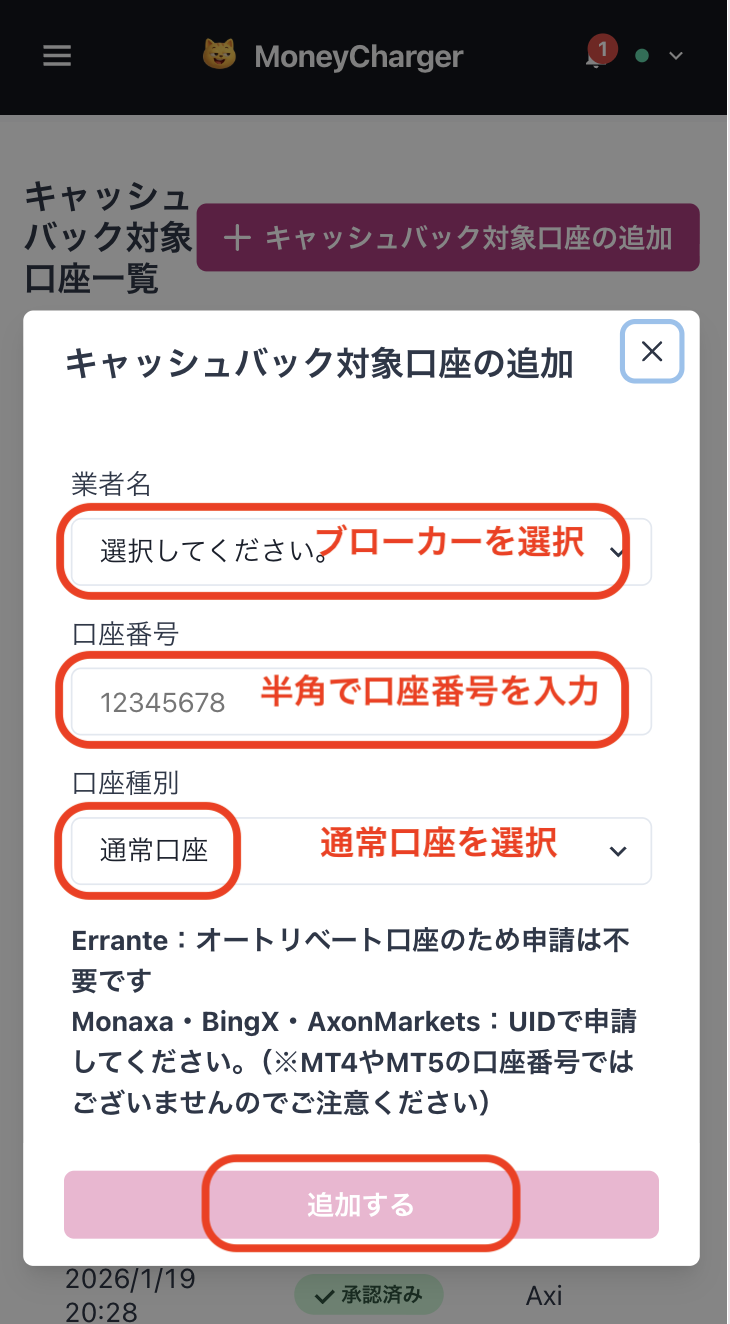
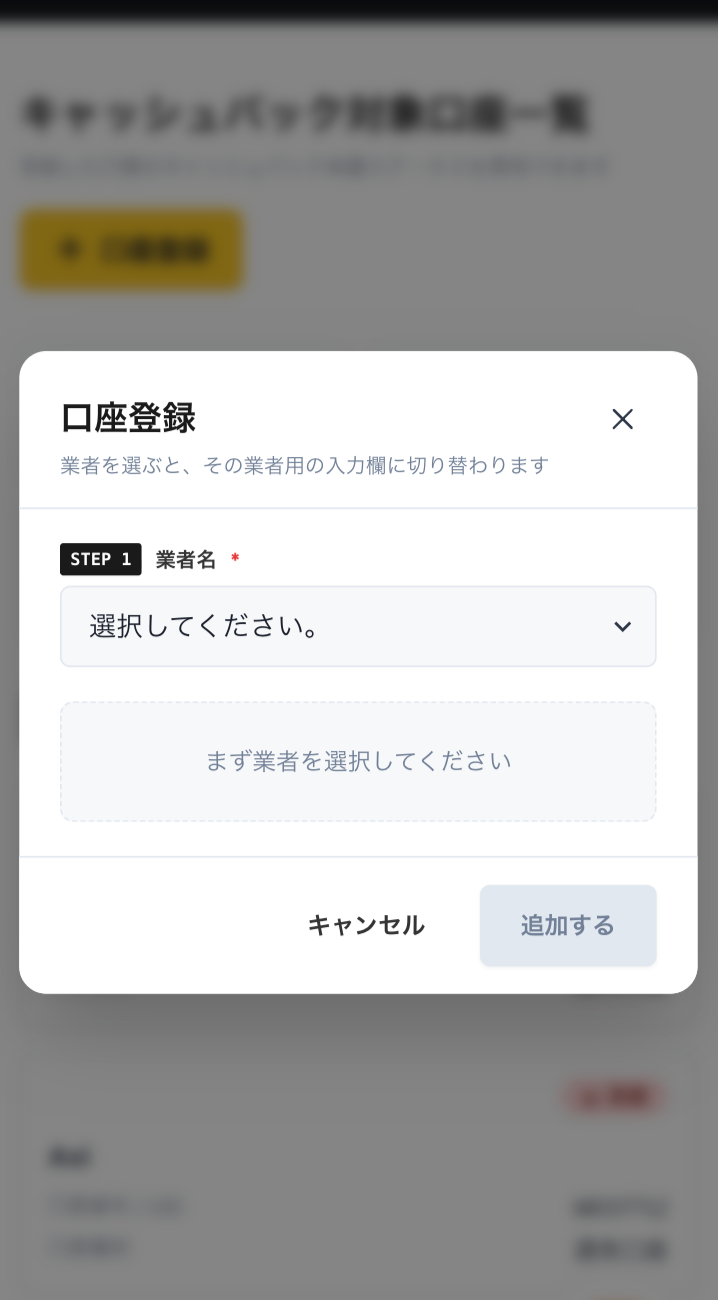
Enter your broker and account number on the account registration screen
On the account registration screen in My Page, selectXSas the broker name and enter the opened trading account number using half-width numerals
If you are using regular discretionary trading or your own Expert Advisor (EA), please select "Standard Account" as your account type
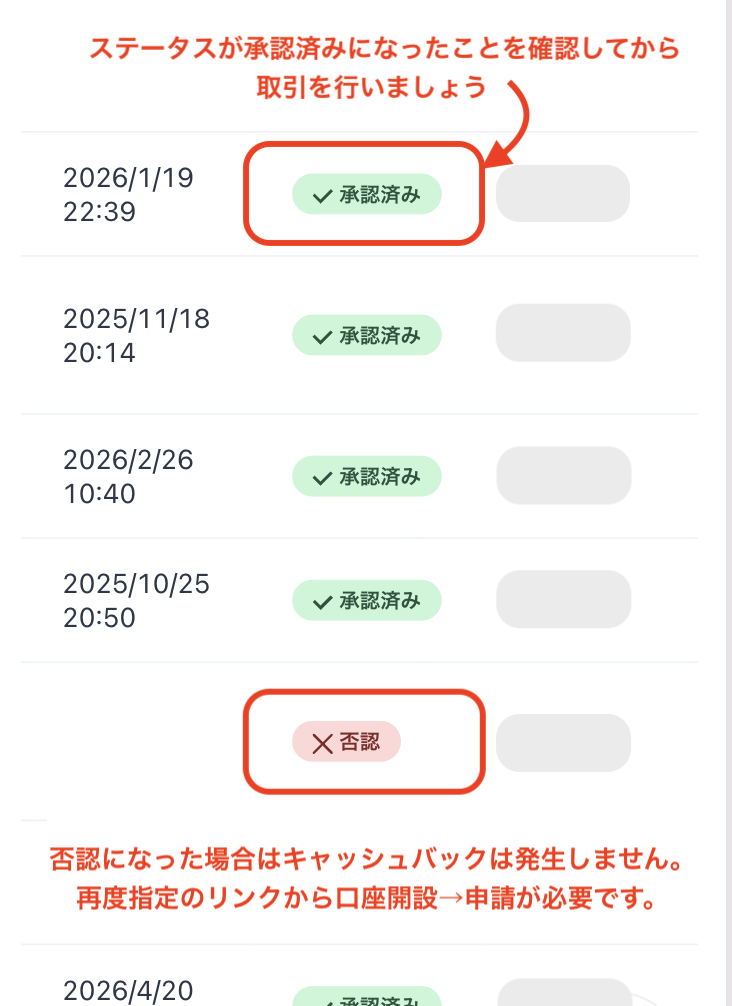
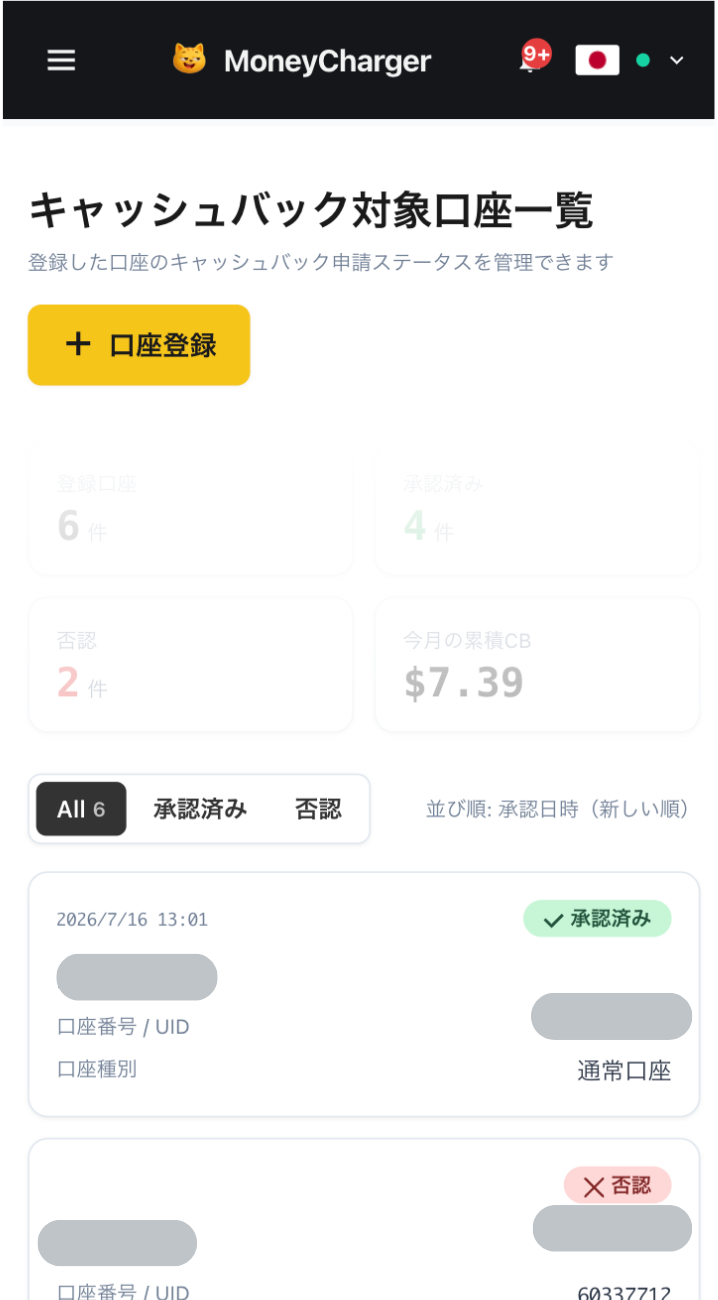
You will be eligible for the cashback after approval from the management
Once your application is approved, the cashback earned for each eligible transaction will be reflected in your MoneyChat My Page
Transactions that have not yet been approved may not be eligible for cashback. Please check that the status is "approved" before making a transaction
HOW TO OPEN
Transfer procedure
Please see below
for instructions on how to make your existing account eligible for MoneyChat
How to change XS linking
Changing the partner for an existing account is not possible. A new account will be created using a new email address
- Prepare a new email address (you can keep the same phone number) (Partner code 3937) Official page here
- AccessXSvia the dedicated URL for MoneyChat
- Create a new account
- Identity verification complete
- Apply for account registration on MoneyChat My Page
- It is not possible to change the partner for an existing account
FAQ
Frequently Asked Questions about
Opening an Account or Switching Accounts
What documents are required to open an account?
Generally, you will need to provide proof of identity (passport, driver's license, or My Number Card) and proof of address (utility bill, bank statement, or resident registration certificate, issued within the last three months)
How long does it take to open an account?
The input process itself takes as little as 5 minutes, and the identity verification review is usually completed within one business day. The actual time required may vary depending on the service provider and the review status
I already have anXSaccount. Can I receive the cashback?
Existing accounts are generally not eligible. Please check the "Already usingXS" tab at the top to see how to switch or add accounts
Can I open multiple accounts with XS?
The possibility and conditions for opening multiple accounts vary from broker to broker. If you plan to use an additional account, please check the process for receiving cashback through MoneyChat before proceeding
Does XSsupport auto-rebate?
No.XSdoes not currently support auto-rebates. To receive cashback, please register your account number on your MoneyChat My Page