














withJadeForex unlimited leverage
Overseas FX brokers that maximize margin efficiency with 0% stop-loss

Get cashback automatically in 1 minute by using the referral link
WHY JADEFOREX?
Why JadeForex chosen
continues to be

REASON 01
No-limit account with unlimited leverage and a 0% stop-loss level
JadeFOREXoffers a "No Limit Account" with absolutely no leverage limits, allowing you to hold large positions with a small amount of margin without any restrictions based on your account balance. With a 0% stop-loss level and zero-cut system, it boasts aggressive specifications that allow you to withstand losses until your margin is depleted. It also offers spreads starting from 0.0 pips and no trading fees, creating a trading environment optimized for high-leverage traders
REASON 02
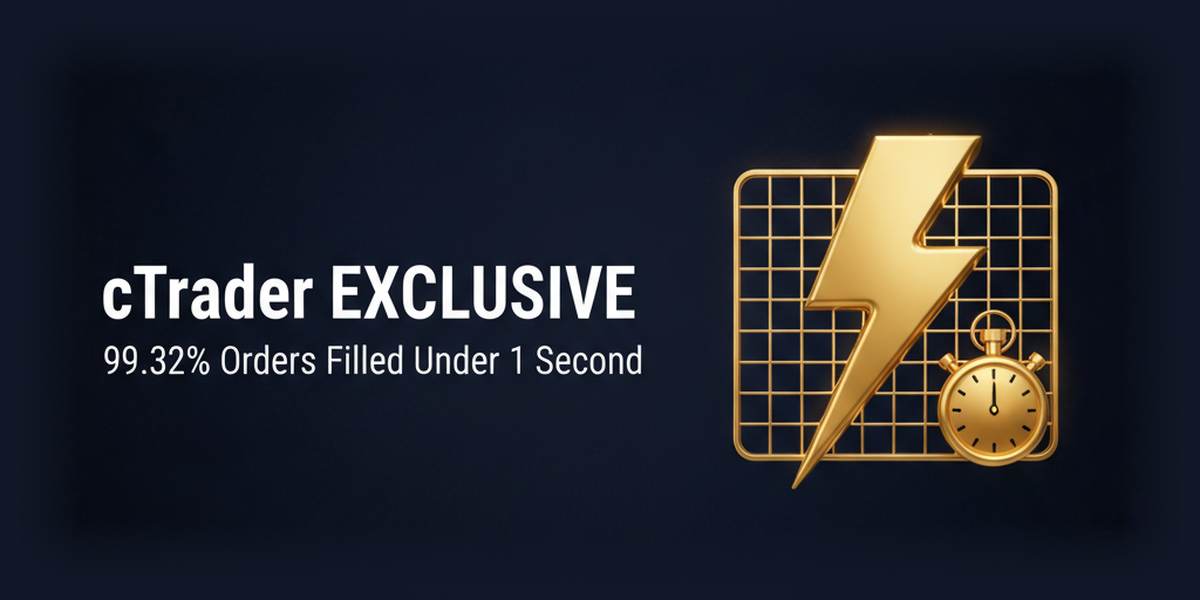
cTrader adopted × 99.32% of trades executed in under 1 second
JadeFOREXuses cTrader as its sole trading platform, rather than MT4/MT5, and offers order book (DoM) display, advanced charting functions, and copy trading capabilities. With a high execution quality where 99.32% of orders are executed within one second, it is highly regarded by intermediate to advanced traders who want to engage in scalping, EA operation, and trading utilizing order book information

REASON 03
Open an account and receive approximately $18.75 cashback + 5 types of exclusive campaigns
JadeFOREXoffers five permanent promotions: a cashback of approximately $18.75 for opening a withdrawable account, a 15% deposit bonus, a daily Amazon gift certificate lottery called "J Gacha," a food prize giveaway for deposits of approximately $312.50 or more called "Gochi Pre," and a trading volume cashback campaign. It is rare to find an overseas forex broker that offers such a diverse range of enjoyable campaigns, and it is characterized by its strong commitment to giving back to traders
ABOUT
JadeForexWhat isA complete guide to its basics.
Account type
- Unlimited leverage
- Spread0.0 pips ~
- No fees
- Minimum deposit:approximately $6.25 / 10 USD (equivalent to 50 USDT in cryptocurrency)
Company Profile
 Operating company:Jade Belfort Limited
 EstablishedMay 2021
 Head Office LocationRoomB11, First Floor, Providence Complex, Providence, Mahe, Seychelles
Transaction specifications
 maximum leverage(No Limit Account)
 Products handled:
 currency pair25
 Zero cutadopted
 Japanese language supportavailable (email, 24 hours/7 days).
EVALUATION
JadeForex's strengths and weaknesses
✅ Strengths
-
✓No-limit account with unlimited leverageThe No Limit account, introduced in June 2025, offers no leverage limit. There are no restrictions based on account balance, allowing you to take large positions with a small amount of margin. It boasts aggressive specifications including zero commission, spreads starting from 0.0 pips, and a 0% stop-loss
-
✓High execution quality thanks to the adoption of cTradercTrader is used for all accounts. Features include order book (DoM) display, high-speed execution (99.32% within 1 second), and copy trading functionality. Its user interface differs from MT4/MT5, making it popular among intermediate and advanced users
-
✓A comprehensive campaignThere are five types of bonuses: an account opening bonus of approximately $18.75 (withdrawable), a 15% deposit bonus, J-Gacha (daily Amazon gift certificate lottery), GochiPre (food lottery), and a trading volume cashback campaign
-
✓Withdrawal speedWithdrawals are free of charge up to three times a month. While the official processing time is within 5 business days, there have been reports of funds arriving the next morning after an afternoon request
⚠️ Points to note
-
⚠License is for business registration onlySeychelles IBC 227736 is a business registration and not a financial services license such as an FSA. It does not hold major licenses (CySEC, FCA, ASIC, etc.), and its regulatory reliability is low
-
⚠Limited selection of brandsThe total of 37 instruments is less than half the average for overseas forex brokers (80-100 instruments). In particular, there are only 25 currency pairs, making it unsuitable for trading minor or exotic currencies
-
⚠Hedging is prohibited within the same accountHedging within the same account is prohibited. Traders using hedging strategies face restrictions
comprehensive evaluation
Recommended for: Traders who want to trade with high leverage on cTrader. Those who want to trade aggressively with unlimited leverage on a No Limit account, and those who value cTrader's order book information and execution quality.
Other recommended brokers: If you prioritize a wide selection of instrumentsExnessHFMHFMif you prioritize license reliabilityAxioryTitanTitan FX; and if you want to trade on MT4/MT5,BigBossXM.
COMPARISON
\ You'll regret it if you don't know this /
Register directly from the official website vs.
Register from this page
| item | Register directly from the official website.from the official website Register directly |
 Register via Moneychavia Moneycha Register via Moneychavia MoneychaRegister |
|---|---|---|
| Cashback | none | You get $0.5 back per lot |
| Japanese support | Broker support only | Broker + MoneyChat (two points of contact) |
| Additional benefits | none | EA / Copy trading / Gacha / Tournaments, etc |
| Registration process | same | Same (5 minutes from the referral link) |
| Terms of Transaction | same | same |
Yet,if you go through MoneyChat,JadeForexyou get cashback for every trade you make with
REVIEWS
JadeForexReviews and Testimonials
Withdrawals are incredibly fast. I applied in the afternoon and the money arrived the next morning. The fact that withdrawals are free three times a month is also a great bonus
Source: X
cTrader is easy to use. Scalping is easy while viewing the order book information
Source: X
The unlimited leverage of the No Limit account is a great benefit for small-scale traders. The zero-cut feature also provides peace of mind
Source: X
I enjoy logging in every day to play the J-Gacha. I actually won an Amazon gift certificate
Source: X
There are far too few trading instruments. Since there are only 25 FX pairs, minor currencies cannot be traded
Source: X
I'm worried because they only have an IBC license. I'm hesitant to deposit large sums of money
Source: Review site
GET STARTED
How to get started with JadeForex

via the referral link.
Access the official siteAccess the official site via the referral link.
Cashback will not be provided unless you use Manecha's referral link
Approximately 10 seconds
Enter the
open an account.required information to
Submit your name, email address, and identification documents. Select your account type
Approximately 3 minutes
Deposit money
.and start trading
Once approved, you will earn cashback for each transaction
Immediate reflectionGet cashback automatically in 1 minute by using the referral link
EXTRA BENEFITS
JadeForexEven with brokers other than
you can get cashback
if you register with MoneyChat.
Money Charger is an overseas Forex cashback service.
It supports 25+ brokers and has an approx. $125M payment record.

Supports 25 vendors
Cashback available from brokers other than JadeForex

Centralized management
Manage the income and expenses of all businesses with a single MoneyChat account
Five benefits you can receive by registering with Moneycha

Free support
Japanese chat support
available for troubleshooting trading and withdrawal issues.

OMEGA EA
EA, winner of the Tenkaichi Budokai, currently has
83 active players.

AI Copy Training
AI is currently trading 24 hours a day
with 56 participants.

Tenkaichi Budokai
A tournament to determine the strongest EA developer

Gacha Mission
Earn points through transactions → Receive fantastic prizes
receive benefits →
1 minute, completely free
FAQ
Frequently Asked Questions about JadeForex
Yes, it's completely free. There are no account maintenance fees either
The input process takes as little as one minute. You can open an account with just three items: your name, email address, and password. Identity verification documents are required when withdrawing funds
This new account type, introduced in June 2025, offers unlimited leverage, no commission fees, and spreads starting from 0.0 pips. It is the default account type when opening a new account. Existing users can also change their account type through the client portal
With a No Limit account, leverage is unlimited. As of June 2025,JadeFOREX's account types have been consolidated into a single No Limit account type (the old Standard and Low Spread accounts have been discontinued)
There are various benefits such as an account opening cashback of approximately $18.75 (withdrawable), a 15% deposit bonus, J-Gacha (daily Amazon gift certificate lottery), GochiPre (food gacha for deposits of approximately $312.50 or more), and cashback campaigns based on trading volume
JadeForexis for cTrader only. It is not compatible with MT4 or MT5
Existing accounts are generally not eligible. Please contactJadeForexsupport (support@jade-forex.com) to request a partner change, or open a new account with a new email address. Partner changes are not possible for existing accounts
Hedging within the same account is prohibited
No.JadeForexdoes not currently support auto-rebates. To receive cashback, please register your account number on your MoneyChat My Page
RELATED
Related information about JadeForex

Account Opening Guide
A complete guide to opening an account with JadeForex

Leverage Explanation
Detailed information on JadeForex's leverage specifications

Withdrawal Guide
JadeForexwithdrawal methods and troubleshooting

Bonus Information
JadeForex's latest campaign

Reviews and testimonials
Real reviews of JadeForex

Cashback details
JadeForexCashback Rate Comparison by Account Type

Warning about fake IB sites
Beware of fake JadeForexwebsites

Comparison with other companies
List of comparison articles between JadeForex and other companies
Start using JadeForexJadeForex the most advantageous way
Earn monthly cashback in USD instead of registering directly.
Start from the referral link in about 1 minute.

Get cashback automatically in 1 minute by using the referral link