Here's how to open a new account with TechFX
We will explain it with diagrams and smartphone images so that anyone can easily understand it
In conclusion, TechFX is
You can easily open an account and set up cashback in just one step
- Step 1: Create a TechFX account
Step 1: Create a TechFX account
① Go to the TechFX account creation page
First, please go to the TechFX account creation page via the link below
*Please note that you will not receive the cashback if you register through any link other than this one
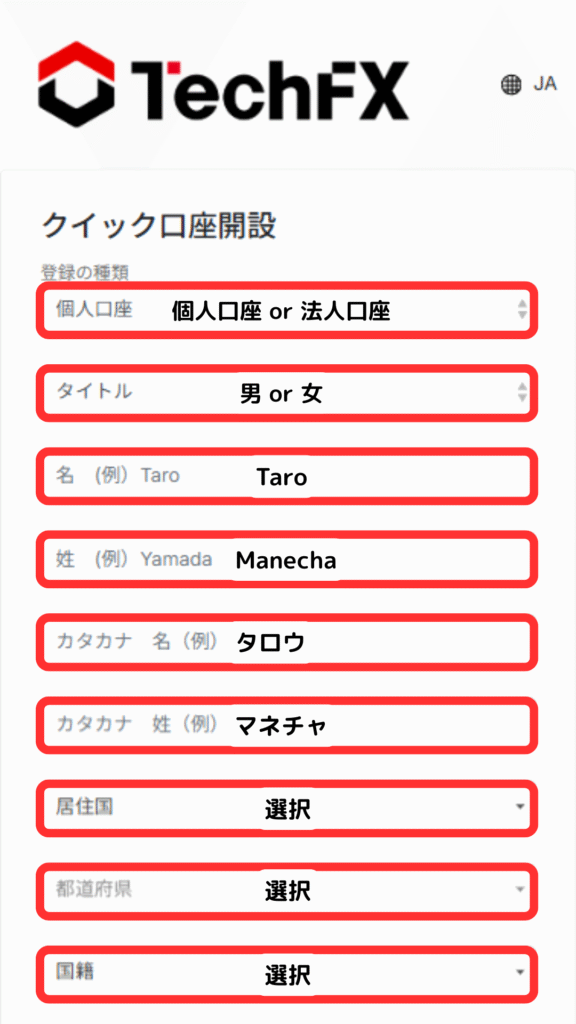
② Entering registration information
Enter the required information on the displayed page
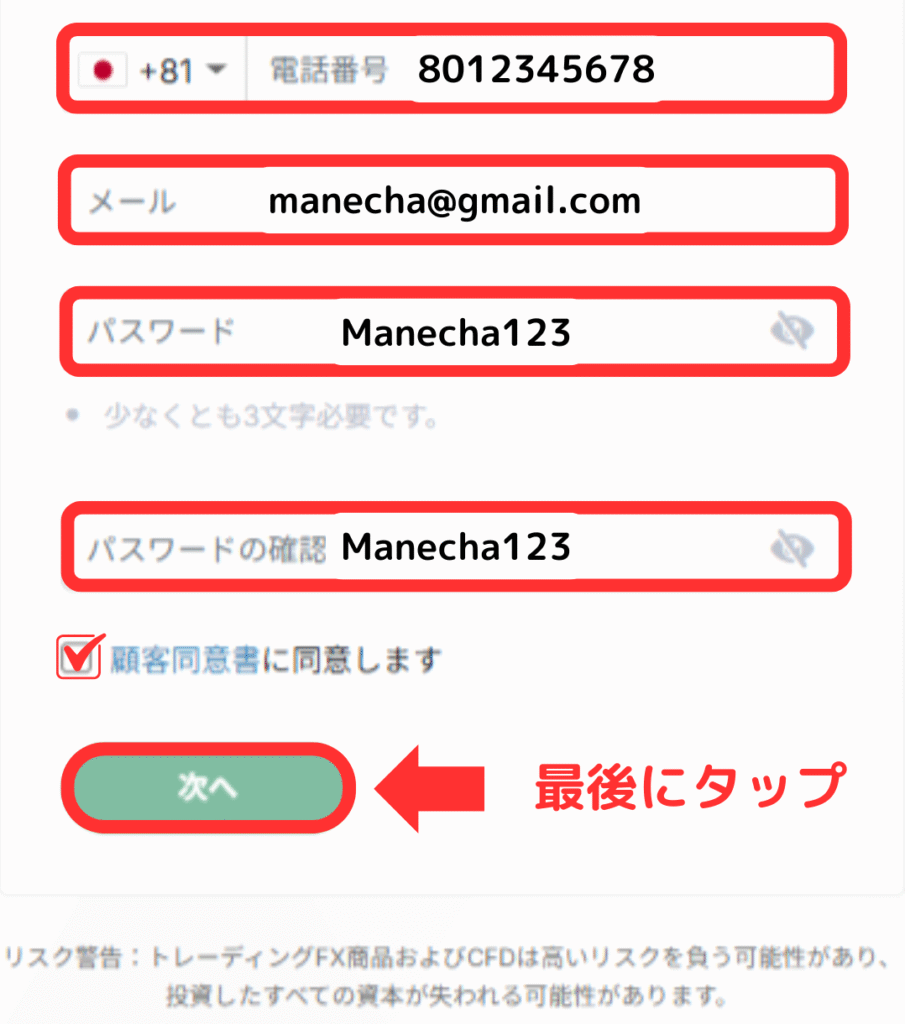
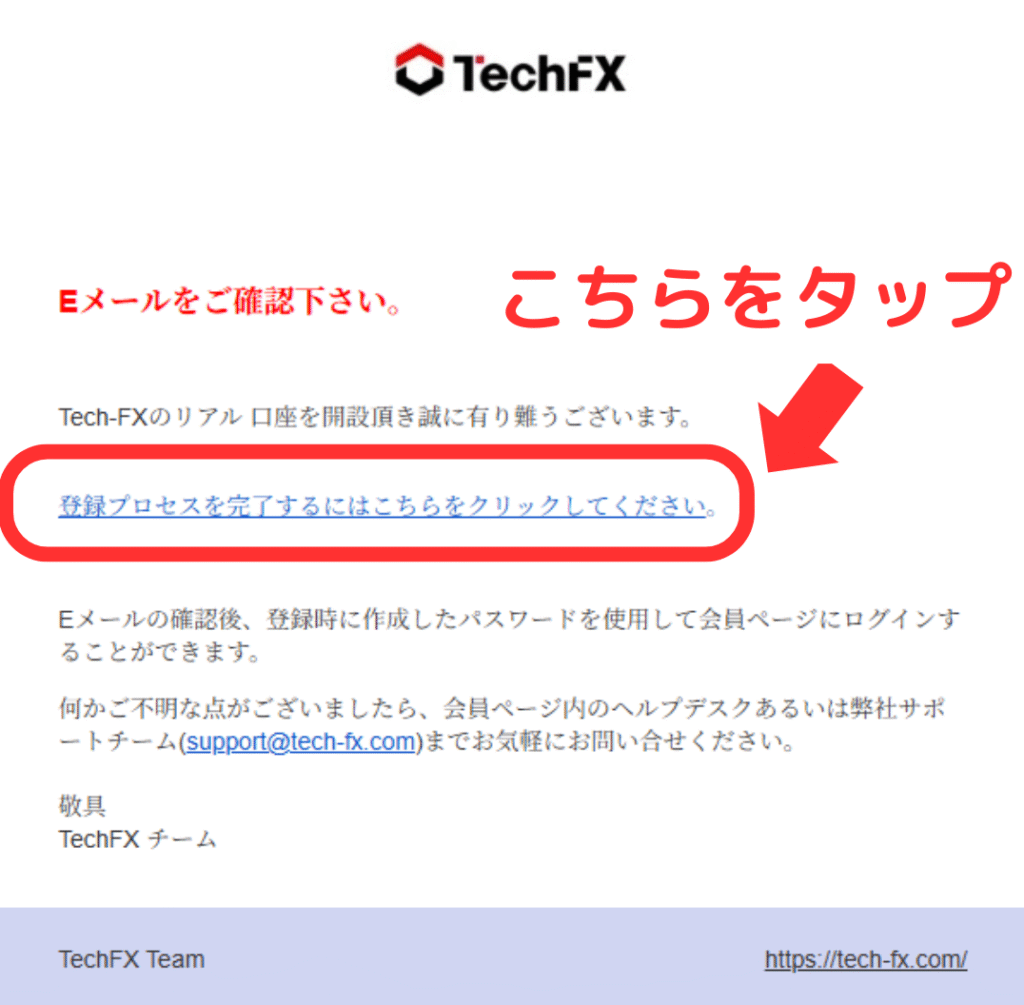
A link will take you to your email address; please tap it
③ Upload documents
You will need to submit two types of documents: a photo ID and proof of address

Please select the documents you wish to submit

Please provide the information for the documents you will be submitting

Tap to submit both a photo of the document alone and a photo showing the document and your face

After you submit your documents, TechFX will review them, and if there are no problems, you will receive an email like the one below within 1-2 business days

④ Registration complete
Thank you for your hard work.
Your TechFX registration is now complete.
TechFX uses an auto-rebate system, so you do not need to apply for account registration through MoneyChat.
When you make trades, the cashback will be automatically reflected in your TechFX IB wallet.
In conclusion
The above is a step-by-step guide with smartphone screenshots explaining how to open a new account with TechFX