












News NOTICE
[Illustrated Guide]BitgetNew Account Opening Procedure [Easy Account Creation with Latest Smartphone Images] (Bitget)
Here's how to open a new account with Bitget
We will explain it with diagrams and smartphone images so that anyone can easily understand it
In conclusion,Bitgetis
You can easily open an account in just one step
- Step 1: Create aBitgetaccount
Step 1: Create aBitgetaccount
① Go to theBitgetaccount creation page
First, click the link below to go to theBitgetaccount creation page
*Please note that if you register through any link other than this one, you will not be able to receive cashback from Money Charger (Moneycha)
What is cashback with MoneyChat?
② Tap Create Account
TappingBitgetwill take you to the official Bitget website the " Bitgetpage URL "
There are two ways to create an account: "Verify with an email address" and "Verify with a mobile phone number"
Please enter the following information correctly
- Email address: Enter the email address you wish to register
- Phone number: If your number starts with 080, enter it starting with 80, omitting the 0
- Password: Enter the password you wish to register (set a password of 8 to 32 characters or more, combining lowercase letters, uppercase letters, numbers, and symbols)
After reading the Terms of Service and Privacy Policy, check the box to say "I agree" and tap "Create Account"
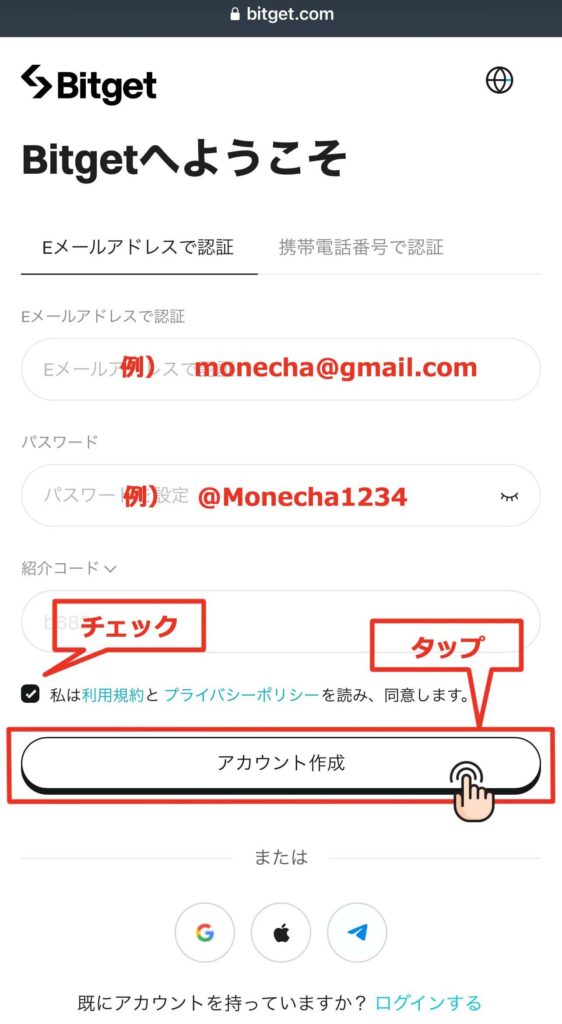
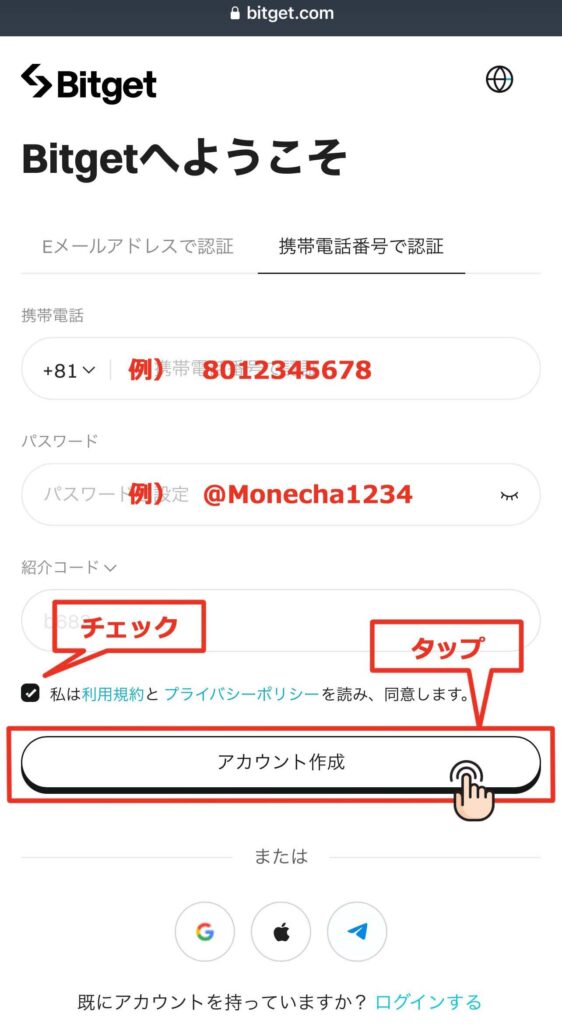
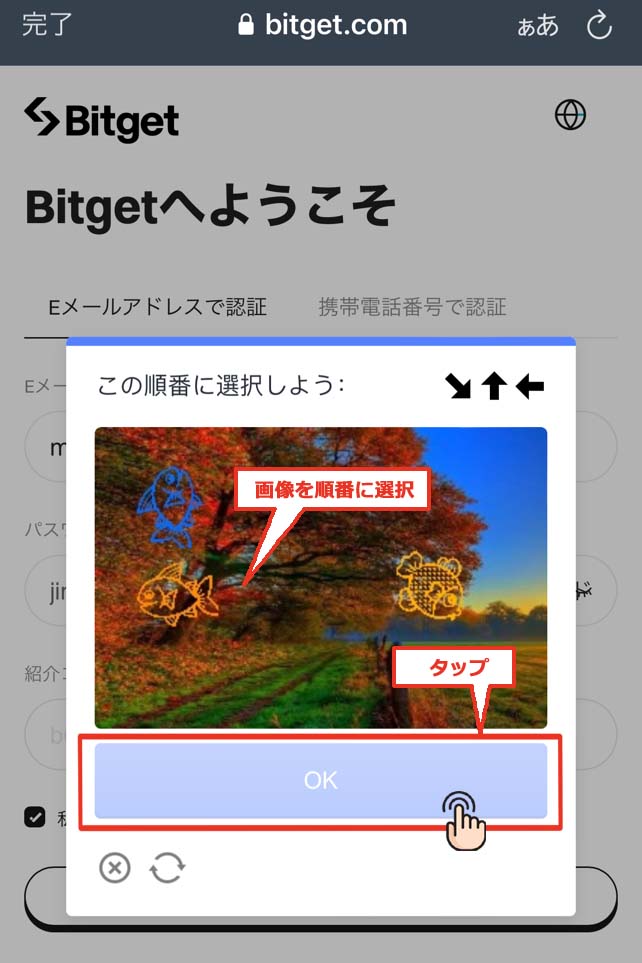
③ You will be taken to an image verification screen, so select the three images in the instructed order and tap 'OK'
If you make a mistake, a different image will be displayed again
Please repeat until you get the correct answer
④ Enter the verification code❶
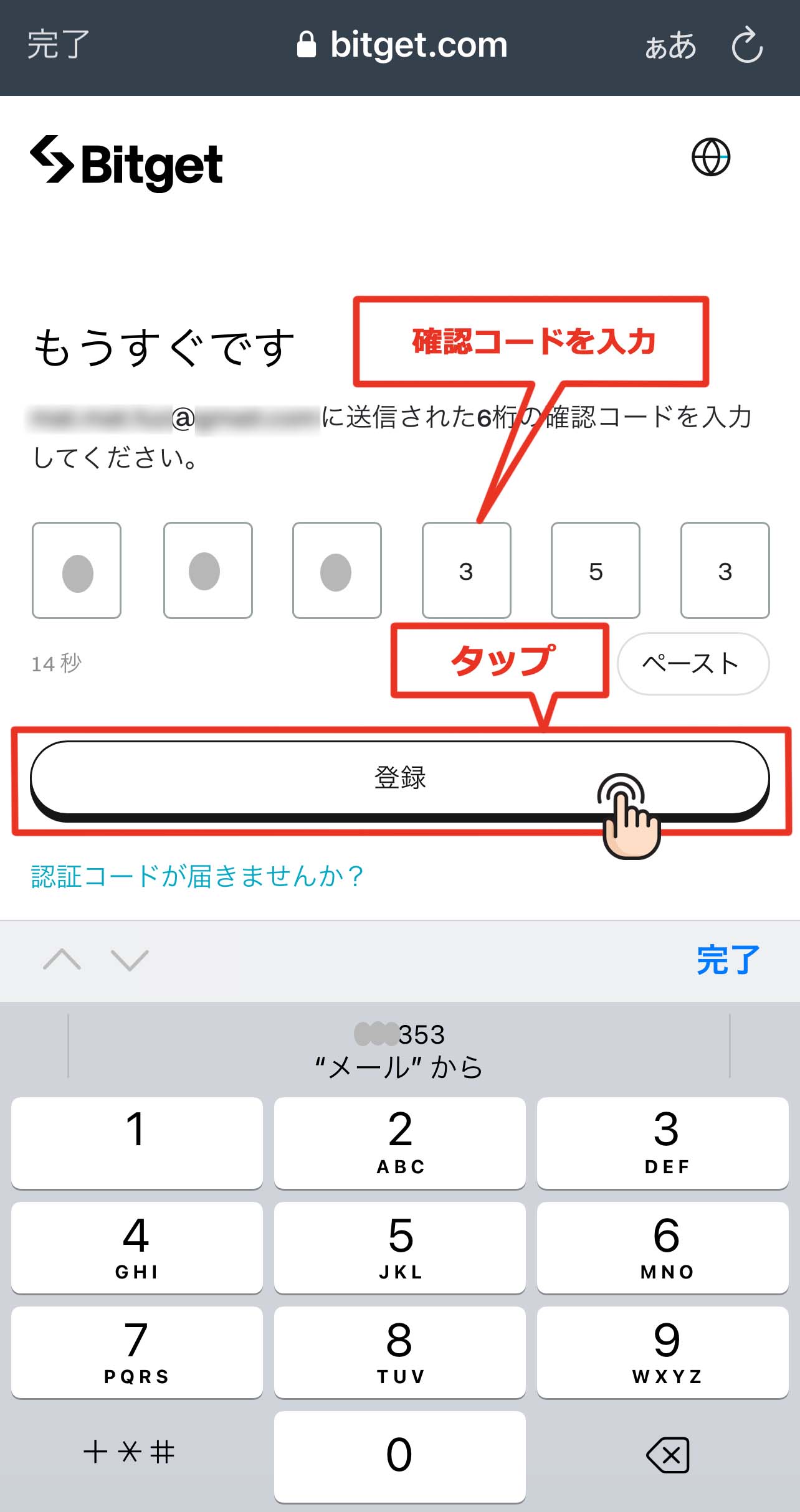
Once you clear the image verification, you will be taken to a screen where you can enter a 6-digit verification code
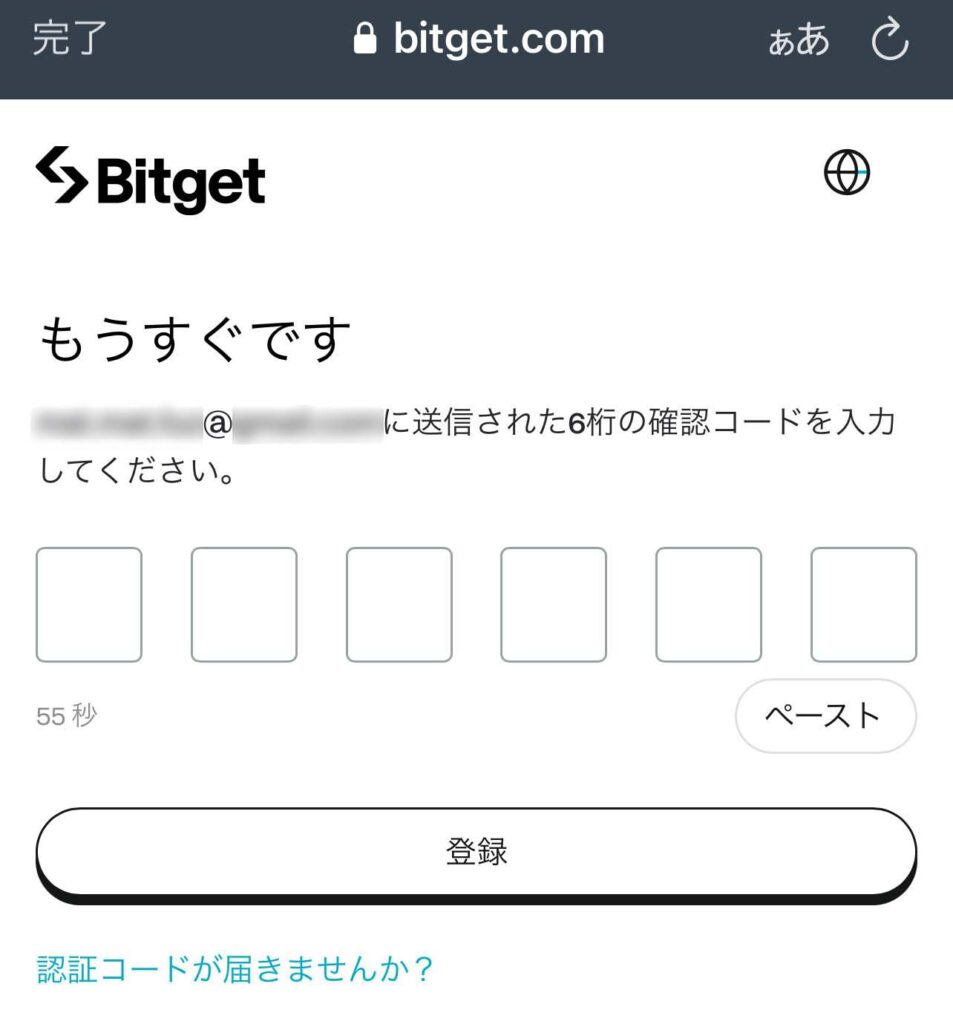
⑤ Enter the verification code ❷
A verification code will be sent to your registered email address, so please check your email. (If you registered with a phone number, it will be sent via SMS.)
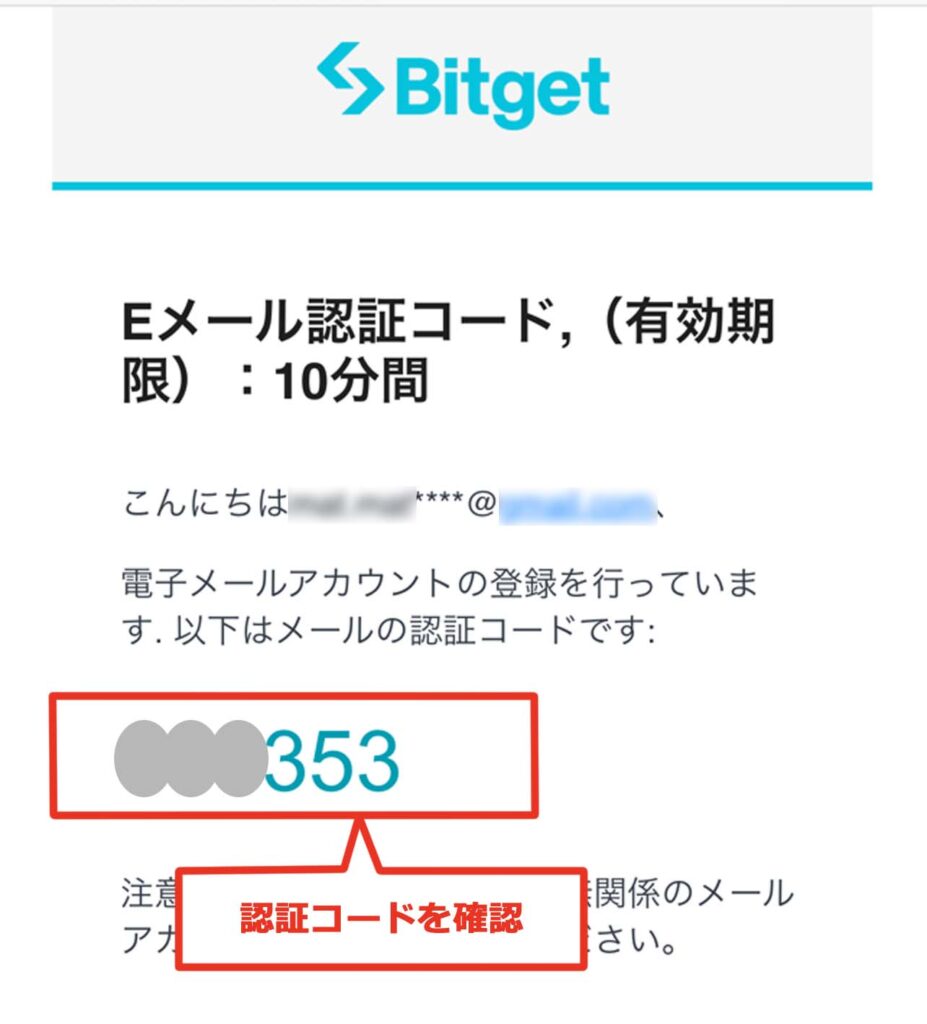
⑤ Enter the verification code ❸
Return to the previous screen, enter the verification code, and tap "Register"
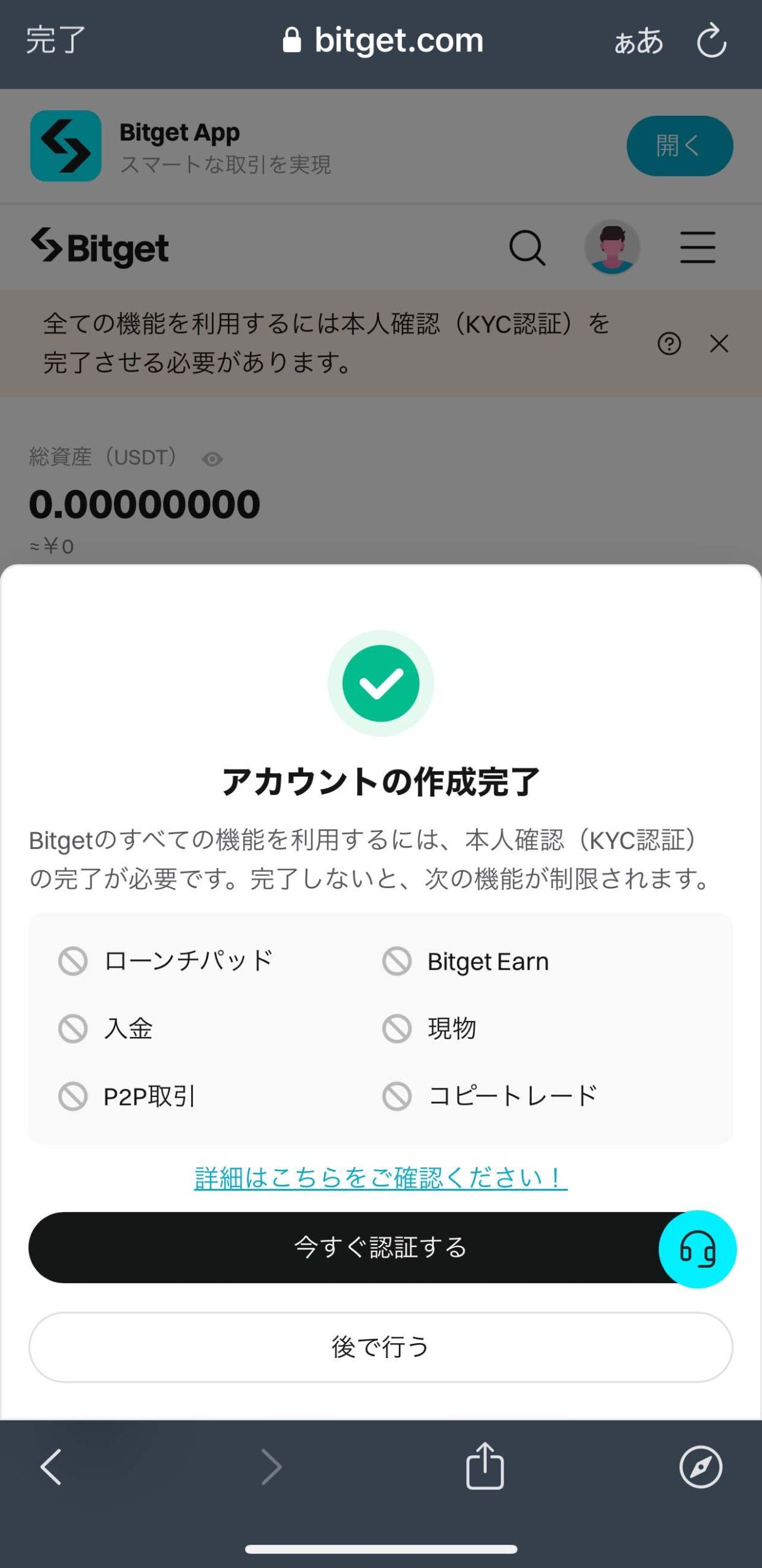
⑥ Account creation complete
Once the code is verified, the screen will change, andBitgetaccount creation is complete
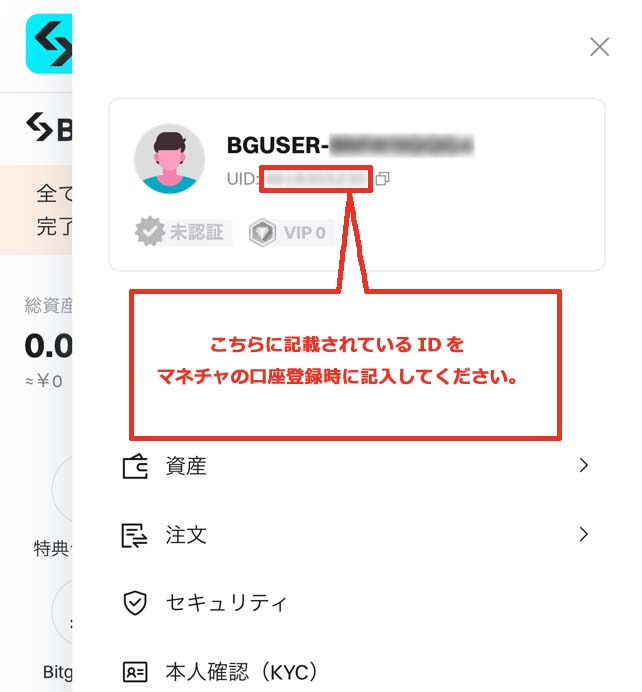
⑦ Confirm the ID used when registering your account
Tap the "person icon" on Bitgetaccount screen
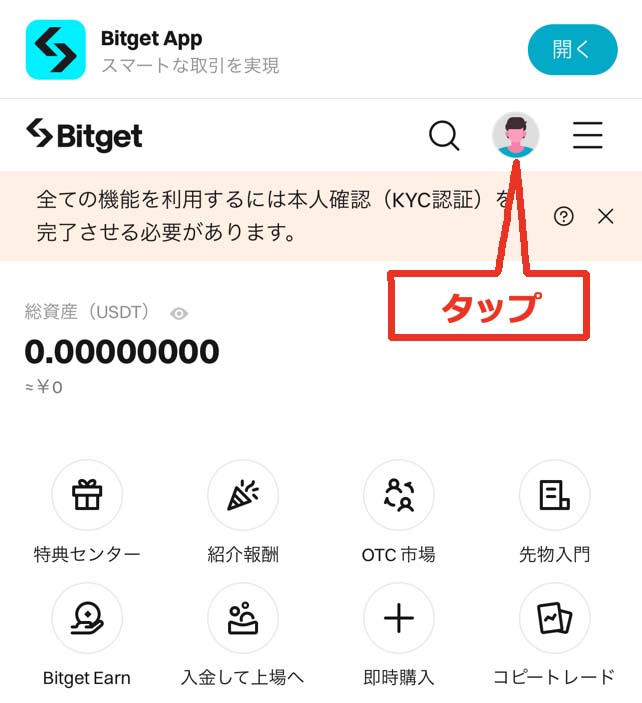
The UID number displayed on the screen that openswill become the "account number" you register with Moneycha.
In conclusion
The above is a step-by-step guide with smartphone screenshots explaining how to open a new account withBitget
Next, go to your Money Charger My Page and apply to register your cashback account
Click here for an article explaining how to register a trading account ↓