
OMEGA Receiving Guide
From registration to installation and operation, everything can be completed on this one page
▼Check each step one by one▼
1Register with Moneycha▾
If you don't have a MoneyChat account yet, please register here.
Register for MoneyChat here →
2Open an MT5 account with HFM▾
If you don't have an HFMaccount yet, register here
Open an account on HFMofficial website →
⚠ Please select either a TOP-UP BONUS account or a PREMIUM account with MT5. MT4 is not available. Cent accounts will also be available from July 2026
3Register and link your account with MoneyChat▾
From the "Account Registration" section in the sidebar of your My Page, please register the account you registered in step ②. At this time, please be sure to.."Dedicated account for MoneyChat EAs"Let's register
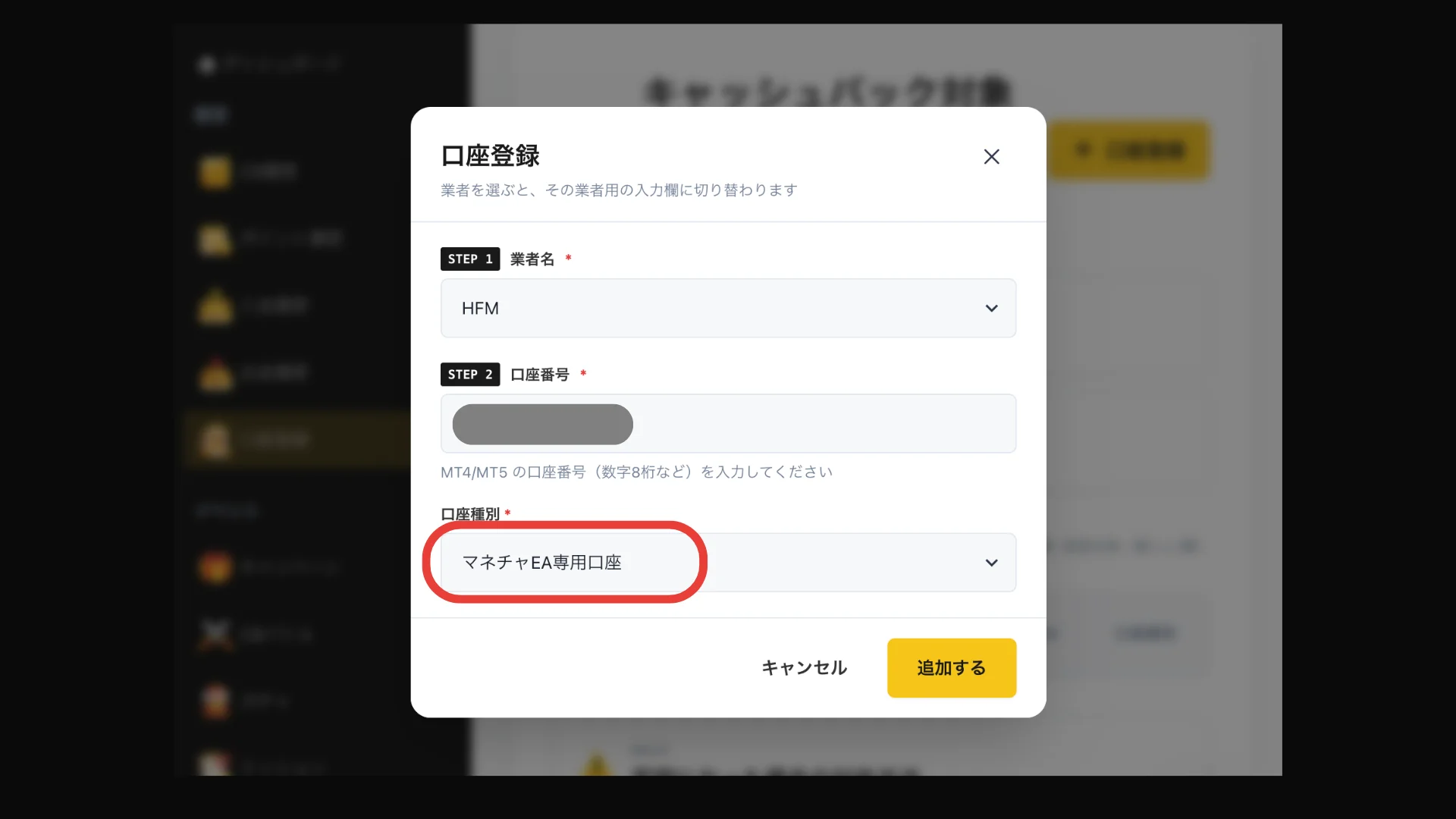
⚠ Even if you already have anHFMaccount or have applied for a regular account, you must register for a new EA-dedicated account
4Waiting for account approval▾
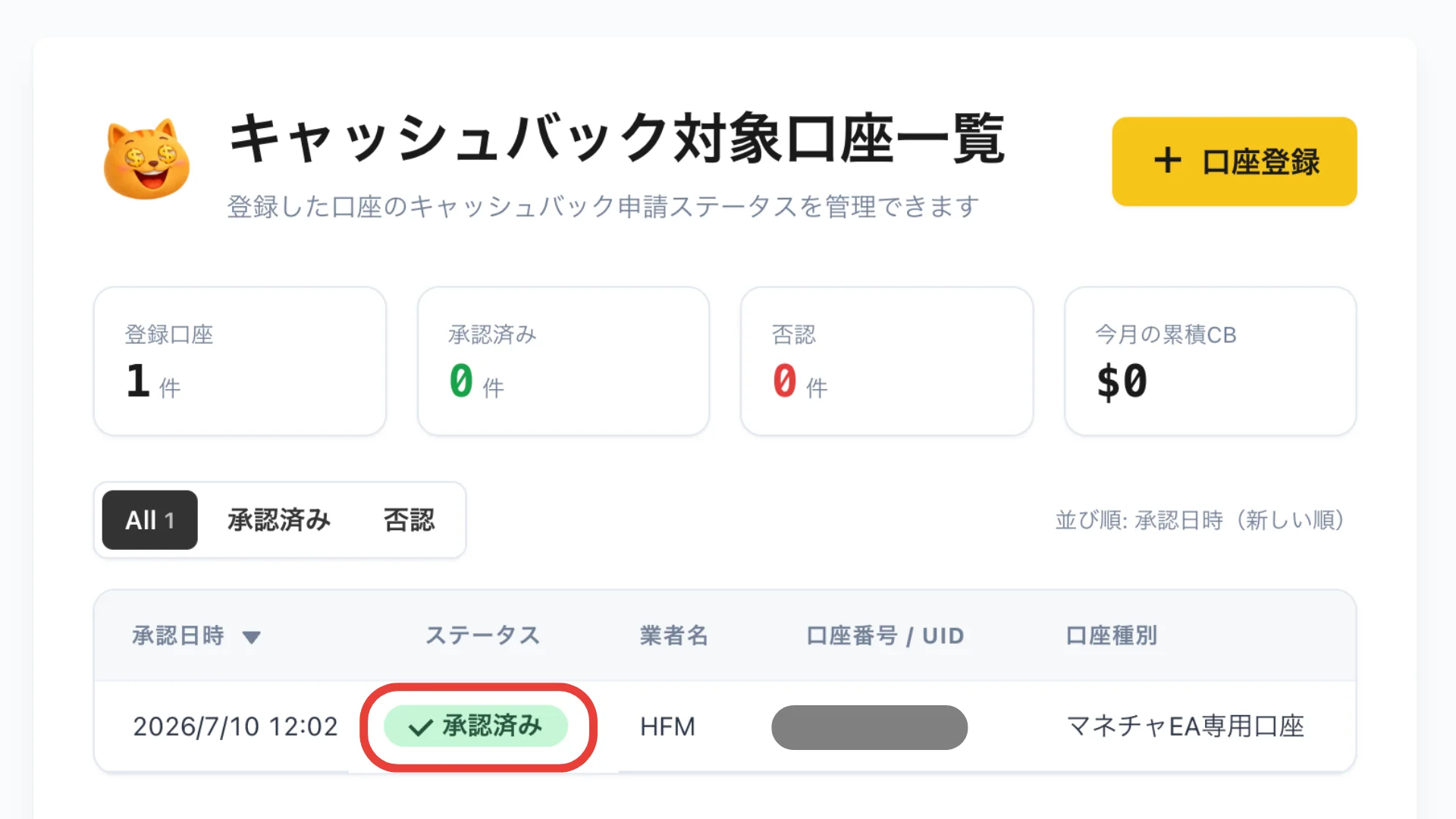
Immediately after applying for an account, it will be in a "pending approval" state, so please wait until it changes to an approved status as shown in the image below
5Deposit into HFMaccount▾
As a guideline, we recommend depositing 100,000 yen or more (please check the details page for each EA if the recommended amount of capital differs depending on the EA)
⚠ FX trading carries the risk of losses due to price fluctuations, etc. Please deposit only funds you can afford to lose
6.VPS contract (recommended environment)optional▾-
For 24/7 operation, we recommend using a VPS environment (recommended plan: 2GB). If you already have a VPS, you can skip this step. Click
here for Onamae.com's VPS →
7Download the EA file▾
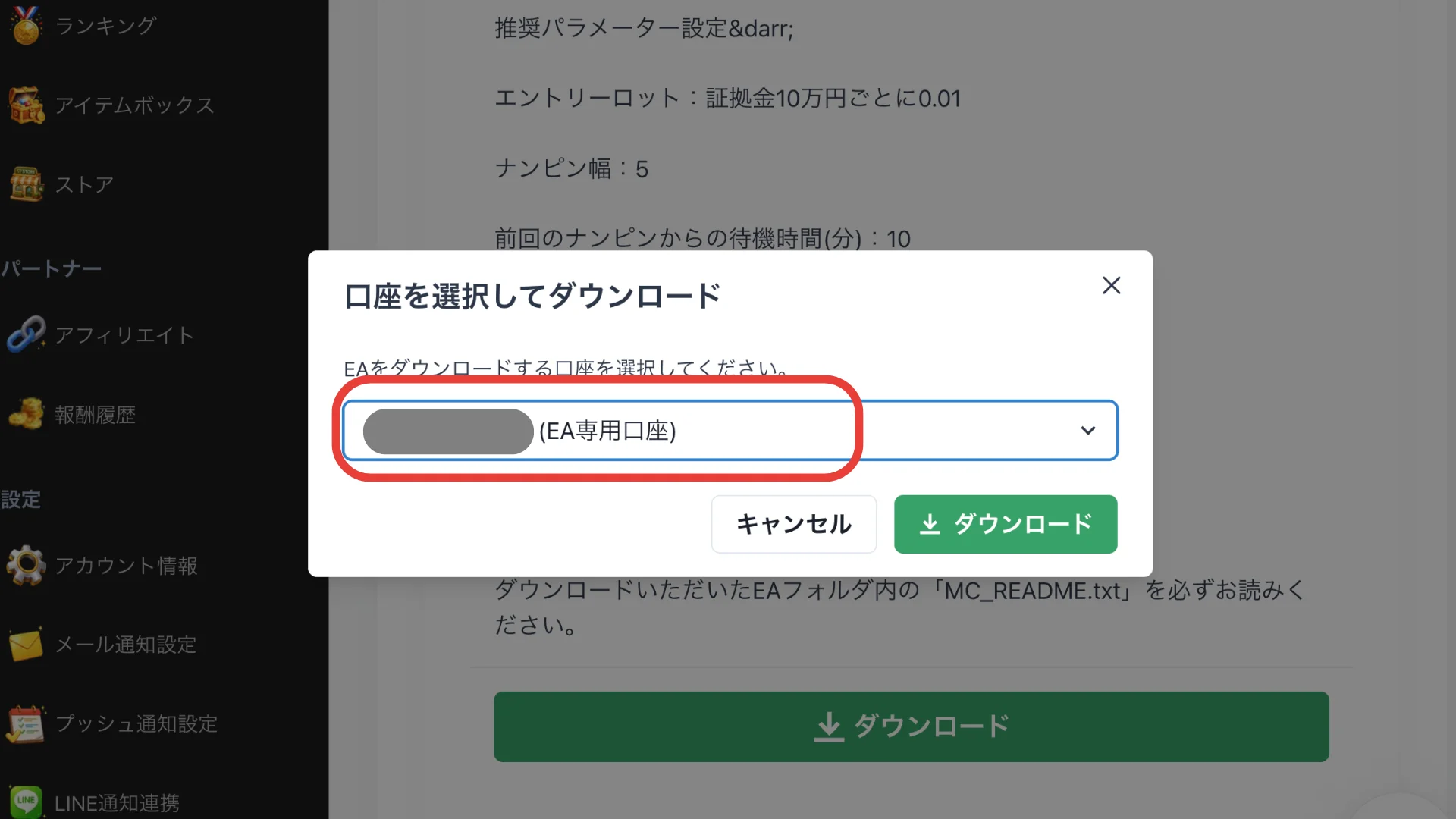
Please download OMEGA from the My Page > EA menu . When doing so, be sure to select an approved EA-dedicated account before downloading
8Unzip the file and install it in MT5▾
The installation procedure is explained in the video above. Basic steps: Unzip the file → Place the files in the designated folder in MT5 → Restart MT5
9Automated trading ON - Check trading rules▾
Please turn on automated trading in MT5. Recommended parameter settings and operating rules vary depending on the EA.
Click here for OMEGA's operating rules →
10.greeting in the group chatOptional brief.
Once the setup is complete, we'd appreciate it if you could say hello in the open chat (optional).
Join the open chat →